VFXArtist,KisongLee_이기송2 Details
Intro
Class Intro
VFX Artist, Kisong Lee
“Go beyond simply creating fantasy effects. Develop the ability to customize, combine, and apply small functions to really boost your creativity.”
The Essence of Unreal FX, Practical Fantasy-Style Effect Training by Kisong Lee from “Lost Ark”
The next step to becoming a game effect specialist who can utilize mind-blowing effects whenever needed! Veteran VFX Artist and representative of the Coloso Niagara Class, Kisong Lee returns with an advanced class on FX techniques by property with even more diverse practical exercises.

Create various natural property effects essential for fantasy games. Complete a variety of 1-2 minute exercises to learn skills optimized for practical work and build a competitive portfolio. Experience the pinnacle of detailed VFX implementation with Niagara through Kisong Lee's trusted class.
Class Preview
Full Release of Chapter 3 of Kisong Lee's Advanced Fantasy FX Class!
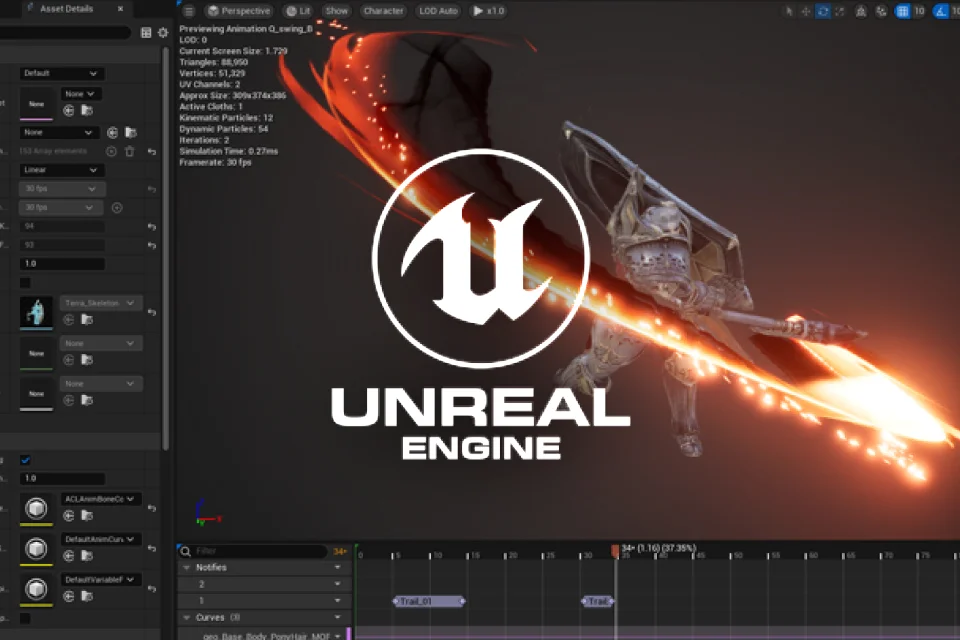
03. Sequencer Setup and How to Use Trail Notify
- Setting up the character sequencer
- How to use Swing Trail Notify
- How to use Swing Trail Notify
*The Korean language content in this class preview is translated into English in the class videos.
**The subtitles in this preview video are auto-translated. Please note that some content may not be accurately translated.
***Associated content is subject to change without prior notice.
Class Perks
Get These Coloso Exclusives
-
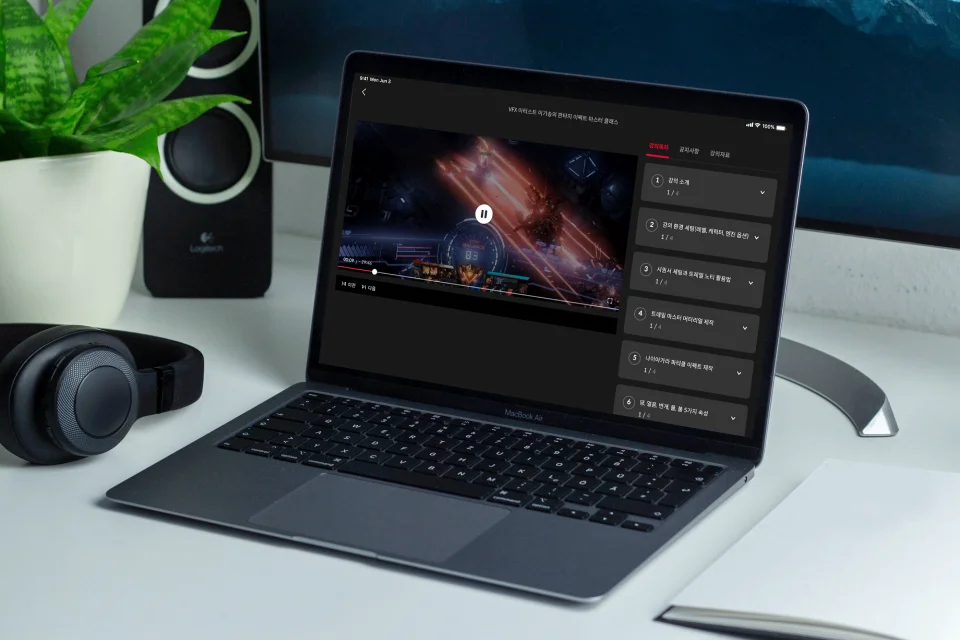
Dive into Kisong Lee's unique expertise through a structured curriculum with unlimited access to 30 chapters -
Advanced techniques from portfolios to practical work. Collection of five property-specific effect techniques -
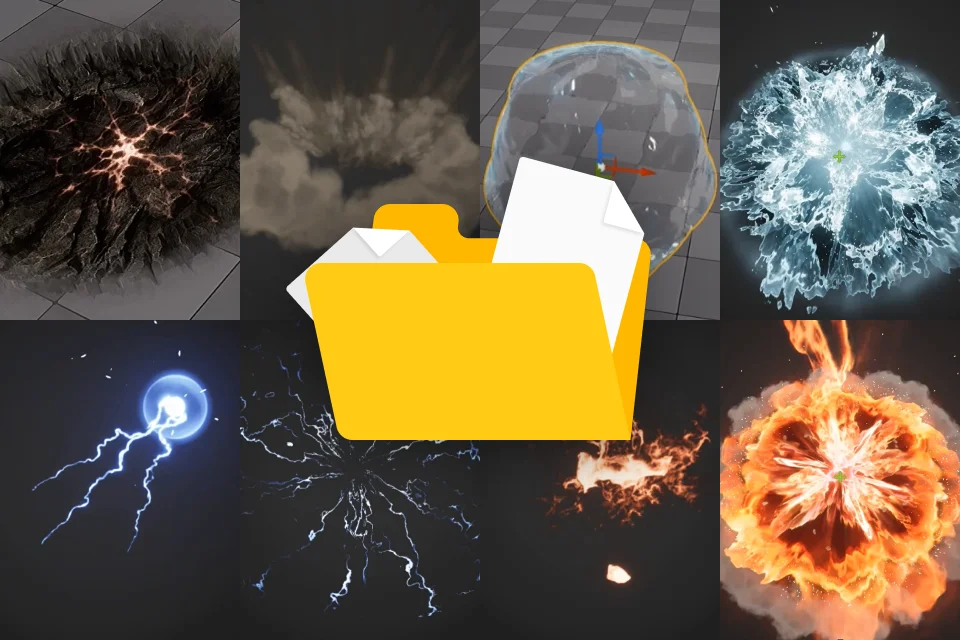
167 Unreal Engine FX resources and exercise project files including textures, materials, particles, meshes, and sequencers
Recommendation
Who Should Take This Class?
For new effect creators who want to produce more diverse and stunning fantasy-style advanced effects
For VFX artists with over 3 years of experience who find practical work with Niagara FX Production intimidating and challenging
For job seekers who want to enhance their portfolio competitiveness with high-quality direction skills
What Are the Differences between Part 1 and Part 2?
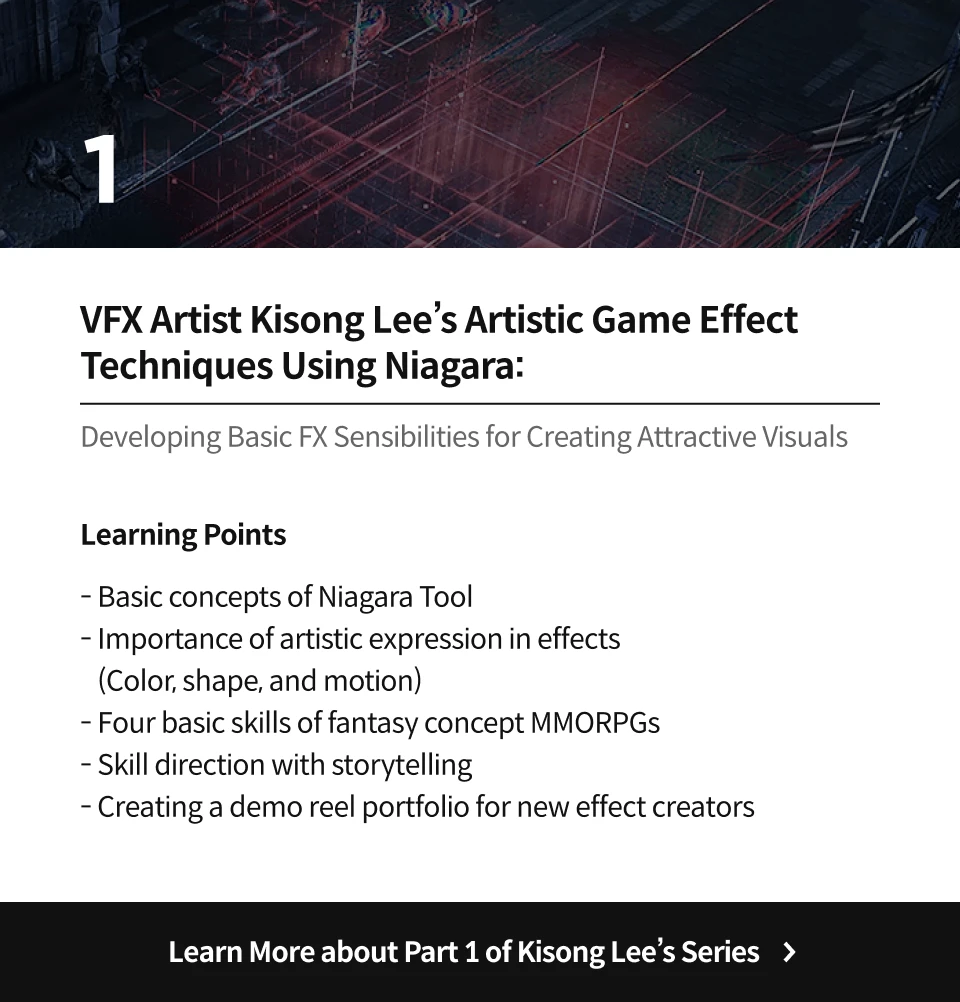
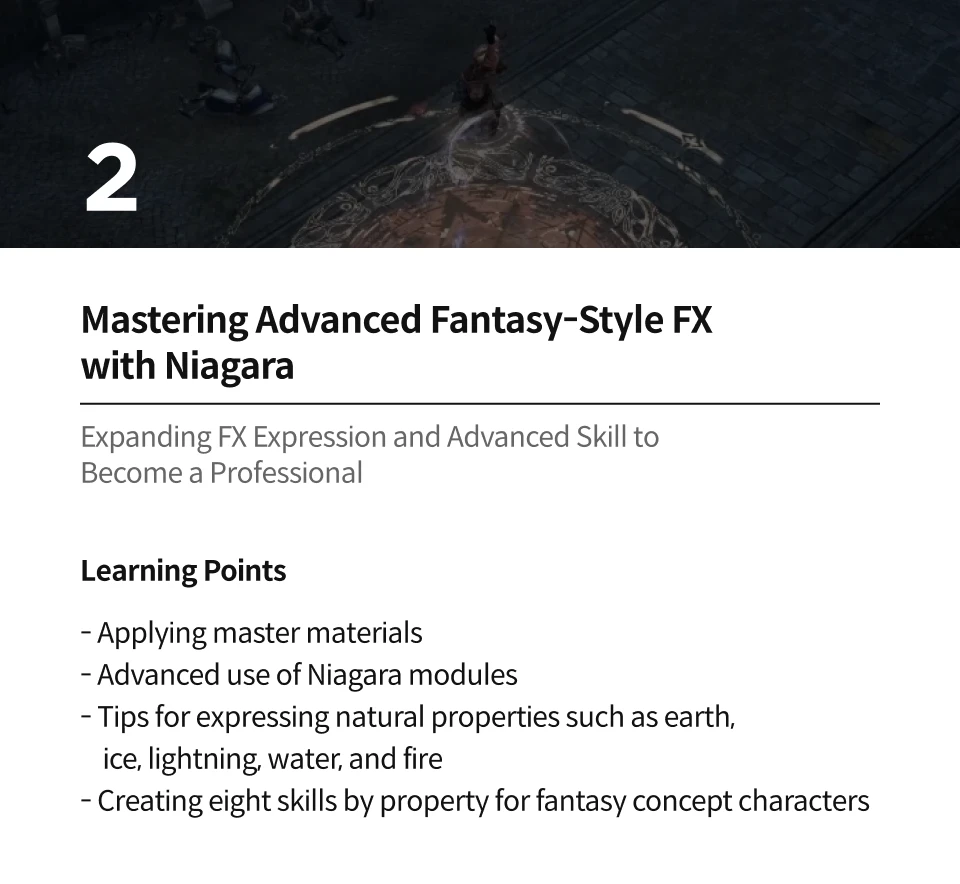






Expert VFX Artist Kisong Lee's Portfolio
Why Take This Class?
Expanding Niagara FX Skills to a Practical Level
Have you only watched split tutorial classes on the advanced features of Unreal Niagara, which offers endless possibilities? Learn high-quality effect production methods directly applicable to game effects, combined with character motions.
Mix and match different FX elements such as form, motion, timing, and textures to create unique effects that fit your game characters and story. Kisong Lee, who worked on the game “Lost Ark” and is one of Coloso’s top-rated instructors, shares all the practical skills needed to become a sought-after effect artist.
8 Class Exercises
Eight Step-by-Step Exercises to Advance Your FX Skills
Part 1. Techniques for Expressing FX by Property
-
 Expressing the earth property
 -
 Expressing the ice property
 -
 Expressing the lightning property
 -
 Expressing the water property
 -
 Expressing the fire property
Part 2. Master Advanced FX Production Combined with Motion
-
 01. Sword TrailExpressing swings using sword trail effects
 -
 02. Earth ExplosionCreating earth explosion effects using decal materials
-
 03. Ice ExplosionCreating ice property FX using texture materials and samples
 -
 04. Thunder ExplosionCreating lightning FX using beam effect random spawn
-
 05. Death_SkeletalExpressing character dissolve materials and directing character death FX
 -
 06. Water ExplosionExpressing water texture materials and directing water property FX
-
 07. Fire ExplosionExpressing mesh position morphing and directing fire property FX
 -
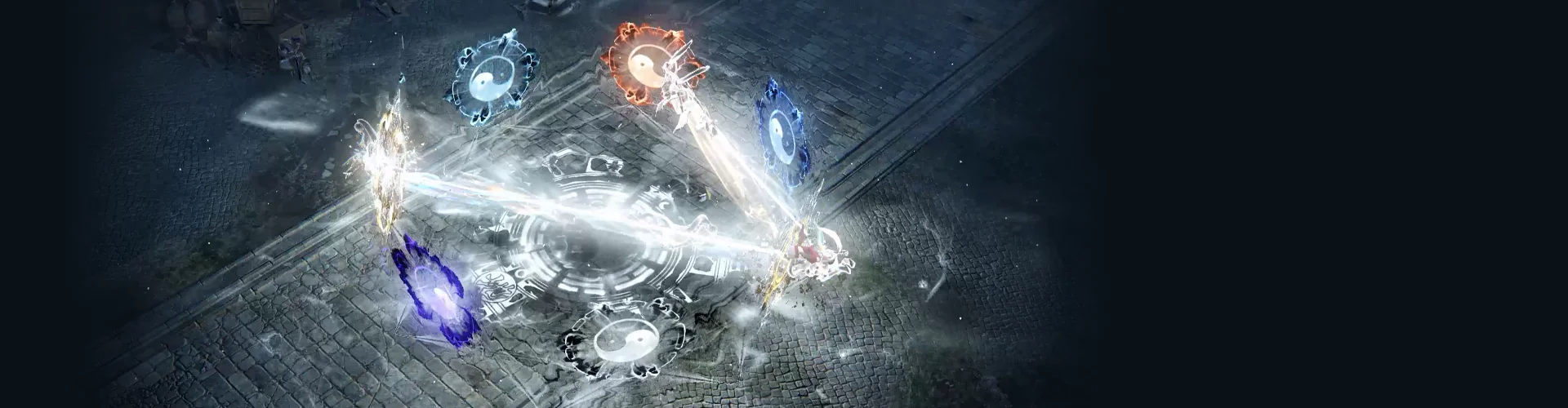
 08. ConstellationExpressing stencil buffer and space property FX
Instructor
VFX Artist
Kisong Lee
Hello, I'm VFX Artist Kisong Lee. I have over 10 years of practical experience in various concept projects ranging from films to game effects. After working at Smilegate and Krafton, I am currently the VFX Lead Artist for a new console project.
Following up on the previous class, this class is designed to explore various properties and character FX skills further. I hope this class helps you enhance your practical abilities as a game effect artist and upgrade your skills through more eye-catching and diverse techniques.


VFX Artist Kisong Lee
[Current]
VFX Lead Artist
New Console Project
Projects & Awards
Krafton – Visual R&D / Calisto Protocol (Support) for "The Bird That Drinks Tears"
Smilegate RPG – Lost Ark
NSE Entertainment – SURA Online, SURA Mobile
Macrograph – R2B, Starship Troopers: Invasion
Highlights
Class Highlight
Master Advanced Niagara Particle Module Skills through Eight Exercises
Learn in-depth module usage that can only be implemented with the Unreal Niagara particle system. Improve your high-quality effect skills with practical exercises in creating eight natural properties such as earth, ice, lightning, and water, and closely apply and combine them for your character.
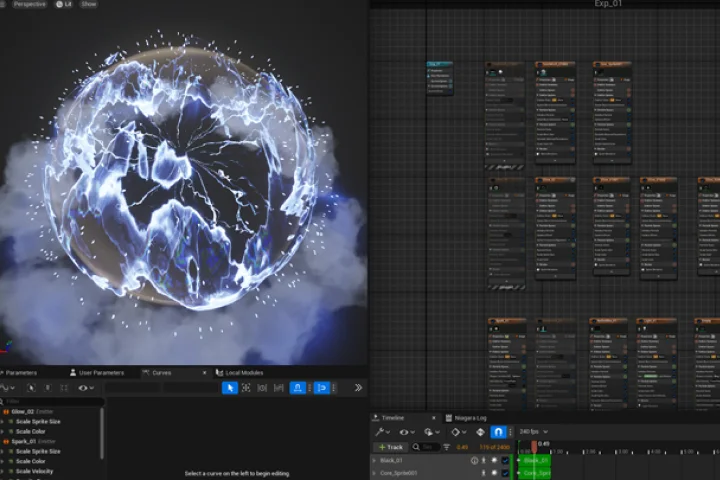
The Core of Professional Effect Direction, from Essential Basics to Advanced Skills
Master a variety of production processes through step-by-step exercises, from basic swing trail expressions to skeletal mesh location module expressions. Master efficient VFX production skills with a systematic curriculum that includes the actual work process.
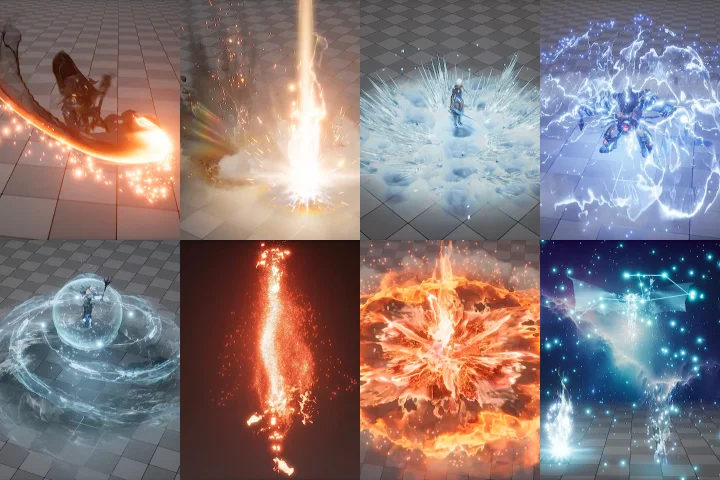
Optimal for MMORPG Practical Work! Tips for Expressing Fantasy-Style Effects by Properties
Observe and understand the core points of expressing various fantasy effect properties often used in conceptual VFX work. Experience practical growth firsthand by working on natural property skill effects that can be applied to various characters.
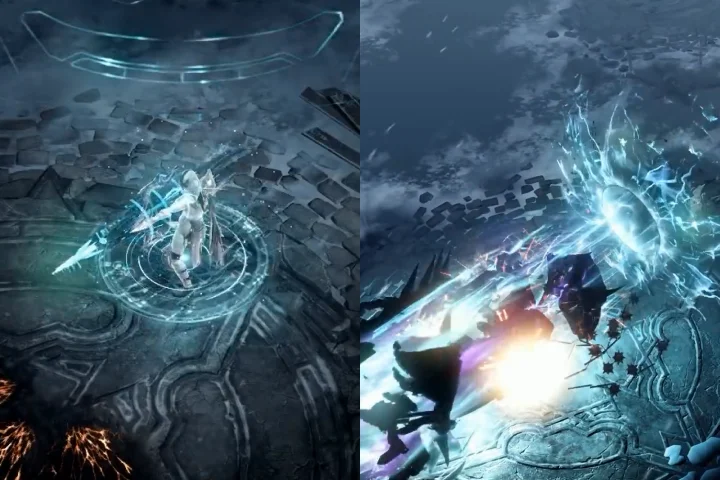
Class Details
You'll Learn
-
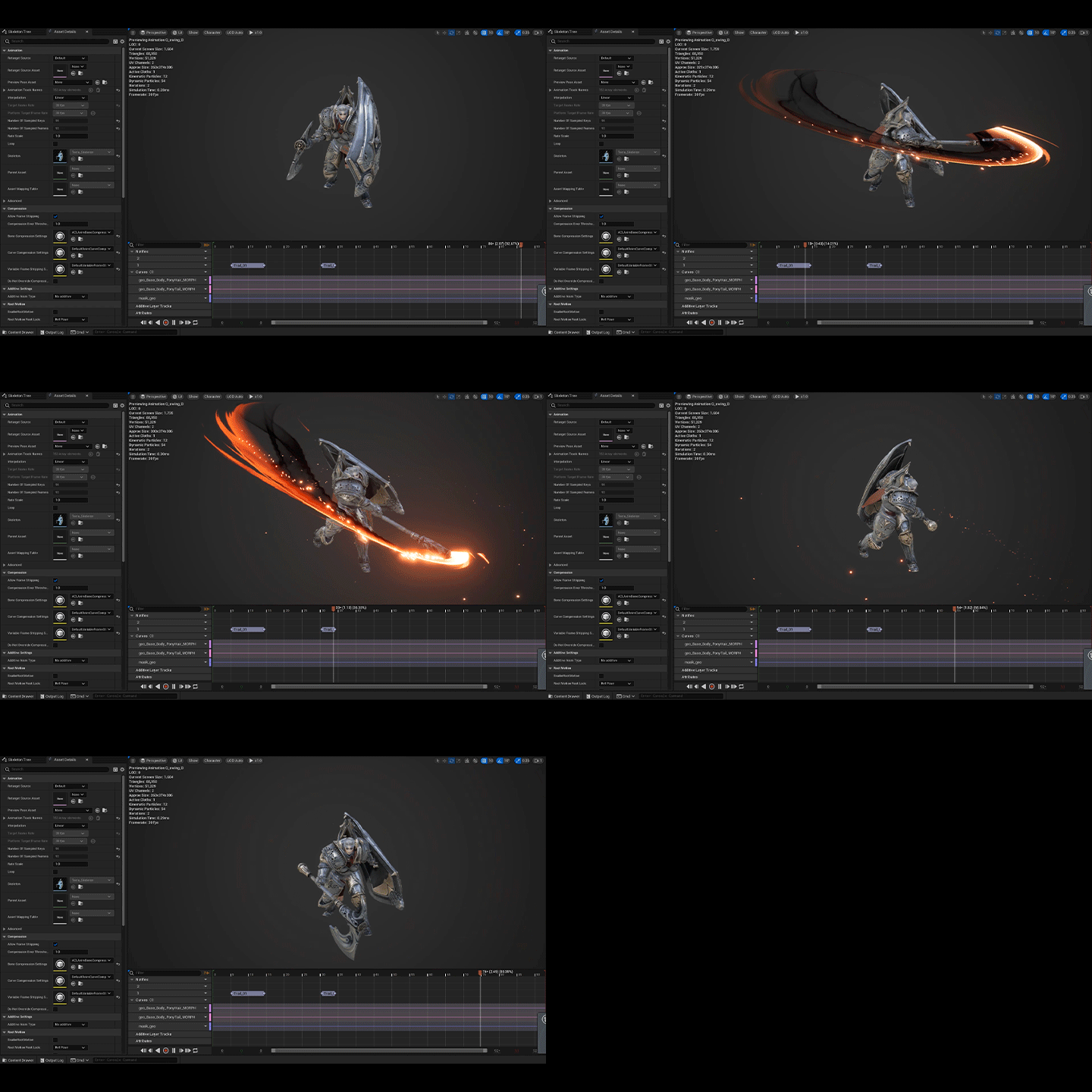 Complete Practical Application: How to Create Swing Trail and Decal EffectsLearn the swing trail and decal effect expressions that are essential for game VFX artists to use in practice. Starting from sequencer settings and master materials, explore the workflow for efficient work and understand the key points for implementing realistic visual expressions.
 -
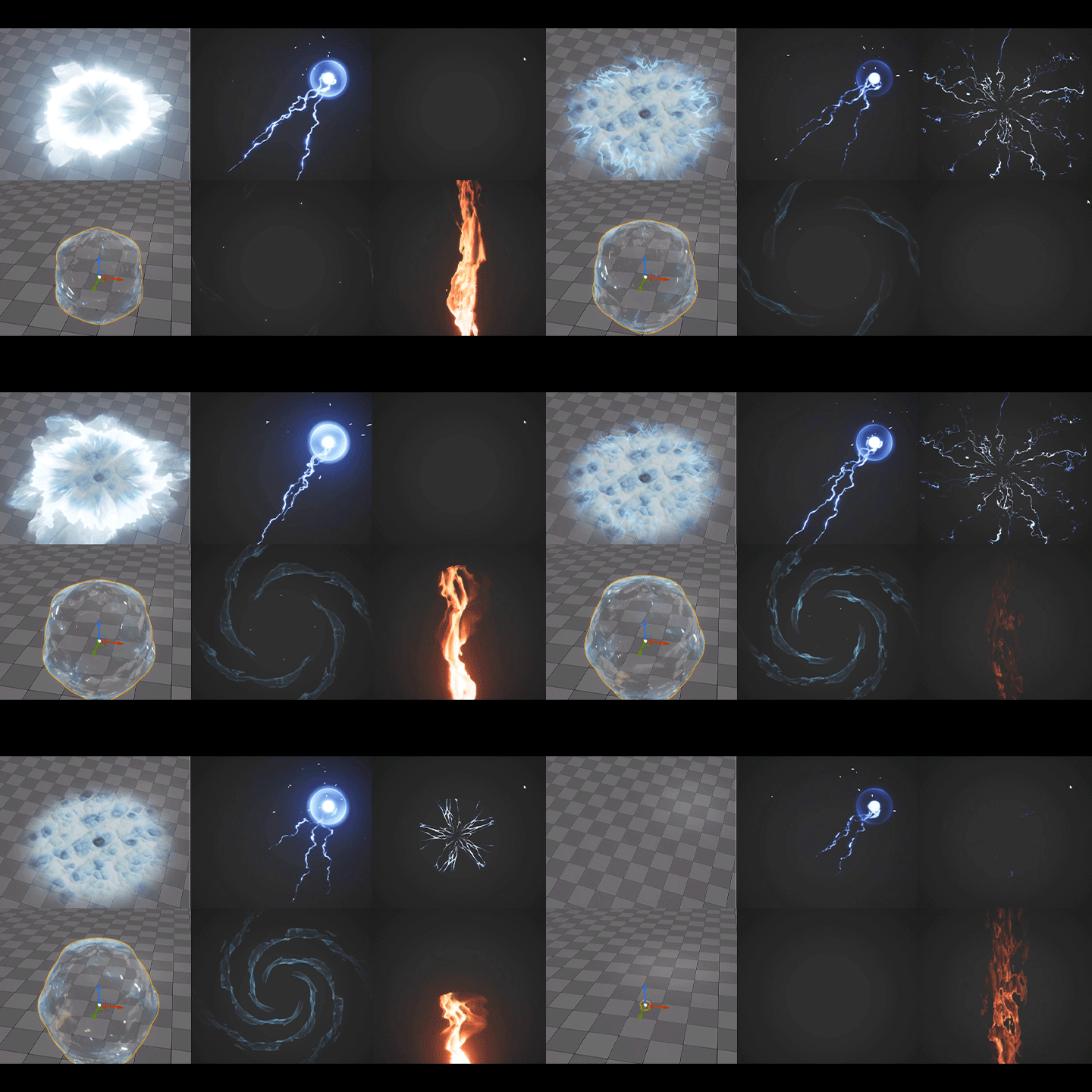 Essential Elements of Fantasy Concepts: Visual Points for Various Natural PropertiesLearn how to express various natural properties that are highly used in fantasy-style concepts such as MMORPG games. Easily learn the skills of properties like earth, water, fire, and lightning along with character motions, and complete appealing and detailed visual work.
 -
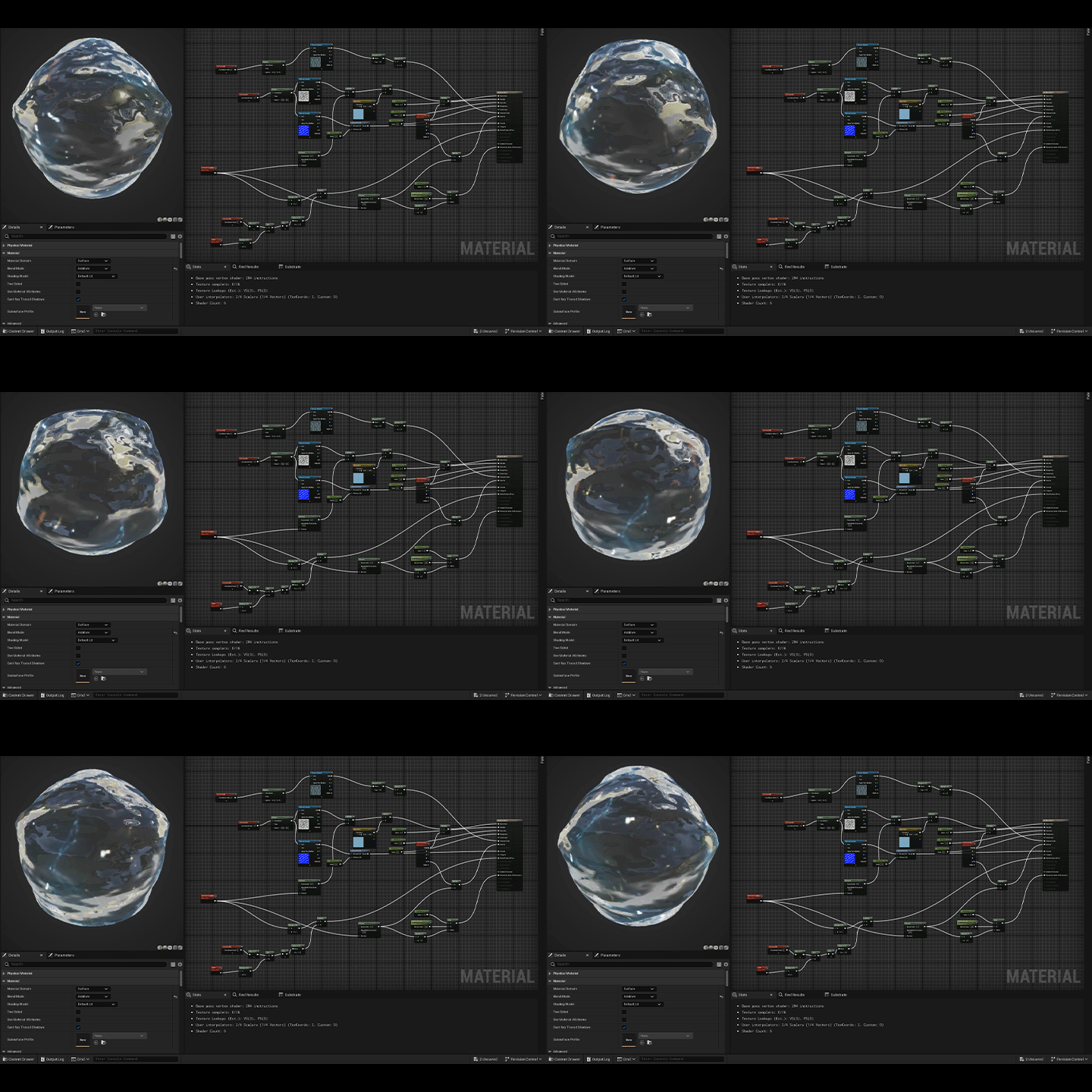 Key Points of Realistic Texture: Production Methods for Various Property MaterialsFinely create materials that complete the surface texture of various natural property skills. Adjust the surface color, transparency, and texture of properties like ice, lightning, and water to design more realistic game effects and understand the differences in texture for each skill.
-
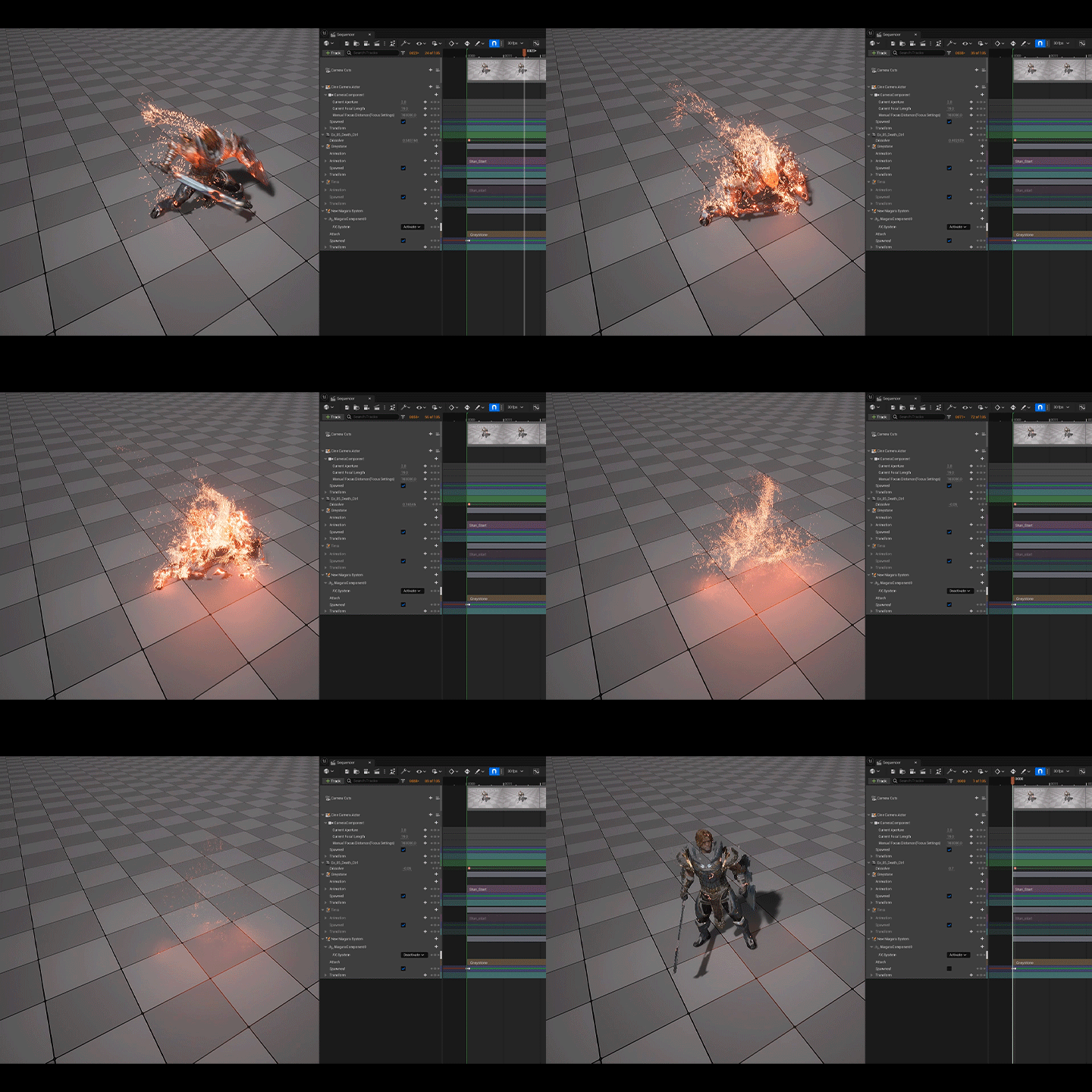 Completing Vibrant and Colorful Game Visuals: Production Methods for Various Property Particle EffectsLearn the expression methods of particle effects, an essential element of game art, and create effects that vary by property to produce unique and colorful visuals. Create particle effects for skills such as lightning, water explosions, and fire explosions, and develop your sense of expression to ensure that character skills move naturally and vividly on screen.
 -
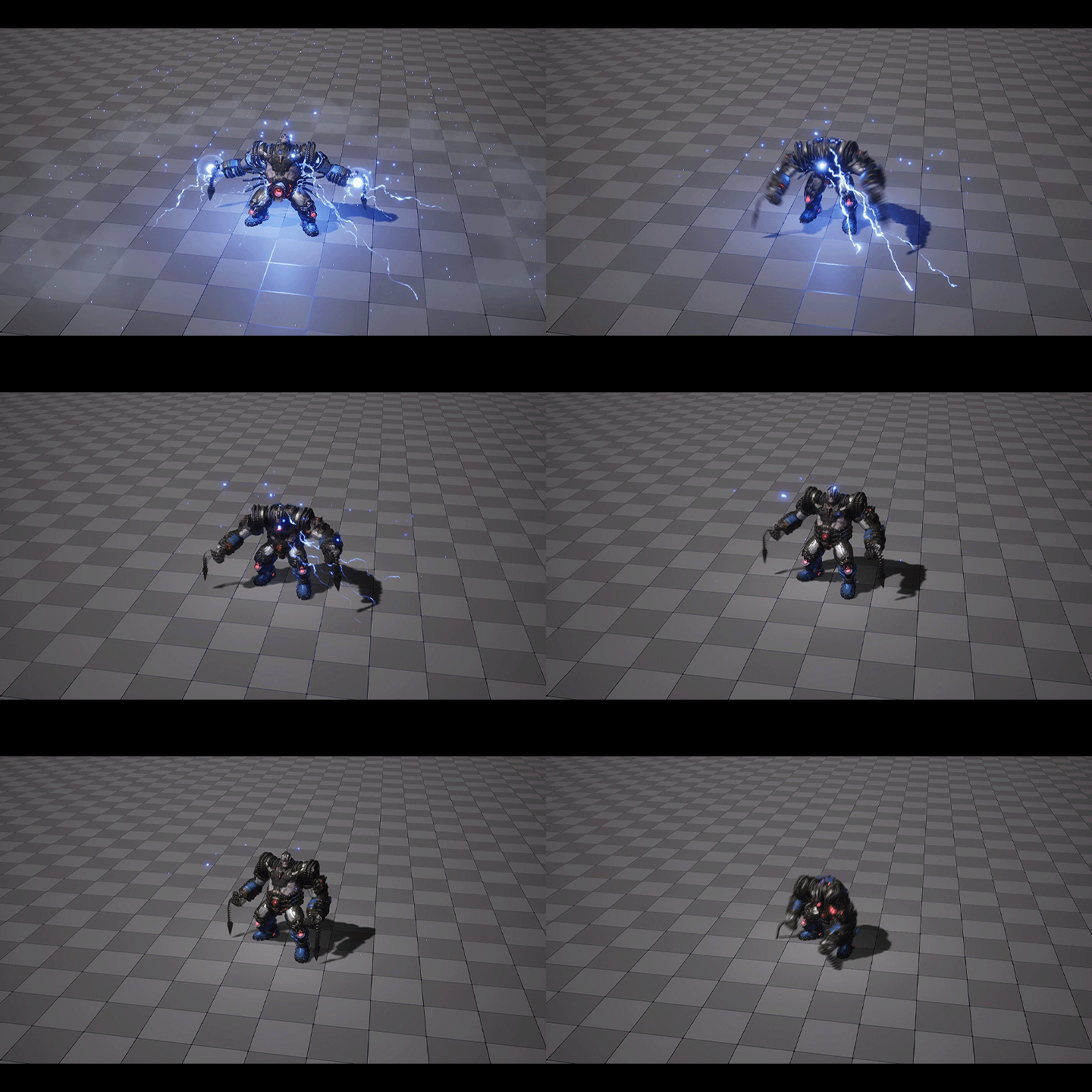 Advanced Techniques for High-Quality Motion Effects in Unreal NiagaraLearn advanced expression skills unique to Unreal Niagara, such as texture samples, position morphing, and skeletal modules. Understand the technology used and develop practical skills to apply them immediately using efficient direction methods that integrate with character motion.
 -
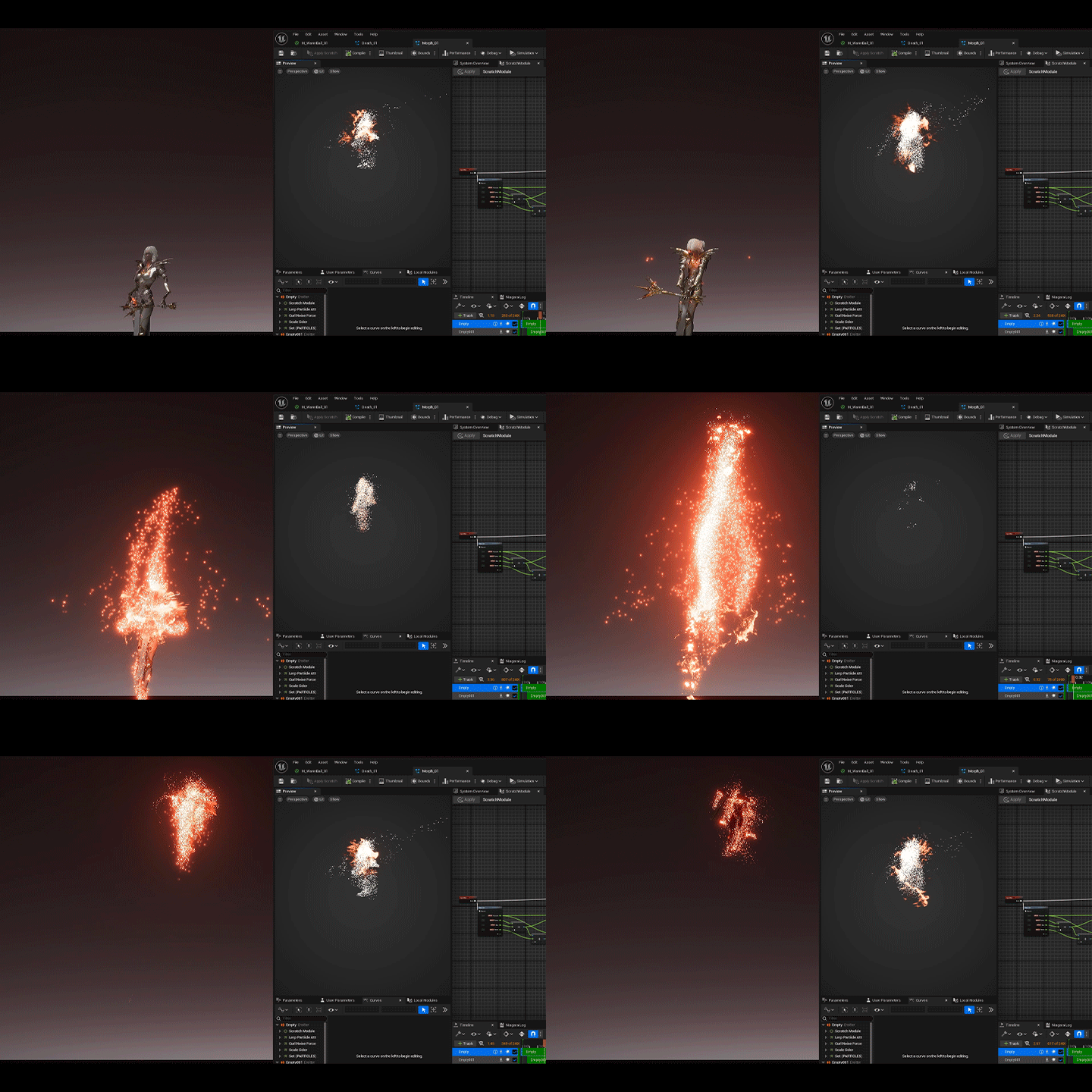 Complete a Competitive Portfolio with Thorough Practical ExercisesThrough eight exercises, create your own portfolio that perfectly showcases your skills as a junior effect artist. Demonstrate a diverse skill set by creating various FX in Unreal, solving production problems, and completing a high-quality portfolio.
- Unlimited Access
- Best Price
Buy now, get unlimited access.
07/06 (Mon) (UTC-7) Special offer ends soon.
This special offer ends soon.
Buy now and save!
Curriculum
Curriculum
In-Depth Look
SECTION 01. Intro
01. Class Introduction
- Brief Introduction to the Curriculum
SECTION 02. Setting up the Work Environment
02. Setting up the Class Environment (Level, Character, Engine Options)
- Adding Necessary Class Materials for Exercise Creation
- Project Setup and Level Creation
SECTION 03. Exercise 1: Expressing Swing Trail
03. Sequencer Setup and How to Use Trail Notify
- Setting up the Character Sequencer
- How to Use Swing Trail Notify
04. Creating the Trail Master Material
- Creating the Trail Master Material
05. Creating Niagara Particle Effects
- Creating One-Hit Swing Trail Particles
- Creating Two-Hit Swing Trail Particles
- Finalizing Sequencer Production
SECTION 04. Expression Points for Each Property
06. Five Properties: Earth, Ice, Lightning, Water, and Fire
- Theoretical Explanation of Expression Points for Each Property
SECTION 05. Exercise 2: Ground Decal Expression and Earth Property Explosion
07. Sequencer Setup
- Setting up the Character Sequencer
08. Creating the Decal Master Material
- Creating the Decal Master Material
09. Creating Niagara Particle Effects
- Creating a Swing Trail Particle
- Creating an Earth Explosion Particle
- Finalizing Sequencer Production
SECTION 06. Exercise 3: Texture Sample Module Expression and Ice Property Expression
10. Sequencer Setup and Texture Sample Module Explanation
- Setting up the Character Sequencer
- Explaining Texture Sample Module Functions
11. Creating an Ice Material
- Creating an Ice Mesh Texture Material
12. Creating Niagara Particle Effects
- Creating an Ice Explosion Particle
- Finalizing Sequencer Production
SECTION 07. Exercise 4: Beam Effect Random Spawn Expression and Lightning Property Expression
13. Sequencer Setup and Beam Random Spawn Module Creation
- Setting up the Character Sequencer
- Creating a Simple Module for Random Connection to Skeletal Mesh
14. Creating Lightning Material and Connecting Particles
- Creating a Lightning Material
- Creating a Beam Particle Connected to a Character's Body
15. Creating Niagara Particle Effects
- Creating a Lightning Explosion Particle
- Finalizing Sequencer Production
SECTION 08. Exercise 5: Skeletal Mesh Location Module Expression and Death Scene Expression
16. Sequencer Setup and Skeletal Mesh Module Explanation
- Character Sequencer Setup
- Explaining Skeletal Mesh Location Module Functions
17. Creating a Character Dissolve Material
- Creating a Character Dissolve Material
- Connecting with Sequencer Production
18. Creating Niagara Particle Effects
- Creating a Death Scene Particle
- Finalizing Sequencer Production
SECTION 09. Exercise 6: Water Texture Expression and Water Property Expression
19. Sequencer Setup
- Character Sequencer Setup
20. Creating a Water Texture Material
- Creating a Spiral UV Master Material
- Creating a Water Texture Material
21. Creating Casting Niagara Particle Effects
- Creating a Trail Casting Particle
- Creating a Character Casting Particle
22. Creating Explosion Niagara Particle Effects
- Creating a Water Explosion Particle
- Finalizing Sequencer Production
SECTION 10. Exercise 7: Skeletal Position Morphing Expression and Fire Property Expression
23. Sequencer Setup and Creating a Skeletal Position Morphing Module
- Character Sequencer Setup
- Creating a Skeletal Position Morphing Module
24. Creating Character Position Morphing Niagara Particle Effects
- Directing the Character Dissolve Sequencer
- Creating a Character Position Morphing Niagara Particle
25. Creating a Fire Explosion Particle Effect
- Creating a Falling Trail Particle
- Creating a Fire Explosion Particle
SECTION 11. Exercise 8: Stencil Buffer Expression and Space Property Expression
26. Sequencer Setup and Creating a Stencil Buffer Expression
- Character Sequencer Setup
- Creating a Stencil Buffer Mask Structure
27. Creating Space and Character Transparent Materials
- Creating a Character Transparent Material
- Creating a Stencil Space Material
28. Character Casting Effect Work
- Creating a Character Dissolve Particle
- Creating a Space Beginning Particle
29. Creating Two Types of Explosion Effects
- Creating a Small Star Movement Particle
- Creating a Small Star Explosion Particle
- Creating a Large Star Movement Particle
- Creating a Large Star Explosion Particle
30. Finishing up the Class and Tips for Using Free Content
- How to Use Free Content
- Class Review
*The release date of this class, curriculum images, and associated content can be changed without prior notice.
** Class videos may be separated for a more streamlined viewing experience
Interview with
VFX Artist Kisong Lee

Question.01
What is the purpose behind this class, and what do you think sets it apart from others?
Going beyond the basic effect skills learned in Part 1, Part 2 aims to cover a wider range of FX expressions in more depth. Through detailed practical exercises, I focused on creating high-quality portfolios that showcase your competitiveness by producing diverse properties and effects such as water, fire, lightning, and ice.
Question.02
What are your strengths or unique points that are incorporated into this class curriculum?
I have years of experience as an artist working on games that feature stunning FX such as “Lost Ark.” Based on my experiences, I want to cover in detail the expertise needed for various property expressions that are particularly useful in fantasy-style concepts. I’ll share in-depth, key skills that I have directly applied in practical work, such as property-specific expression materials and distortion effect techniques.
Question.03
What aspects did you focus on most while developing the curriculum?
I put a lot of effort into creating thorough and diverse exercises so that you can quickly gain direction experience and upgrade your skills. Following Part 1, which focuses on theory and basic engine explanations, this class’s curriculum allows you to learn effective FX practical work methods through various property-specific exercises.
Question.04
What can students learn from this class?
As the importance of Niagara particle usage in the industry grows, I believe you’ll be able to properly learn advanced Niagara skills that can be immediately applied to portfolio creation or practical work. Additionally, by creating various property-specific productions together, you can develop Unreal Niagara techniques optimized for game effect creation.
Required Programs
This course will be conducted using Unreal Engine 5.3, and participants are advised to install the latest version of the software to ensure an optimal learning experience.
*The character used in the exercises is a Paragon asset and can be obtained for free from the Unreal Engine Marketplace.
*You can still take the class even with a lower version.
*These programs and/or materials will not be provided with the course.