Details
บทนำ
Roadmap ที่สมบูรณ์แบบ ตั้งแต่พื้นฐานของ Spine และ Unity ไปจนถึงการได้งานในฝันในวงการเกม
ก้าวข้ามการสร้างแอนิเมชั่นขั้นพื้นฐานเพื่อสร้างผลงานที่โดดเด่นและช่วยให้คุณได้รับการว่าจ้าง เรียนรู้กระบวนการทำงานจาก Spine-to-Unity ที่ใช้ในการผลิตเกมจริง เรียนรู้โดยตรงจากประสบการณ์ 9 ปีของ D-LiuRouDuan เพื่อก้าวสู่การเป็นแอนิเมเตอร์ที่พร้อมสำหรับการทำงานจริง
เพิ่งเริ่มใช้เครื่องมือเหล่านี้ใช่ไหม? คุณก็ยังจะได้ผลลัพธ์ระดับมืออาชีพในเวลาไม่นาน เริ่มจากพื้นฐานและพัฒนาไปสู่แอนิเมชั่นการต่อสู้แบบ RPG ที่ทรงพลังและลำดับภาพเคลื่อนไหวที่จำเป็นสำหรับเกมสไตล์ซับคัลเจอร์ หลักสูตรนี้สร้างขึ้นจากวิธีการที่ได้รับการพิสูจน์แล้วจากนักเรียนที่ประสบความสำเร็จกว่า 800 คน ช่วยให้คุณเรียนรู้เทคนิคในโลกแห่งความเป็นจริงได้อย่างรวดเร็วและนำไปใช้ได้ทันที
ของแถมในคลาส
รับสินค้าสุดพิเศษจาก Coloso ได้เลย!
-
 เข้าถึงการบรรยายทั้ง 26 คลาส ได้ไม่จำกัดนำเสนอโดย ดี-หลิวโร่วต้วน ผู้เชี่ยวชาญ
 -
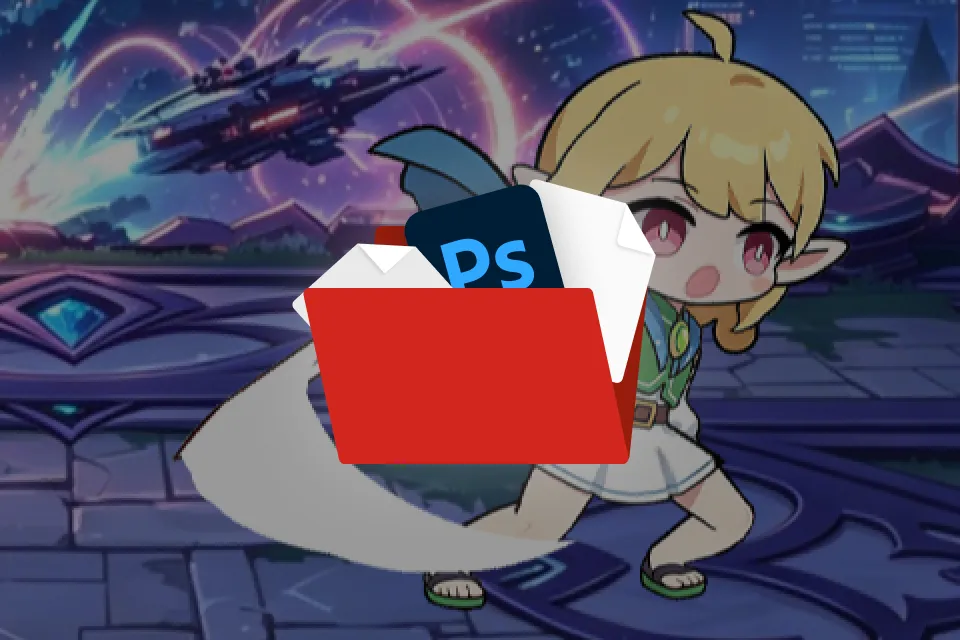 ไฟล์ต้นฉบับ PSD และไฟล์ Spineสำหรับขั้นตอนการทำงานแบบมืออาชีพและการตรวจสอบตนเอง
 -
 สไลด์สรุปสาระสำคัญ (ไฟล์ PPT และ PDF)ความรู้พื้นฐานที่ครอบคลุมโดยสังเขป
คำแนะนำ
คลาสนี้เหมาะสำหรับ?
นักเรียนและผู้เริ่มต้นด้านแอนิเมชั่น ที่ต้องการสร้างแฟ้มผลงานแบบมีแกนหลัก (Spine Portfolio)
ศิลปินและนักออกแบบคอน set ที่ต้องการพัฒนาทักษะด้านแอนิเมชั่น
นักพัฒนาอิสระ ที่ต้องการนำแอนิเมชั่นกระดูกสันหลังไปใช้ในเกมจริง
ผลงานของ D-LiuRouDuan ผู้เชี่ยวชาญด้านการออกแบบแอนิเมชั่น
ทำไมถึงควรเรียนคลาสนี้?
ก้าวข้ามข้อจำกัดด้านภาพด้วยความเชี่ยวชาญทางเทคนิคอย่างแท้จริง เรียนรู้จากหัวหน้าทีมแอนิเมชันของ Kunpo และพัฒนาความคิดแบบคู่ขนานของศิลปินและโปรแกรมเมอร์ ซึ่งเป็นหนึ่งในทักษะที่เป็นที่ต้องการมากที่สุดในอุตสาหกรรม ตั้งแต่การเคลื่อนไหวของตัวละครและ VFX ของทักษะ ไปจนถึงการปรับแต่ง Unity ให้เหมาะสม บทเรียนทุกบทมุ่งเน้นไปที่ความต้องการในการผลิตในโลกแห่งความเป็นจริง
กระบวนการทำงานนี้ได้ขับเคลื่อนเกมที่มี ผู้ใช้ งานประจำวันมากกว่า 10 ล้านคน และตอนนี้คุณก็สามารถเรียนรู้และเชี่ยวชาญมันได้แล้ว ลงมือทำโปรเจกต์จริง 3 โครงการ ได้แก่ การต่อสู้แบบไดนามิก การกำกับฉากคัตซีน และการตั้งค่า Engine เกมจริง พร้อมการเพิ่มประสิทธิภาพในระดับการผลิต โดยมีผู้เชี่ยวชาญมากประสบการณ์ที่เคยนำการผลิตในระดับใหญ่คอยให้คำแนะนำ มาตรฐานไม่ได้หมายถึงแค่ "ดูดี" แต่หมายถึง "พร้อมวางจำหน่าย" คุณจะได้เรียนรู้ไม่เพียงแค่ภาพกราฟิก แต่ยังรวมถึงการตั้งค่า Engine และขั้นตอนการทำงานที่เข้มงวดซึ่งจำเป็นสำหรับการเปิดตัวเกมจริง และทำให้มันเป็นของคุณเอง

แบบฝึกหัด คลาส
แบบฝึกหัด คลาส 24 ข้อ
ส่วนที่ 1. การเรียนรู้ขั้นตอนการทำงานหลักให้เชี่ยวชาญ
คู่มือสำหรับผู้เริ่มต้น
-
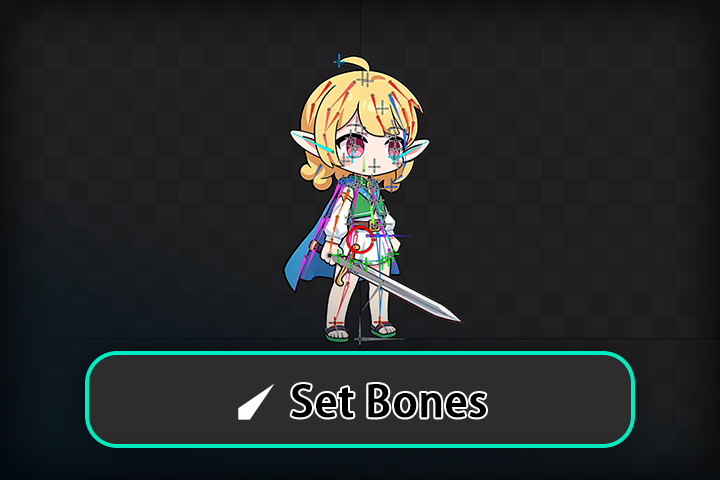 การสร้างโครงกระดูกเต็มตัวสำหรับตัวละครของคุณ
 -
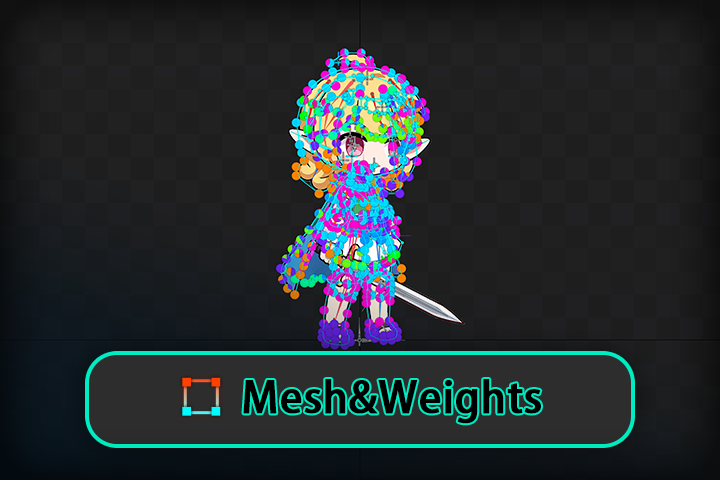 จาก "หุ่นเชิด" สู่ "บุคคลที่มีชีวิต"
ส่วนที่ 2 การฝึกอบรมเข้มข้นเกี่ยวกับลักษณะกระดูกสันหลัง
หลักการพื้นฐาน
-
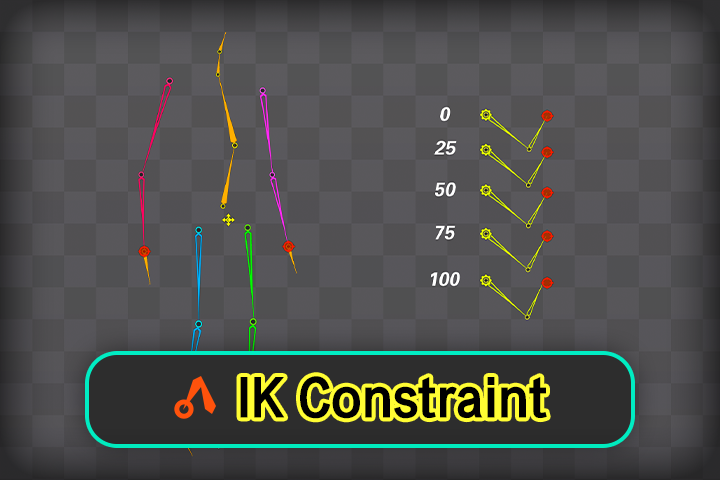 ข้อจำกัด IK
 -
ข้อจำกัดการแปลง
-
ข้อจำกัดเส้นทาง
-
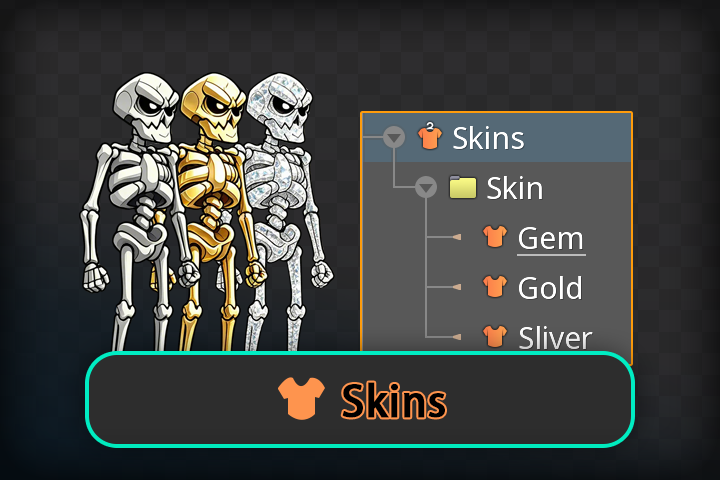 ผิว
ผิว -
เส้นโค้งและจังหวะ
-
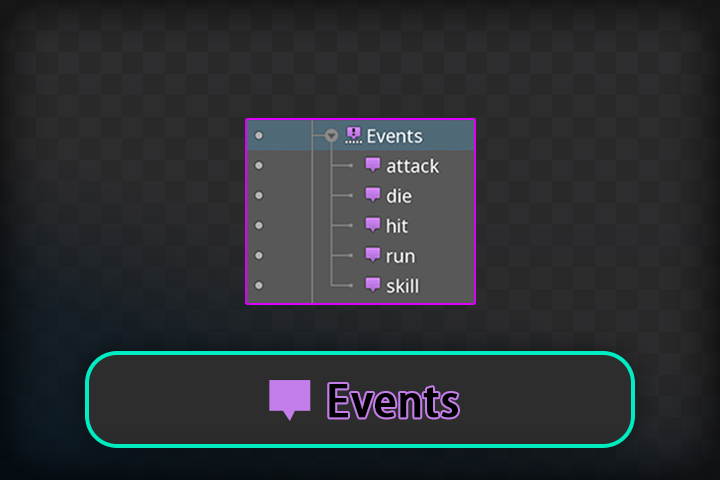 กิจกรรมแอนิเมชั่น
ส่วนที่ 3 การผสานรวมเข้ากับ Unity Game Engine
เส้นทางอาชีพ
-
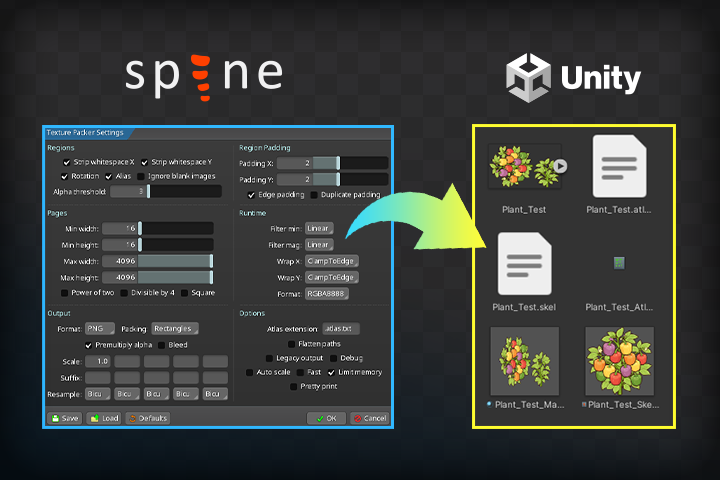 บทนำเกี่ยวกับ Spine ใน Unity
 -
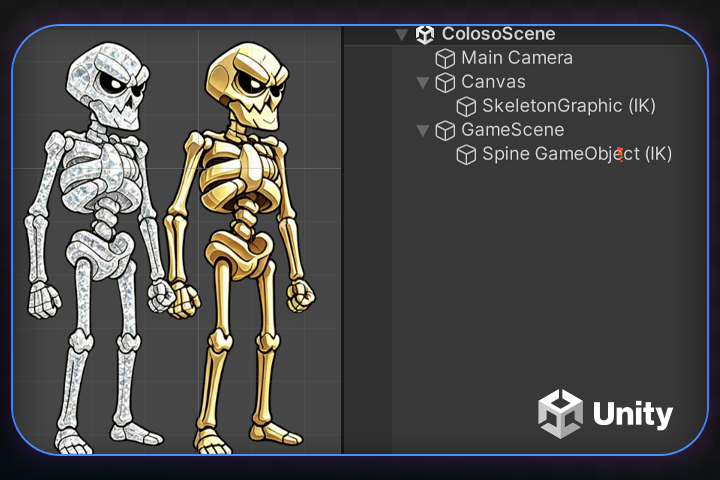 แนบกระดูกสันหลังใน Unity
 -
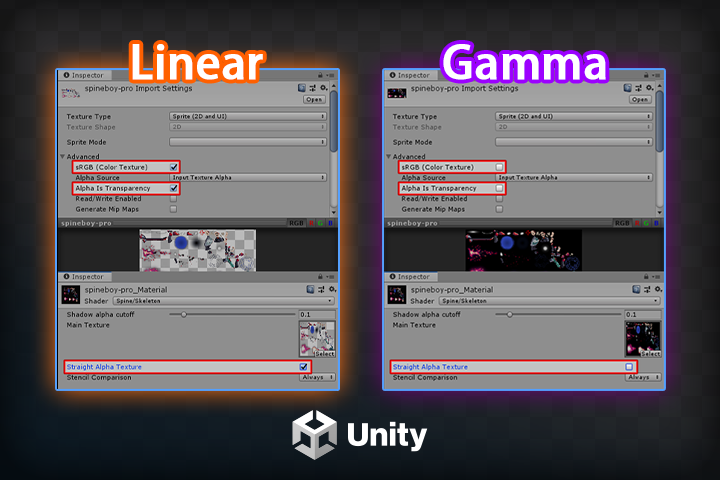 การตั้งค่า Atlas สำหรับ Spine ในขั้นตอนการพัฒนาที่แตกต่างกัน
-
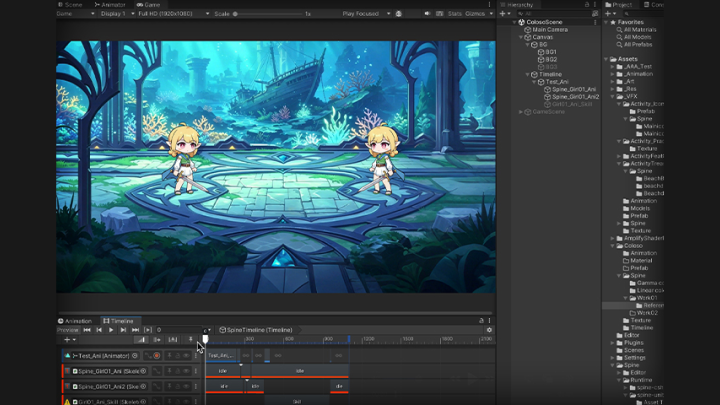
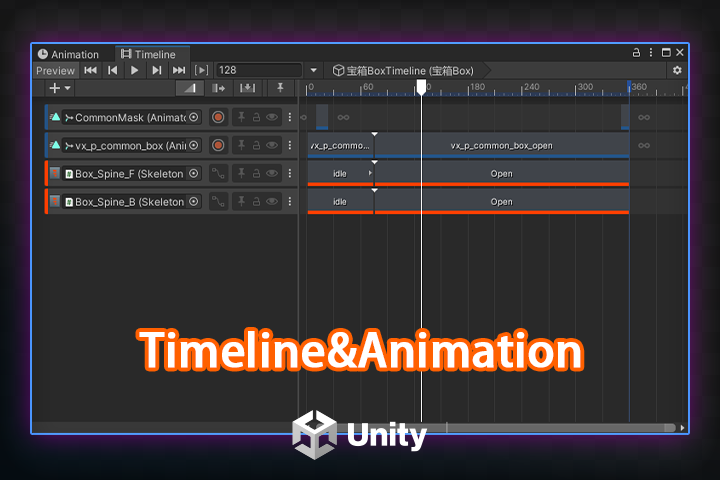 แอนิเมชันและไทม์ไลน์พร้อม Spine
 -
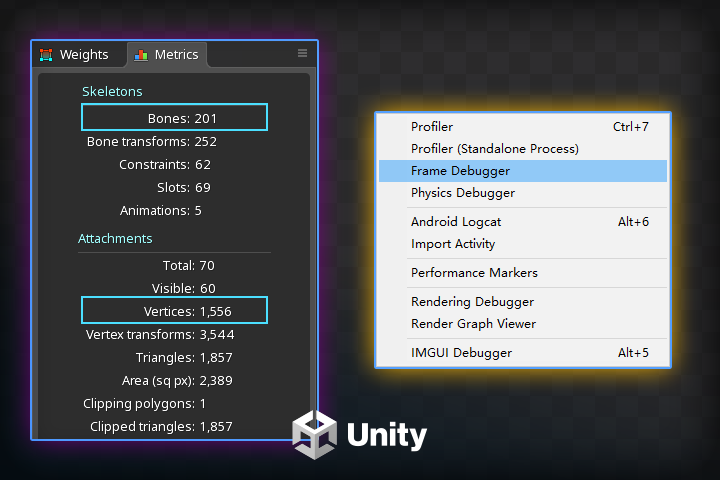 การวิเคราะห์การเพิ่มประสิทธิภาพการทำงาน
 -
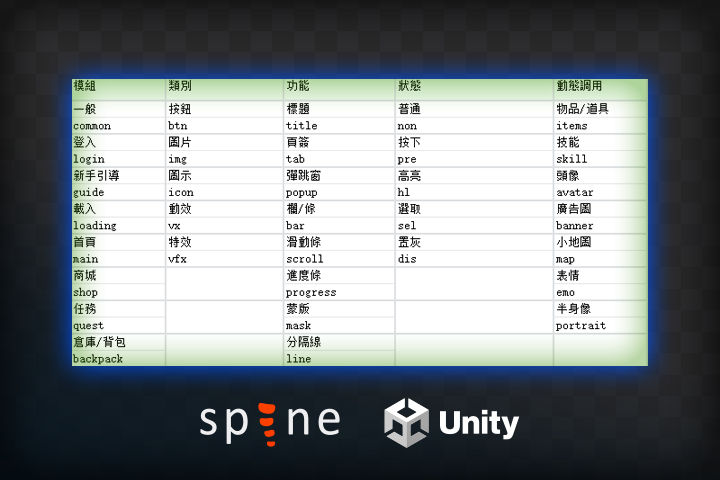 แนวทางการจัดการ Asset ของทีม
ส่วนที่ 4. แอนิเมชั่นการต่อสู้ของตัวละคร 2 มิติ
การฝึกอบรมเชิงปฏิบัติการ
-
แอนิเมชั่นว่าง
-
ฮิตแอนิเมชั่น
-
แอนิเมชั่นการโจมตี
-
ไดแอนิเมชั่น
-
ในแอนิเมชั่น
-
แอนิเมชั่นของเรา
ทักษะด้านแอนิเมชั่น + วีเอฟเอฟ
ส่วนที่ 5. แอนิเมชั่น ภาพวาด ตัวละคร
การฝึกอบรมเชิงปฏิบัติการ
-
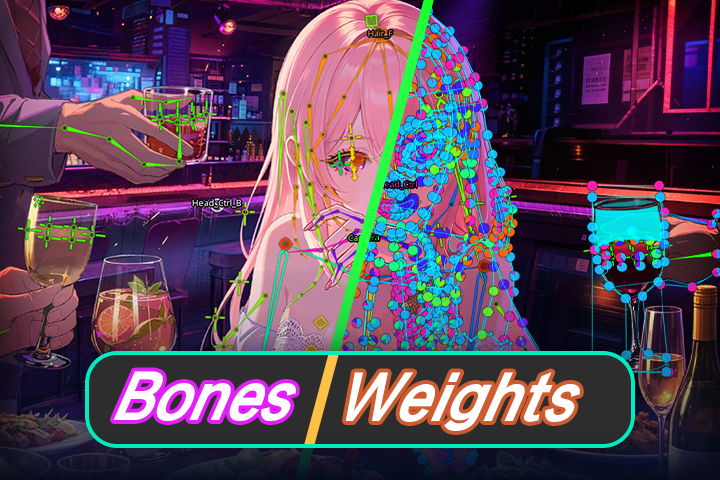 การตั้งค่าโครงกระดูกพื้นฐาน + น้ำหนัก
 -
การตั้งค่าการหมุน 2.5 มิติ
-
แอนิเมชั่นว่าง
เข้า
ไฮไลต์
ไฮไลต์ คลาส
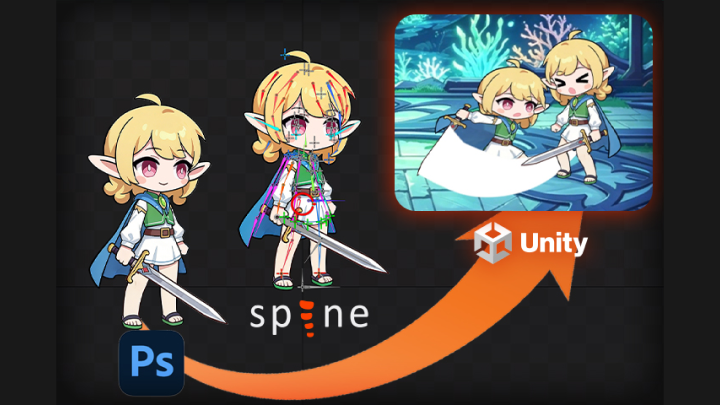
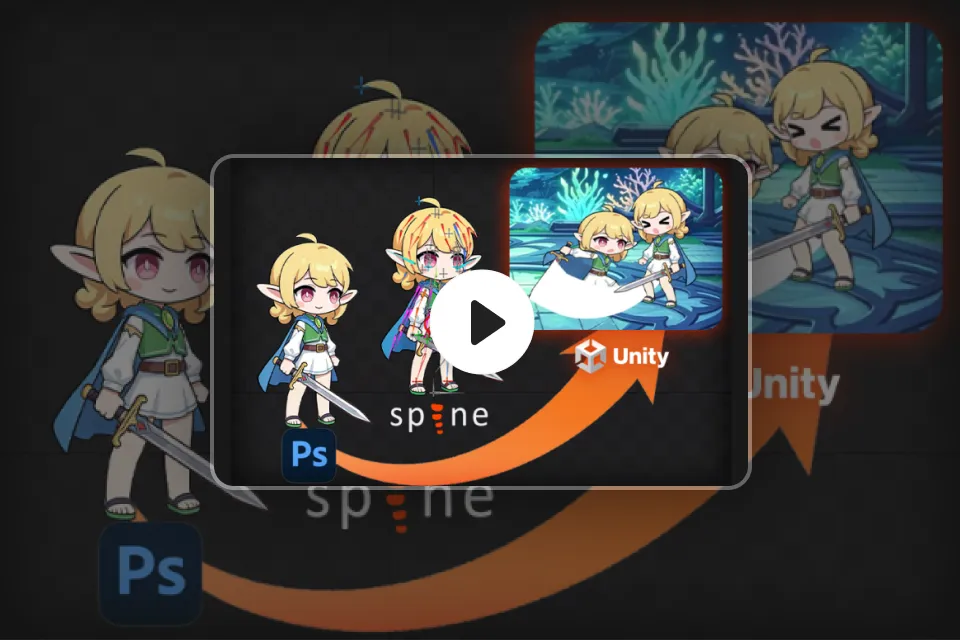
ขั้นตอนการพัฒนาแอนิเมชั่น Spine และ Unity
จาก Spine สู่ Unity — เชี่ยวชาญกระบวนการผลิตเกมแบบครบวงจร เรียนรู้ทุกขั้นตอน ตั้งแต่การสร้างแอนิเมชั่นตัวละครและการออกแบบอีเวนต์ ไปจนถึงการผสานรวม Engine และการเพิ่มประสิทธิภาพการทำงาน หลักสูตรแบบทีละขั้นตอนของเราช่วยให้มั่นใจได้ว่าเวิร์กโฟลว์ของคุณจะยอดเยี่ยมในการผลิตจริง หากคุณยังใหม่กับ ซอฟต์แวร์ นี้ แนวทางที่เป็นระบบของเราจะช่วยให้คุณก้าวไปในทิศทางที่ถูกต้อง คุณจะไม่เพียงแค่สร้างสิ่งที่ดูดีเท่านั้น แต่คุณจะสร้างชิ้นงานที่ทำงานได้อย่างไร้ที่ติในสภาพแวดล้อมเกมจริง
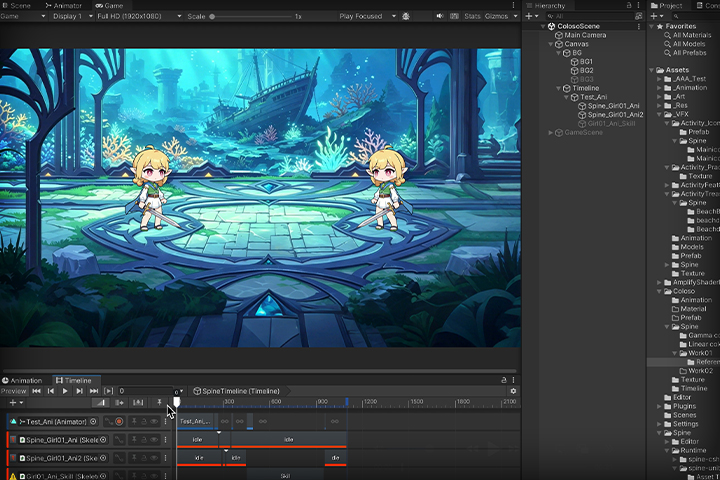
ความเชี่ยวชาญด้านแอนิเมชั่นเกม: ตั้งแต่พื้นฐานจนถึงฉากต่อสู้และการกำกับ
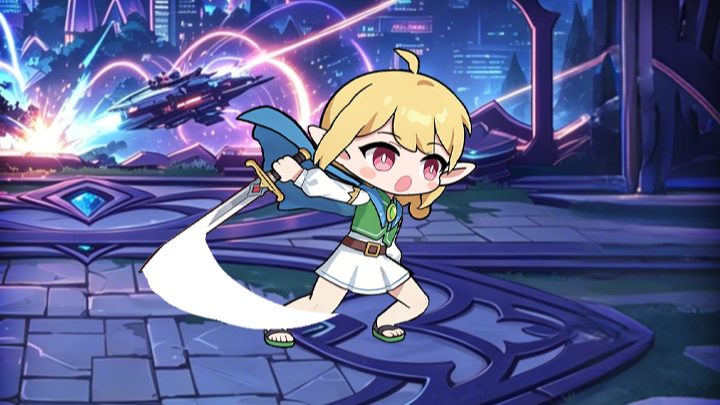
สร้าง set แอนิเมชั่นการต่อสู้ระดับมืออาชีพที่พร้อมสำหรับการผลิตได้ทันที ฝึกฝนการเคลื่อนไหวที่สำคัญผ่านการฝึกฝนจริง รวมถึงแอนิเมชั่นท่าทางนิ่ง โจมตี โดนเป้าหมาย และสกิล พัฒนาทักษะของคุณด้วยการกำกับฉากคัตซีน และฝึกฝนการไหลของท่าทางและจังหวะเวลาที่ใช้ในการพัฒนาเกมจริง ก้าวข้ามการฝึกฝนแบบแยกส่วน—ก้าวสู่การเป็นแอนิเมเตอร์ที่สามารถส่งมอบงานได้ตามมาตรฐานการผลิตระดับมืออาชีพ
เชี่ยวชาญด้านการสร้างฐานลูกค้าเป้าหมายอย่างมืออาชีพ—และสร้างผลงานที่ประสบความสำเร็จ
จาก Spine สู่ Unity คือเวิร์กโฟลว์การสร้างแอนิเมชั่นที่สมบูรณ์แบบ เรียนรู้ขั้นตอนการผลิตอย่างครบวงจร ตั้งแต่การเชื่อมโยงอีเวนต์แอนิเมชั่นไปจนถึงการผสานรวมกับ Unity อย่างราบรื่น และการเพิ่มประสิทธิภาพขั้นสูง ก้าวข้ามการฝึกใช้เครื่องมือขั้นพื้นฐาน ใช้งานเวิร์กโฟลว์ระดับมืออาชีพเช่นเดียวกับสตูดิโอชั้นนำ สร้างชิ้นงานคุณภาพสูงระดับมาตรฐานอุตสาหกรรมที่จะยกระดับพอร์ตโฟลิโอของคุณตั้งแต่วันแรก