Question.01
Who can benefit from this class?
[Easter]C4DArtist,TaehoonPark_박태훈 Details
Intro
Class Intro
C4D Artist, Taehoon Park
"As a Cinema 4D user,
it's essential to have a good eye for design
as well as acquiring 3D skill sets."
Class Preview
Still Not Sure?
Check Out Taehoon’s Class Preview!
Chapter 8. Expressing Materials: Using PBR Textures
1. Using the curvature, change range, and material blend node
2. Creating an old, rusty metal texture
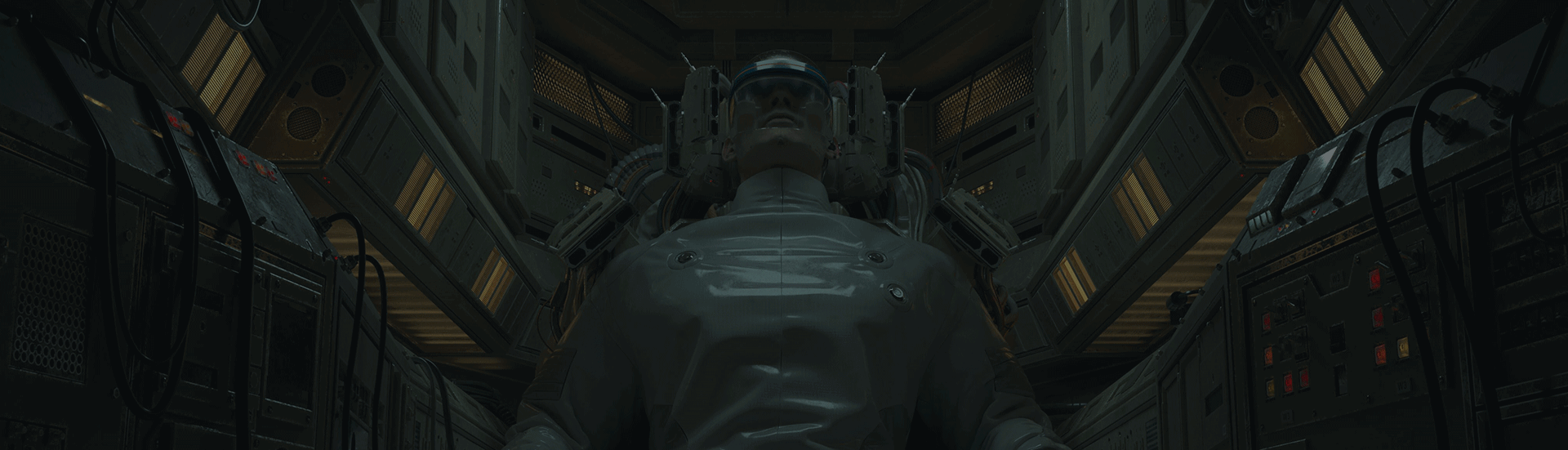
Eager to create photo-realistic artwork
that seems like a scene from a movie?
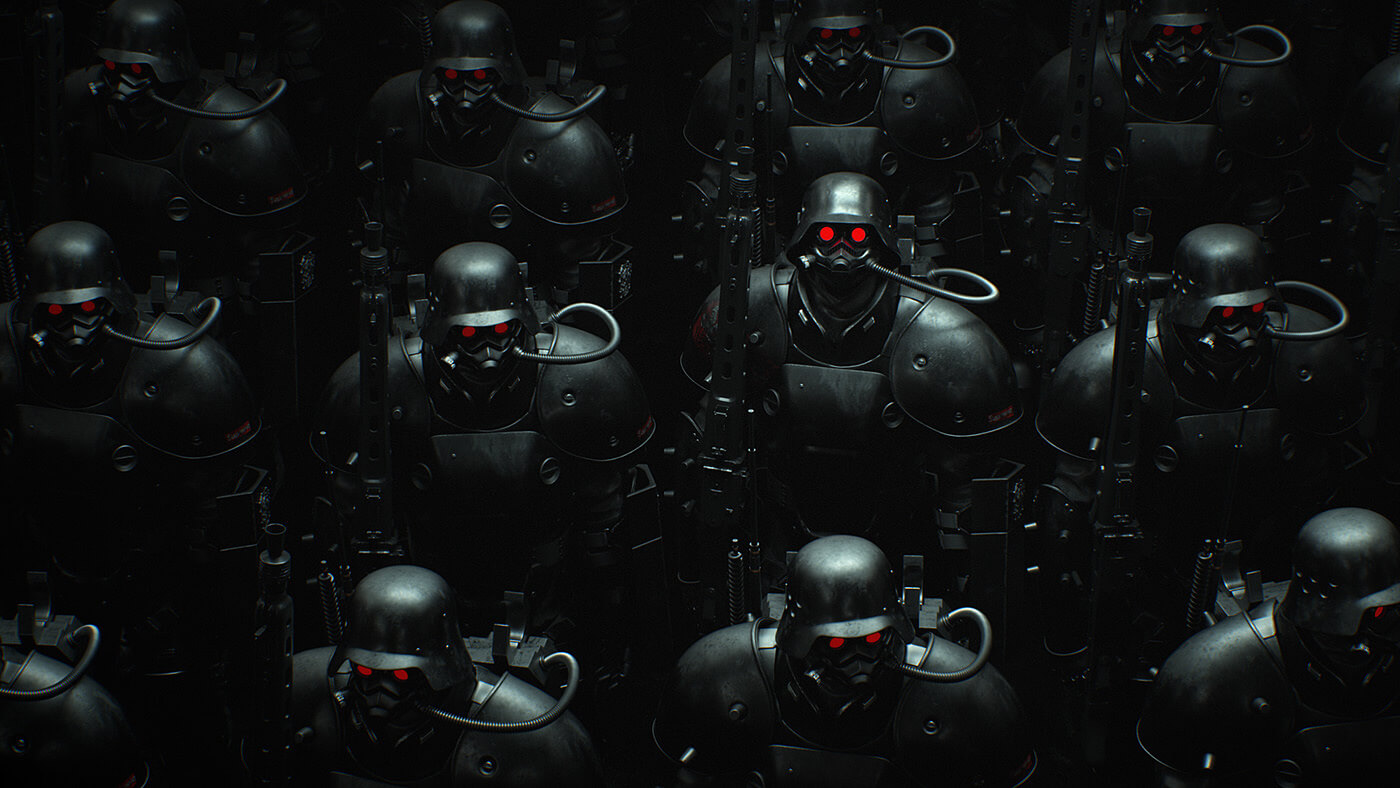
From shot composition to lighting theory,
use rendering to create high-quality
practice samples!
With tips from C4D Artist Taehoon Park,
release your imagination and create original designs
through Cinema 4D.
Class
Breakdown

Content
Length: 20 videos
(9h 18m)
Difficulty: Intermediate
Unlimited views

Video Details
Audio: Korean
Subtitles: English

Software Required
Cinema4D R20
Redshift

Perks
2 practice exercises
17 C4D files
3 AE files
+ over 60 texture files
Leading Global C4D Artist
Taehoon Park's Profile & Portfolio
Instructor
Taehoon Park
C4D Artist
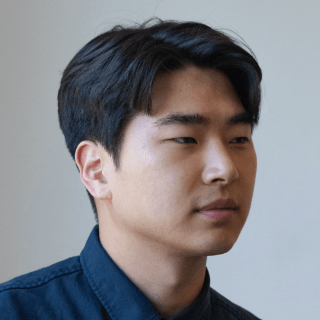
Hi, I'm C4D Artist Taehoon Park.
While working at the Korean creative
studio, GIANTSTEP,
I've gained recognition for my entry
"Dreaveler," at Pause Fest Australia 2018.
Now, I'm working at The Mill,
a global creative studio best known
for its visual effects.
I've worked with numerous global businesses,
such as Google, Facebook, Samsung, Lotte,
Hyundai, LG,
and participated in cinematic projects
for games like Marble Future Fight,
Apex Legends, Destiny, and more.
C4D Artist
Taehoon Park
[Current]
C4D Artist at The Mill
[Former]
Motion Designer at GIANTSTEP
Motion Designer at CJ Powercast
Recognizable
Projects & Awards
[Projects]
Samsung, Lotte, Hyundai, LG - Product Commercials
Marble Future Fight, New Born - Game Cinematics
Google, Apple, Facebook, Youtube -Commercial Ads
Apex Legends, Destiny -Game Cinematics
[Festivals]
2018 Pause Fest Australia - Entry: Dreaveler
2018 OFFF Festival - Title Sequence
2019 OFFF Festival - Short Film Project
Australia Design Festival: 2019 Forward Festival - Title Sequence Project
2 Class Exercises
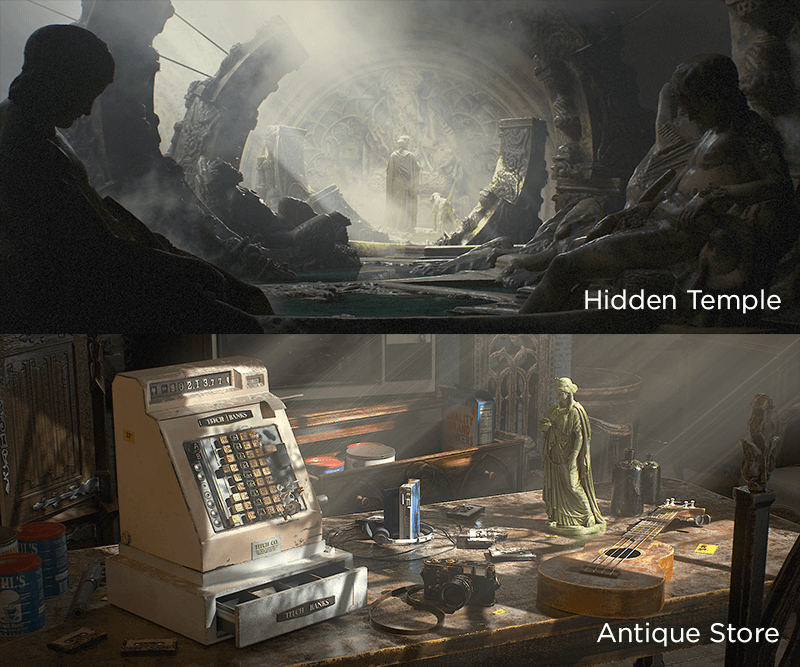
From a dusty old temple to an antique store
with lighting that enters from the windows:
After this class you'll be able to make
this kind of artwork all on your own.
*Images straight from sample material created in the class.
Highlights
Class Highlights
The Production Process of
Real-Life Artwork Revealed
From collecting references to layouts, texturing, lighting, and even compositing!
A step-by-step explanation of the process
behind live-action rendering.
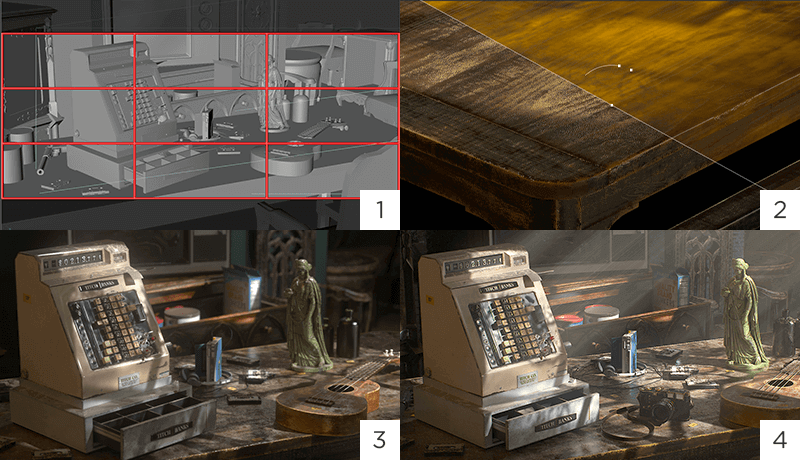
Industry Insider Shares
Real-world Uses of Redshift
Redshift is trending in the industry, but there aren't many ways to learn it. Get your hands on the basics of setting up the program, the texturing process, and Multipass utilization.
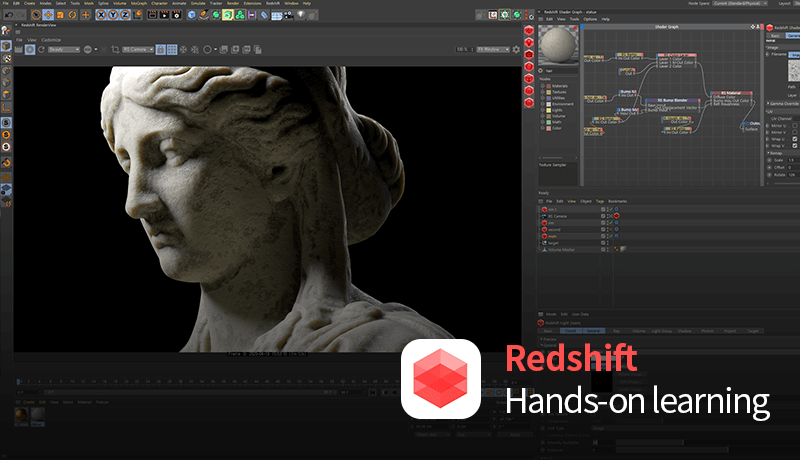
Get Your Hands on
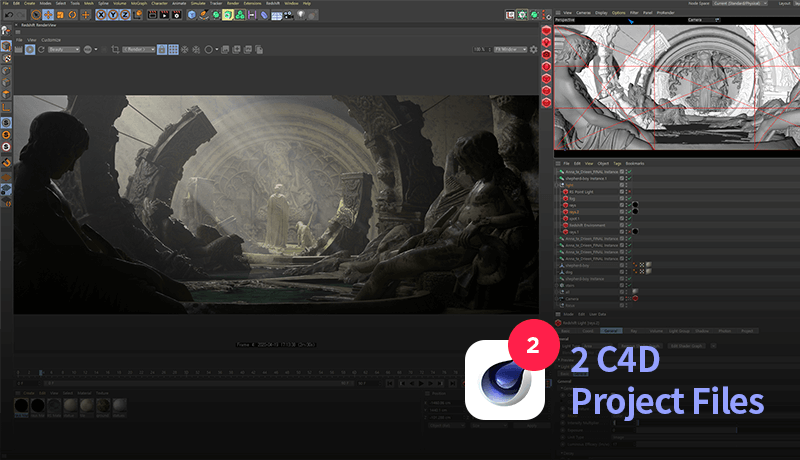
a Real C4D Artist's Project Files
The combination of the class sample files and curriculum will take you on the path to making the samples your own.
Class Details
You'll Learn
-
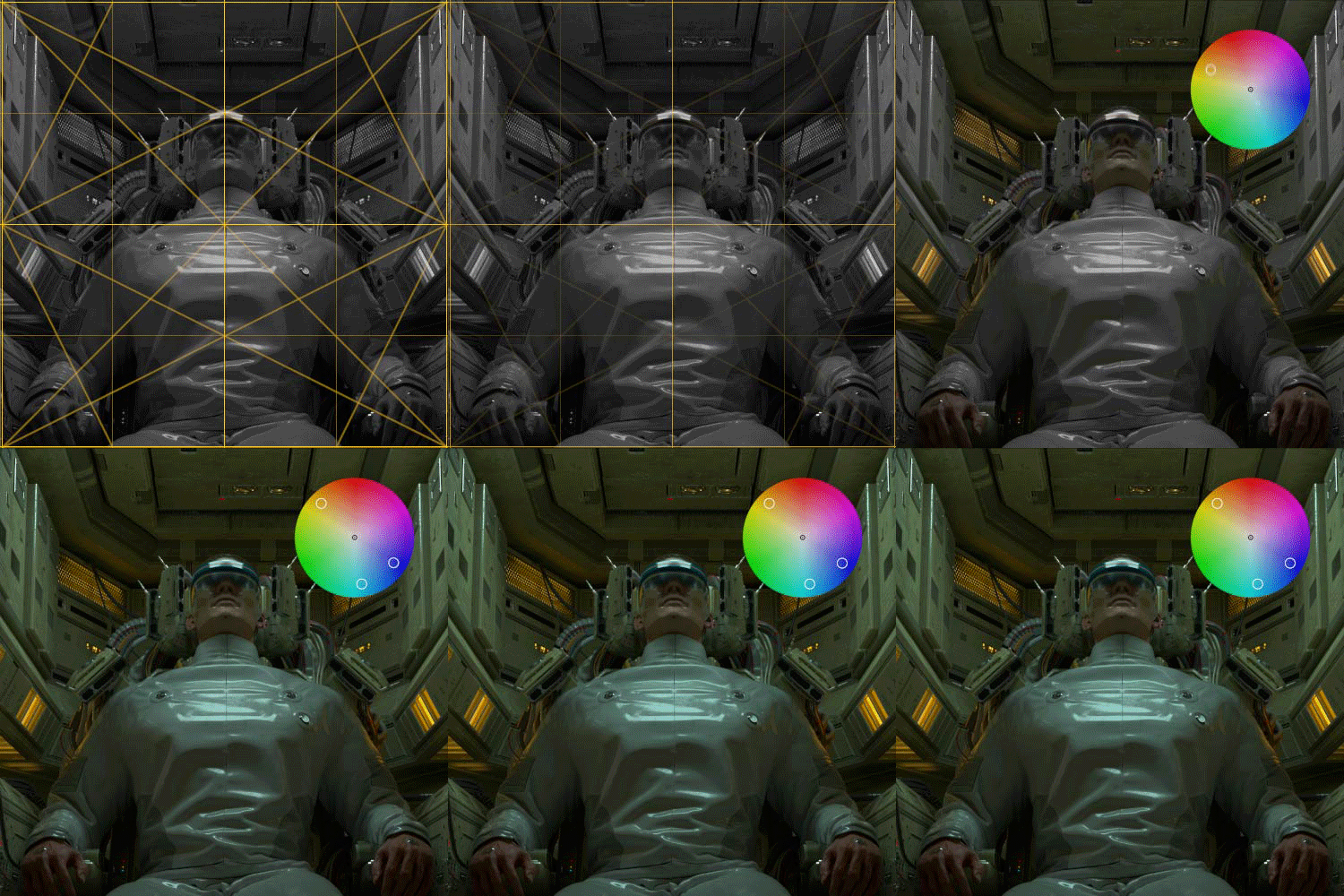 Design Theories Optimized
for 3D ArtworkLearn the theory behind using screen composition, color balance, and lighting to help create better 3D design. -
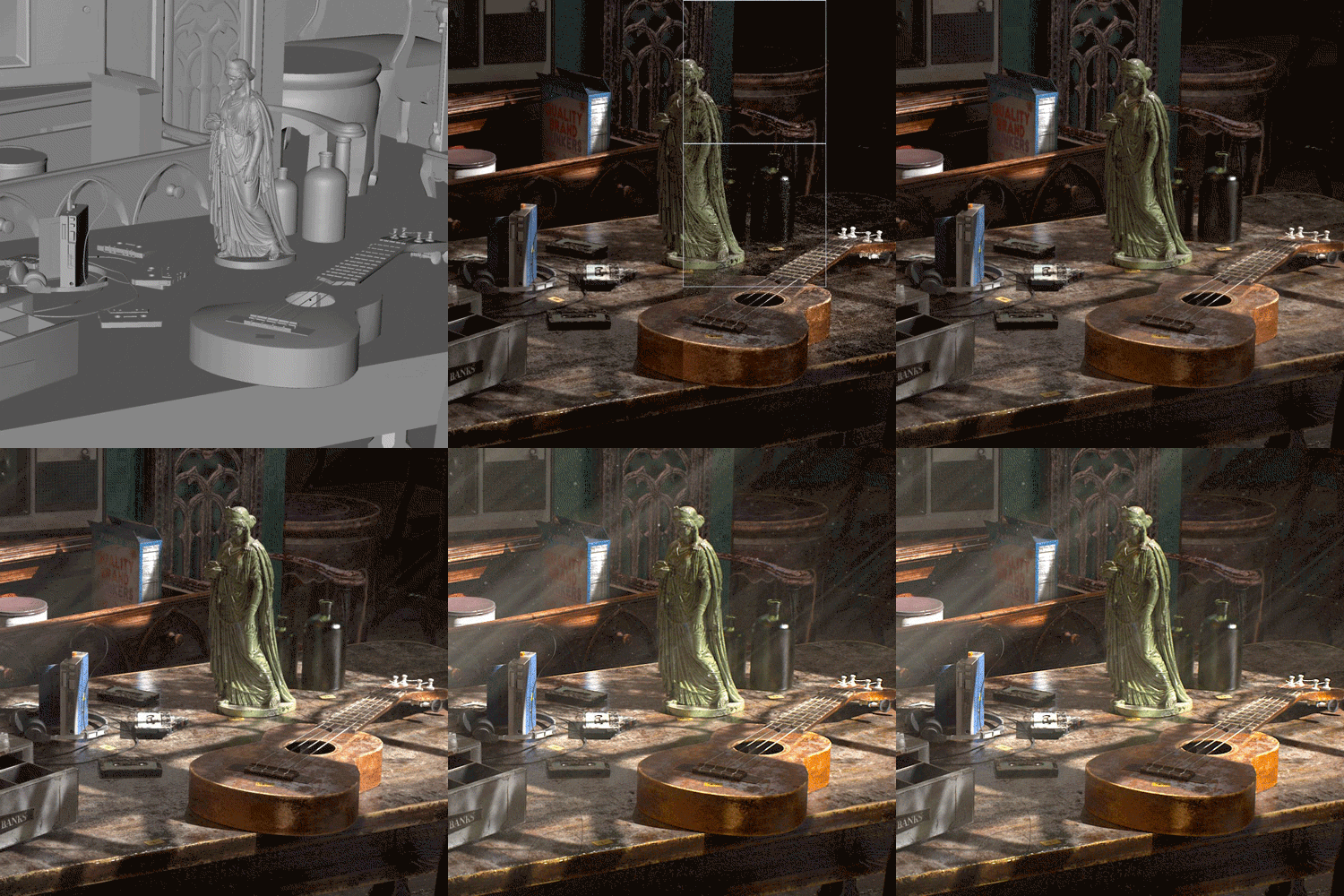 C4D Workflow
through Style FramesGet to know the production process of Cinema 4D artwork using a style frame and a draft of a finalized rendering. -
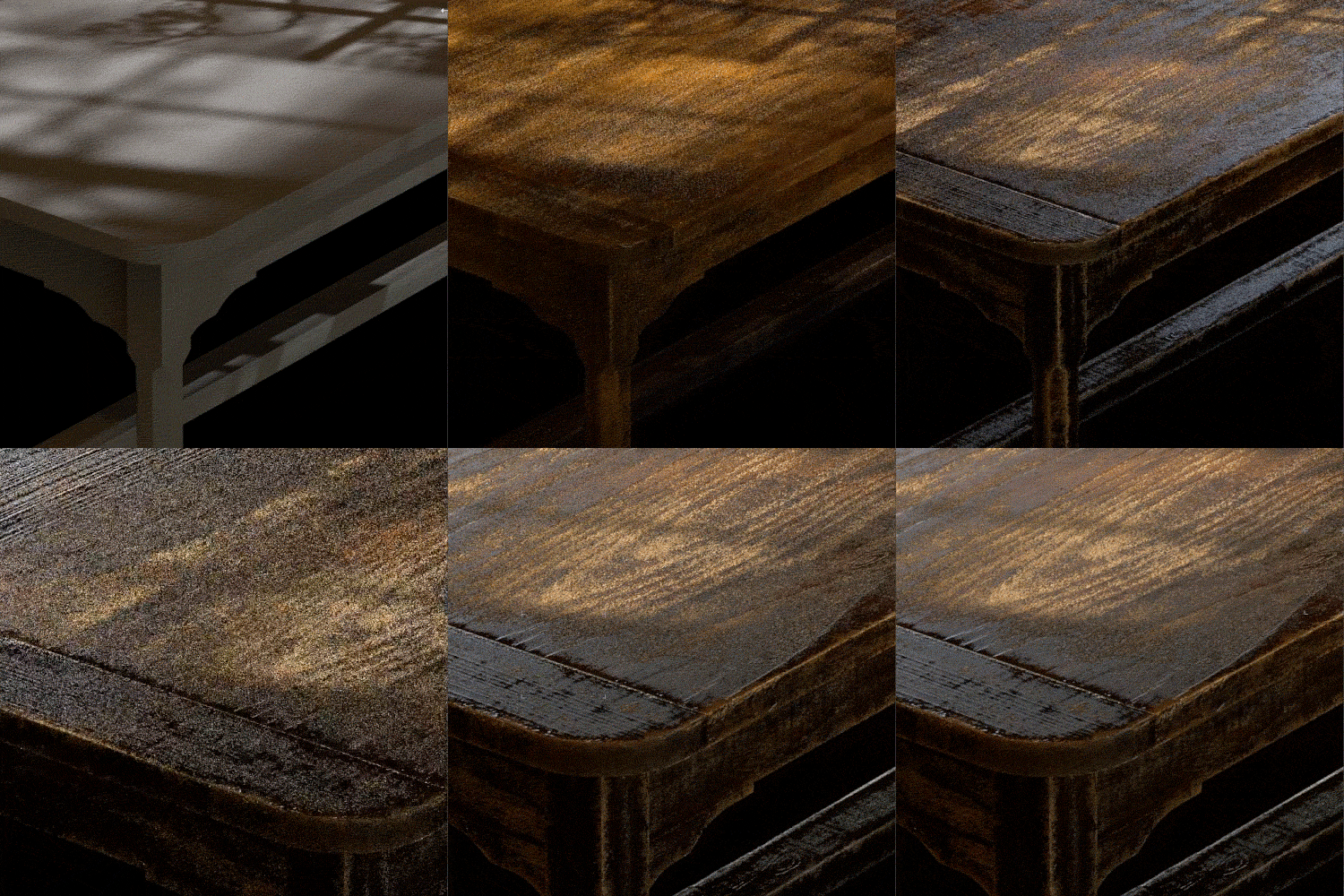 Expressing Realistic TextureCreate various texturing effects to express statue corrosion, scratched wood, etc., with nodes.
-
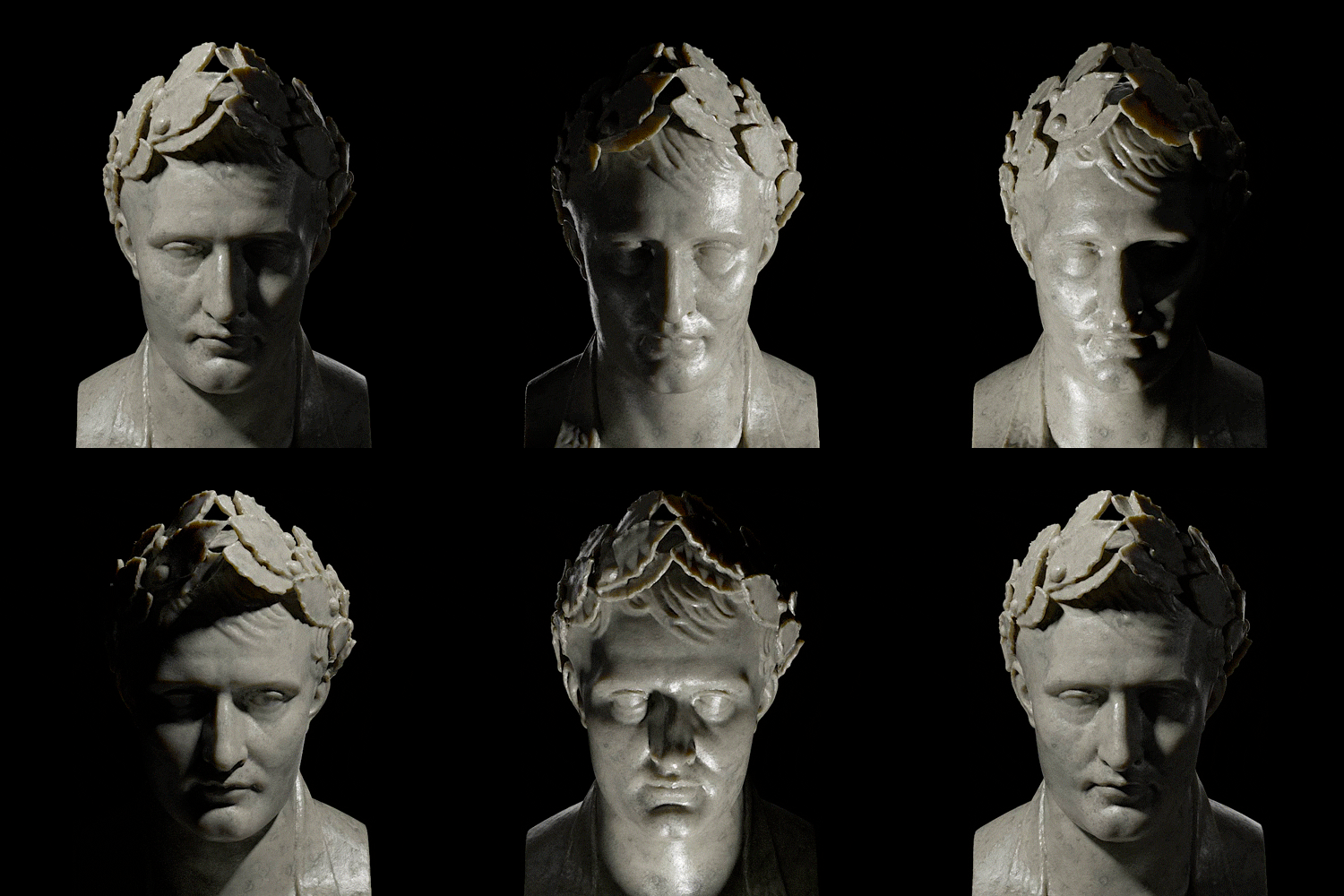 Setting Different Moods
Through LightingLearn to set the mood by controlling the direction & intensity of light. -
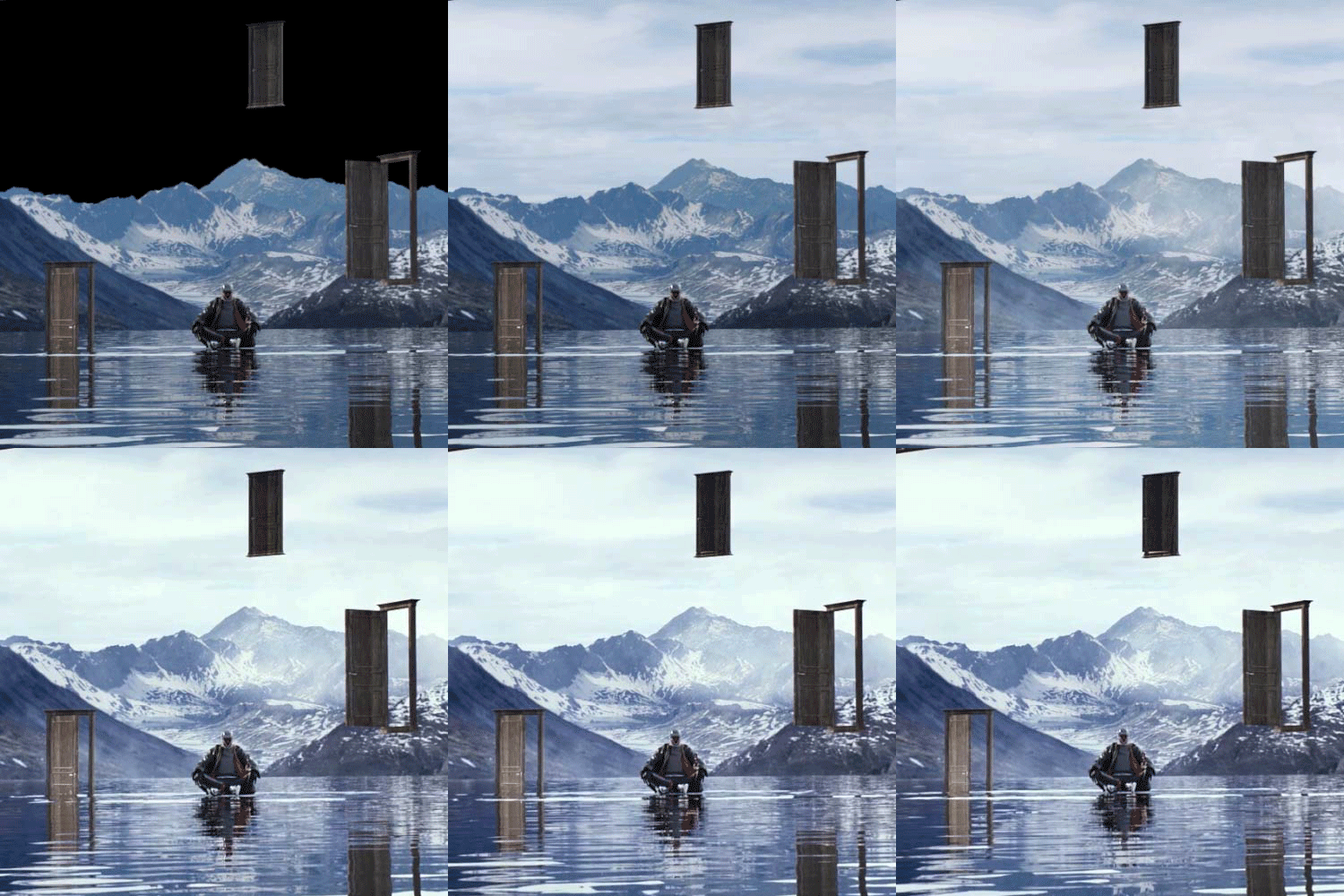 Adding finishing Touches
with After EffectsImprove image quality using After Effects with small resources such as cloud & fog effects. -
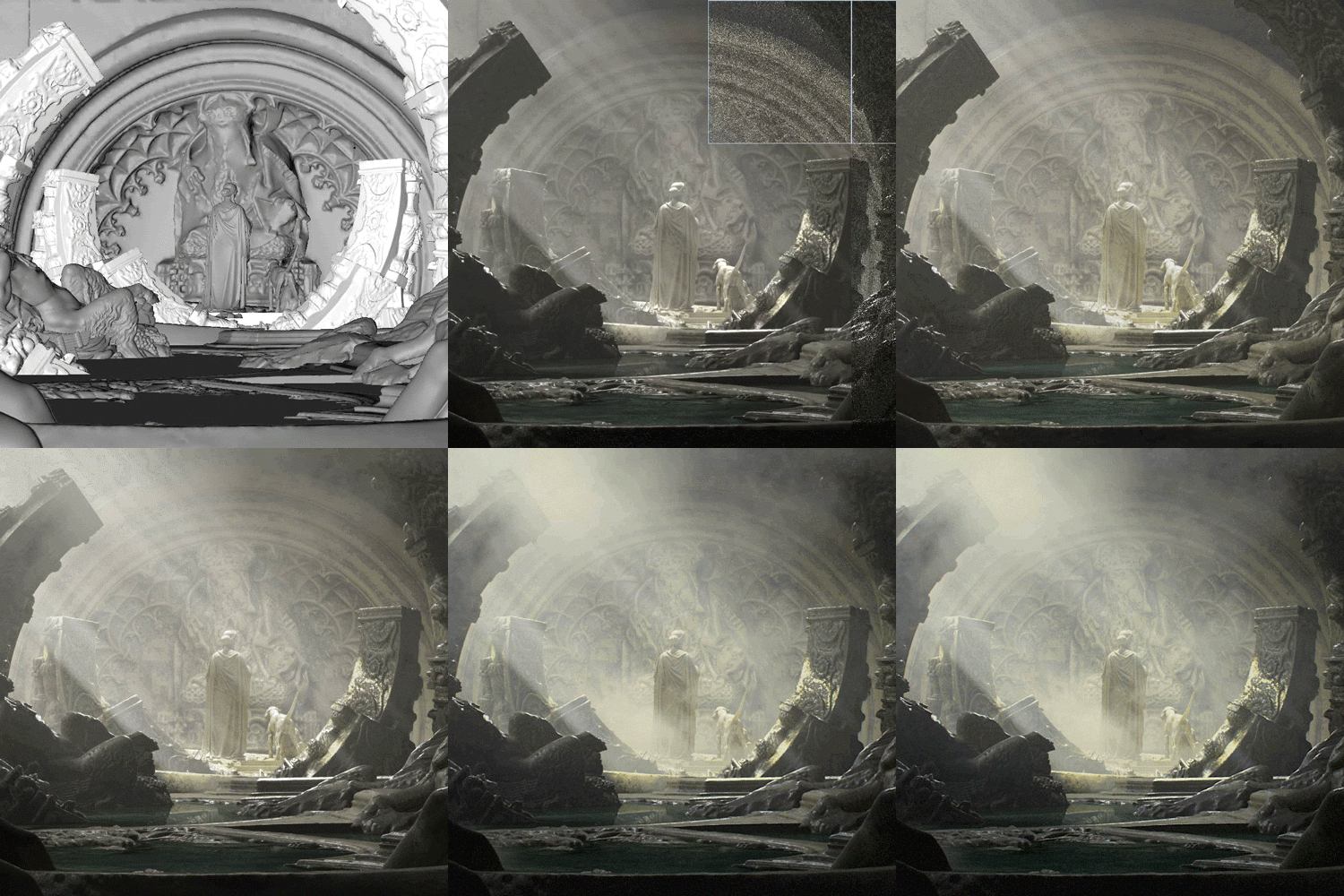 Practicing Two High-Quality Design ExercisesCreate two photo-realistic rendering examples, an old temple, and an antique room, using previously practiced techniques and theories
- Unlimited Access
- Best Price
Buy now, get unlimited access.
undefined undefined (UTC-7) Special offer ends soon.
This special offer ends soon.
Buy now and save!
Curriculum
Curriculum
In-Depth Look
SECTION 01. OT
01. Orientation
- Introduction: Lecturer & Class Curriculum
- Joining an international design studio
- Global design studio insights: Organizational structure & pipeline
SECTION 02. Theory
02. Screen Composition
- Split-screen layout
- Compositional flow through a layout
- Visual balance
03. Color Balance
- Creating visual effects using color composition with the colorwheel: Complementary, Analogous, Triadic, Tetradic Colors
- Altering the mood of artwork using colors
04. Lighting
- Relationship between light and shadow
- Various lighting techniques & overall information about artwork creation
SECTION 03. Redshift
05. Basics of Redshift Renderer
- Advantages of the GPU based renderer - Redshift
- Basic functions and features
06. Expressing Materials: Features of Basic Materials
- Observing features of basic material
- Understanding diffuse, reflection, and refraction
07. Expressing Materials: Using PBR Textures
- Creating Wood, Stone, Mud Textures with PBR Textures
- Using displacement, ramp, bump, and normal nodes
08. Expressing Materials: Creating Metal Textures
- Using the curvature, change range, and material blend node
- Creating an old, rusty metal texture
09. Using Multipass
- Understanding AOV (Multipass)
- Helpful uses for Multipass
10. Rendering Settings
- Optimized Redshift Render time settings
SECTION 04. Practice Samples
11. Hidden Temple Part.1: Collecting References
- Design ideation
- Finding references using PureRef
12. Hidden Temple Part.2: Creating Assets & Layouts
- Enhancing polygons using volume builder
- Screen composition based on theories
- Three column layout
13. Hidden Temple Part.3: Texturing
- Creating marble statue textures with SSS
- Creating corrosion & aged textures using curvature node
14. Hidden Temple Part.4: Lighting
- Creating scattered lights inside a cave with Redshift Environment
- Emphasizing a subject with lighting
15. Hidden Temple Part.5: Rendering & After Effects Settings
- Hidden temple rendering
- After Effects settings
- Advantages of 32-bit linear work space
16. Hidden Temple Part.6: Compositing
- After Effects: Compositing using Multipass
- Applying cloud & fog effects that are difficult to create in Cinema 4D
17. Antique Store Part.1: Reference & Layout
- Design ideation
- Gathering references with PureRef
- Screen composition based on previously learned theories
- Three column layout
18. Antique Store Part.2: Texturing
- Creating an old, scratched wood texture with curvature & ramp nodes
- Applying dust effects with state nodes
19. Antique Store Part.3: Lighting
- Expressing light coming through a window using image sources
- Warm interior lighting
20. Antique Store Part.4: Compositing
- Adding blur effects that face a certain direction to express light rays using directional blur effects
- Creating depth and space with Z-depth Pass
- Frequently used compositing tips based on field experience
Interview
with C4D Designer Taehoon Park

Anyone and everyone who wants to enhance their 3D design skills. This class will help those new to the field, aspiring art directors, design studio newbies, designers struggling with layouts, and even those wondering about the work process used in creative studios.
Question.02
What is the goal of this Class?
What is the goal of this Class?
Grasp the concepts and theories by actually practicing using design samples. Unlike simple step-by-step tutorials, this class will help you upgrade your skills and develop a deeper understanding of the process.
Question.03
What are the advantages
of an online C4D class?
What are the advantages
of an online C4D class?
Repetition is key when learning something new. Everyone struggles with different parts of a course, and it's hard to ask the instructor to explain something during an ongoing off-line class. Being able to replay a class at any moment is convenient for the learner and the biggest advantage of an online class, especially when learning design tools.
Question.04
How will photo-realistic artworks help
me as a designer?
How will photo-realistic artworks help
me as a designer?
Creating a new world based on the small parts that make up everyday experiences and seeing the world from different perspectives is what lures designers to create photo-realistic artwork. By acquiring these skills, you can share your artistic world in diverse fields, such as films, game cinematics, and more.
Required Programs
This course will use Cinema 4D R20 and the Redshift Rendering Program.
Please purchase and install the latest versions of the programs.
* All programs and requirements will not be provided, and additional plug-ins for serveral classes will need purchasing.
Please check the curriculum for further details.
[IMPORTANT NOTICE]
*Please note that the information on this page is subject to change without prior notice.
*Would you like to learn more about our refund policy? Please check here.
*Please check our FAQ for Copyright and Proprietary Rights, User-Generated Content, Security, and Violation information.