3DEnvironmentArtist,ANCALL_3D배경아티스트 안성주2 Details
Class introduction
introduction video
3D background artist, ANCALL
“Through this class, which covers a wide range of skills from basic Zbrush skills to advanced skills, perfectly complement the basic sculpting skills you were lacking.”
Expanding your work spectrum with stylized game backgrounds
Do you want to move away from creating game backgrounds at a preview level and improve your detailed expressions and tool skills? Now, it's time to get into the 'Styliize' style, which is attracting the most attention in the 3D background industry.
While demand in the industry is increasing, related lectures are rare and difficult to learn. Stylize-style background lectures of practical quality implemented using normal maps!
ANCALL, a top-tier modeler with a background in games of various genres, will tell you how to select modeling tools such as 3ds Max and Zbrush according to the type of prop, as well as sculpting and texturing methods for each appropriate material.
If you are a background modeler who wants to have a differentiated weapon in the job market by learning high-quality stylized expressions rather than simply doing casual work, be sure to pay attention to this class.
If you are a background modeler who wants to have a differentiated weapon in the job market by learning high-quality stylized expressions rather than simply doing casual work, be sure to pay attention to this class.
PART1 and PART2 How are they different?
PART 1
Game graphics entry level
- Focusing on real-life style
- From how to use tools to making simple props
- Focusing on the pipeline before producing the game background
- Beginners who want to experience
PART 2
Game graphics beginner level
- Through stylized style
- Tool use skills, prop making skills,
- I want to learn how to express details
- Game job seekers/practitioners
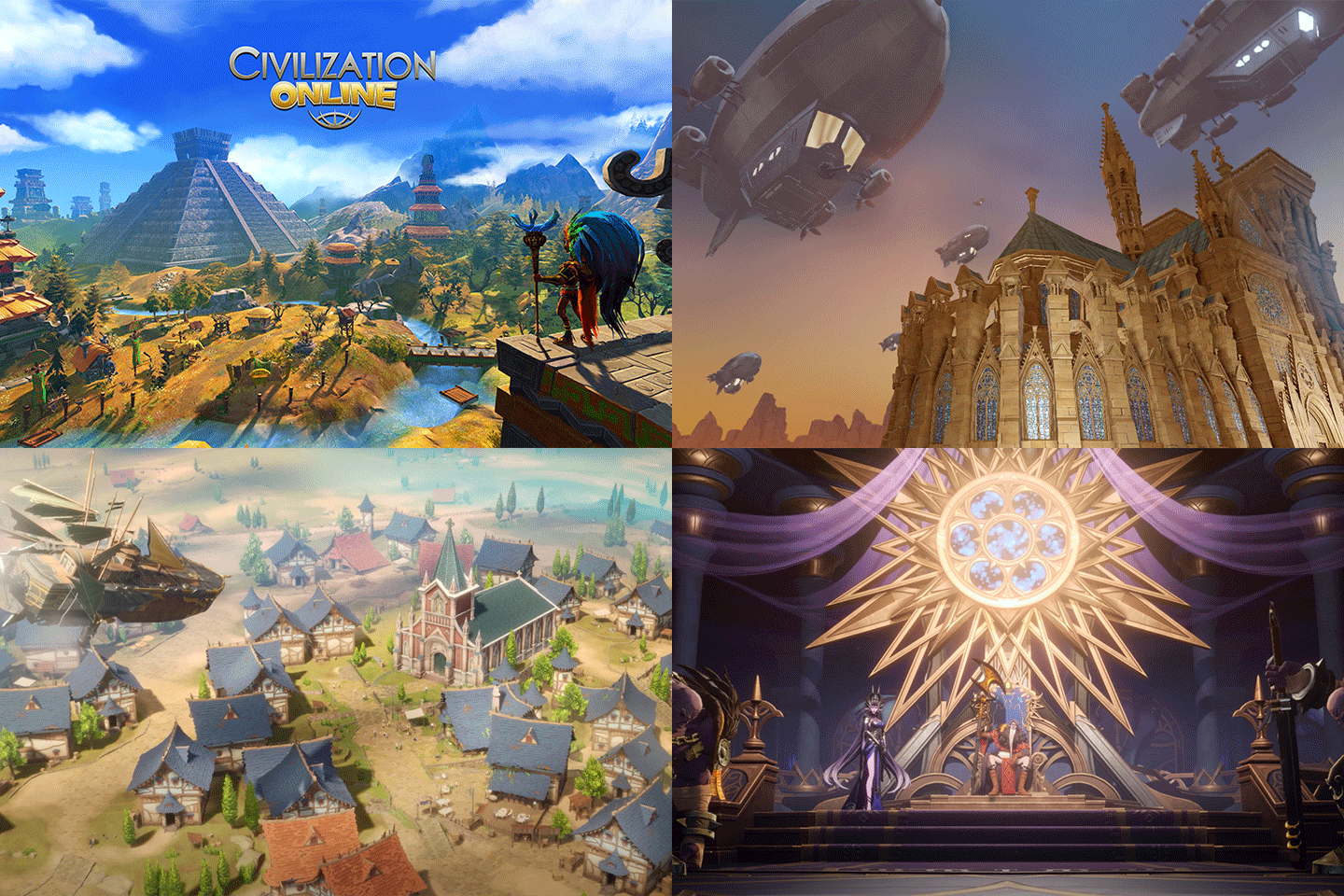
ANCALL's Portfolio
Project Overkill
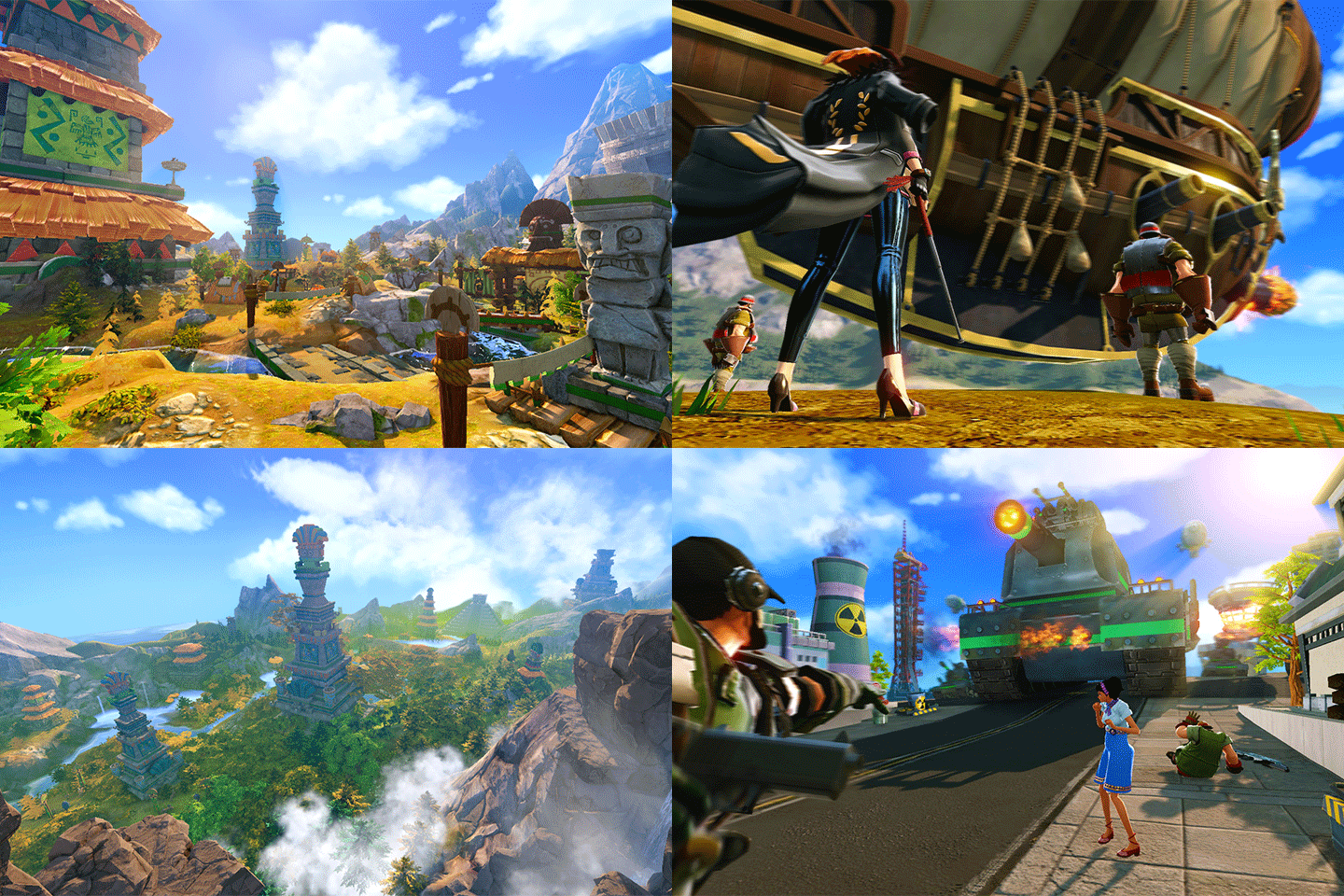
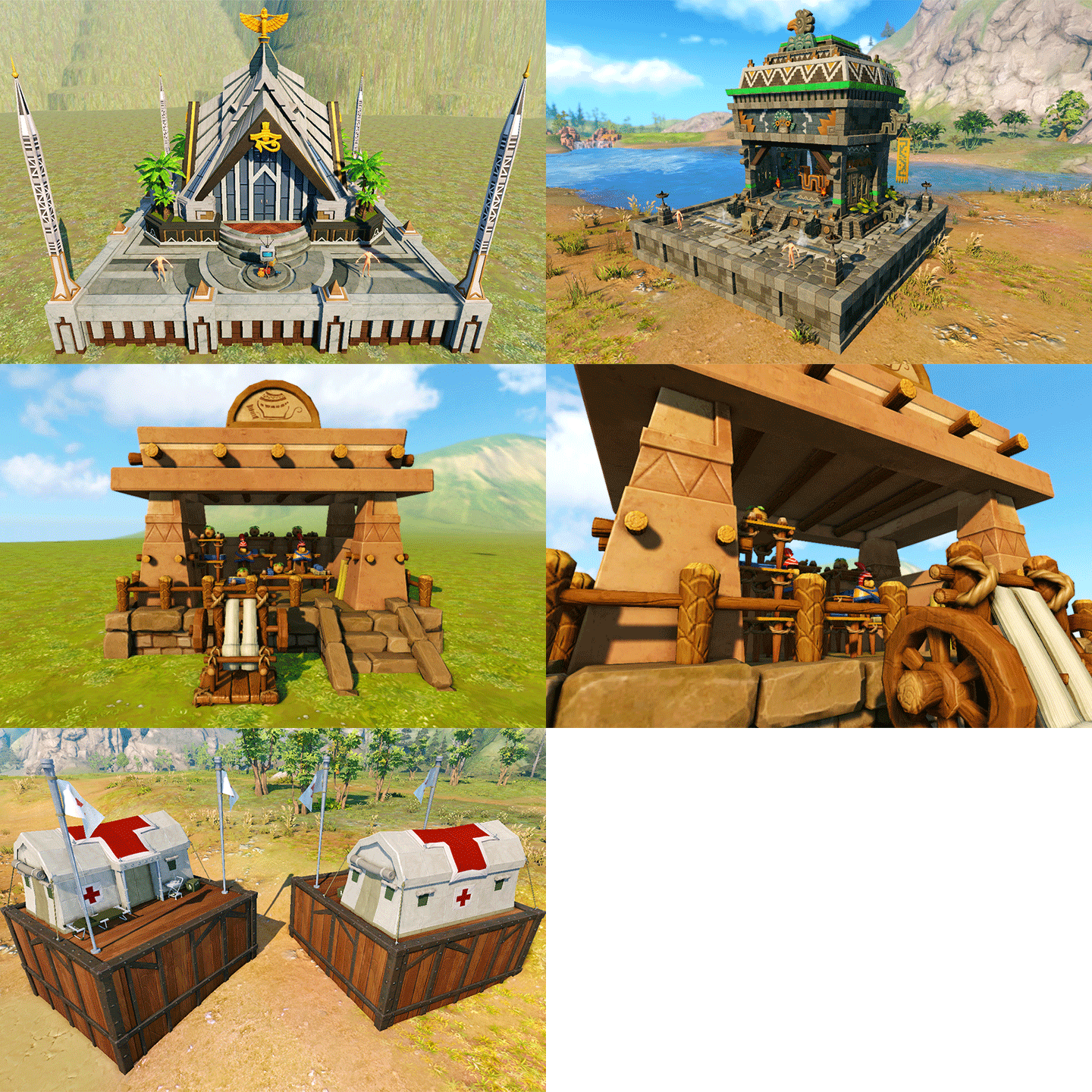
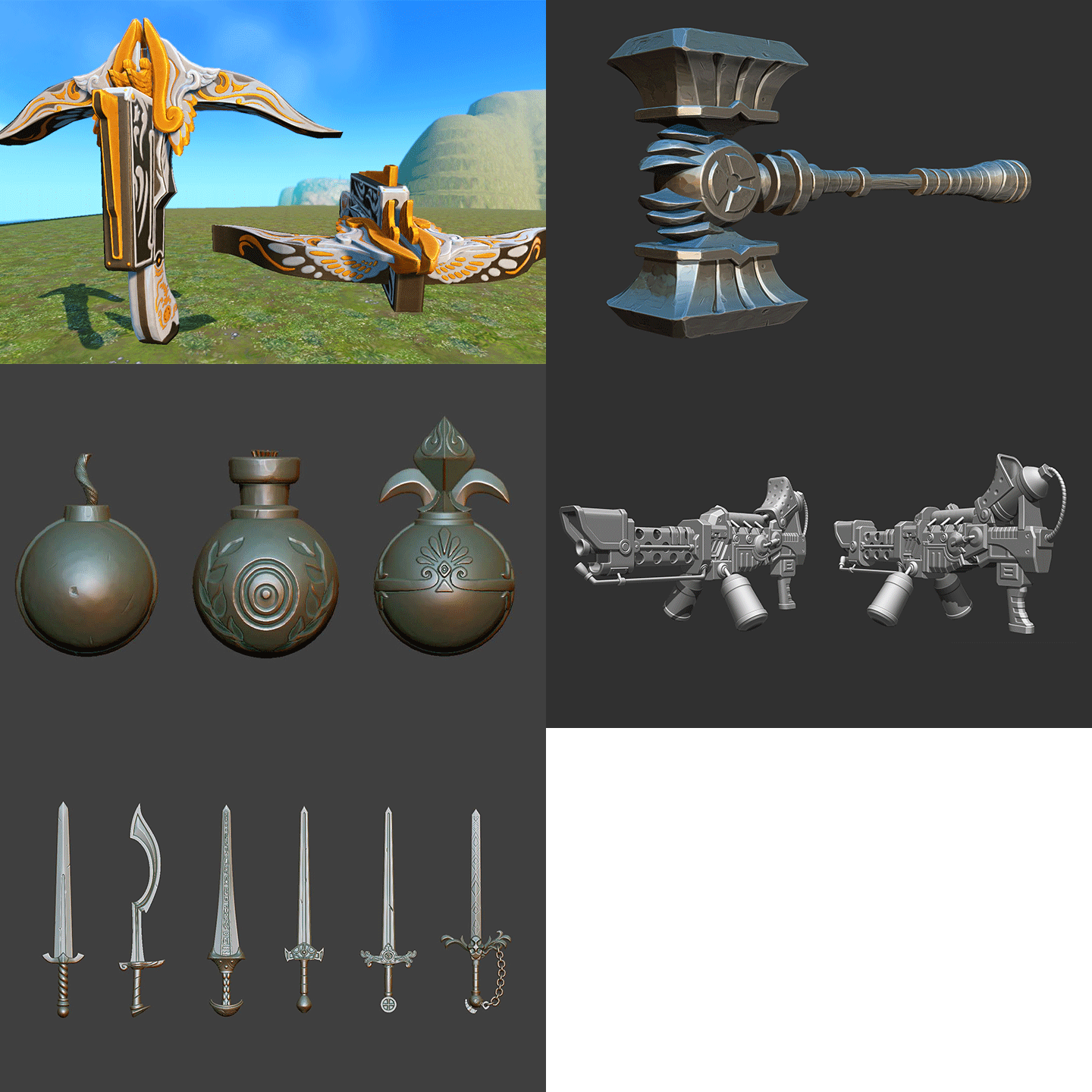
Civilization Online
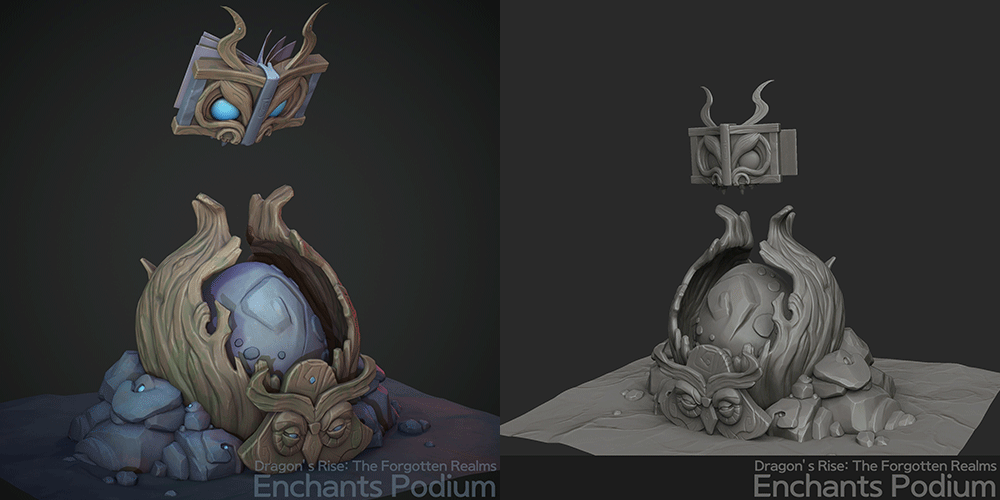
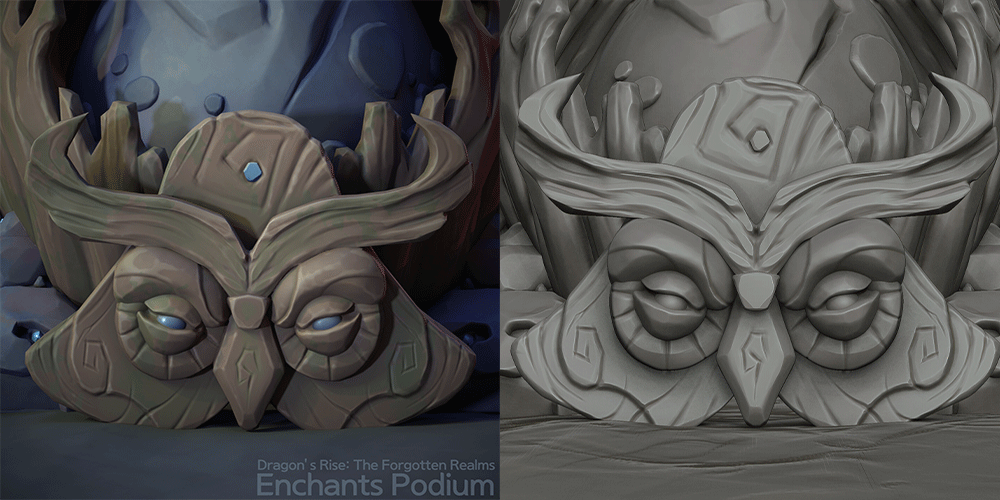
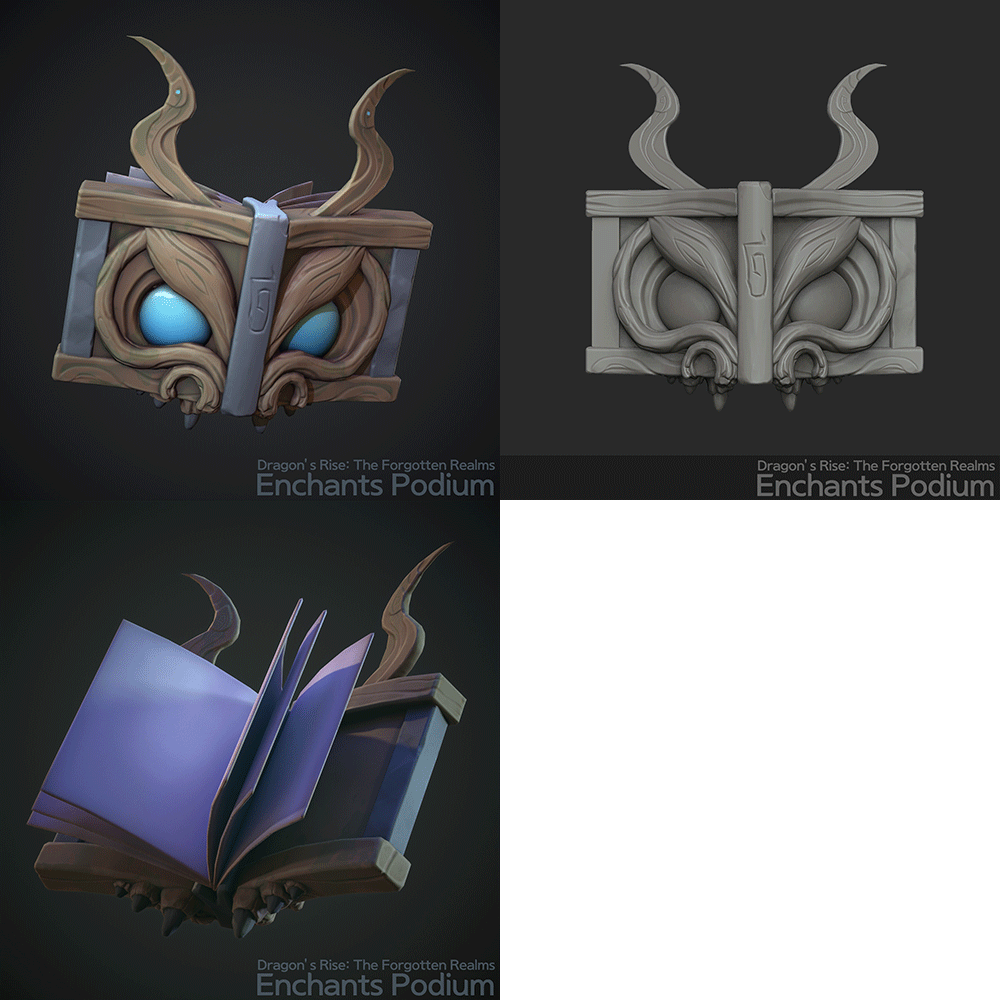
Enchantments Podium
Why Take This Class?
The normal map method has established itself as a standard beyond the industry trend by combining speed, quality, and efficiency.
However, there are many people who have specialized in normal maps or have stuck to the labor-intensive hand map method due to the lack of a structured curriculum.
In this class, we worked with props optimized for a casual style using the normal map method, and were prepared to learn step-by-step the content essential for practical use, such as the expression distinction in Zbrush and Substance Painter.
From job seekers to junior practitioners, anyone with no experience in creating casual backgrounds can become a master of the cute and casual style of Stylize.

Let's create a Stylize-style background ourselves.
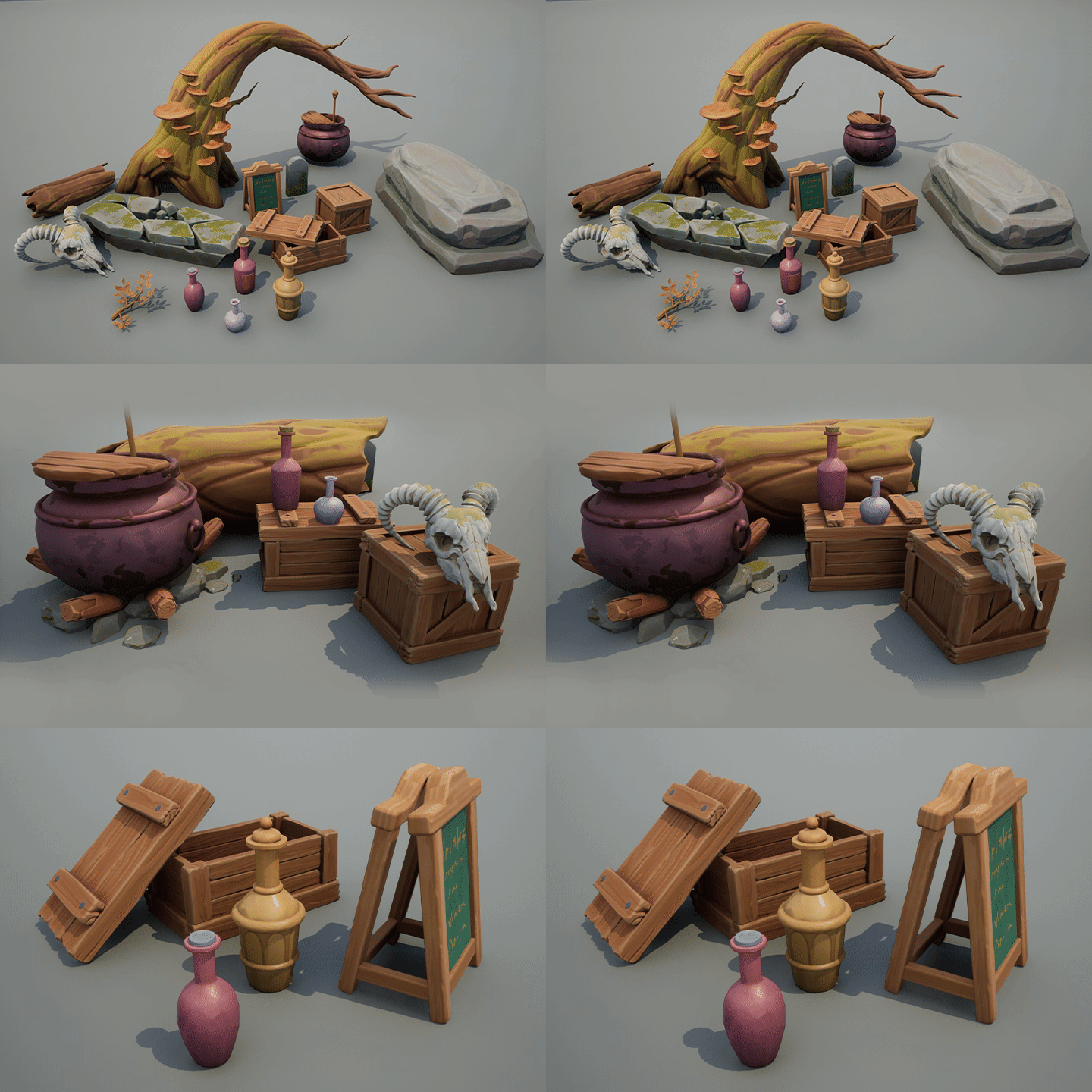
Part 01. Small prop production
Let's create deformed props using 3Ds Max, Zbrush, and Substance Painter.
-
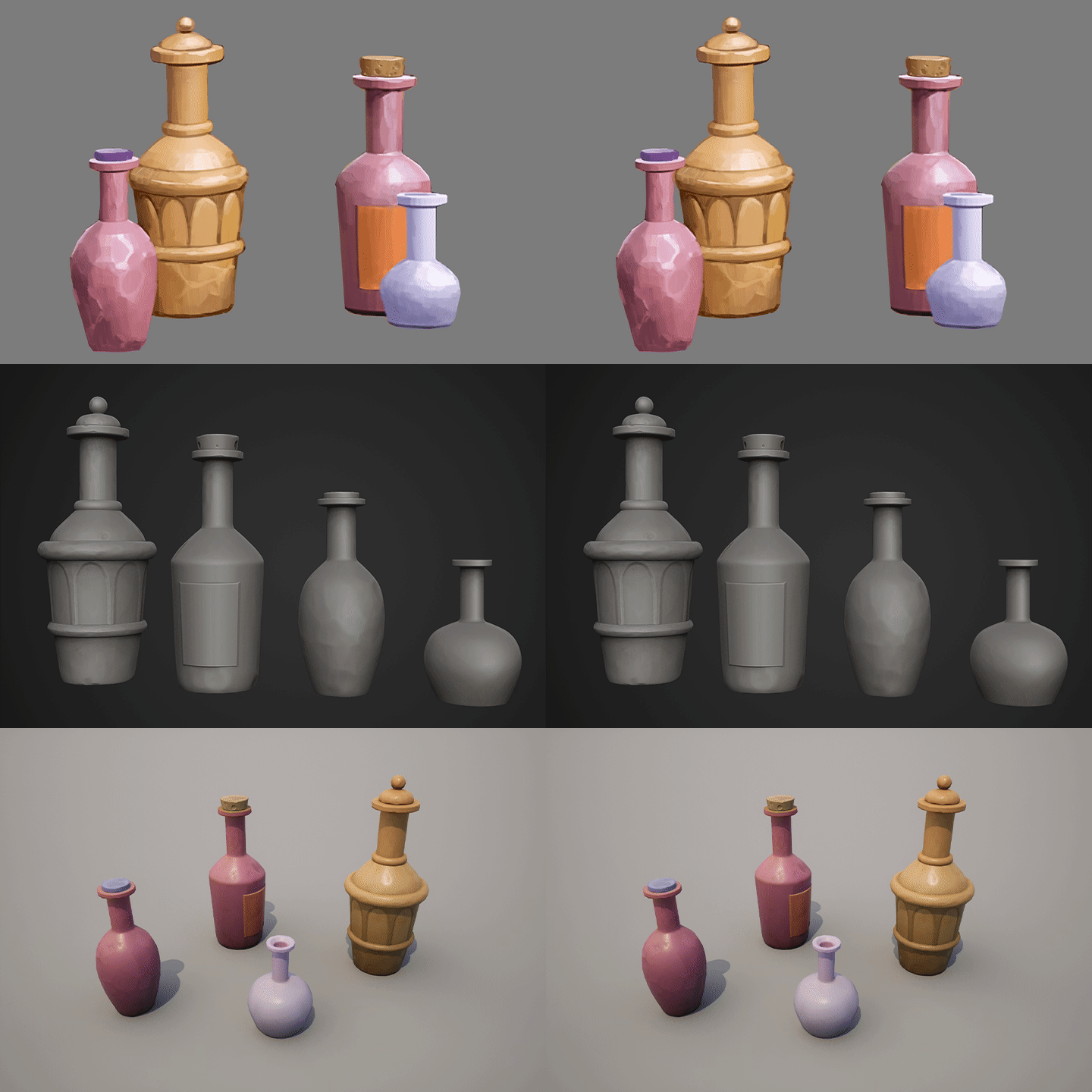 bottle set
 -
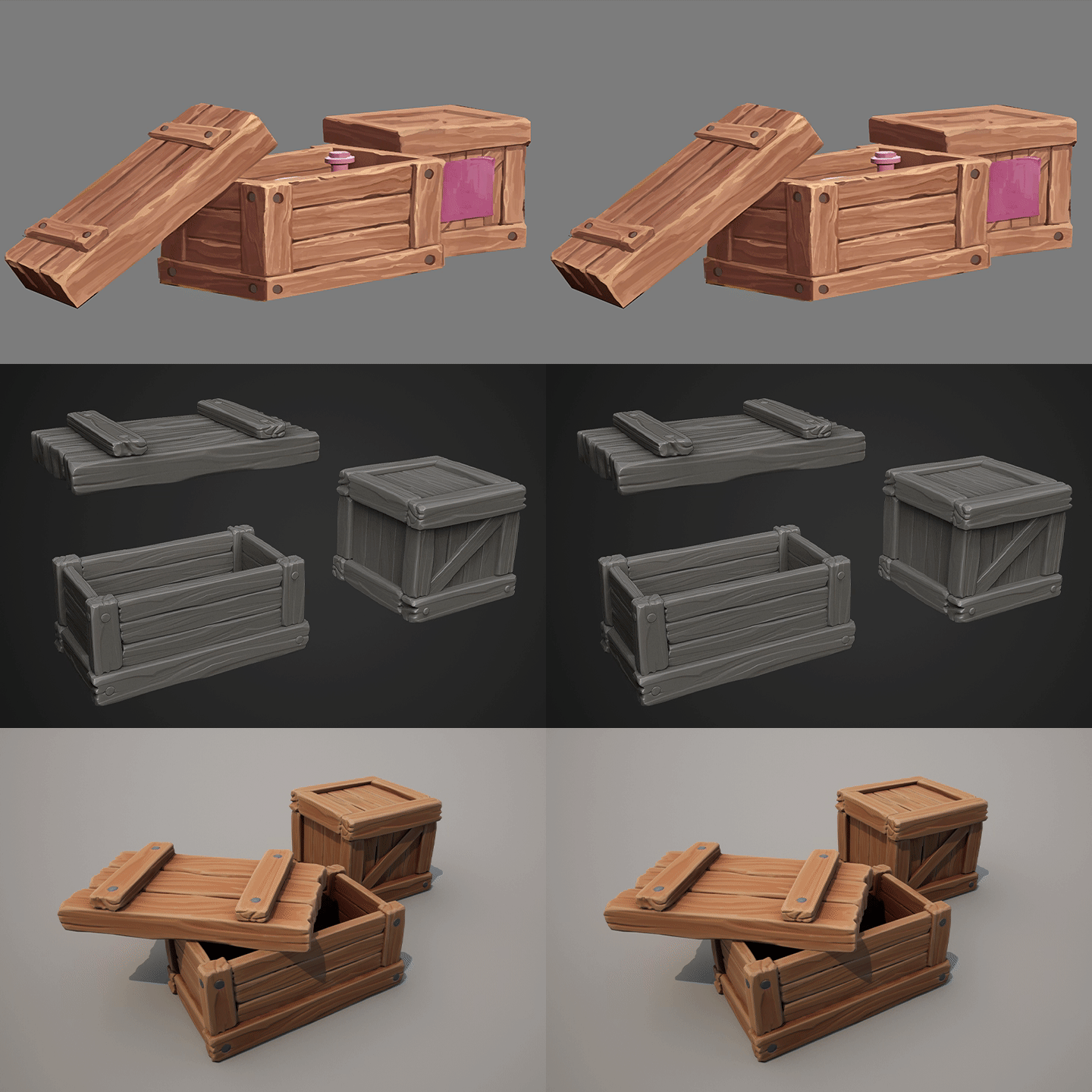 wooden box
 -
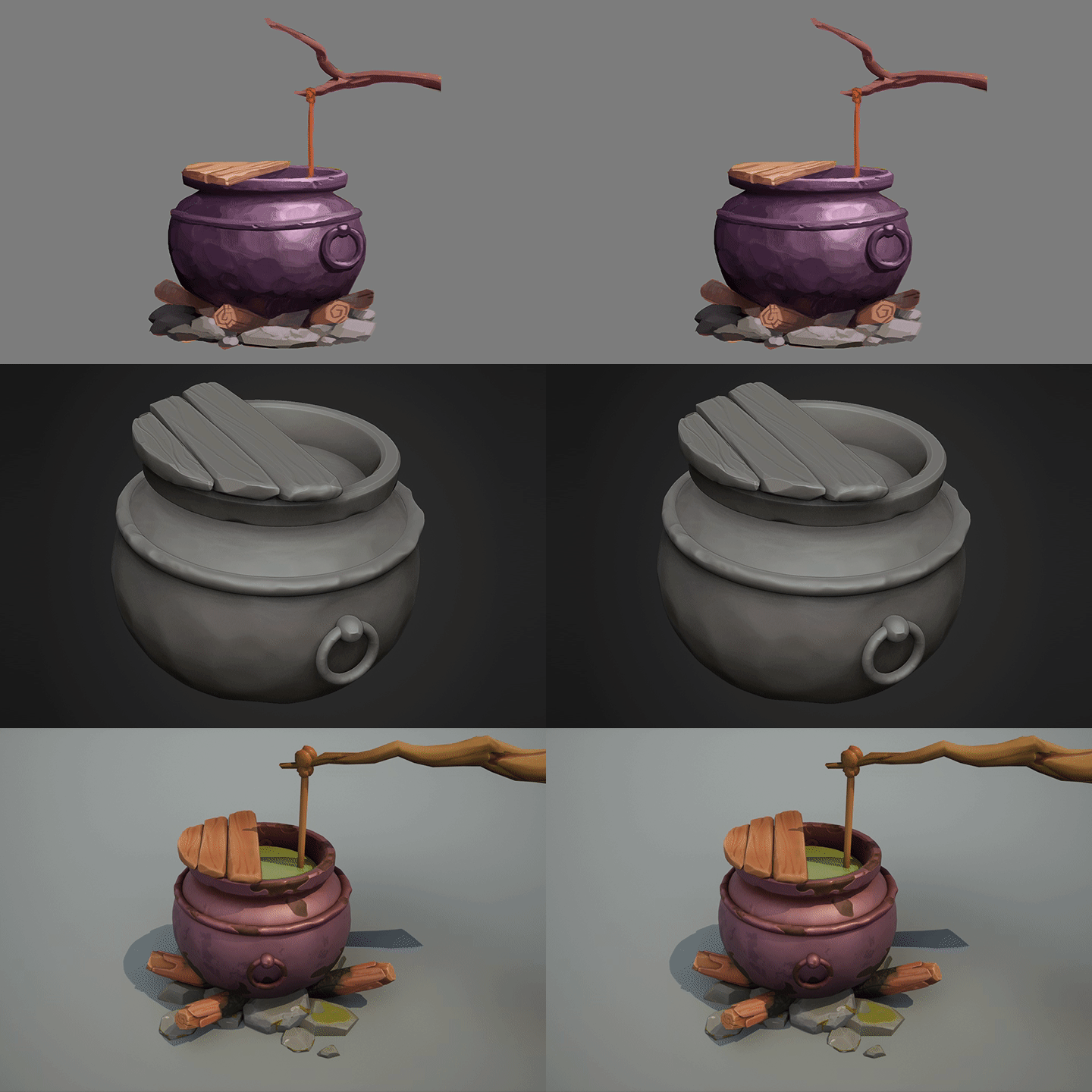 cauldron
 -
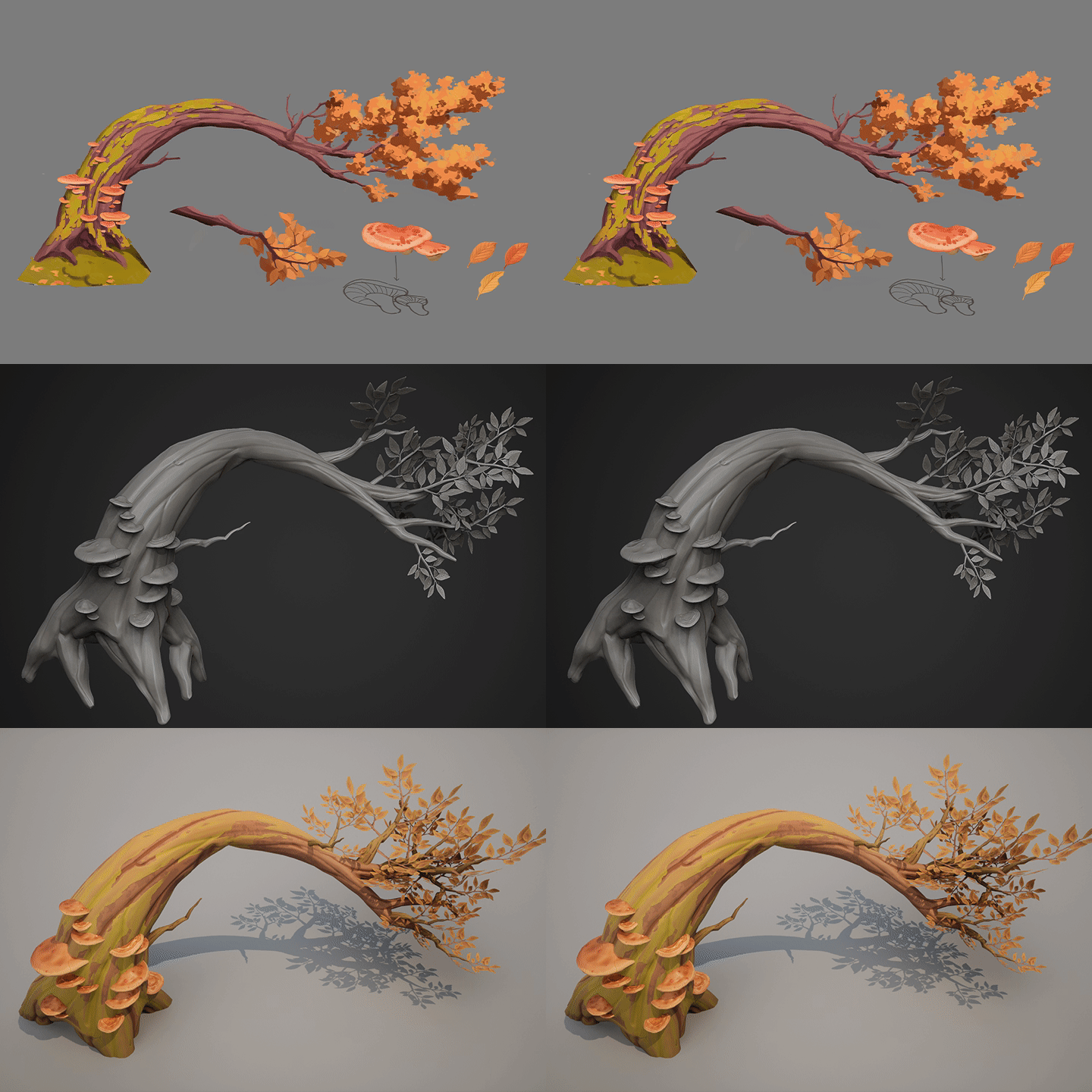 natural tree
 -
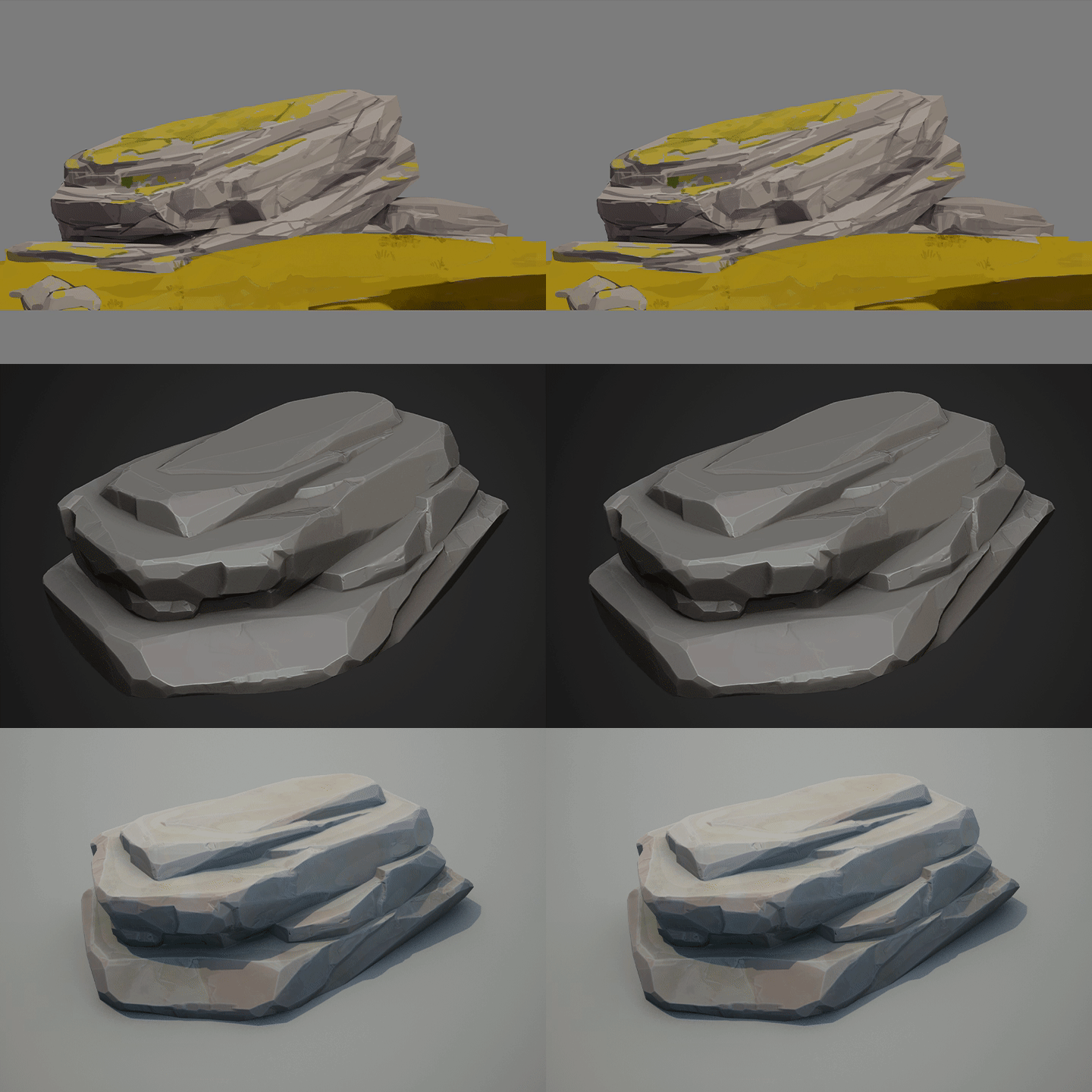 rock
rock
-
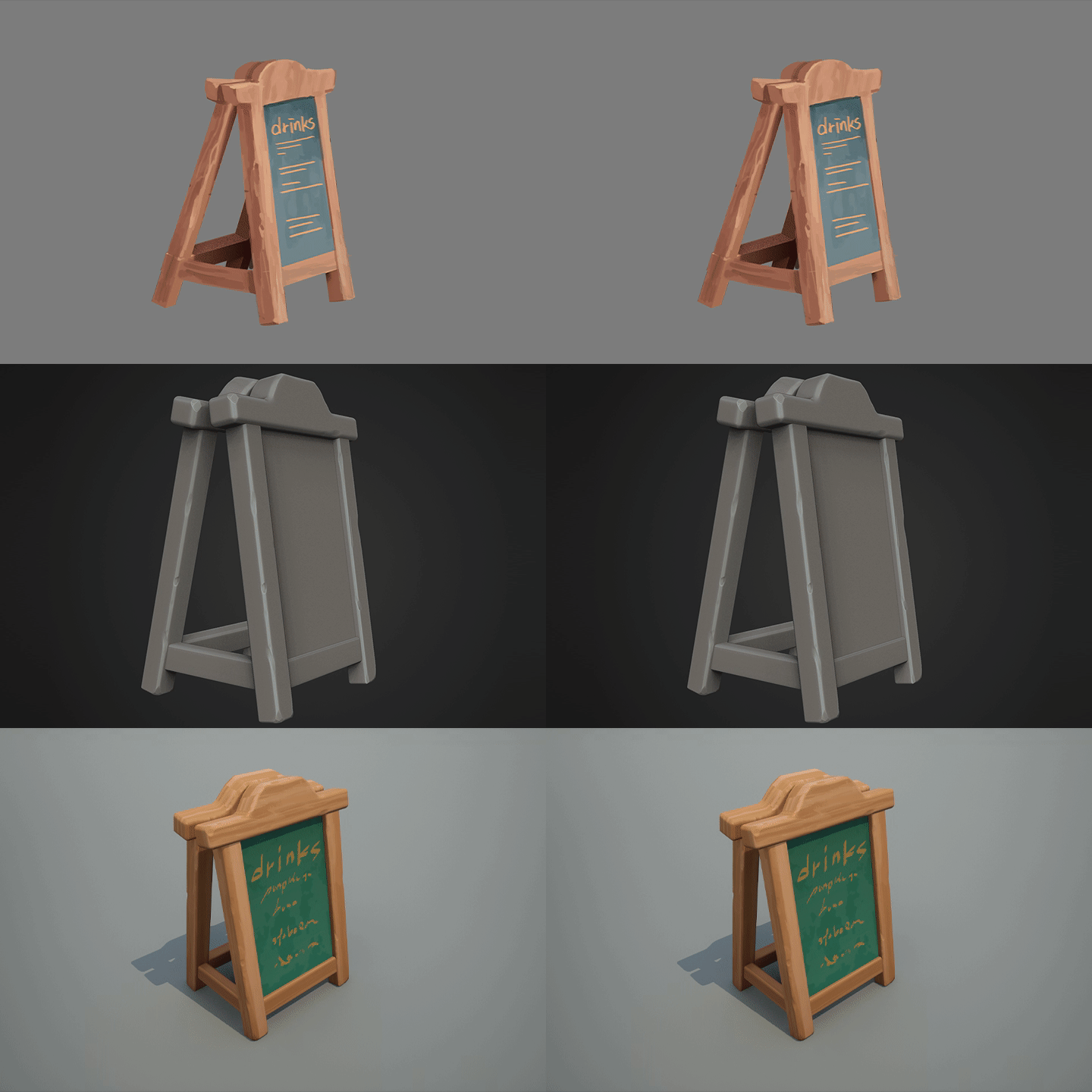 stall
stall -
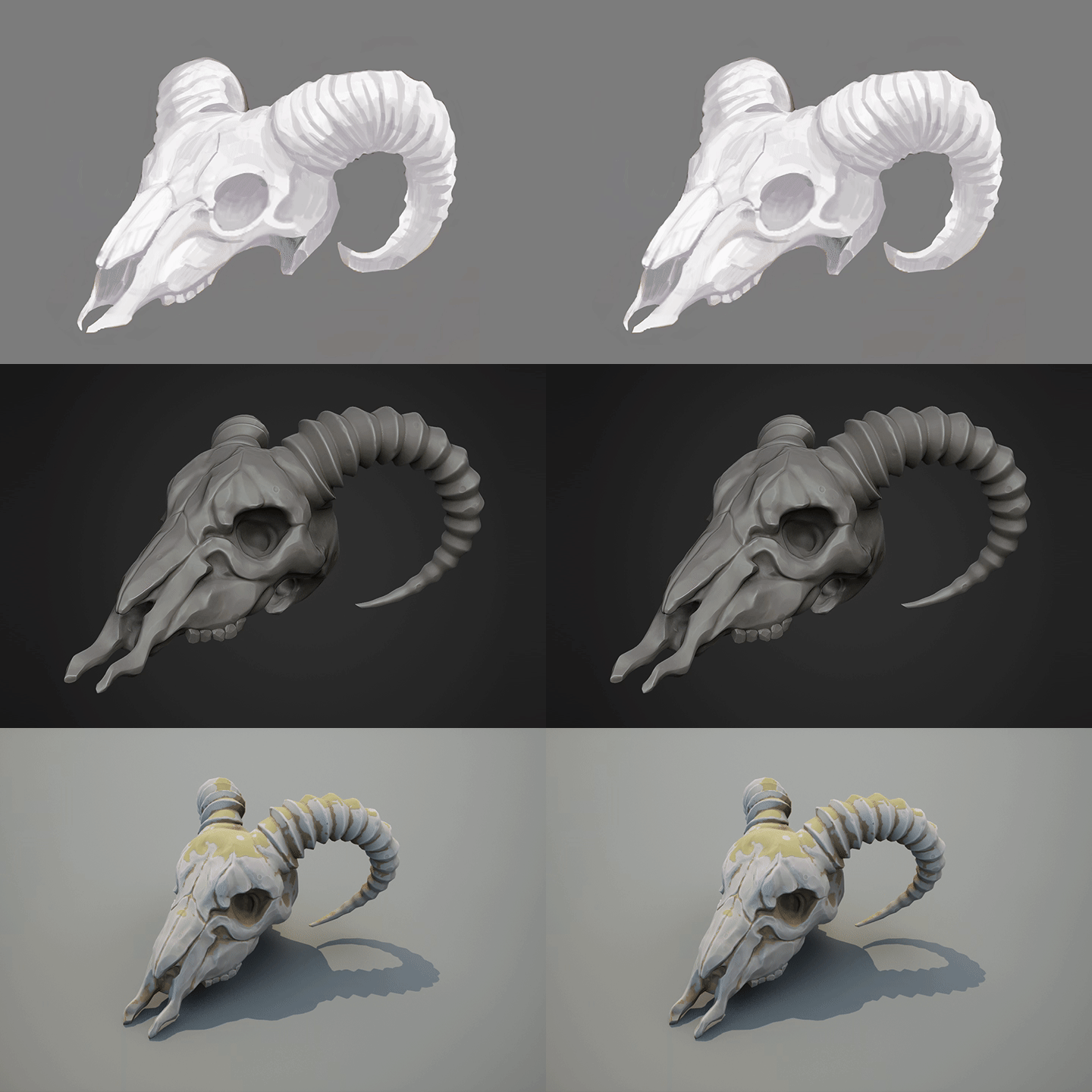 animal bones
 -
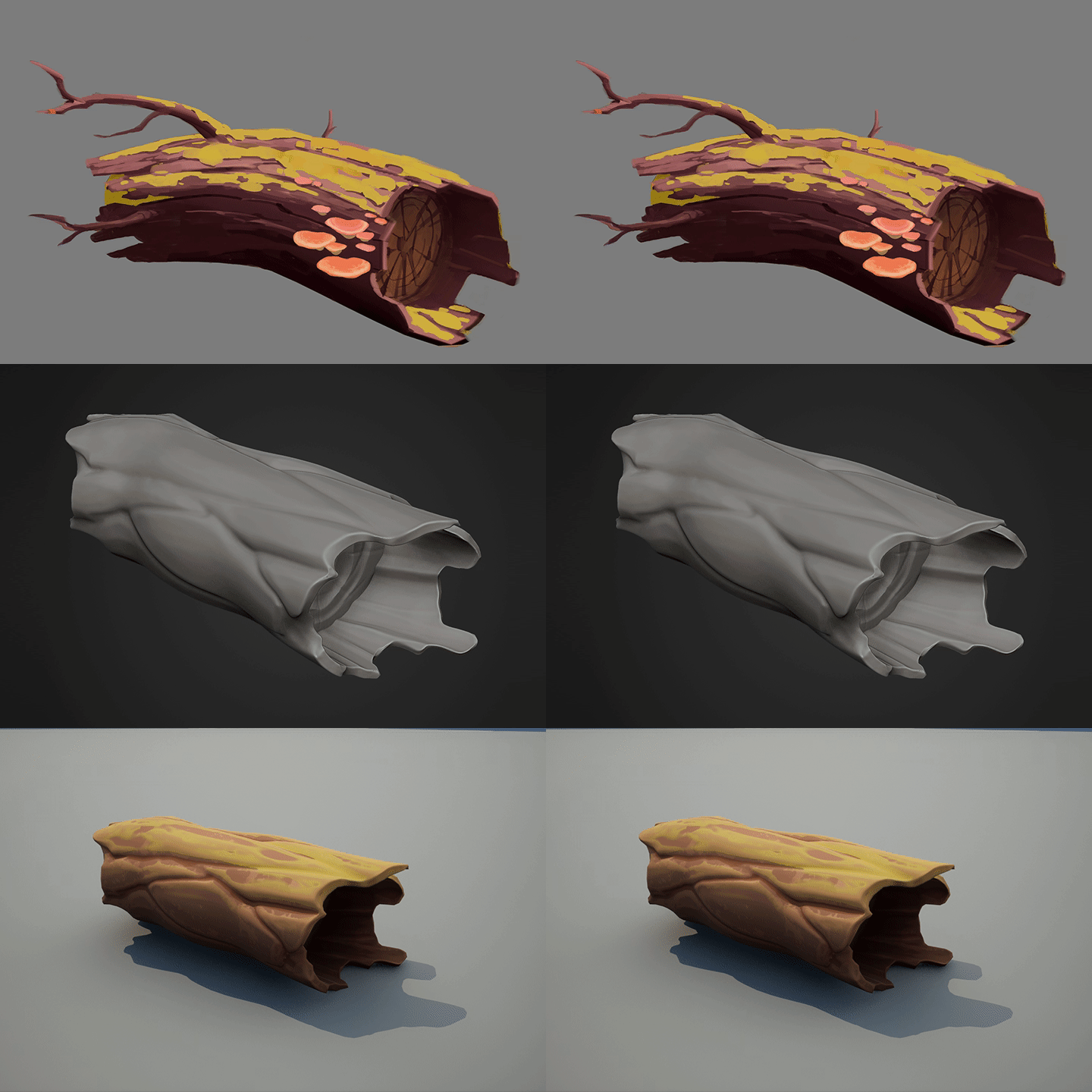 snag
snag -
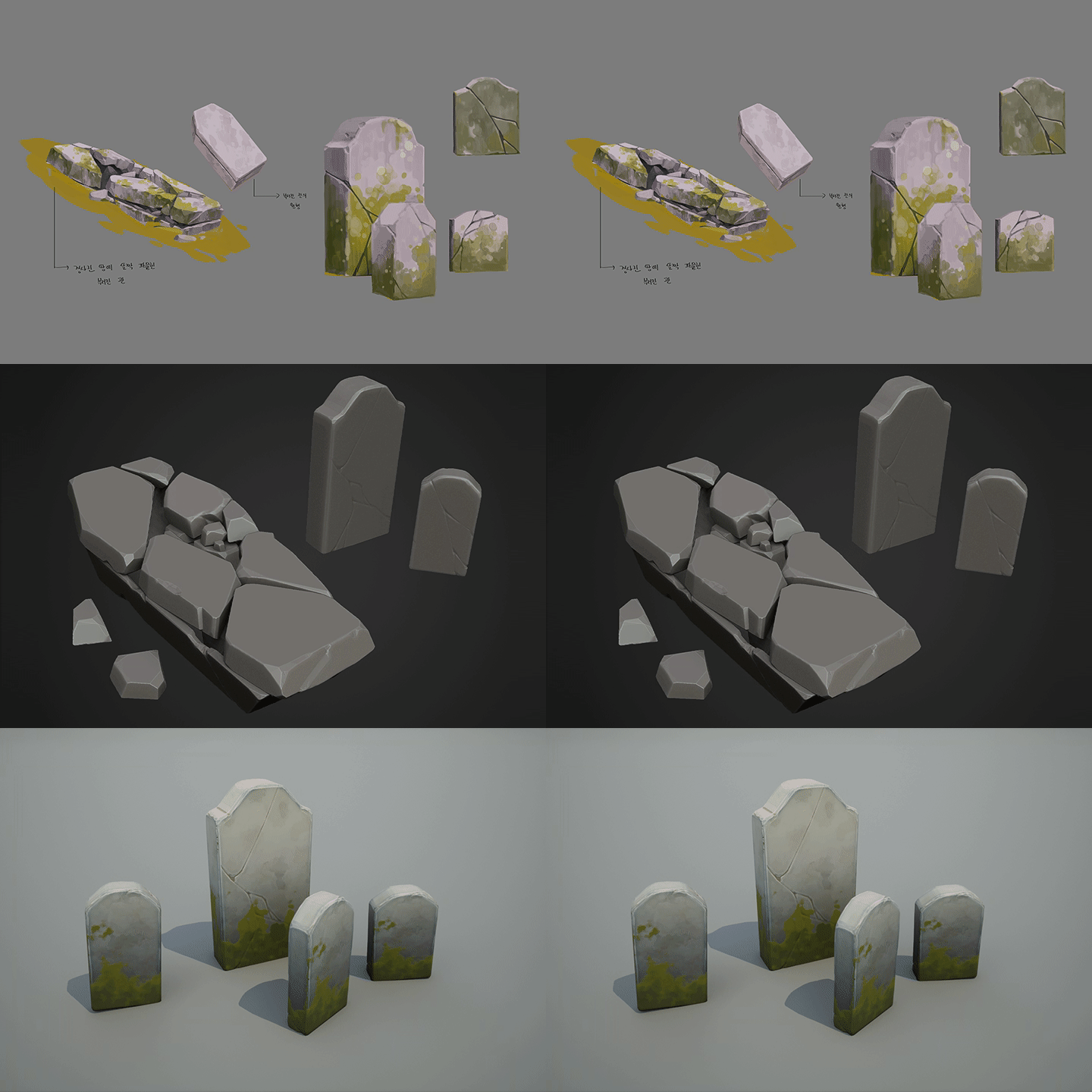 zeolite
 -
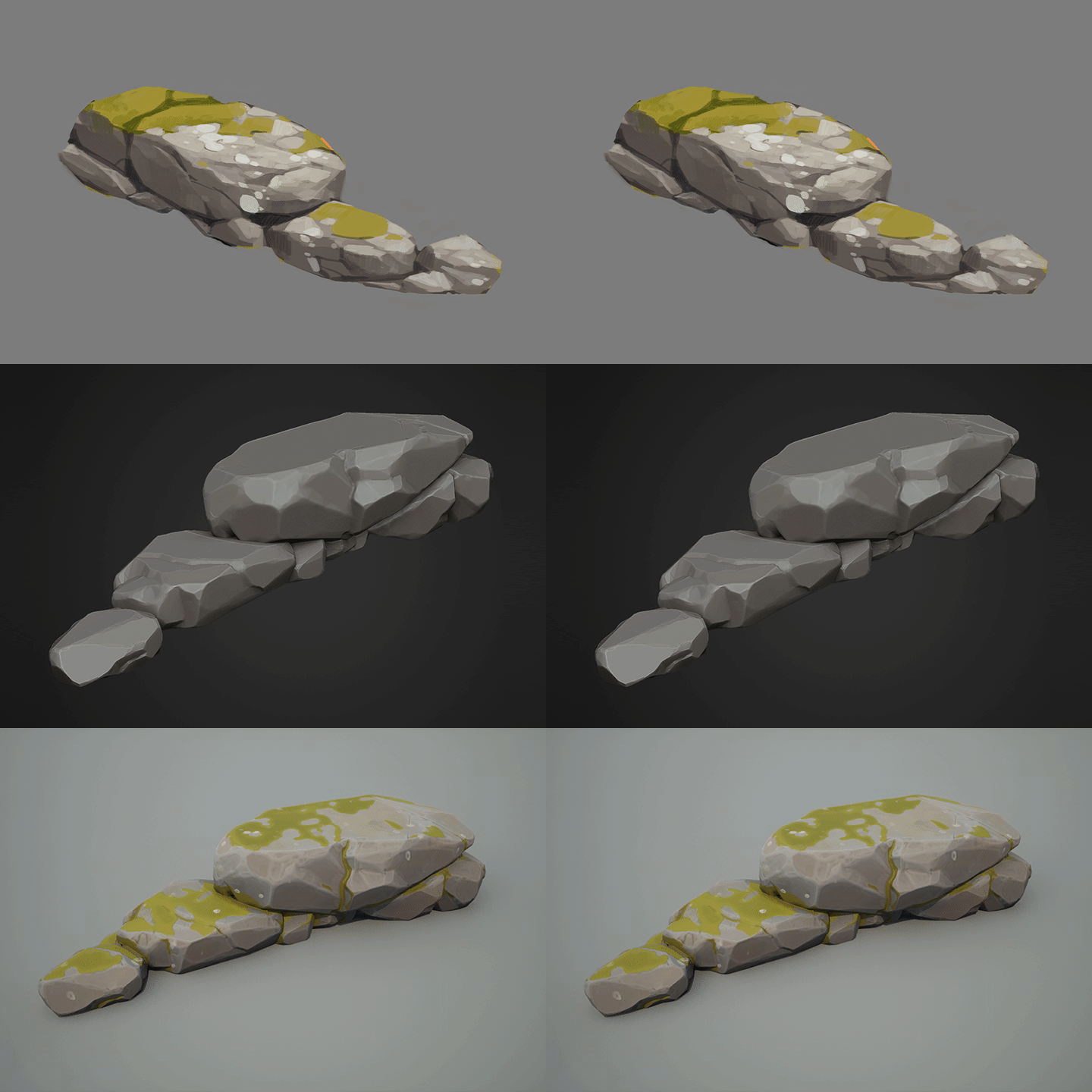 stonewall
Part 02. Hero Prop Production
We will apply the modeling, sculpting, and texturing we practiced earlier to create a high-quality, high-quality prop.
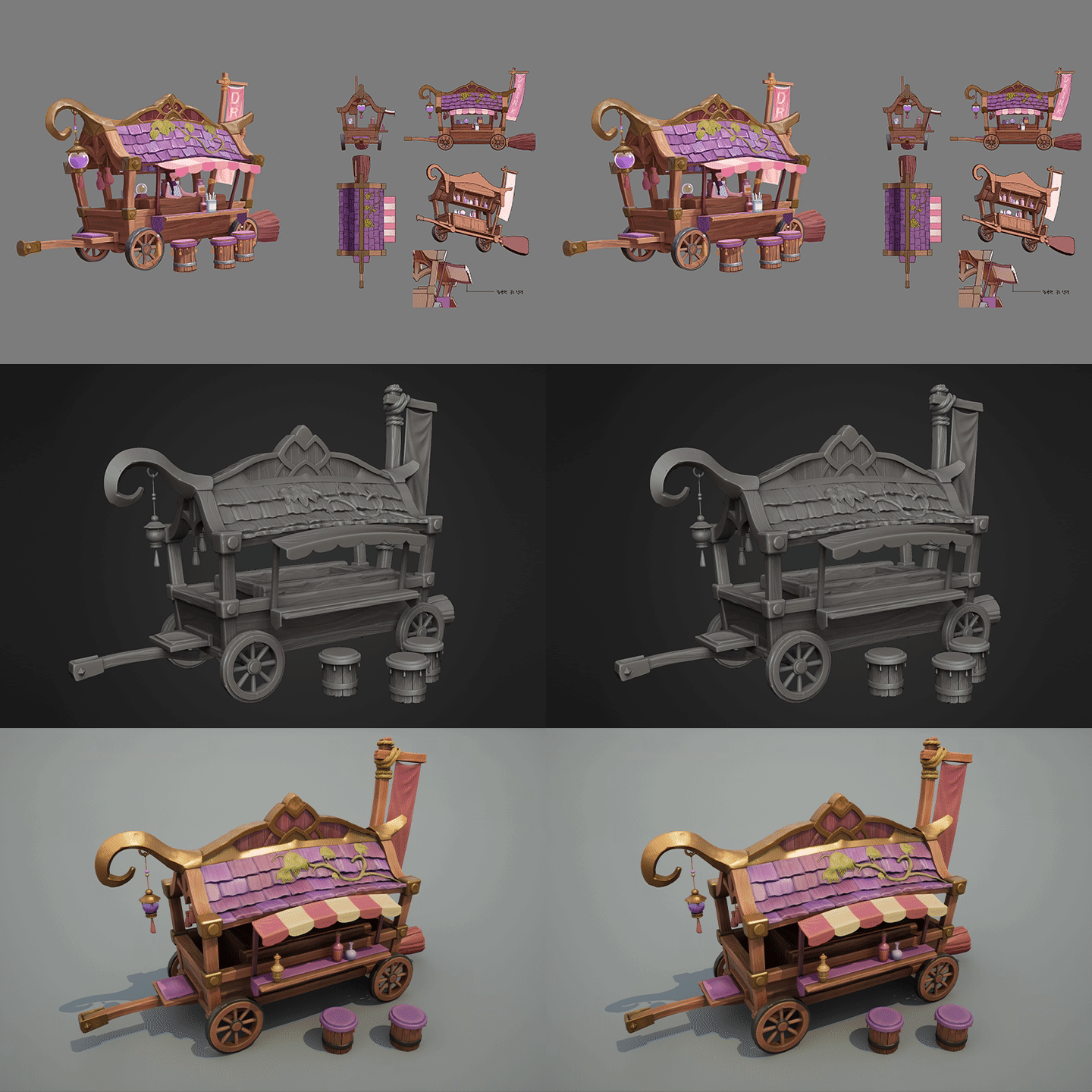
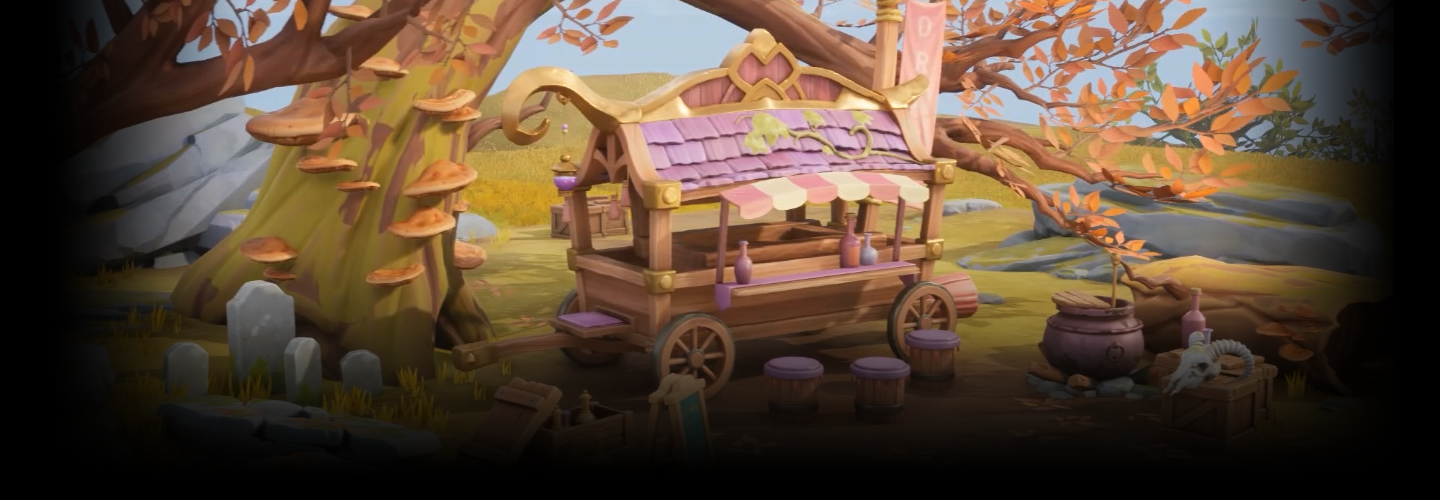
carriage
Part 03. Scene composition
Let's level it as per the original drawing using Unreal Engine.

Speaker Introduction
3D Background Artist
ANCALL
Hello, this is 3D background artist ANCALL.
I am currently a game background modeler with 10 years of experience working at Nexon, Smilegate, XL Games, etc., and have recently been sharing information about 3D backgrounds through a YouTube channel called ' ANCALL 3D'.
In the meantime, I have participated in the production of backgrounds for famous games such as Lost Ark, Civilization Online, and Project Overkill, and have digested a variety of genres, from live-action style to cartoon style and stylized style.
As we return with a more in-depth curriculum, we will provide you with all the latest practical tips and perspectives on the Stylize background that are difficult to master if you are not a veteran modeler.


ANCALL
Current) Panana Studio Background Team Leader
View more history
NCsoft NCsoft
Lineage 2M
Nexon
Project Overkill
Smilegate Smilegate
Lost Ark
Xlgames Xlgames
civilization online
Nx Studio Nxstudio
dragon heart
Smilegate Smilegate
Project AK
class features
class features
Securing employment competitiveness through Stylize style
Even beginners are OK! With examples that anyone can easily follow, we will complete a trendy game background portfolio with a charming game background that cannot be found in other genres.
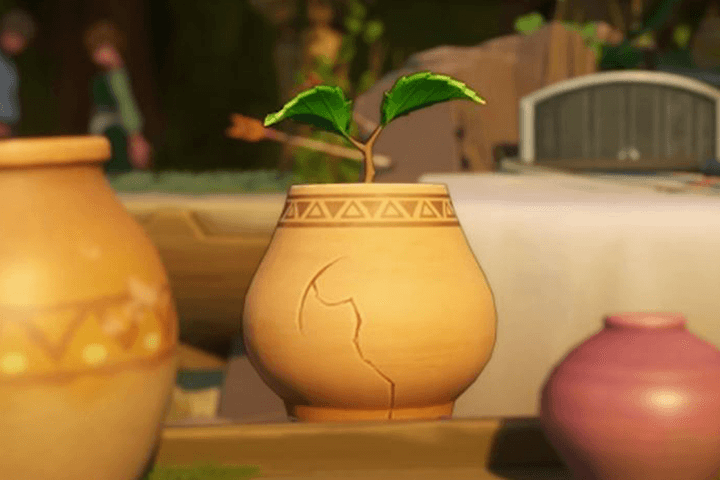
Sculpting and color expression methods that increase the density of each material
Maximize game background production techniques through a curriculum that appropriately mixes theory and practice, including design analysis for balanced shapes, modeling, baking, texturing, and polishing.
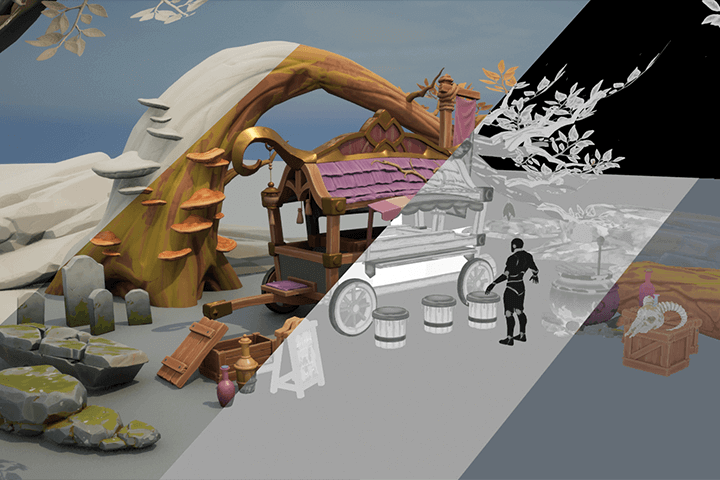
Efficient workflow from a 10-year veteran modeler
Easy to work with, high quality output! If you are a modeler creating backgrounds for casual games, we will teach you a practical stylization method that uses the normal map method to sculpt only the essential parts without losing quality.
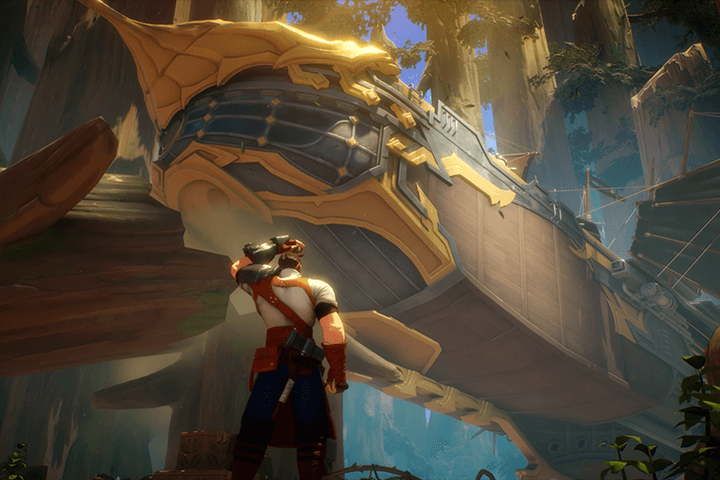
Class composition
learn this
-
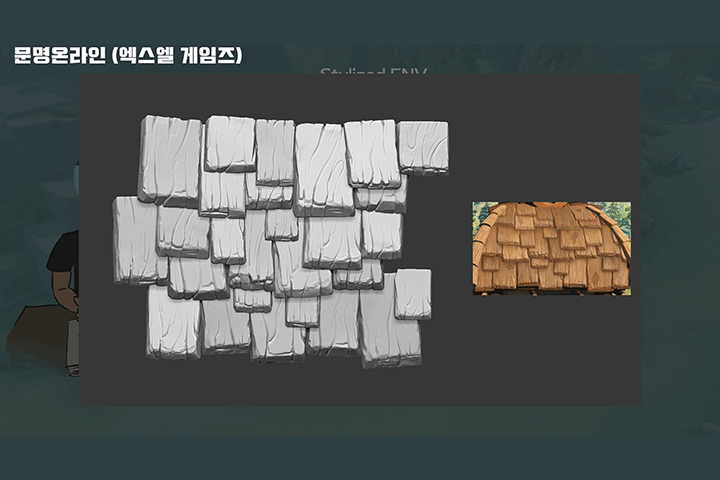 Characteristics and differences between photorealistic and stylized game backgroundsUnlike photo-realistic backgrounds, we will learn what to pay attention to and what to emphasize when creating stylized backgrounds, and even practice expression techniques through specific examples.
 -
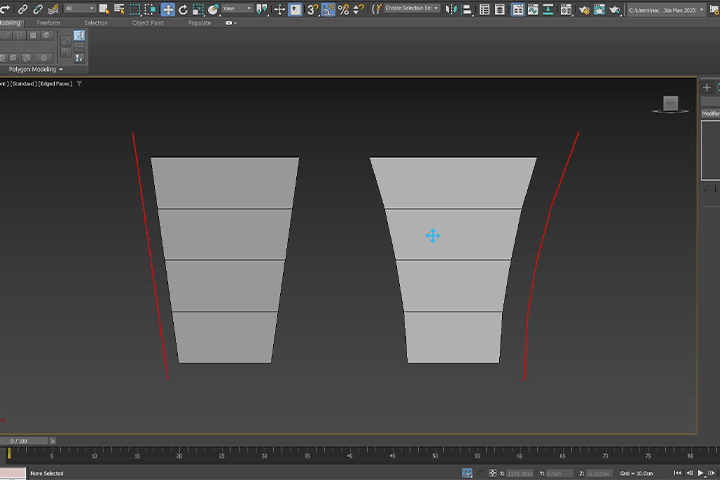 Understanding simplified modeling and deformationStarting with an understanding of the basics of Stylize modeling and deformation, we will learn what kind of silhouette gives a casual feel and the subtle differences in feel depending on the bevel.
 -
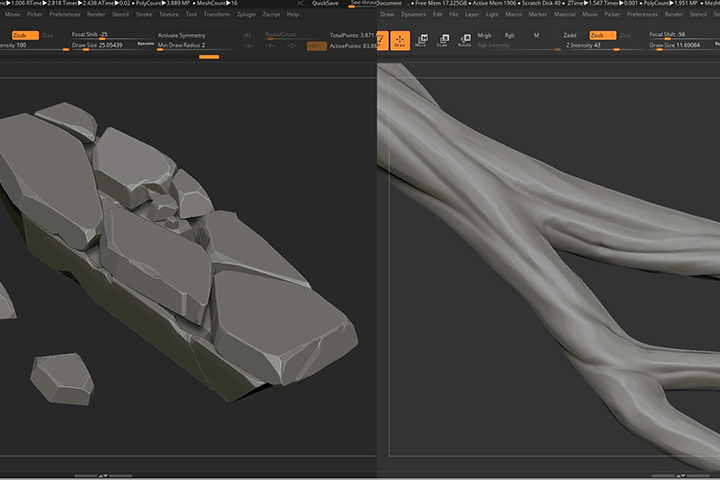 Stylish sculpting mastered with ZbrushLet's look at how to use Lasso tools and masks for more concise expressions and edgy finishes. We'll cover all the parts you've always known about but haven't been able to utilize.
-
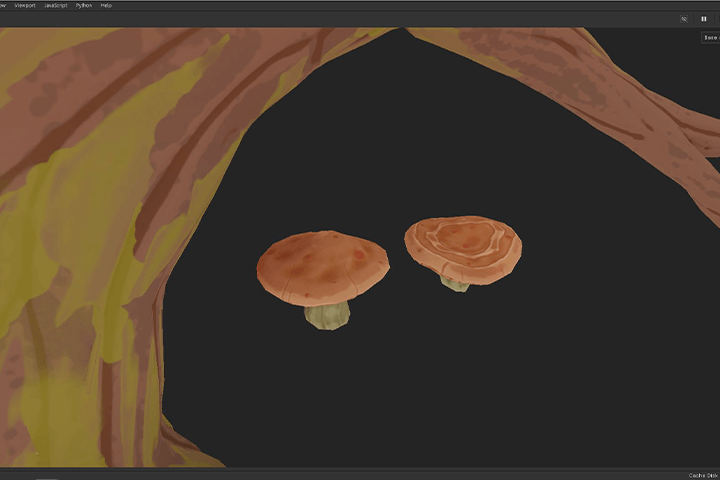 NPR texture implemented using normal map methodRather than using the so-called 'hand map' hand-painting technique of the past, we will express NPR (Non-Photorealistic) texture using the efficient normal map method introduced in casual projects by game companies these days.
 -
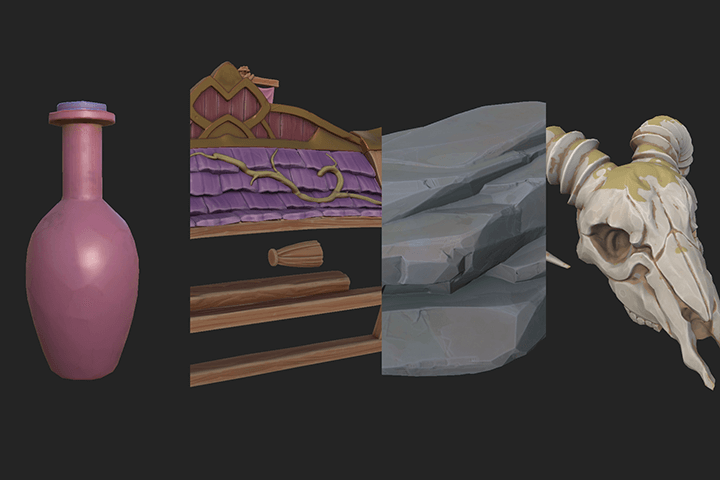 Stylize Prop Example Practice of Various DifficultiesLet's master each type, material, and size at once from basic to advanced stages using prop examples that frequently appear in Stylize background production practice.
 -
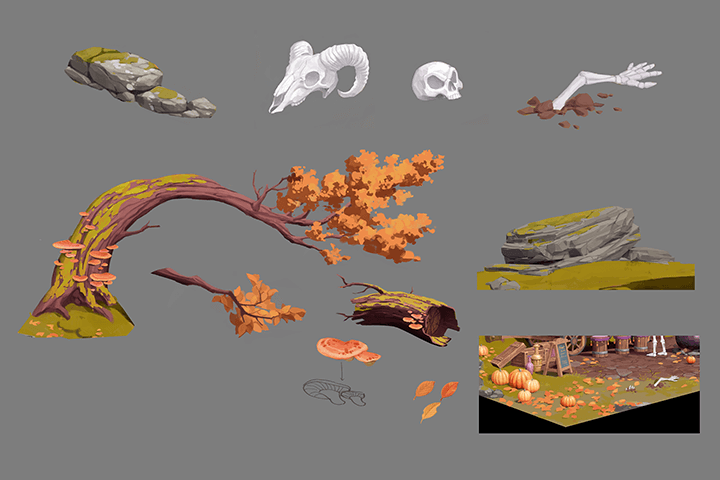 Leveling method to bring out the charm of 2D original paintingsBased on the original drawing created specifically for this lecture, we will learn how to create and compose a compelling scene by setting up the material in the engine.
curriculum
curriculum
Show me the curriculum
Section 01. Intro
01. Before the actual lecture begins
- Lecture Introduction
- What is Stylize?
Section 02. Stylize Modeling Basics
02. Modeling method according to material: theory
- Modeling stylization vs texturing stylization
- Things to keep in mind when deforming
- vertical horizontal
03. Modeling method according to material: practical version
- Setting before working with Max
- Deform Practice
- Difference in feeling depending on bevel
Section 03. Stylize Sculpting Basics
04. Sculpting method according to material: theory
- What is edgy skating?
- Expression as a line vs. Expression as a surface
- Cracks according to scale
- Expression of traces with reason
05. Sculpting method according to material: practical version
- Setting before Zbrush work
- pen pressure practice
- Use of Lasso Tool and Mask
- Expression of wood, iron, and stone materials
- Poisonous details
Section 04. Stylize Texturing Basics
06. Texturing method according to material: theory
- Texturing method for each game
- Observe by map
- Roughness vs Metalis
- Things to keep in mind when using colors
07. Texturing method according to material: practical version
- Divide ZBrush expression and Painter expression
- Formula for each material
- Mainly used functions in Stylize
Section 05. Small prop production
08. Analyzing the Korean Won
- Concept explanation
- Make a work plan
- Live Reference Stylization
09. Making a dummy
- Unreal Engine Settings
- arrangement
10. Make a bottle
- Radial Symmetry
- Crease
- The importance of gradients
- Output Templates Settings
11. Making a wooden box
- How to make a Stylize tree alpha
- Bevel Arc & Bevel Flat
- Dynamic Subdiv
- Formatting using decimation
12. Making headstones and sarcophagi
- Zmodeler Basics
- stone crack expression
- Blur Slope
- moss expression
- Anchor Point
13. Making a cauldron
- iron expression
- rust expression
- Painter Custom Material (Steel)
14. Building a stone wall
- Painter Custom Material (Stone)
- Weathering boundary expression
15. Making animal bones
- Create horns with Bend Curve
- Create a Ropol with ZRemesher
- Stylize 2 version texturing
16. Building a stall
- Painter Custom Material (Wood)
- Stencil and Projection
17. Creating the main tree
- Zsphere
- Mesh Extrude Pro
- Groups Loops vs Panel Loops
18. Making a fallen tree
- Curve Bridge
- Freeform - Shift
19. Making natural rocks
- How to get the shape easily
- Texturing using Light Generator
Section 06. Hero prop production
20. Modeling a carriage
- How modelers analyze won sheets
- Wagon low fall modeling
21. Sculpting the carriage
- Curve Tube Snap
- making rope
- Building a roof using NanoMesh
22. Wagon UV and topology
- What are resolution and optimization in games?
- Trim sheet production
23. Texturing the carriage
- Texturing by material
- Trim sheet application
24. Final engine placement
- Material settings
- Configure it according to the original picture
25. Concluding the lecture
- Stylize vs Live Action
- Stylize’s prospects in the gaming industry
interview
What 3D background artist ANCALL wants to say

Question.01
What are the speaker’s unique strengths in this lecture?
What are the speaker’s unique strengths in this lecture?
My strength is that I can work quickly and efficiently using Zbrush. We will share in detail how to improve the quality and speed of work by reducing the long-running high-fall process in 3ds Max.
Question.02
What is the differentiating point of this lecture?
What is the differentiating point of this lecture?
By experiencing both various stylize projects and live-action projects, I learned the pros, cons, and differences between the two. Rather than simply focusing on casual work, we will help you learn how to make quality Stylize props.
Question.03
Who do you recommend taking the course to?
Who do you recommend taking the course to?
Recommended for beginners in 3D backgrounds who have no experience with stylized work, as well as practitioners who want to learn higher-quality expressions and efficient production processes. I hope that you will be able to have a diverse spectrum of work through this lecture.
We will guide you through the program to use.
This class is conducted using the tools specified below. To ensure smooth course participation, please install the program separately.
- 3ds Max 2023 (2021 or later recommended)
- Zbrush 2022.0.6 (2021 or later recommended)
- Substance Painter 8.2 (7.4 or higher recommended)
- Unreal Engine 5.1 (4 or higher recommended)
* Recommended specifications for using Unreal Engine: Link
*For programs with lower recommended versions, course materials may not open.
*Programs and materials are not provided separately.