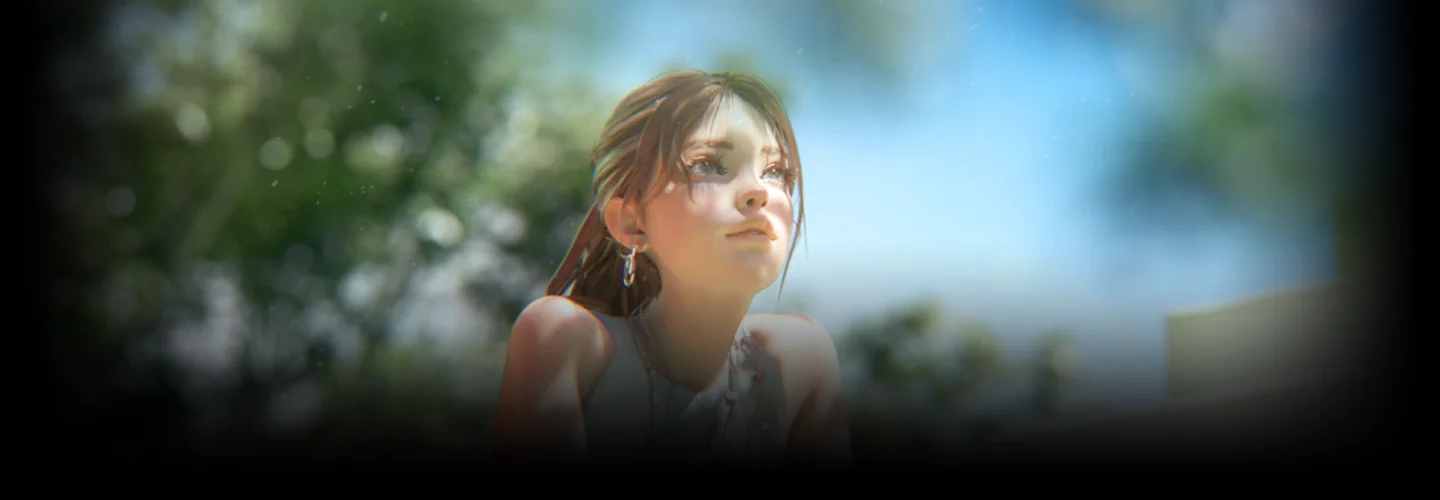
CGProductionStudio,SHIROGUMIINC._시로구미 Details
Intro
Class Intro
CG Production Studio SHIROGUMI INC.
*This trailer features dubbing in English. Please note that the course videos are not dubbed.
Exclusive expertise revealed by SHIROGUMI INC.!
Creating professional semi-realistic characters using Blender
SHIROGUMI INC., known for producing numerous acclaimed works such as ALWAYS: Sunset on Third Street, Shin Godzilla, and Stand by Me Doraemon, has received numerous awards both domestically and internationally.
In this class, Lead Modeling Artist at SHIROGUMI INC. Masayuki Hirano will teach you how to complete semi-realistic characters using Blender and ZBrush.
In this class, Lead Modeling Artist at SHIROGUMI INC. Masayuki Hirano will teach you how to complete semi-realistic characters using Blender and ZBrush.

First, through model creation in ZBrush, students will learn the foundational sculpting techniques for creating semi-realistic characters. Once the model is complete, you will use Blender to acquire skills in retopology and modeling techniques to create faces and hairstyles, as well as accessories and other details.
Next, the class will cover the application of realistic textures using Substance Painter and highlight key points in rigging creation using Blender. Finally, the class will guide you in adding lighting and animation and teach you how to composite using After Effects, allowing you to complete a finished work with a curated atmosphere.
Experience the secrets to creating professional semi-realistic characters and cinematic cut scenes under the tutelage of SHIROGUMI INC., prolific creators of numerous works, right now on Coloso!
Next, the class will cover the application of realistic textures using Substance Painter and highlight key points in rigging creation using Blender. Finally, the class will guide you in adding lighting and animation and teach you how to composite using After Effects, allowing you to complete a finished work with a curated atmosphere.
Experience the secrets to creating professional semi-realistic characters and cinematic cut scenes under the tutelage of SHIROGUMI INC., prolific creators of numerous works, right now on Coloso!
Class Perks
Get These Coloso Exclusives
-
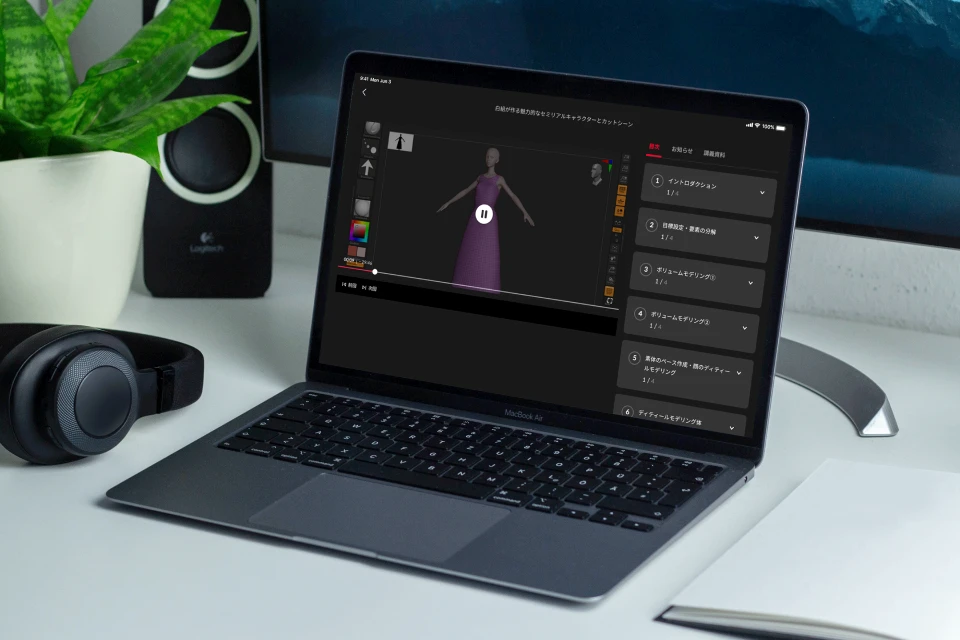
Access to 29 lecture videos for an unlimited period of time, including the diverse semi-realistic character creation expertise of SHIROGUMI INC. -
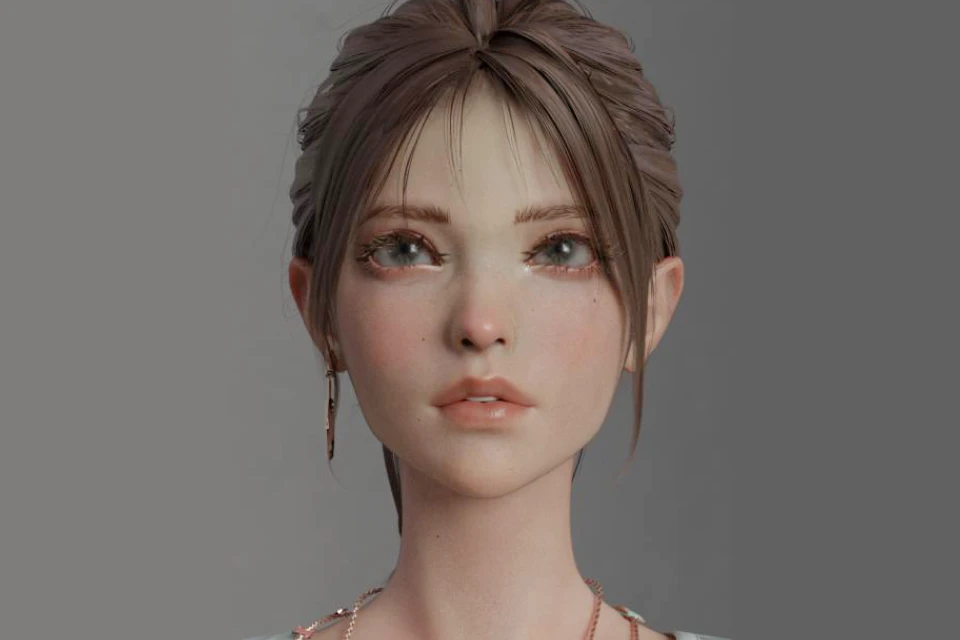
Complete one finished work during the class -
Materials such as files for Blender, ZBrush, Substance Painter, and After Effects will be provided
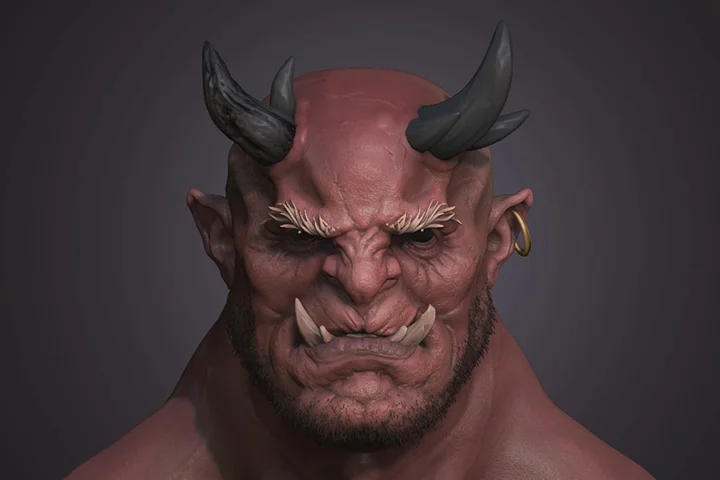
Portfolio of CG Production Studio SHIROGUMI INC.
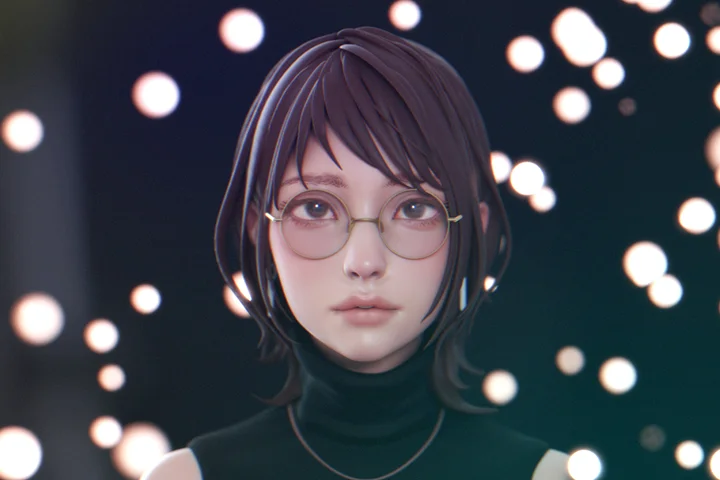
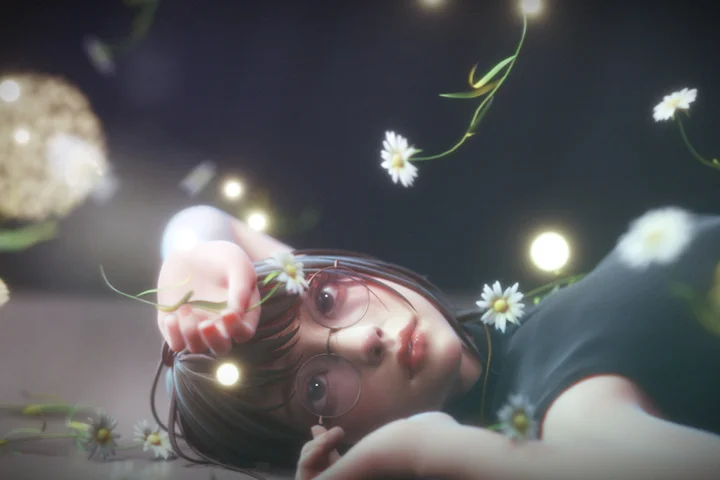
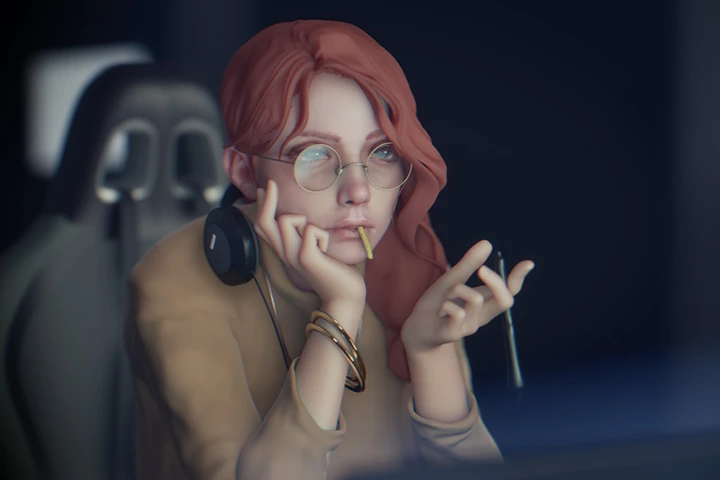
7 Class Exercises
-
 Sculpting semi-realistic characters
 -
 Retopology in Blender
 -
 Texture creation for semi-realistic characters
-
 Applying rigging
 -
 From lighting and rendering to material output
 -
 Compositing with After Effects
Final completed work
Instructor
SHIROGUMI INC.
Lead Modeling Artist Masayuki Hirano
SHIROGUMI INC. was started in 1974 as an animation company specializing in creating TV commercials. In 2023, the company celebrated its 50th anniversary. From 3DCG to VFX, miniatures and 2D animation, they create video in a wide range of genres.
The 3D software used at SHIROGUMI INC. is mainly Autodesk 3ds Max and Maya, but recent years have seen an increase in projects that incorporate Blender. There is great potential in its Geometry Nodes, the variety of add-ons, and other features.
In this class, you’ll primarily use Blender. You will experience the joy of seeing your created character evolve through various sections and ultimately become a part of a complete cinematic work.
CG Production Studio SHIROGUMI INC.
CG Production Studio
[Representative works]
ALWAYS: Sunset on Third Street movie
The Eternal Zero movie
Parasyte movie
Shin Godzilla movie
Stand by Me Doraemon movie
New Dimension! Crayon Shinchan the Movie: Battle of Supernatural Powers ~Flying Sushi~ movie
Godzilla Minus One movie
Etotama original TV animation
THE iDOLM@STER Million Live! animation
CR Sengoku Otome pachinko game
Monster Hunter: World video game
Street Fighter 6 video game
Pokémon Scarlet and Violet: Get Mew & Mewtwo !! video game
The Legend of Zelda: Tears of the Kingdom video game
Silent Hill f video game
Seibuen Amusement Park Godzilla the Ride: Giant Monsters Ultimate Battle expo video
[Awards]
2000
Juvenile movie
Giffoni Film Festival 2000 / First Screens - Best Feature Film (Italy)
2004
Onimusha 3 game opening movie
SIGGRAPH 2004 Electronic Theater - Selection (USA)
2006
ALWAYS: Sunset on Third Street movie
29th Japan Academy Film Prize: Best Work Award, Awards for Excellence in Best Director Award, Best Screenplay Award, winner in 12 other categories, and 5 other awards
2008
Always: Sunset on Third Street 2 movie
31st Japan Academy Film Prize: Awards for Excellence in Best Work Award, Best Director Award, and Best Screenplay Award
2013
Friends: Mononoke Shima no Naki movie
VFX-JAPAN Award 2013: Best Animated Film in Theatrical Release Category, and one other award
2015
The Eternal Zero movie
38th Japan Academy Film Prize: Best Work Award, Best Director Award, winner in 6 other categories, and 4 other awards
Stand by Me Doraemon movie
38th Japan Academy Film Prize: Best Animation Award and 7 other awards
2016
Shin Godzilla movie
70th Motion Picture and Television Engineering Society of Japan (MPTE) Visual Effects Technology Award (VFX), and one other award
2020
The Great War of Archimedes movie
VFX-JAPAN Award 2020: Best Live Action Film in Theatrical Release Category, and one other award
2023
Silent Hill f teaser trailer
The One Show 2023 / Merit Award (USA) and many more
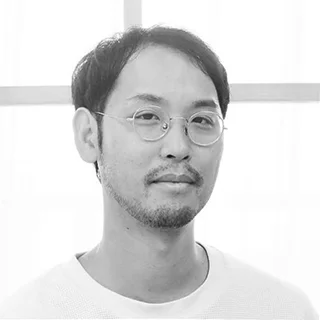
Masayuki Hirano
[Current]
Lead Modeling Artist
[Overview]
Working on a wide range of projects including movies, commercials, and music videos at SHIROGUMI INC.
Highlights
Class Highlights

Basic Knowledge in Character Stylization Sculpting
The class will include explanations with reference to anatomy materials, covering aspects like eye position, depth, balance when viewed from above, and the sculpting of the ears and nose. Additionally, you’ll be introduced to techniques for omitting sculpting that are unique to deformation and for making characters look professional.
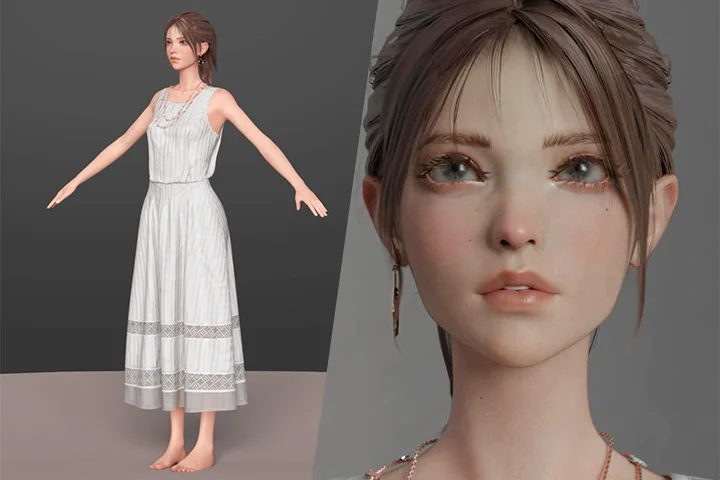
Skills in Creating Semi-realistic Characters Using Blender
The class will follow a series of steps from the process of moving characters in Blender to lighting and output. You’ll also learn the process of efficiently outputting materials by using render layers.
Basic Compositing Work Using After Effects

Students will learn how to use materials output from Blender to advance the creation of atmospheric drawings. Using basic After Effects functions, students will be challenged to create drawings using material composition and effects.
Class Details
You'll Learn
-
 Workflow for semi-realistic character sculpting with ZBrushTo make it easier for those who are new to the challenge of character sculpting with ZBrush, this class will teach you how to sculpt semi-realistic characters, taking into account the basic functions of ZBrush as well as the unique cautions for deformation sculpting.
 -
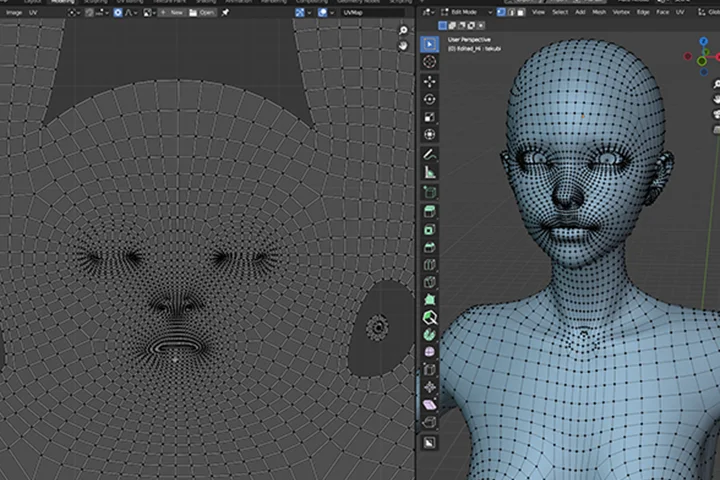 Retopology and UV unwrapping using BlenderLearn the key points of production using Blender's standard features and add-ons to achieve a topology with fewer breakdowns during animation. In UV unwrapping, explore the method of using UDIM to paint at high resolution.
 -
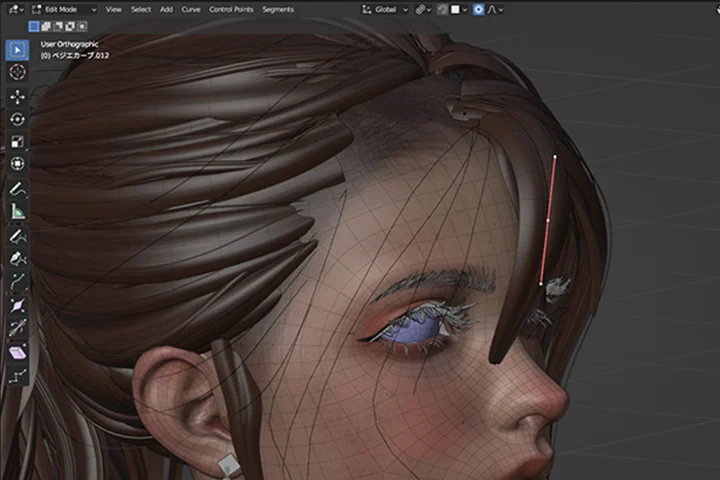 How to create hair and eyebrows for charactersStudents will learn how to create a character's eyebrows and hair for easy editing in later stages of the process. In particular, hair is often adjusted in the later stages of the process, so students will learn how to construct files that can be returned to the editing process.
-
 Lighting and rendering to enhance the quality of your workI will explain the essential element of scene lighting along a basic workflow. In particular, I will teach you the usual lighting methods, HDR, and atmospheric mapping.
 -
 Texture creation for semi-realistic charactersBe introduced to the standard workflow for painting characters using Substance Painter. Students will learn to create a layer structure that allows for easy readjustment, such as creating masks first, and master the creation of original output settings to efficiently export materials.
 -
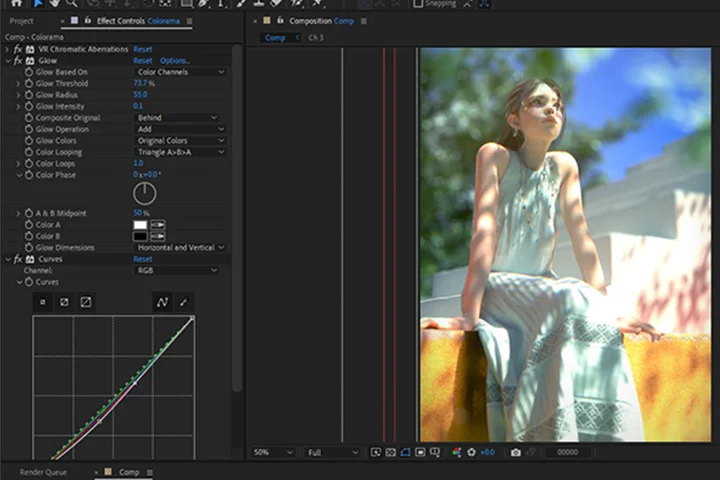 Basic knowledge of After EffectsStudents will acquire the skills necessary to create atmospheric drawings, from the basics of compositing using After Effects to how to add filters and effects.
- Unlimited Access
- Best Price
Buy now, get unlimited access.
12/31 (Sat) (UTC-7) Special offer ends soon.
This special offer ends soon.
Buy now and save!
Curriculum
Curriculum
In-Depth Look
SECTION 01. Introduction (self-introduction)
01. Introduction
- Self introduction
- Overview of this class
- Flow of each lesson
- Working environment
- Version and initial settings of each program
- Introduction to brushes and add-ons
SECTION 02. Gathering references
02. Goal-setting and element breakdown
- Construction of images in cut scenes
- Identifying elements from the rough concept image
- Gathering references
SECTION 03. Sculpting with ZBrush
03. Volume modeling ①
- Key points in creating a volume model with ZBrush
- Determining proportions and hairstyle
04. Volume modeling ②
- Creating the volume model (head)
- Creating the volume model (hair)
- Sculpting
- Fine-tuning the shape
05. Base creation and facial detail modeling
- Refining the details of the face
- Areas covered in polygon modeling (eyelids, inside the mouth, etc.)
- Tentative color selection
06. Detail modeling the body
- Integrating and refining the details of the body
- Areas covered in polygon modeling (hands, feet, etc.)
- Finishing touches on sculpting work
07. Creating the volume model for the clothing
- Considering the shape and volume of the clothing
SECTION 04. Retopology and modeling in Blender
08. Retopology work in Blender ①
- Retopology using standard features and add-ons
- Sculpting the face with a focus on movement
- Sculpting the eyelids and inside the mouth
09. Retopology work in Blender ②
- Body retopology
10. Modeling work in Blender ①
- Polygon modeling for hands and feet
11. Modeling work in Blender ②
- Model projection
- Modeling the eyeball, eyebrows, and eyelashes
12. Modeling work for clothing and accessories
- Creating clothing in ZBrush using group splitting
- Modeling accessories using Blender
13. Hair modeling ①
- Creating textures for hair cards
14. Hair modeling ②
- Creating hair using the Curve Modifier
SECTION 05. UV unwrapping to texture painting
15. UV unwrapping in Blender
- UV unwrapping using UDIM
16. Painting work in Substance Painter ①
- Creating textures for the base model
17. Painting work in Substance Painter ②
- Creating textures for the eyeball
18. Painting work in Substance Painter ③
- Creating textures for the clothing
19. Building materials in Blender
- Shader settings
- Completion of modeling work and creating a turntable
SECTION 06. Rigging and setting up
20. Rigging the body
- Rigging the base model using Rigify
21. Rigging the hair
- Creating a rig with physics simulation capabilities
22. Rigging a necklace and earrings
- Setting up the rig for accessories
23. Fabric settings for clothing
- Details of fabric settings
SECTION 07. Creating the background
24. Creating a background in Blender
- Creating swaying trees
- Creating walls, stairs, and other elements
SECTION 08. Building a scene
25. Layout, lighting, and test rendering
- Determining the character's pose, background placement, and camera position
- Lighting that aligns with the concept image
- Pre-rendering
26. Animation
- Creating animations that match the poses
- Eye movement
27. Simulation
- Physics simulation (hair, clothing, accessories)
SECTION 09. Rendering and compositing
28. Rendering and compositing in After Effects
- Separate rendering of character and background
- Compositing in After Effects
- Key points for creating atmosphere
SECTION 10. In conclusion
29. In conclusion
- Wrap-up
*The release date of this class, curriculum images, and associated content can be changed without prior notice.
** Class videos may be seperated for a more streamlined viewing experience
Interview with
CG Production Studio SHIROGUMI INC.

Question.01
What do you think is the most difficult part for those studying this field, and how can this class help them solve that problem?
This class is targeted at character artists and explains the process of video production. However, I understand that some people may have difficulty with the process of visualization, as there are many steps involved, or they may not be good at certain areas. In this class, I’ll guide you step-by-step through the process leading to video production, allowing you to gain a detailed understanding of how CG production companies create visual content. By following this comprehensive workflow, you'll have the opportunity to develop skills for creating your own works and navigating professional tasks effectively.
Question.02
What are the key points to working with 3DCG?
It’s about embracing new challenges and creating something. Trying new techniques, untested production methods, and various artistic expressions in the course of production provides an opportunity to expand your range of expression. Keeping your antennae up and checking for seasonal topics and the latest tutorials will help you later in your production. And I hope you won’t be afraid of challenges, but enjoy the process.
Question.03
Please describe the marketability and prospects for your field.
The main focus of this class is character modeling, and as demand continues to increase for games, video productions, the metaverse, work for VTubers, and more, I believe that further knowledge of sculpting will be a great advantage. In addition, while Blender is the main software used in this class, we also use ZBrush, Substance Painter, After Effects, and other software that can be considered industry standards. I believe that understanding the sequence of video production using these programs will help to increase awareness of parallel sections and subsequent sections, and will help to facilitate teamwork.
Question.04
Please give a message to the students.
SHIROGUMI INC. uses a variety of software to bring our works to the world. In recent years, as Blender's functionality has improved and the number of users has expanded, we have been employing it more and more in our work. As we continue to explore new visual expressions to offer our clients, we also see great potential in Blender. Although I have only been able to convey a portion of that potential in this class, I hope it will be helpful to you in your personal production as well as in your professional use.
Required Programs
Information about the software used
This class will use the following tools:。
[Main Tools]
Blender
ZBrush
After Effects
Photoshop
Substance Painter
*Recommended versions for each program are as follows:
Blender: 3.6 or higher / ZBrush: 2020.06 or higher / After Effects: 23.5.0 or higher / Photoshop: 24.6.0 or higher / Substance Painter: 8.3.1 or higher
*Please purchase and install these program(s) for an optimized chapter experience.
*These programs and/or materials will not be provided with the chapter.
Recommended
Recommended Class
Like this class?
Then check these out!