3DCharacterArtist,kwangbaeByun_3D캐릭터아티스트 변광배 Details
Class introduction
introduction video
3D character artist, Kwangbae Byun
“Creating natural characters High-poly and low-poly work techniques Of course, texturing to bring out the details, Setting methods for high-quality renders I hope you all learn from it.”
AAA game-grade realistic 3D full-body male character creation workflow
Hyper-realistic 3D character modeling, the demand of which continues to increase not only overseas but also in the domestic game industry!
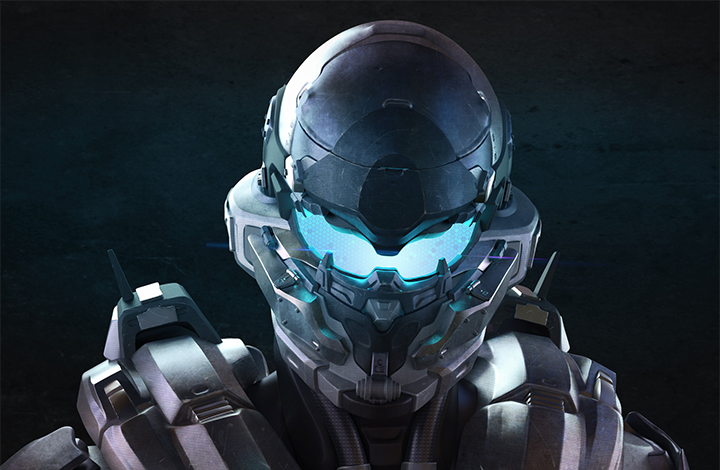
Are you looking for a course that will teach you the overall workflow for creating AAA game quality characters using Maya, which is becoming a popular tool in the industry?
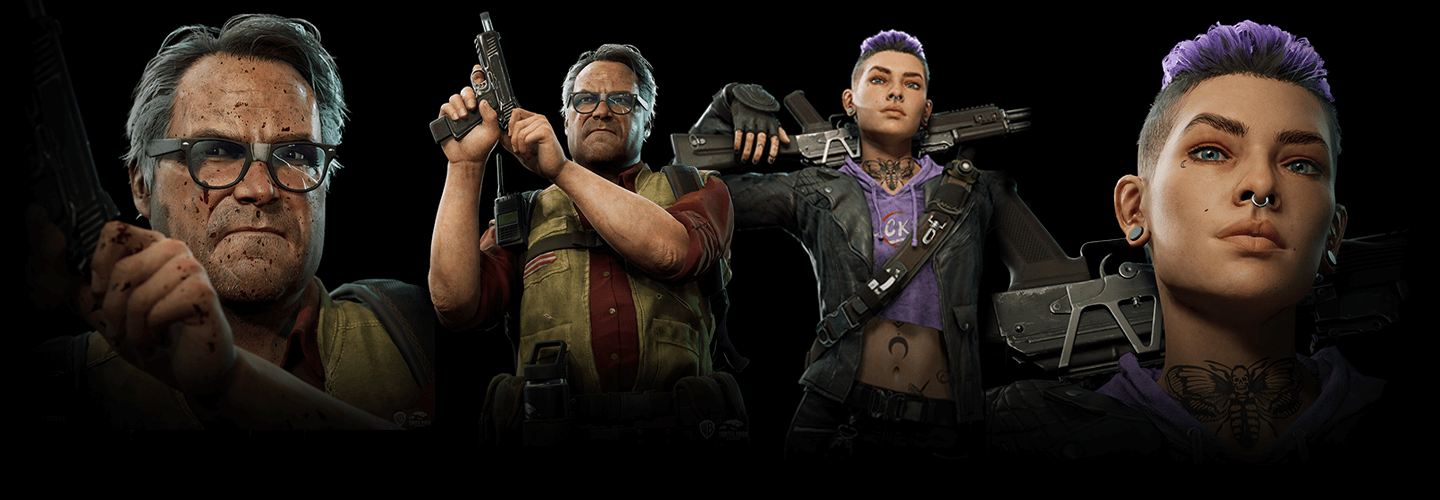
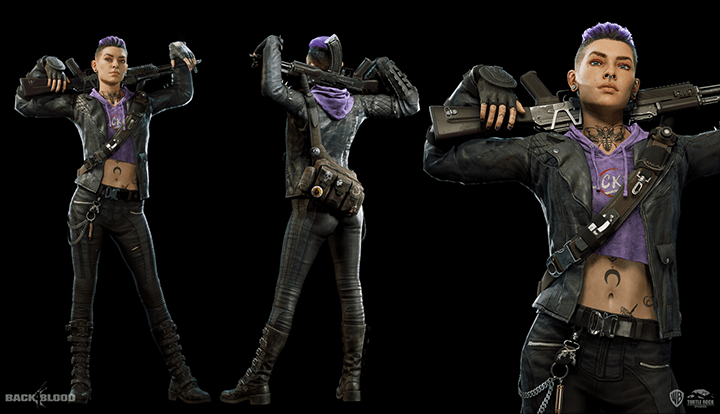
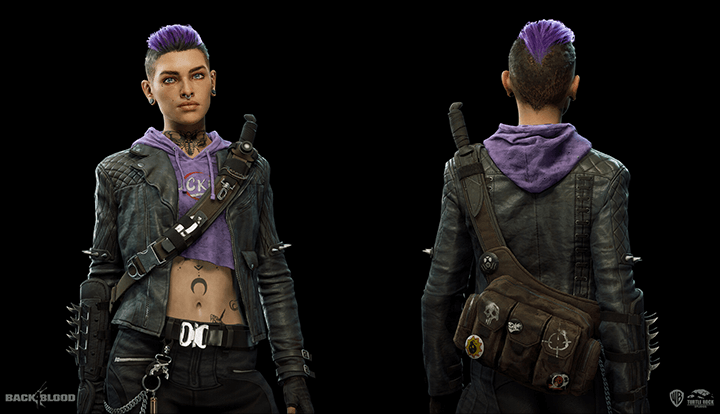
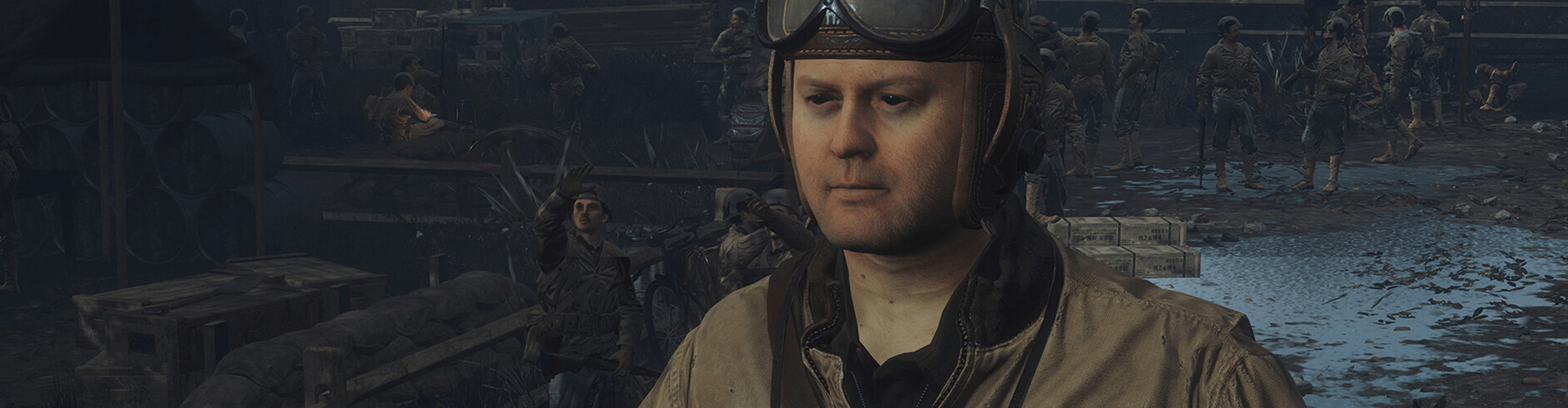
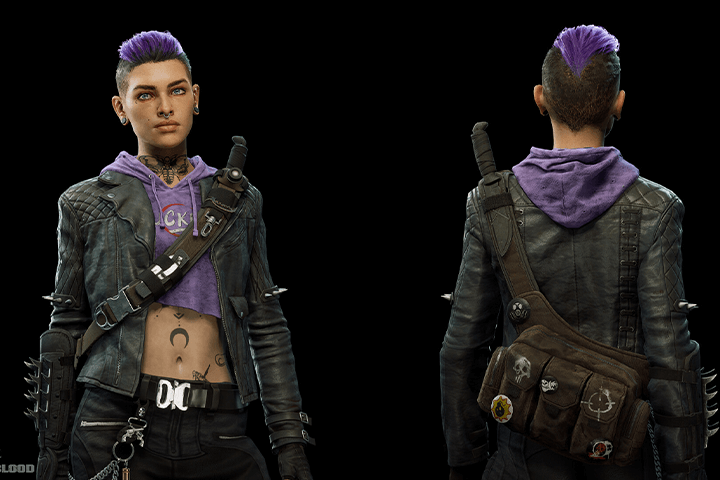
Check out the classes of 3D character artist Kwangbae Byun, who has participated in projects from top-tier game companies such as Call of Duty WWII, Back 4 Blood, and God of War Ragnarok.
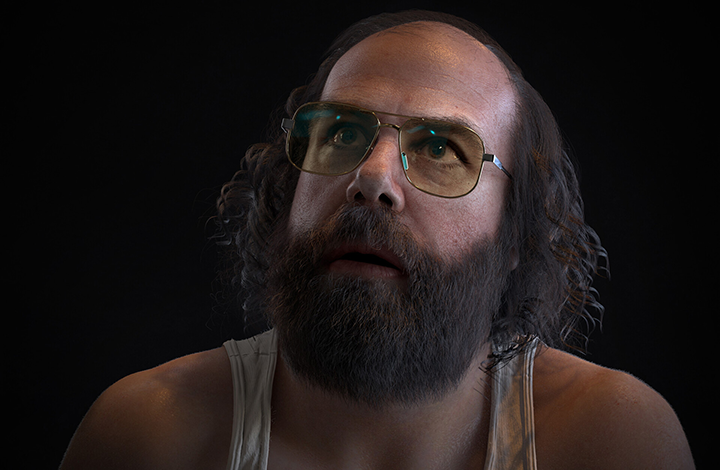
In this class, you can learn while creating your own hyper-realistic post-apocalyptic style male character! If you dream of becoming a 3D character modeler, don't miss this.
In this class, you can learn while creating your own hyper-realistic post-apocalyptic style male character! If you dream of becoming a 3D character modeler, don't miss this.
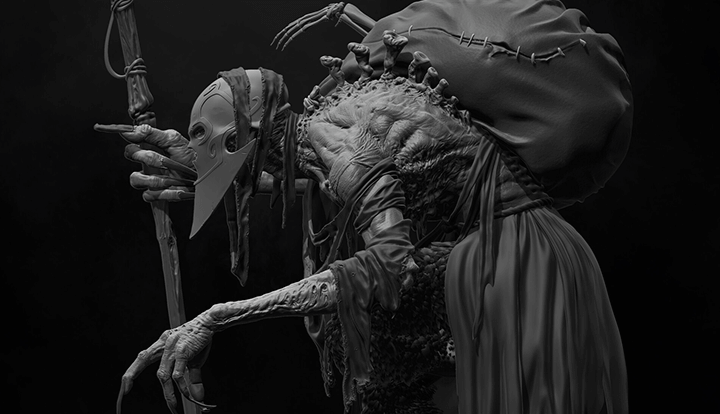
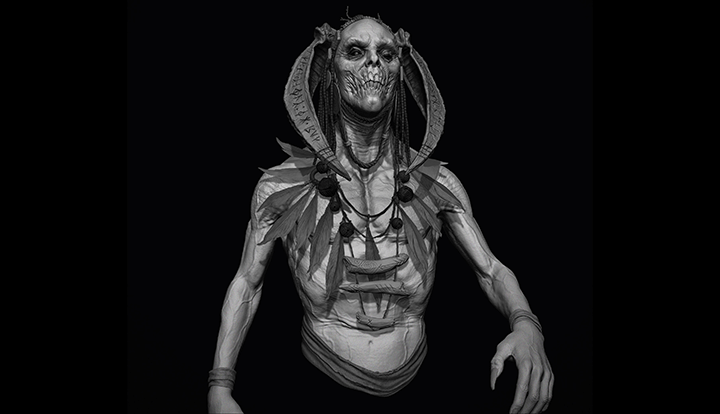
The portfolio of 3D character artist Kwangbae Byun stands out for its liveliness and realism.
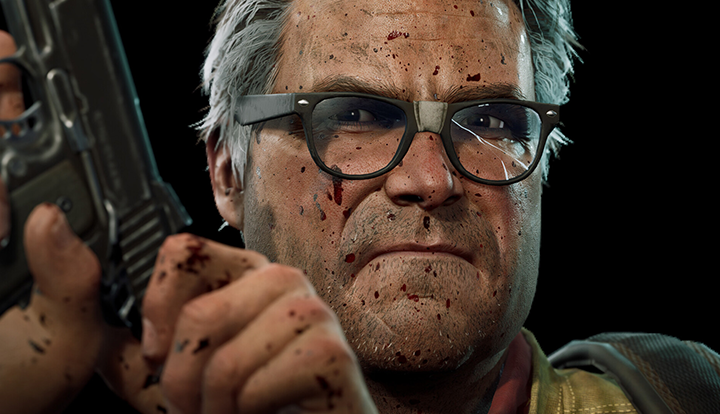
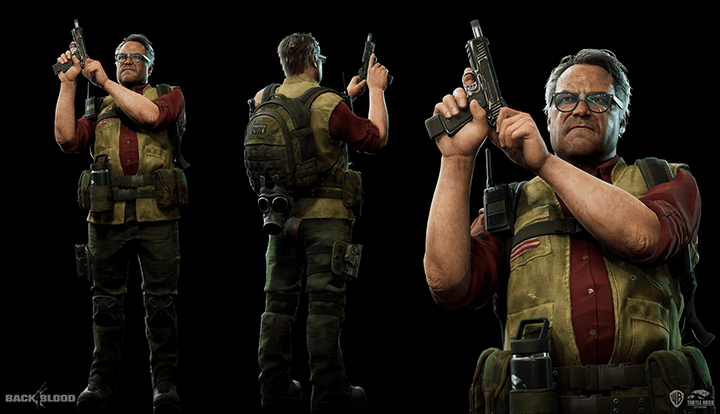
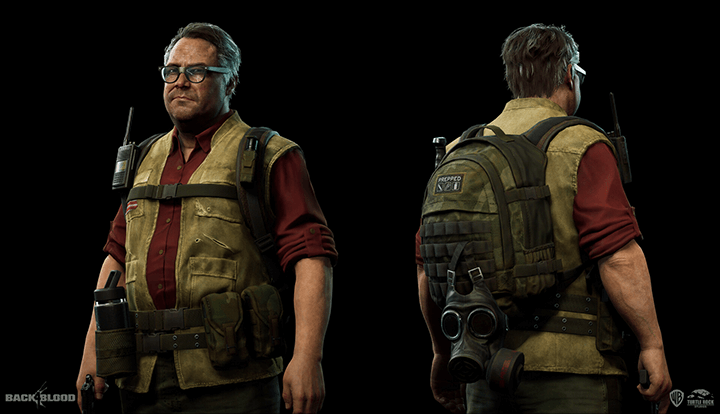
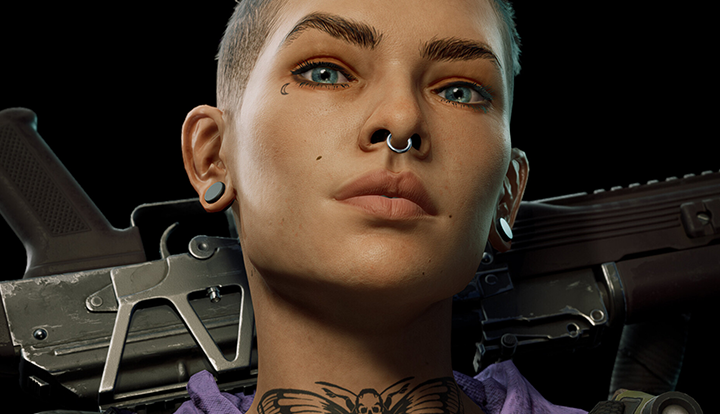

Why Take This Class?
A top 3D character artist in the gaming industry will teach you the workflow and employment strategies for creating live-action game characters using Maya.
How to concept a character and adjust the ratio of the face and body, as well as high-poly and low-poly work methods and texturing and rendering techniques to create high-quality characters!
You'll learn all this as you create your own hyper-realistic post-apocalyptic 3D male character, from the body to the costume, that is in high demand in the industry.
You can meet Kwangbae Byun's class at Coloso, which will help you become a 3D character artist recruited by companies.
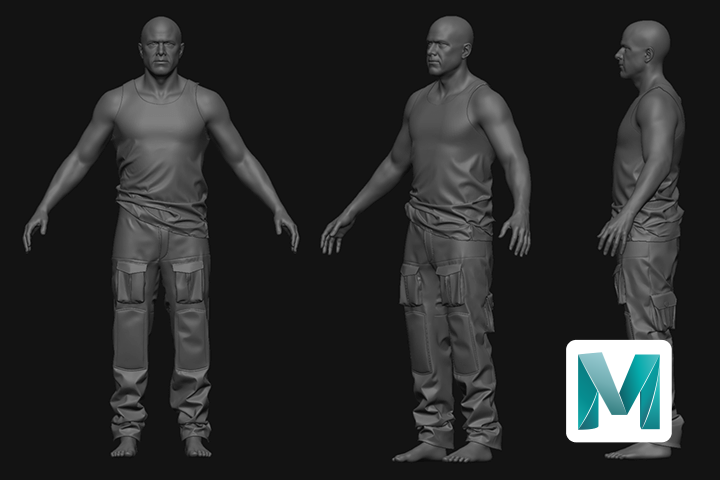
Let's practice realistic-style 3D male character modeling through an example.
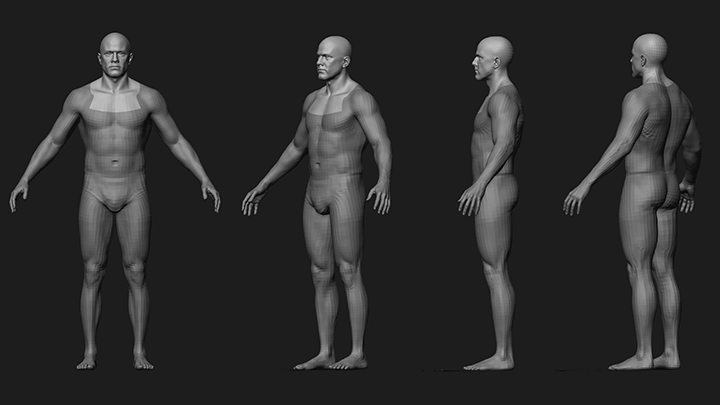
base body
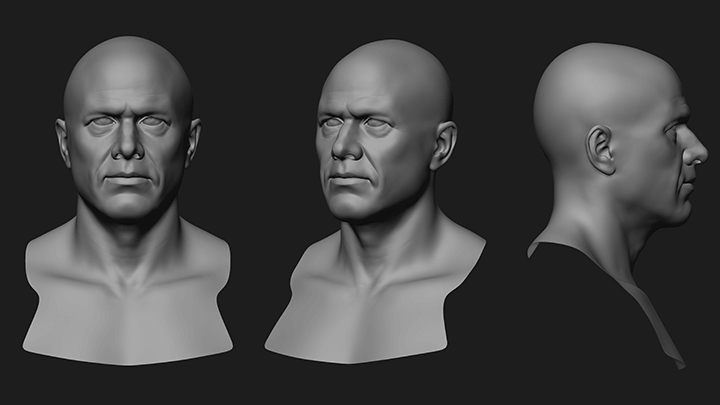
default face volume
-
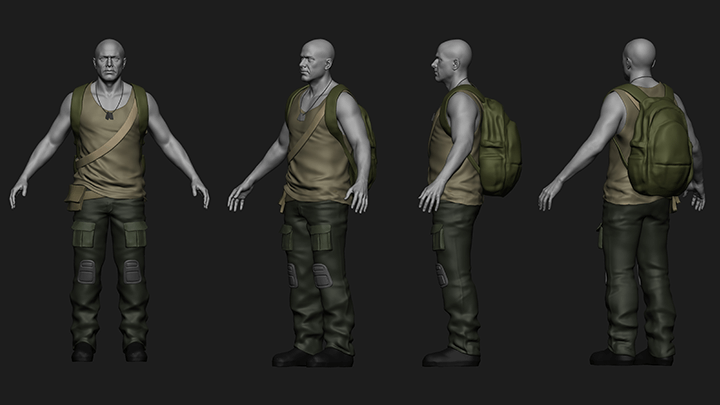
Base blocking and silhouette -
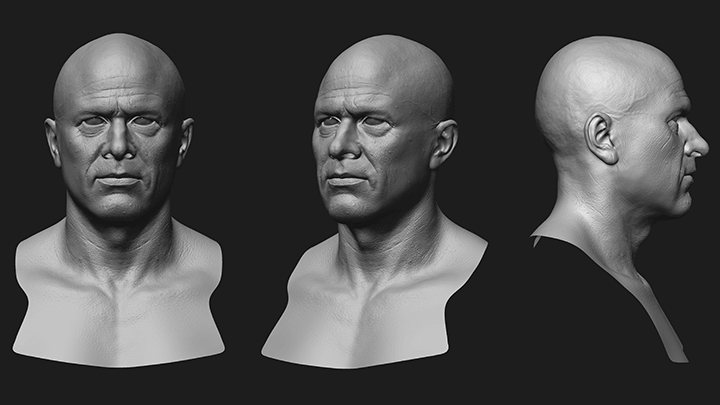
face detail
-
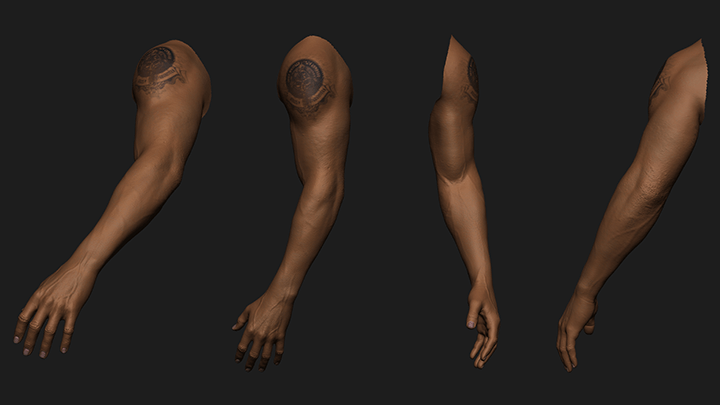
hands & arms -
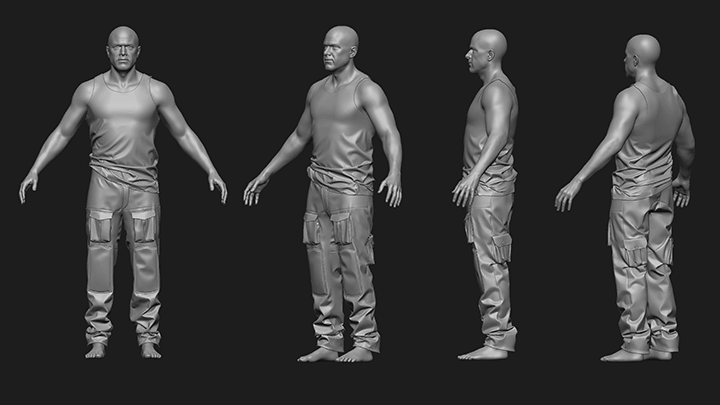
clothes -
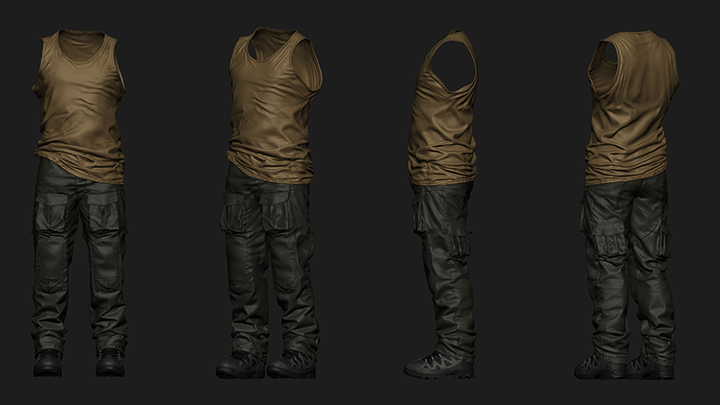
clothes details
-
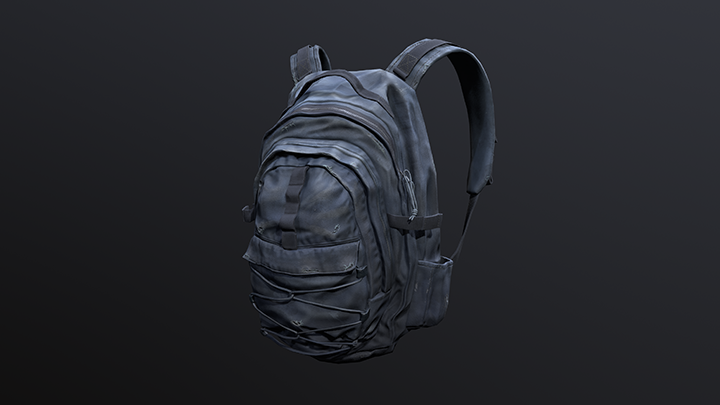
backpack -
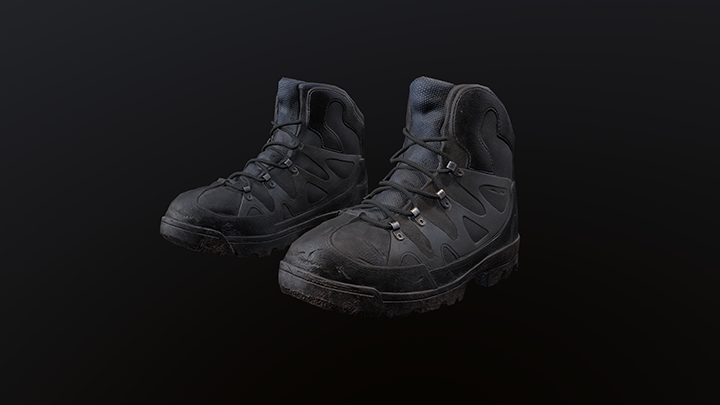
Boots -
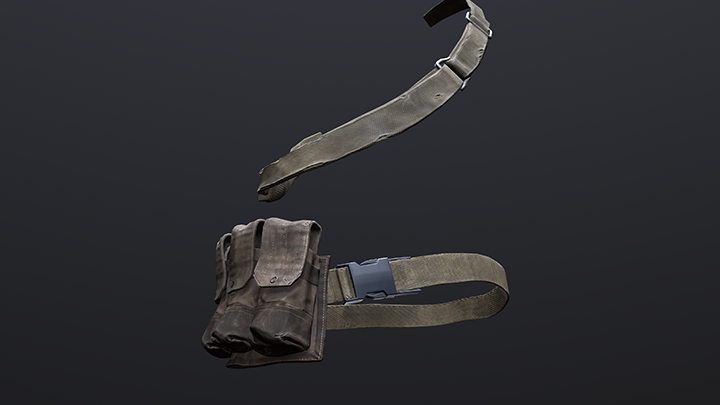
pouch
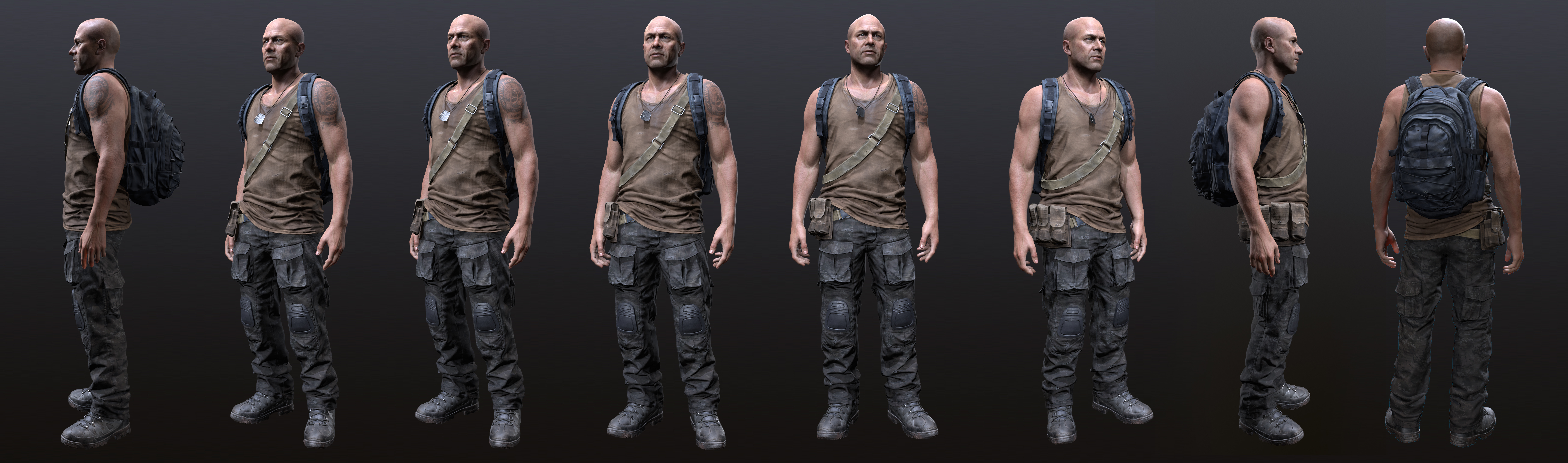
*The image is an example to help understand the lecture and may be slightly modified later.
Speaker introduction
3D Character Artist
Kwangbae Byun
hello. This is 3D character artist Kwangbae Byun.
I started my career as a character artist and worked on Sledgehammer Games' Call of Duty WWII, Turtle Rock Studio's Back 4 Blood, and Santa Monica Studios' God of War Ragnarok. I am currently working as a senior character artist at PlayStation Studios.
Many people are having difficulty creating live-action characters.
In this lecture, the curriculum has been designed to be as specific as possible so that students can learn the overall pipeline for creating characters using Maya and easily understand the parts they are having difficulty with and parts they were vague about.
In addition, we have included information on what you need to prepare to enter the industry as a character modeler, so we hope you will use this lecture to lay the foundation for becoming a competitive character artist.

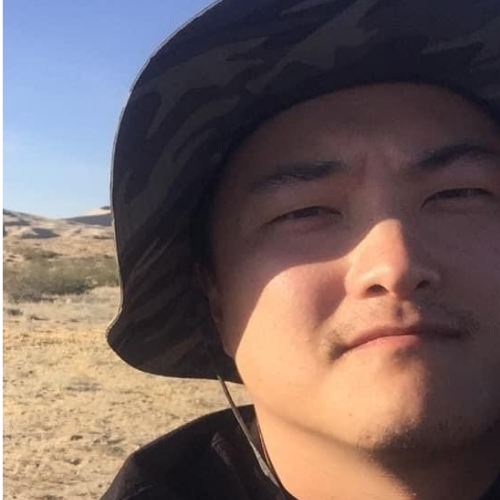
3D character artist Kwangbae Byun
hyeon)
Playstation Studio Senior Character Artist
View more history
jeon)
Santa Monica Studio Character Artist
- God of War Ragnarok
Turtle Rock Studios Character Artist
- Back 4 Blood
Sledgehammer Games Associate Character Artist
- Call of Duty WWII
class features
class features
Workflow for creating a realistic male character full body
From the overall workflow to minute details, you can learn everything you need to know to create a high-quality 3D live-action male character in the post-apocalyptic style in one lecture.
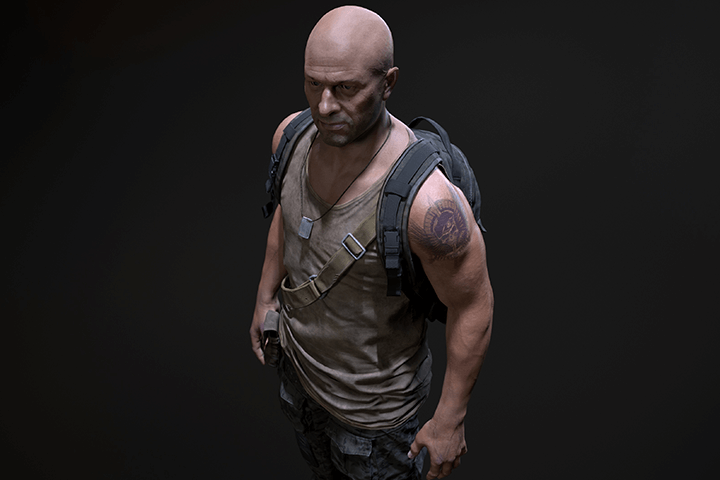
Game character creation pipeline based on Maya
Nowadays, not only overseas but also domestic game companies are increasingly switching their main tools from 3ds Max to Maya, so you can learn the character creation pipeline using Maya.
Learn how to enter the industry from a top-tier character artist
You can learn the know-how that helped character modelers who participated in game projects from famous North American game companies that have gained global popularity, such as Call of Duty and God of War, build successful careers.
Class composition
learn this
-
 Hi-poly work: creating a solid baseLearn how to adjust the ratio of the face and body to fit the character's concept, and work in detail on the likeness of the face and the overall silhouette of the body.
 -
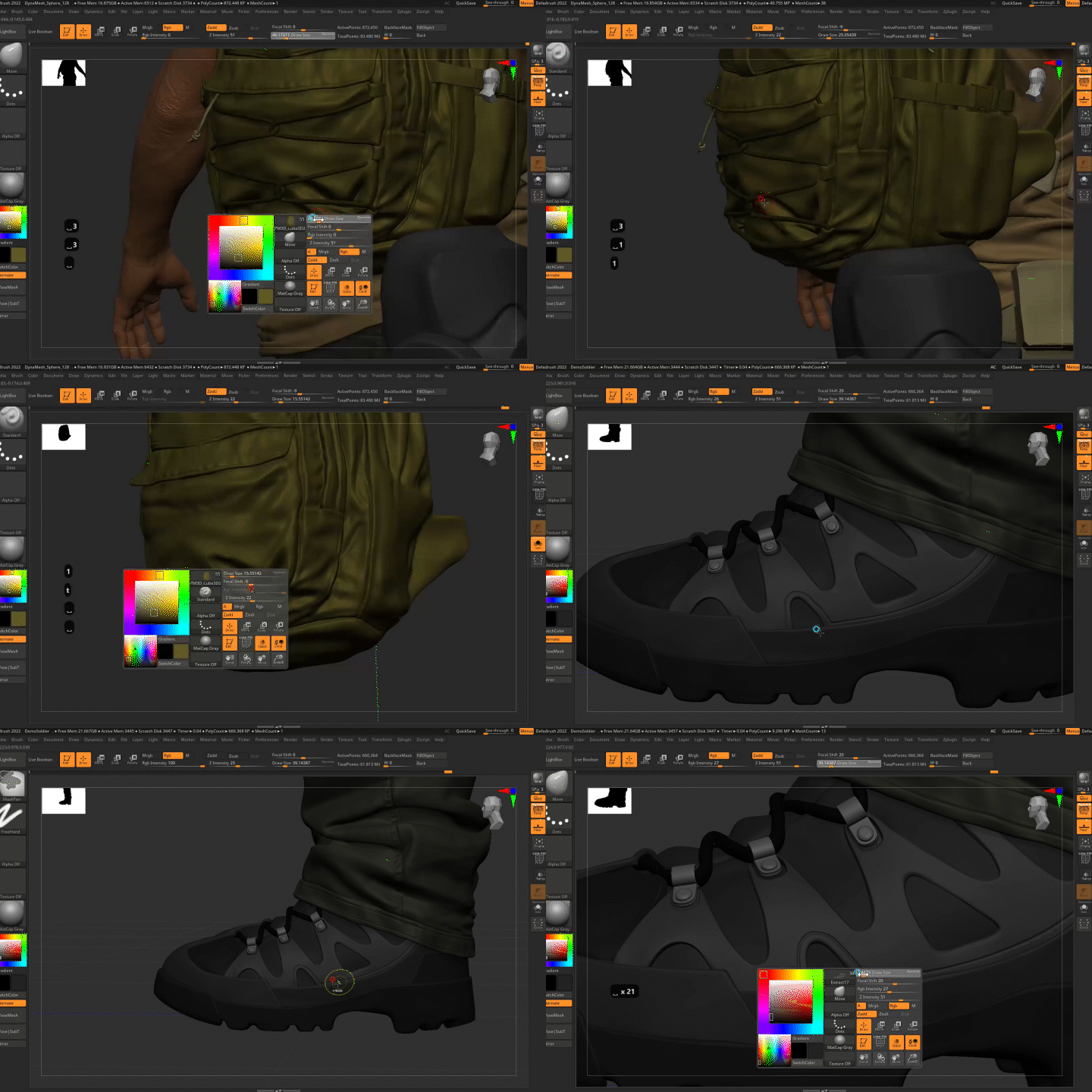 High-poly work: creating detailed propsYou can learn how to use Marvelous Designer to add patterns to clothes and how to use alpha maps to create props such as boots, bags, and pouches.
 -
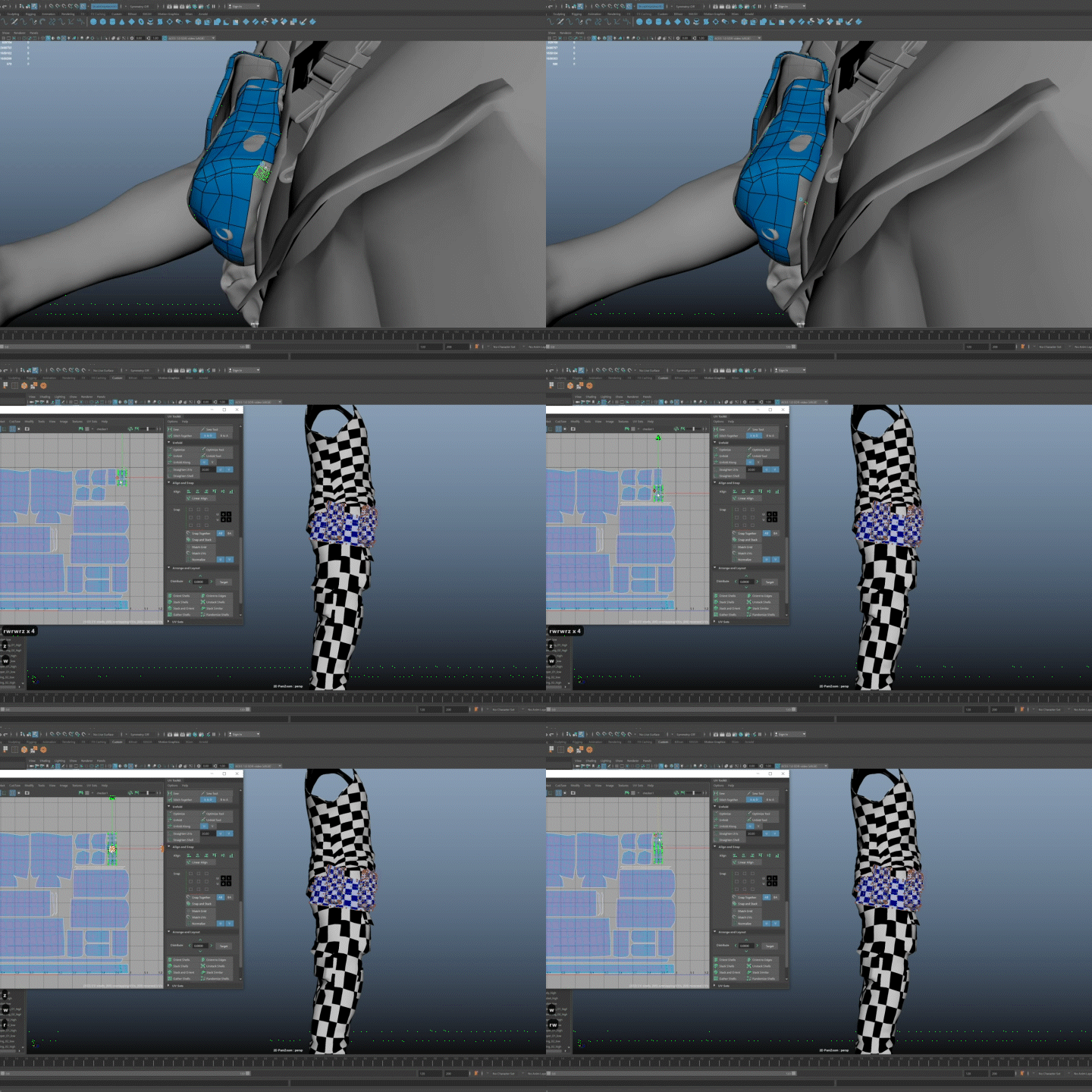 Working with low-poly: retopology and UVsYou can learn about things to keep in mind when working on retopology in Maya and tips for baking normal maps without errors. You can also learn the proper UV stretching techniques.
-
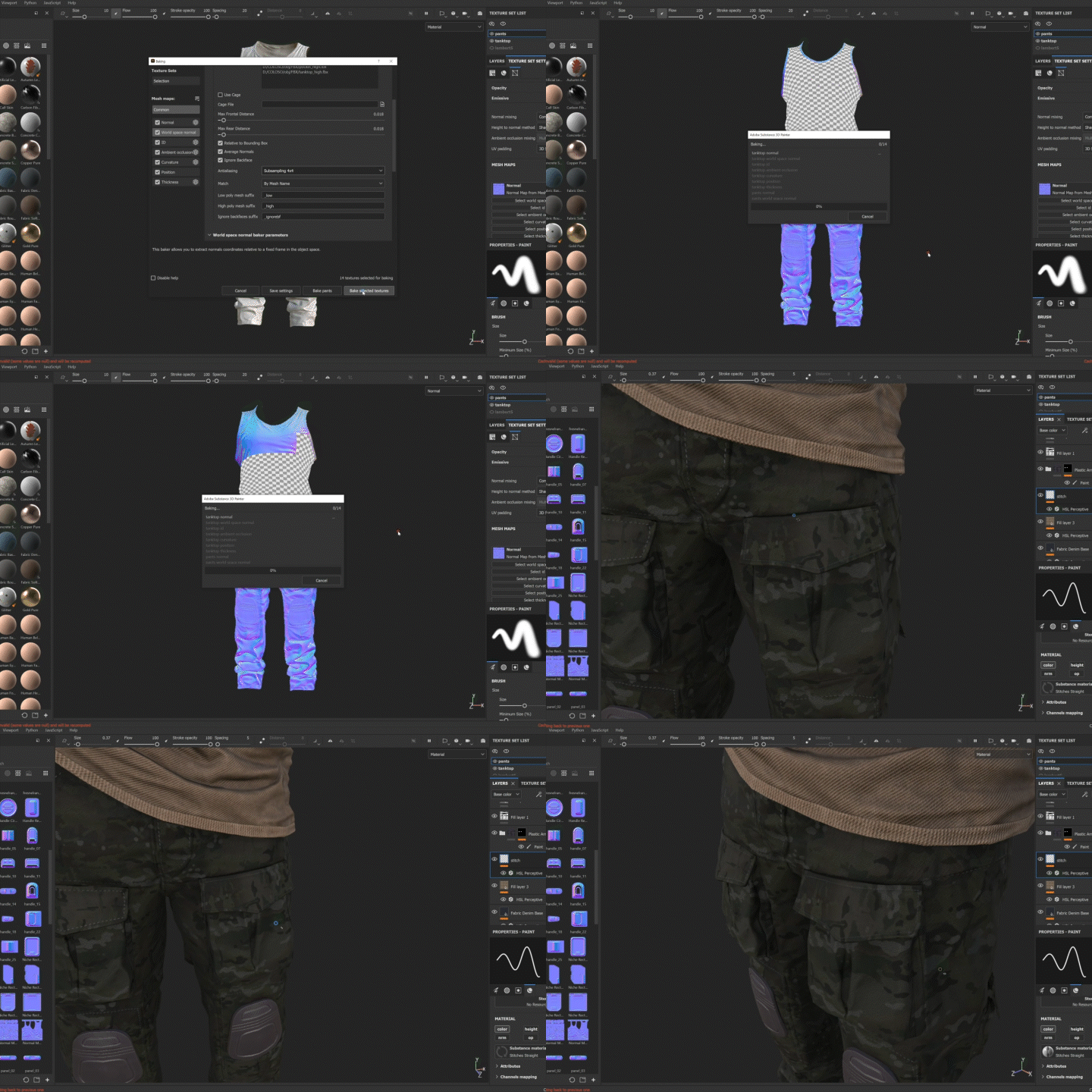 Map baking and applying detailed texturesWith Substance Painter and the Marmoset Toolbag, you can learn how to bake maps and work with textures to create realistic details.
 -
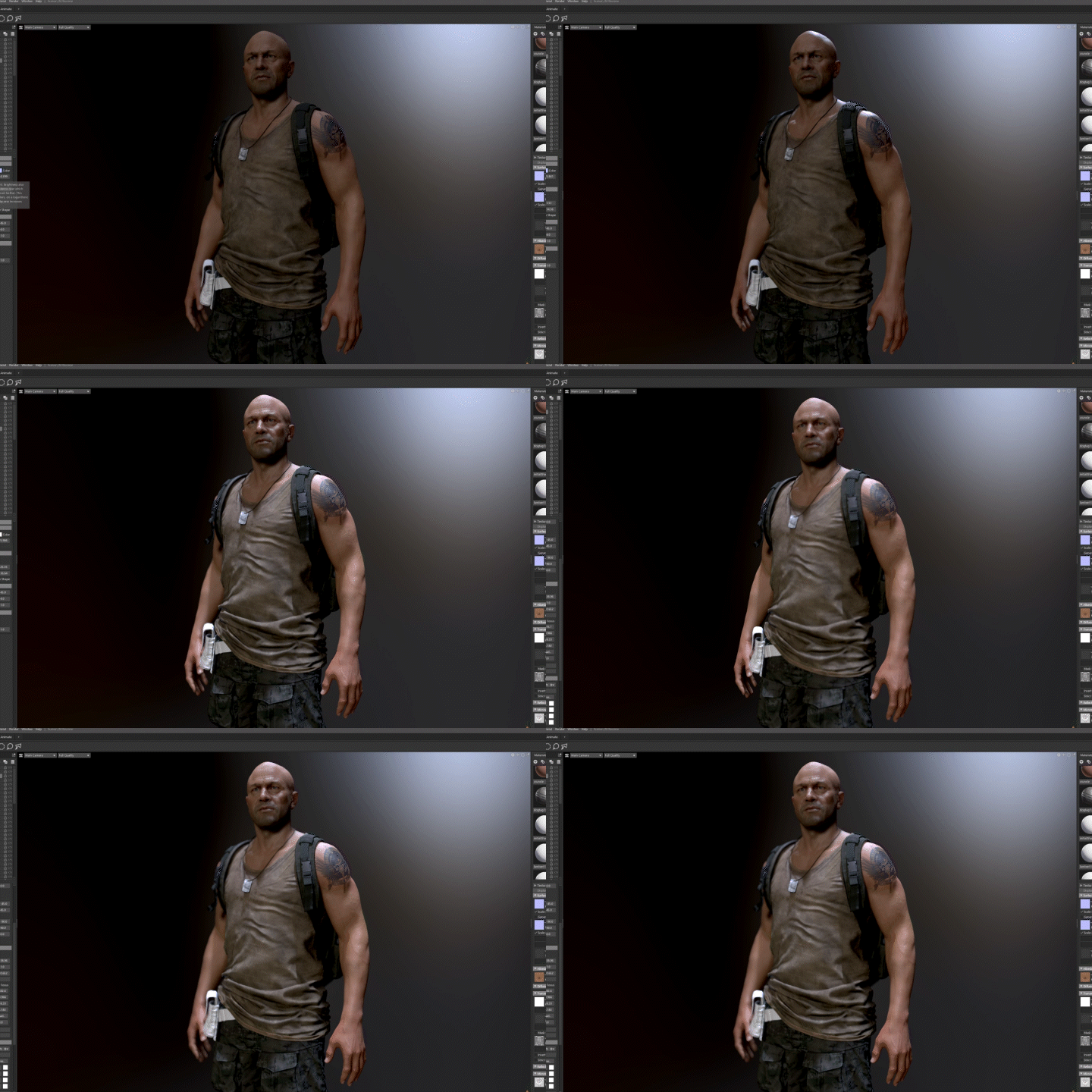 Settings and know-how for high-quality rendersYou can learn about posing a created 3D character and finishing tasks such as character material settings, additional detail work, and lighting.
 -
 Check the details to complete a character of practical qualityYou can perform a final inspection of the created character to check if there are any props or texture details to be added, and check for errors in proportions, etc. to complete the character with a quality that can be used in practice.
curriculum
curriculum
Show me the curriculum
SECTION 01. Orientation
01. Orientation: Character artist position
- Brief author introduction
- About the position of character artist
- What is required for each position
02. Orientation: Types of character artists
- Types of Character Artists
- Requirements when hiring each character artist
SECTION 02. Concept
03. Conceptualization - Modern Character: Post-Apocalypse
- Things to keep in mind when creating a character concept
SECTION 03. High-poly work
04. Hi-poly work: Tool introduction and basic usage
- Zbrush
- Marvelous Designer
05. High-poly work: basic base body work
- How to adjust face and body proportions to fit your concept
- Add mass to the face
- Basic base body provided
06. High-poly work: basic facial volume work
- Add mass to the face
- Likeness task
07. High-poly work: base blocking and silhouette work
- control body proportions
- Adjusting the ratio of character props and bodies
- highlight silhouette
08. High-poly work: face detail work
- Face impression work based on concept images
- Detail work on character hands
- Detailed work on the character's face and additional impression corrections
09. High-poly work: Hand & arm detail work
- Face impression work based on concept images
- Detail work on character hands
- Detailed work on the character's face and additional impression corrections
10. Hi-poly work: Clothing work
- Marvelous Designer Work
- Making Garment Patterns
- How to move the mesh to zbrush and set it up after MD work
11. High-poly work: Clothing detail work
- Matching clothes with blocking mesh
- Additional crease work
- How to add detailing to clothes in Zbrush
12. High-poly work: Prop 1 (boots) detailing added
- Adding details using alpha maps
- Learn about surface functions in Zbrush
- Additional sculpting work after alpha work
13. High-poly work: Prop 2 (bag) detailing added
- Adding details using alpha maps
- Additional sculpting work after alpha work
14. High-poly work: Prop 3 (pouch & strap) detailing added
- Adding details using alpha maps
- Additional sculpting work after alpha work
SECTION 04. Low-poly work
15. Low-poly work: retopology work
- Things to keep in mind when performing retopology work in Maya
- Precautions when working with character low-poly
- Tips for preventing errors when baking normal maps
16. Low-poly work: UV work
- How to properly spread UV on a cylinder object
- How to optimize UV
SECTION 05. Texture work
17. Texture work: Tool introduction and basic usage
- Substance painter basic tools and usage
18. Texture work: Map baking job preparation and test baking
- How to map bake
- Introduction to map baking tool (Substance painter / Marmoset toolbag)
19. Working with textures: baking maps
- How to modify test maps after baking
- Real map baking
20. Rendering - Marmoset settings
- Adding details to clothes (detail normal map)
- Add lighting
21. Texture work: Clothing and face texture work 1
- Texturing faces with Substance Painter and other tools
- After setting up the clothes material, work on the basic texture
22. Texture work: Clothing and face texture work 2
- Detail work after basic facial texture
- Detail work after basic clothing texture
23. Texture work: Clothing and face texture work 3
- Study about detail normal maps
- Wear and tear texture work
24. Texture work: Prop Texture 1
- After setting up basic materials with Substance Painter, work on textures
- Adding detail texture and damage texture
25. Texture work: Prop Texture 2
- After setting up basic materials with Substance Painter, work on textures
- Adding detail texture and damage texture
26. Texture work: Prop Texture 3
- After setting up basic materials with Substance Painter, work on textures
- Adding detail texture and damage texture
SECTION 06. Rendering work
27. Rendering: Preparing for rendering
- Character low-poly pose
- Character material setup in Marmoset
28. Rendering: Texture modification work
- Modification work after loading the worked texture into Marmoset
- Additional detail work and finishing
SECTION 07. Conclusion
29. Character course completion
- Looking back at the work process
- Stories I want to tell
interview
What 3D character artist Kwangbae Byun bae wants to say

Question.01
What is the marketability/prospect of live-action character modeling?
What is the marketability/prospect of live-action character modeling?
The high-quality character modeling market is gradually developing, and the demand for character artists who can handle not only scan data but also creatures and sci-fi characters for which scan data cannot be used is increasing, so the outlook for live-action character modeling is growing. I think it's bright.
Question.02
What do students who are learning live-action character modeling for the first time find most difficult?
What do students who are learning live-action character modeling for the first time find most difficult?
I'm sure you're most at a loss as to when and how to learn how to use the so many tools used to create live-action characters. However, in this lecture, the curriculum has been structured so that maximum effectiveness can be achieved with the minimum number of tools when creating characters.
Question.03
What are the unique points of this course?
What are the unique points of this course?
The biggest advantage is that it can handle the overall workflow of AAA game characters. I also think that a differentiating point is that it provides detailed explanations of the step-by-step work process and provides solutions to the areas that students often have difficulty with. Furthermore, you can learn practical know-how acquired by directly participating in projects of actual North American game companies.
We will guide you through the program to use.
This course is conducted using Zbrush, Maya, Marmoset Toolbag, Substance Painter, and Marvelous Designer programs. To ensure smooth participation, please purchase and install the programs listed below separately.
- Zbrush 2022 or later
- Maya 2020 and later
- Marmoset Toolbag 4
- Substance Painter 7.4 or higher
- Marvelous Designer 11
* Tablet prepared separately
* Programs and materials are not provided separately.