Live2DModeler,Date Details
Intro
Class Intro
Live2D Modeler, Date
The Secret to Creating Natural Movement in Live2D
From the Basics to Physics Operations! A Class to Upgrade Live2D Modeling Skills
Date is a Live2D modeler who specializes in natural modeling that’s looks natural, has dynamic facial expressions, and smooth physics.
In this class, Date will teach you modeling techniques using Live2D from the basics to advanced content.
In this class, Date will teach you modeling techniques using Live2D from the basics to advanced content.
To create beautiful modeling while preserving the essence of an illustration, you will first learn how to prepare for Live2D production and reinforce basic knowledge, such as how to edit illustrations and set model parameters.
Next, learn how to model faces and facial expressions, the most important aspect of VTuber modeling, and even practical time-saving techniques using reliable deformer specs.
Master how to produce Live2D modeling that looks natural, starting with a basic understanding of physics, practical ways of operating physics, to how the physics differs depending on the settings.
If you are a beginner to Live2D production or want to improve your skills, get the Live2D knowledge you need to make characters move beautifully and naturally. Check it out at Coloso!
Next, learn how to model faces and facial expressions, the most important aspect of VTuber modeling, and even practical time-saving techniques using reliable deformer specs.
Master how to produce Live2D modeling that looks natural, starting with a basic understanding of physics, practical ways of operating physics, to how the physics differs depending on the settings.
If you are a beginner to Live2D production or want to improve your skills, get the Live2D knowledge you need to make characters move beautifully and naturally. Check it out at Coloso!
Class Perks
Get These Coloso Exclusives
-
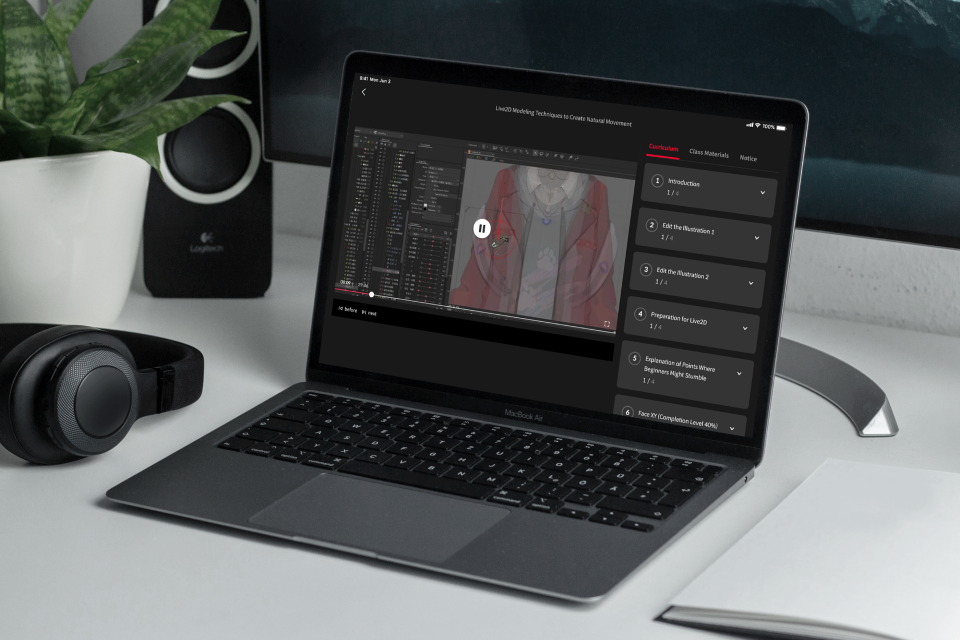
Unlimited Access to All 22 Classes -

One Complete, Finished Project from the Class -
Illustration Data, Live2D Modeling Data, Text Data, and PDF Files of Class Commentary
Class Material Details
-
 Illustration data・Illustration data of the model to be manipulated (.png/.json)
 -
 Live2D modeling data・Modeling data and modeling data for explanations (.cmo3)
 -
 Text data・Physics import file (.txt)
・Parameter templates (.txt)
・PDF file of class commentary (.pdf)


Expert Live2D Modeler Date's Portfolio




4 Class Exercises
-
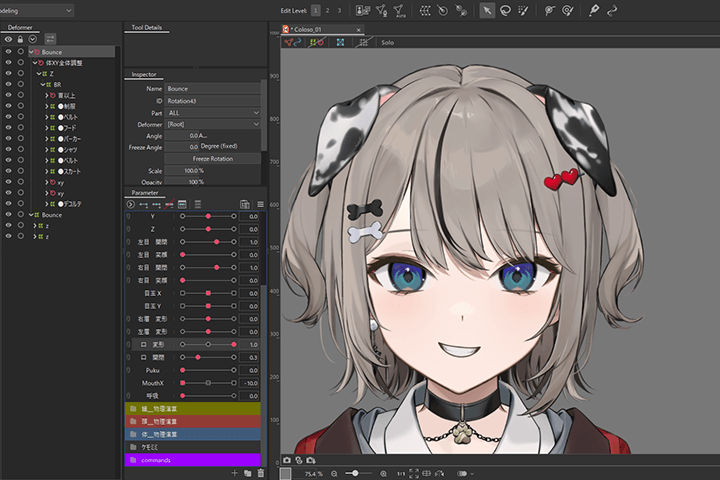 Editing an illustration
 -
 Modeling the face
 -
 Modeling the eyes
-
 Modeling the body
 -
 Explanation of physics operations
 -
 How to create flawless movements in VTube Studio
Instructor
Live2D Modeler
Date

Hello, I’m Date, a Live2D Modeler. I manage requests from companies and individuals, and mainly work in Live2D modeling production focusing on VTubers. Most recently, I was asked to participate in a new VTuber project planned by Sanrio and Nippon TV’s ClaN Entertainment, where I was one of three people in charge of Live2D modeling.
I have been active in the VTuber industry since its early days, when Live2D was first used for VTubers, and because of my track record, I’ve worked with a large number of companies and individuals. I try to always be aware of the latest technology and trends and actively incorporate it in my work. I hope that through this class I can give students skills they can use immediately and share the expertise I’ve cultivated through my past work.


Live2D Modeler, Date
[Current]
Live2D Modeler
Projects & Awards
Hololive Production
VSPO
SBI e-Sports
Sinsogumi
Nyantasia!
MAHA5JAPAN
First Stage Production
MaHOROBA
Vsen
GuildCQ
G2stellar
Shinengumi
VVV
BlastProject
Star Trail
and more
Live2D Buzz Creator Program Award
Highlights
Class Highlights
Preparation and Modeling Methods to Improve Quality
To improve the quality of your work, you need to be creative starting from the illustration. Putting extra effort into the modeling can also create a difference in the three-dimensional effect. In this class, Date will share the unique expertise that he has developed over the years, such as best practices for preparation, essential processes, and other considerations.

Explanation of Things That Confuse Beginners
This class will guide beginners step-by-step through the difficulties of understanding Live2D specs, setting parameters, and properly managing deformer structure. Through modeling, Date will draw on his experience to explain Live2D configuration and specs for VTubers in an easy-to-understand manner.
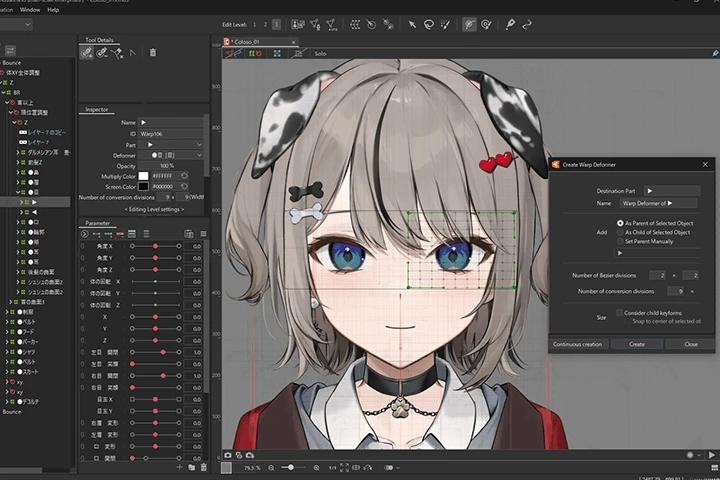
Smooth and Dynamic Physics
Discover the settings needed to make smooth, high-quality physics by explaining each physics setting and its use. In this class, you will experience different types of physics operations to make your model look dynamic.

Class Details
You'll Learn
-
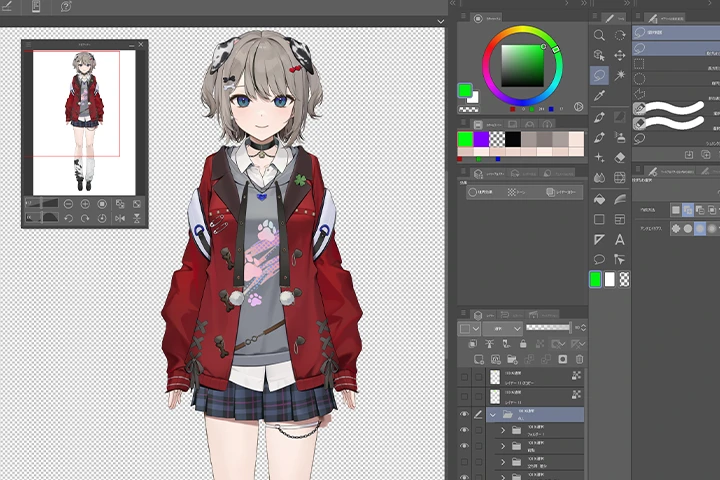 Divide into Layers for Beautiful ModelingThe class will explain how to improve the quality of modeling when dividing illustrations into layers. You’ll gain practical knowledge, starting with dividing the layers of an illustration to make it move using Live2D, and learn what kind of movements you can apply this way.
 -
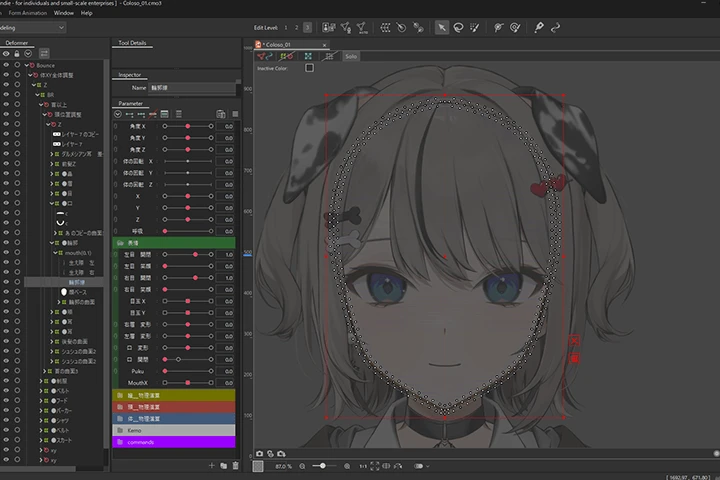 Modeling with an Understanding of Deformer SpecsDeformers have other applications aside from simply moving art meshes. By understanding their specs, you can produce high-quality modeling more easily. This class will explain practical and convenient ways to use deformers and dive into their functions.
 -
 Parameters and Physics OperationsParameters and physics operations must be done for each model. With explanations of Date's original time-saving techniques, you can learn the tips to significantly shorten your time spent on these settings.
-
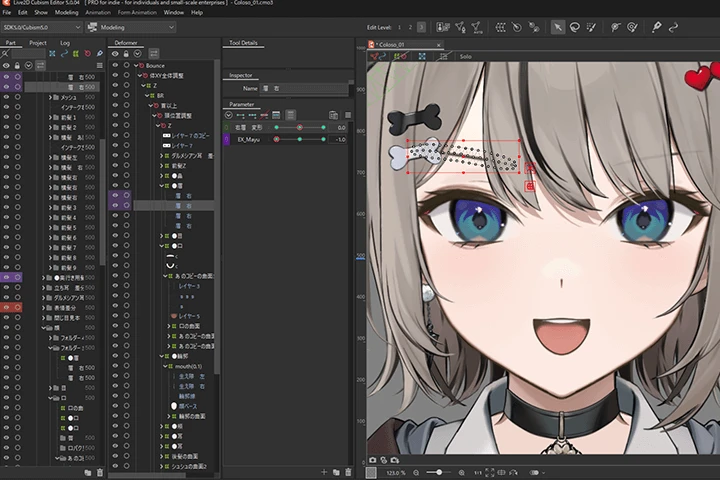 Tips for Natural ModelingThe modeling of faces and facial expressions is the most important aspect of VTuber modeling, whether it’s for a company or an individual. This class will introduce practical, time-saving parameter settings that preserve the essence of an illustration when it’s manipulated using software.
 -
 Master Physics OperationsFocusing on physics operations like swaying motions, the class will explain physics that artists use all the time, but often don’t fully understand. To help you feel less intimidated by physics operations, Date will teach you the skills you need to handle them with ease.
 -
 Configuration of VTube Studio and Explanation of SspecsVTuber modeling does not end when Live2D work is completed. You’ll also need to manipulate the model’s face using an app. You’ll get the confidence to respond to questions and requests from clients, since you’ll learn how to make adjustments using the software, the different settings of each part, and VTube Studio specs.
- Unlimited Access
- Best Price
Buy now, get unlimited access.
12/31 (Sat) (UTC-7) Special offer ends soon.
This special offer ends soon.
Buy now and save!
Curriculum
Curriculum
In-Depth Look
SECTION 01. Self-Introduction, Class Content, Preparation
01. Introduction
- Self-introduction
- My strengths and weaknesses
- Overview of the class, processes, and objectives
- Approach to modeling
02. Edit the Illustration 1
- Specify layers upon request
- Correct PSD layers 1
03. Edit the Illustration 2
- Correct PSD layers 2
- Process trash
SECTION 02. Modeling
04. Preparation for Live2D
- Configure device settings
- Configure shortcuts and user interface
- Batch setting of model parameters
- Set drawing order and organize folders
- Approach to modeling
05. Explanation of Points Where Beginners Might Stumble
- Set the focal Explanation of Live2D specifications that beginners often overlook
- Modeling concepts that beginners tend to fall into
- Efficient methods that can be generally used
06. Face XY (Completion Level 40%)
- Explanation of modeling aiming for gradual completion
- Creation of Face XY: Completion Level 40%
07. Eye Modeling
- Creating closed eyes, wide-open eyes, and smiles
- Creating pupils using clipping inversion
08. Mouth Modeling
- Creation of the mouth
09. Face XY (Completion Level 60%)
- Introduction to modeling using overall movement deformers
- How to add depth to the pupils
- Creation of Hair XY
10. Body X (Completion Level 50%)
- Confirmation of the whole-body deformer structure
- Modeling each piece of clothing
11. Back of the Head and Body Y
- Modeling the head in accordance with body movements
- Modeling the back of the head
- Creating the movement of Body Y
12. Diagonal Face and Adding Three-Dimensionality to Hair
- Creating the diagonal face
- Adding thickness to the hair
13. Finishing Body XY
- Finishing the body modeling
14. Finishing Face XY
- Finishing the face modeling
- Finishing the eyes
15. Introducing Physics and Finishing the Eyes
- Super fast technique by importing physics settings
- Adding physics to the pupils and adding differences
- Adding physics to the pupils and adding differences
SECTION 03. Physics
16. Creating Face Angle Z, Body Angle Z, and Hair Physics
- Creating face and body Z angles
- Basic concepts of physics
- Implementing smooth hair physics
17. Clothing Physics
- Clothing physics
18. Necklace Physics
- Method of implementing sparkling necklace physics
19. Implementing Dog Ears and Cat Ears, and Differences
- Implementing dog ears and cat ears, and differences
SECTION 04. Final touches on modeling
20. Final Finishing
- Adding physics to move the body smoothly
- Modeling expressions to make them even richer
SECTION 05. Conclusion
21. Checking, Exporting, and Importing into VTS
- Final check
- Exporting the texture atlas
- Exporting the model data
22. How to Adjust and Learn VtubeStudio
- Adjusting and using VtubeStudio to suit oneself
- How to study Live2D
*The release date of this class, curriculum images, and associated content can be changed without prior notice.
** Class videos may be seperated for a more streamlined viewing experience
Interview with
Live2D Modeler Date

Question.01
What is the most challenging aspect for those studying in this field, and how can this course address and resolve challenges?
There are many people who find it hard to explain or correct their modeling. They don’t understand why they can’t do something or why something moves at a certain time. I think the hardest thing is when you don’t understand why you can’t do something. While there are a lot of people who explain the basics of Live2D, few people explain specs and tips for modeling VTubers.
In this class, I focus on explaining parameters, deformers, physics, and other specs. I believe this will solve problems caused by specs, such as not knowing why you can’t do something.
In this class, I focus on explaining parameters, deformers, physics, and other specs. I believe this will solve problems caused by specs, such as not knowing why you can’t do something.
Question.02
What steps should students take to improve their Live2D skills? Is there anything they should pay attention to as they try to improve?
You can use Live2D JUKU, which is operated by Live2D. I think it’s the best way to learn Live2D in the shortest time. Although it is a paid service, it produces videos for beginners using the latest version and distributes original data, so I recommended it for those who want to learn the quickest and most recent production techniques. It’s a particularly good fit for those who want to be Live2D modelers affiliated with a company, since they can view official data. One thing to keep in mind when learning is that there may be better production methods depending on when a video was created. This is true not only for JUKU, but for YouTube and articles as well, so be careful when referring to them.
Question.03
What are the key points when creating 2D characters?
I think the most important thing is to make sure to preserve the impression of the illustration’s front view. Live2D is a technology that adds value by making the original illustration moveable, making it even cuter or more beautiful. If you change an illustration’s essence at this time, it might look bad when it moves instead. That’s why I do modeling with the goal of making an illustration cute when it’s not moving, but even cuter when it is moving.
Question.04
Do you have a message for prospective students?
Lao Tzu has a saying, “Give a man a fish and you feed him for a day. Teach him how to fish and you feed him for a lifetime.” This means that when someone is starving, you can either give him a fish or teach him how to fish. The idea is if you give him a fish, he can avoid hunger temporarily. But if you teach him how to fish, he can eat for the rest of the life. I plan to carry out the class based on this saying.
Through this class, I hope I can solve the problems students are worried about and the things they don’t fully understand.
Through this class, I hope I can solve the problems students are worried about and the things they don’t fully understand.
Required Programs
This course will use
– Live2D Cubism Editor 5.0.00
– CLIP STUDIO PAINT
Please purchase and install these program(s) for an optimized chapter experience.
*These programs and/or materials will not be provided with the chapter.