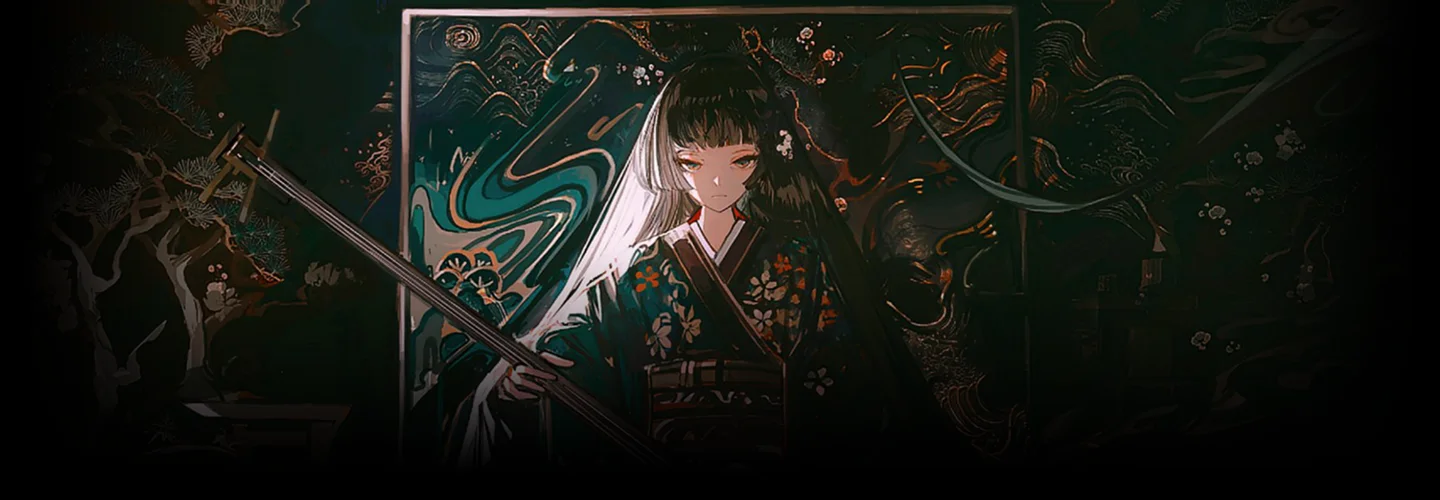
Illustrator, John Kafka_존카프카 Details
Class Intro
*This trailer features dubbing in English. Please note that the course videos are not dubbed.

Explore effective color combinations and lighting techniques that emphasize characters as well as efficient and high-quality working methods that have been proven by a professional.
Class Perks
Get These Coloso Exclusives
-
 Unlimited access to 34 lectures by a professional illustrator
 -
 A total of 32 skill-up files provided
 -
 PSD files of completed illustrations provided
Class Material Details
-
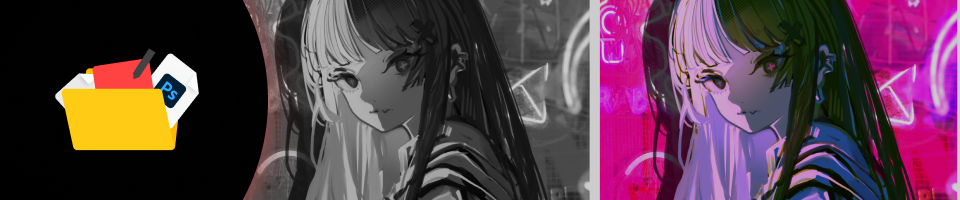
 List of files provided in the coloring class- 15 texture brushes, including the ones custom-made by the instructor
- 10 practice exercises (PSD) and key theory-related materials
- 5 color palettes
- iPad sketching processes with original PSD files, enabling flexibility in their use
- A self-assessment checklist to help you determine when your work is complete -
 Dynamic illustrations and various techniques- 2 texture illustrations by referencing resources
- Illustrations with unique textures
- Illustrations using trendy complementary colors, and coloring applications
- Illustrations with complementary color contrast
- Funky illustrations
- Background illustrations using free sources
Recommendation
Who Should Take This Class?
Do you want to know how to find a good balance between complementary colors, primary colors, and high-contrast colors?
Do you struggle with tackling color and depiction at the same time?
Are you a professional illustrator who wants to add color and personality to your artwork, while efficiently making use of space?
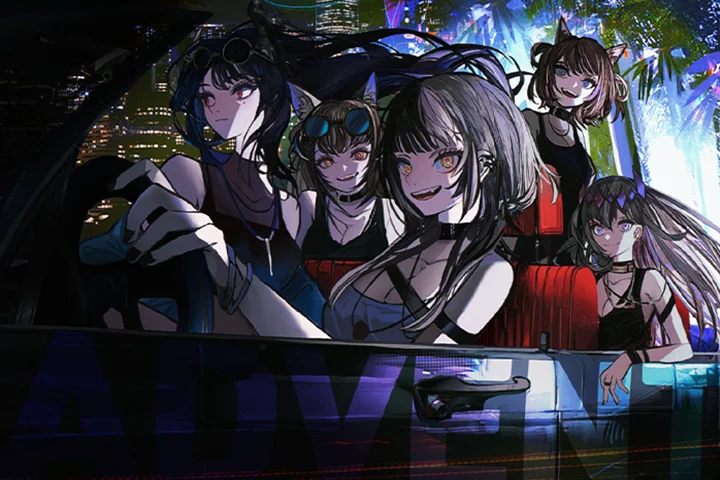
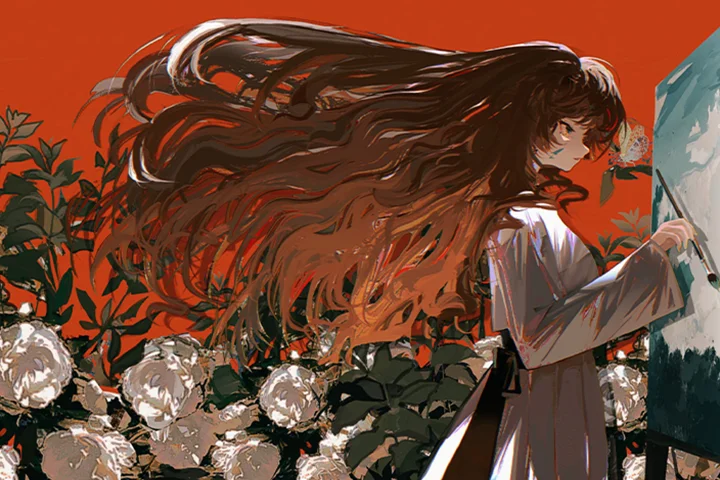
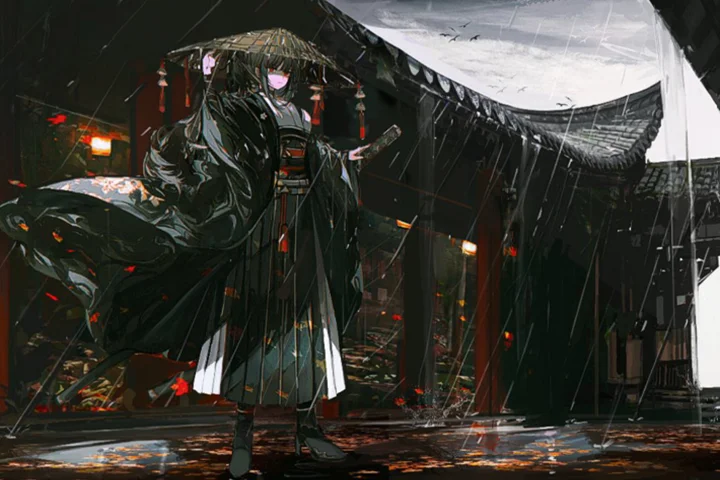
Expert Illustrator John Kafka's Portfolio
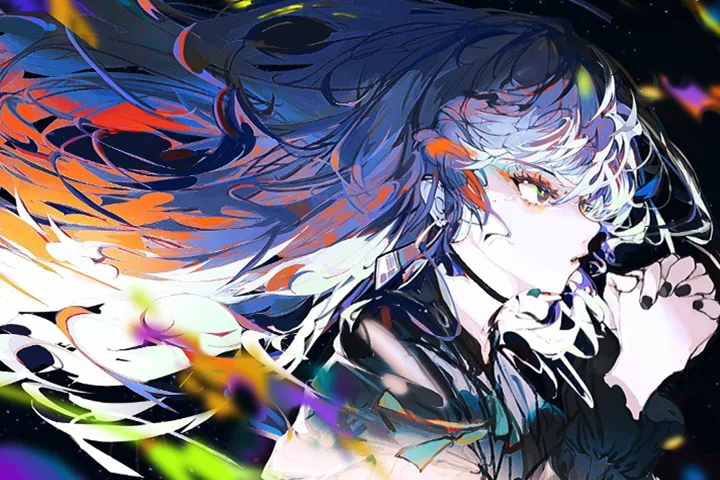
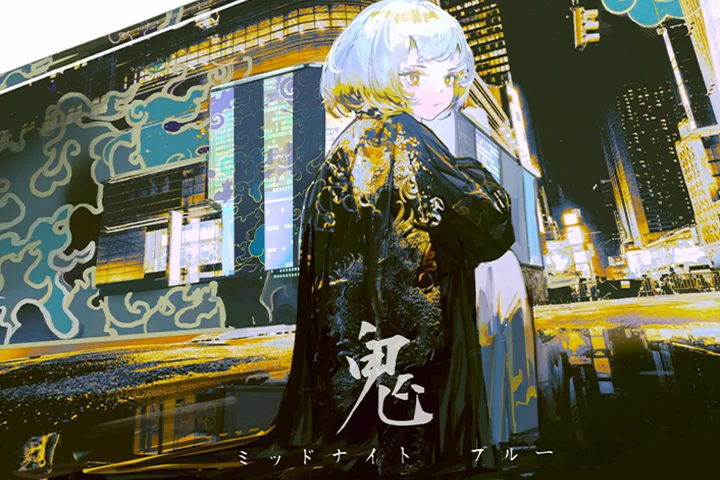
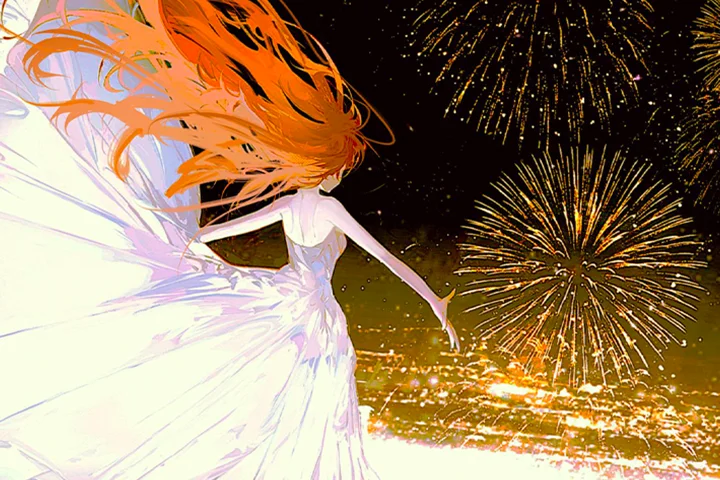
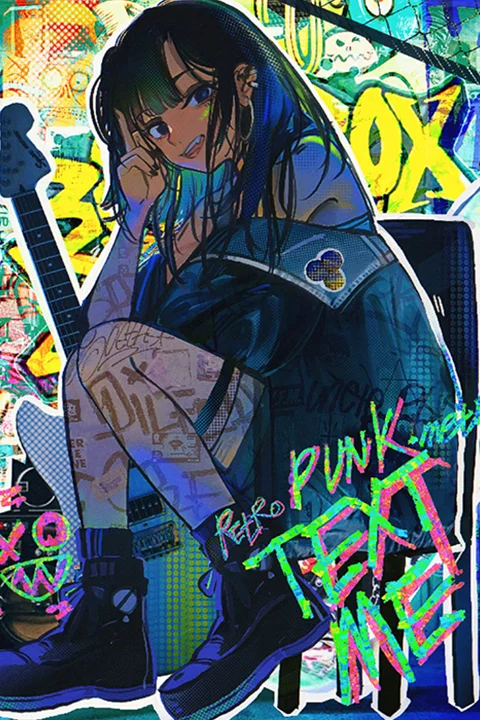
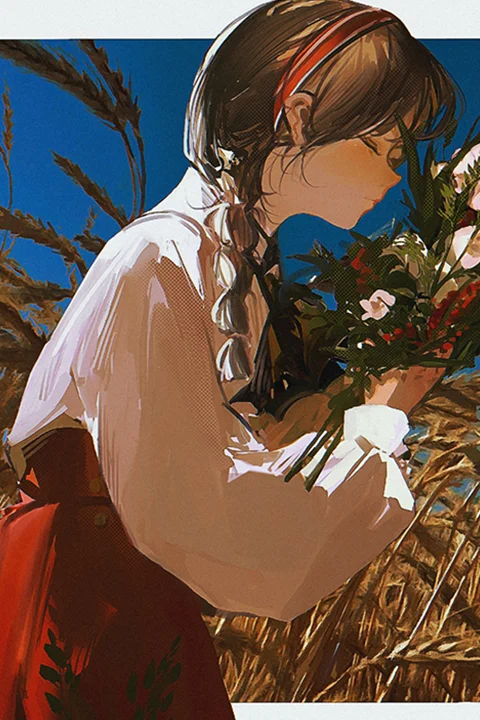
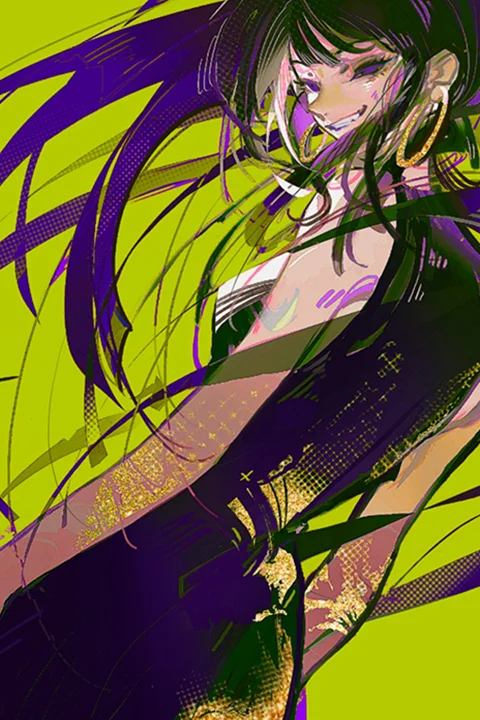
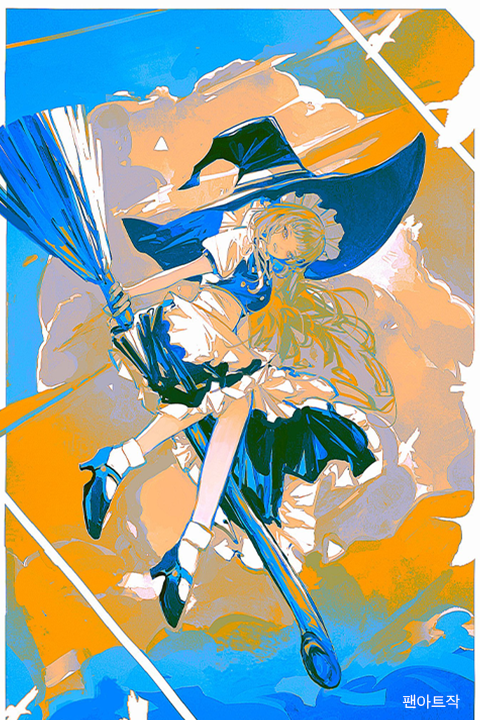
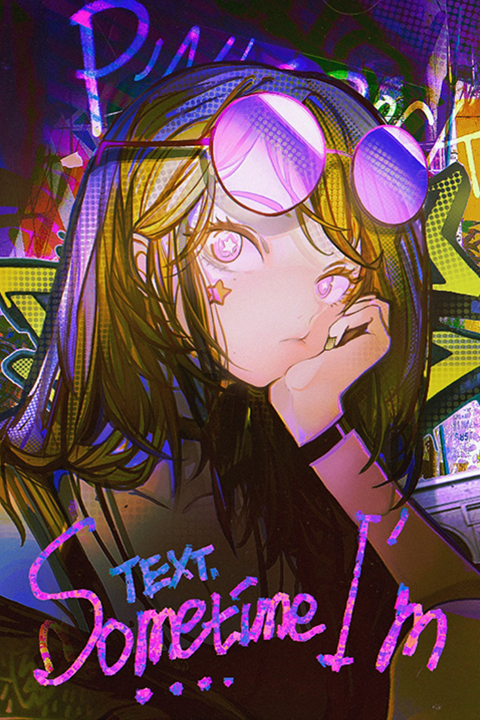
Why Take This Class?
Coloring Harmoniously, Setting the Tone Efficiently
Do you feel that the color scheme, composition, and overall mood of your daily character illustrations are too ordinary? From theories on color and light to well-balanced color design and high to low-intensity artwork, learn the systematic processes that will help you apply these skills accurately and quickly.
We’ll begin with theories for effectively using bright and vibrant colors, moving on to practicing using eye-catching color schemes and creating three-dimensional lighting processes, completing 5 themed illustrations with a focus on coloring and character-oriented composition in the process. Master the techniques that will help you to harmoniously incorporate advanced skills, such as adjusting tones for intensified contrast and expressing unique materials and texture, all within a single illustration.

14 Class Exercises
-
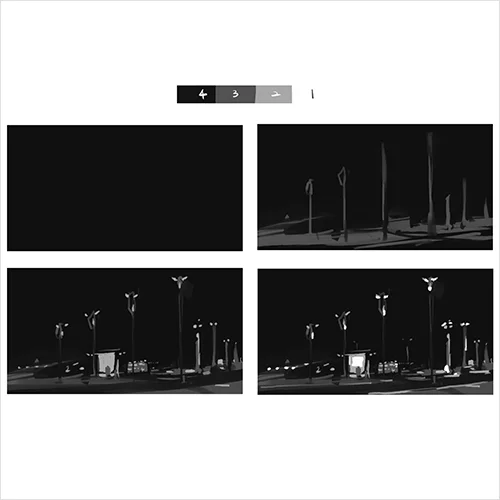 Practicing brightness using 4 different tones
 -
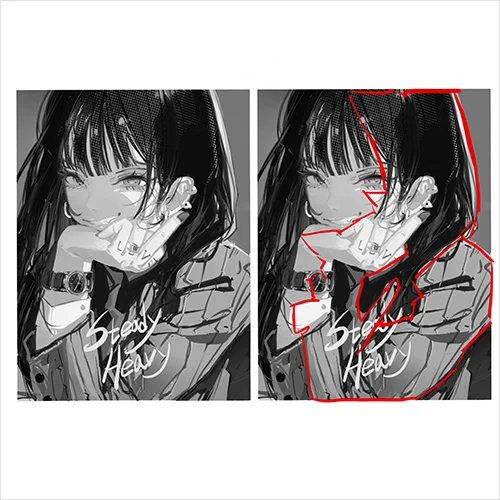 Lighting and composition
 -
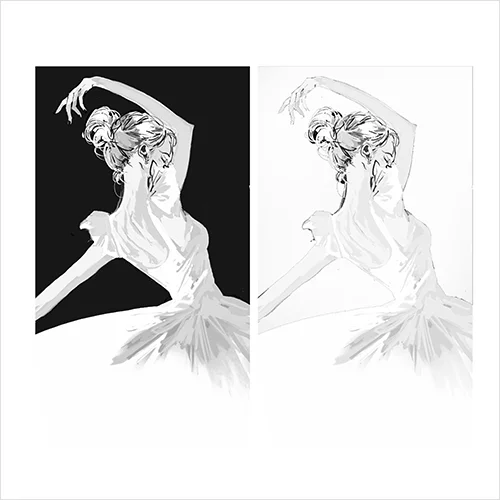 Understanding lighting using black and white illustrations
-
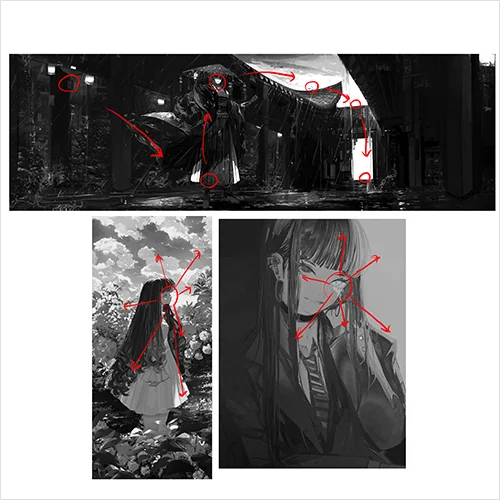 The relationship between lighting and the viewer’s gaze
 -
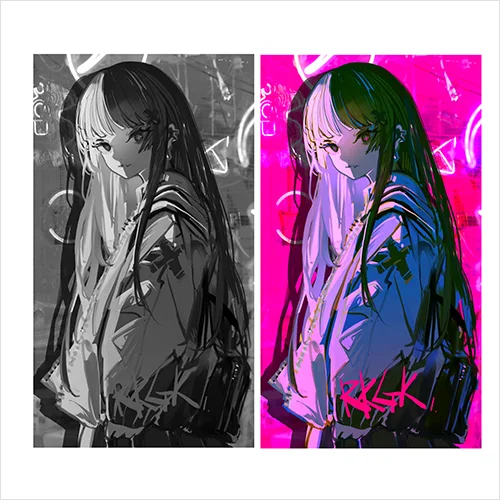 Adding colors to black and white illustrations
 -
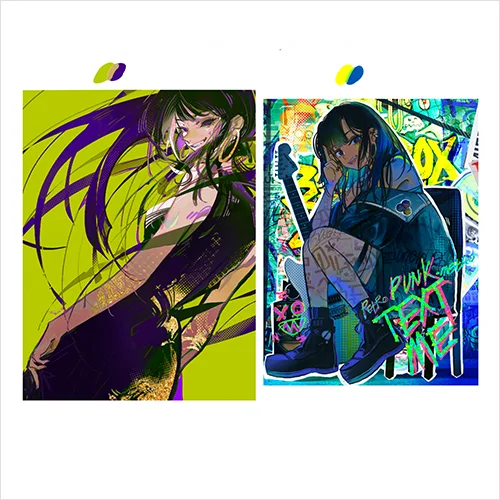 Understanding contrast using color illustrations
-
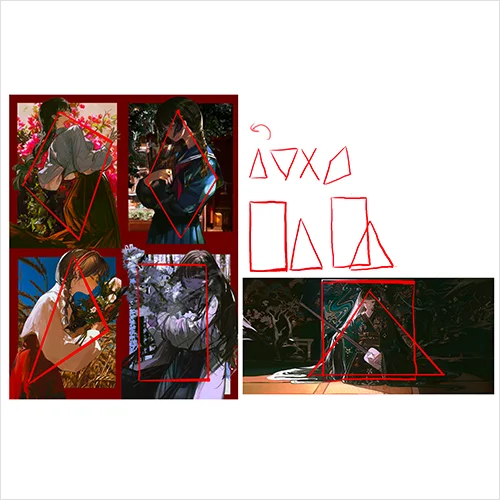 Practicing with different compositions
 -
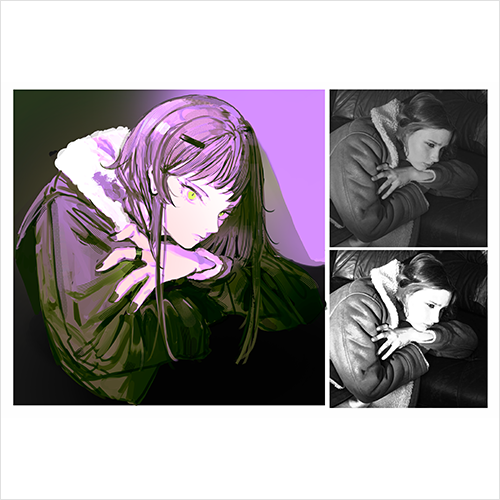 Adding character using texture
 -
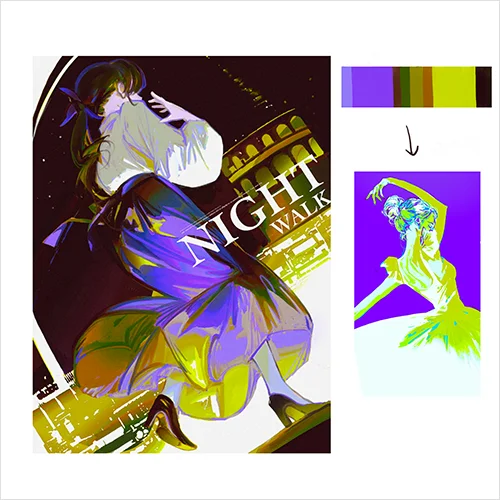 Making color palettes
5 Final Demo Illustrations
-
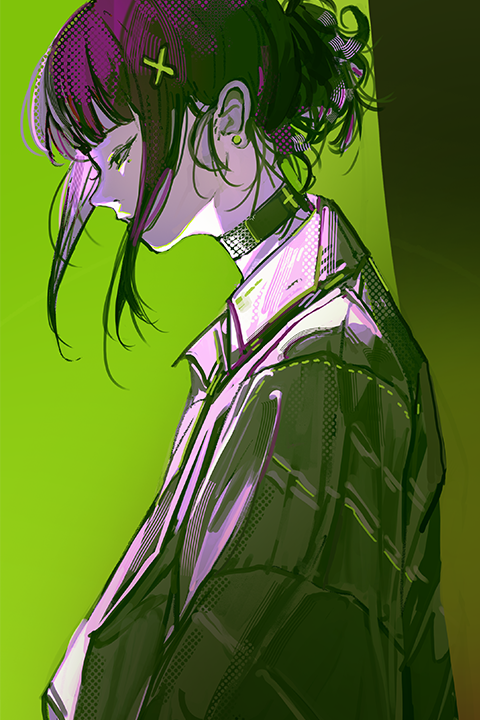 Illustrations with unique textures
 -
 Illustrations with trendy complementary colors
 -
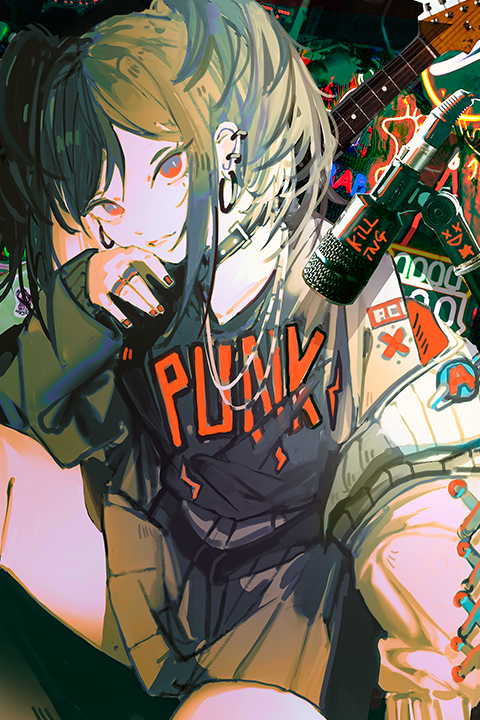 Funky illustrations
-
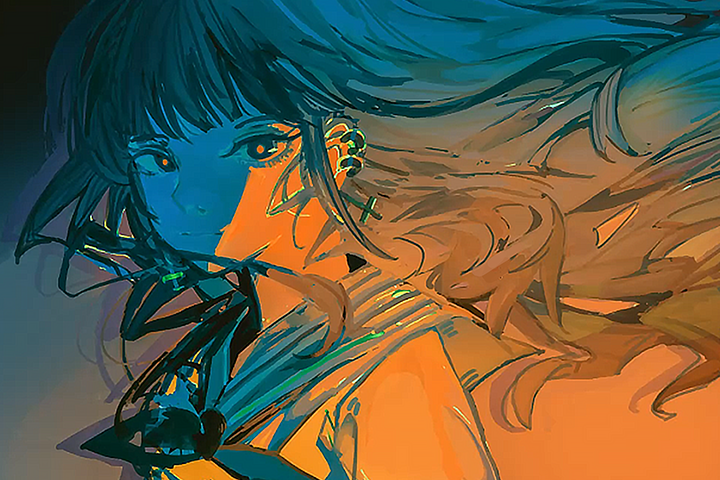 Illustrations with complementary color contrast
 -
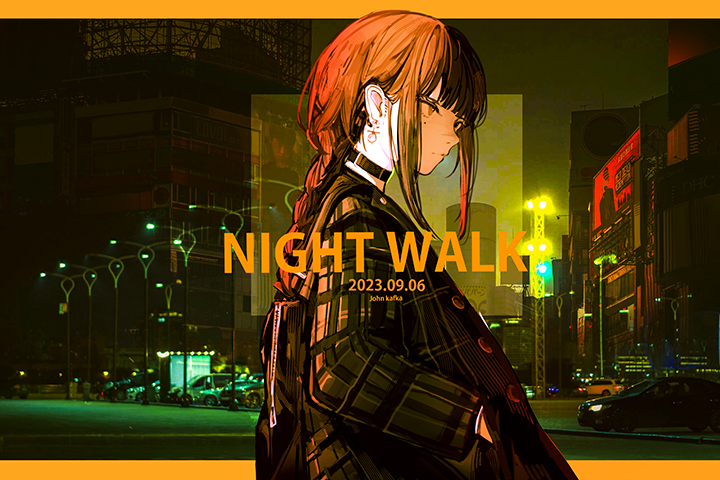 Background illustrations using free sources
John Kafka
Illustrator
Hello, I'm John Kafka, a freelance illustrator and instructor. I've noticed that many artists, as they work more, tend to compare their work with others and face challenges in developing a unique artistic style.
In this class, I've gathered theories and methods designed to enhance your efficiency, steering away from standardized approaches. The focus is on techniques for character illustrations that emphasize color and mood. I understand that many of you value the color and texture in my work. Allow me to offer guidance to help you infuse your artwork with greater individuality and appeal.

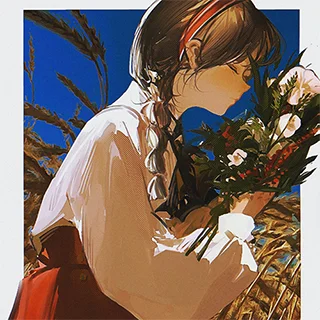
Illustrator,
John Kafka
[Present]
Instructor at Ego Arts Academy
Freelance illustrator
Projects & Awards
2023) Produced a music video for Hololive EN
2023) Produced a music BGA for Neowiz’s “DJ MAX”
2023) Participated in the illustration for pixiv vision
2022) Worked on the illustration for Novelpia’s “City of Witches”
2022) Produced “風,” a music video by Guiano
2021) Produced a congratulatory music video for Genshin Impact
Class Highlights
Tones in Tune: Elevating with Harmonious Hues in Colorful Illustrations
Do you want to use both intense and vibrant colors harmoniously, but struggle with how to choose and balance them? In this class, you will learn coloring techniques that emphasize neatness using the overall harmony of colors, brightness, saturation, and the correlation of color tones.
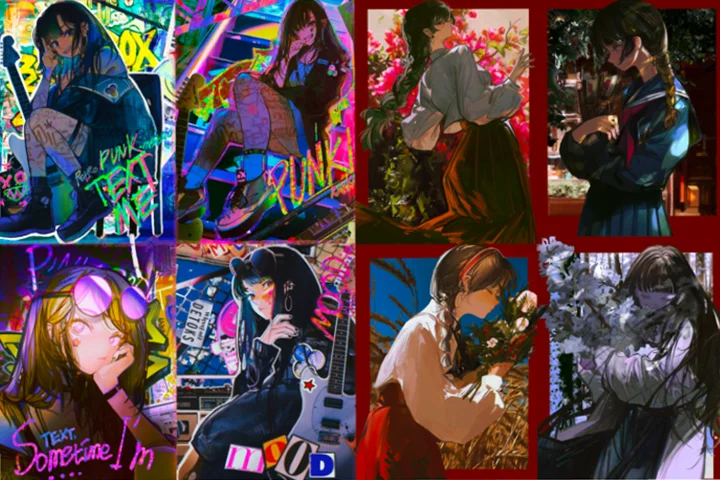
Immerse & Illuminate: Artistic Efficiency through Cutting-Edge Lighting Processes
Learn how to utilize simple lighting techniques dynamically through animation and cell-shading illustration examples. Explore using light and color freely to express your unique style, and learn techniques that will help you to quickly increase the density of your work from the rough stages.

Texture Magic: 15 Brushes, Infinite Style – Unleash Your Distinctive Character

Learn the secrets behind John Kafka’s unique texture expression! You’ll be provided with 15 texture brushes, including customized ones. Use them to create illustrations with a unique mood. From brush touches to material expression and completion, the instructor will guide you through effective layer organization and usage.
Class Details
You'll Learn
-

 Approach to Enhancing Character PersonalityLearn about lighting, color combinations, and depiction step-by-step so that you can effectively convey the personality of your characters and the atmosphere of your work. Detail your work’s design elements, including facial expressions, hairstyles, clothing, and accessories, for a stylish mood.
 -
 Types of Brightness and Simplifying TonesUnderstand the relationship between light, shadow, and color, and practice applying them through a range of exercises. Discover the relationship between the viewer’s gaze and different types of brightness that add three-dimensionality, and learn how to express light.
 -
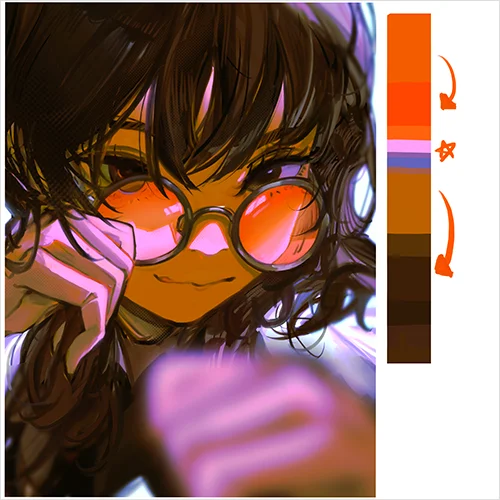 Color Schemes Using Color Palettes and Gradient MapsDelve into useful methods for creating vibrant colors and rich atmospheres. Learn color selection and arrangement techniques that enhance the character’s personality, as well as color schemes that guide the viewer’s gaze.
-
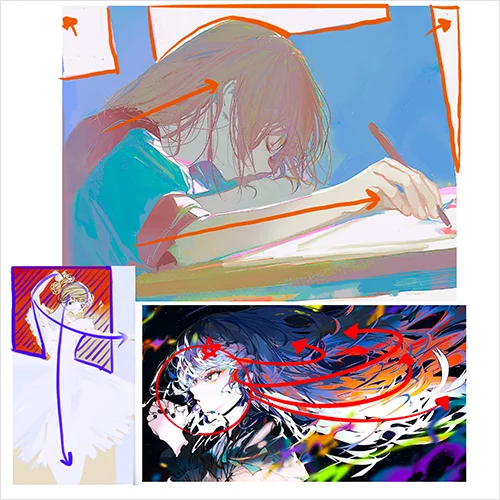 Composition and the Flow of GazeIdentify compositions that influence a drawing’s appeal and explore how lighting and color work together by setting the flow of the gaze through various screen arrangement examples.
 -
 Depictions that Enhance Efficiency and DensityEnhance efficiency in your work by understanding how depiction varies based on theme, color palette, and texture. Learn useful correction methods, ways to determine whether your work is finished, and organizing and utilizing brushes and layers.
 -
 Easily Creating Backgrounds that Complement CharactersUse free sources to easily create distinctive backgrounds that emphasize both the character and the background. Explore various tips on composition, placement, and effects that you can apply seamlessly to your work.
- Unlimited Access
- Best Price
Buy now, get unlimited access.
10/12 (Mon) (UTC-7) Special offer ends soon.
This special offer ends soon.
Buy now and save!
Curriculum
In-Depth Look
SECTION 01. Do you Feel that your Work Lacks Personality?
01. About the instructor and how to utilize the class
- Introduction of content by section
- Elevate Your Art: Tailored for those seeking personality, color, and direct creation.
SECTION 02. Overall Mindset About Illustration Design
02. Designing your drawing and inspirations
- Setting a clear goal for why you draw
- Various inspirations for your artwork, and designing the concept of your work based on those inspirations
03. Collecting references
- Must-know facts about copyright
- Using references (color, background, fashion, composition, etc.)
SECTION 03. Brightness
04. Understanding lighting
- Lighting and composition
- A guide to the gaze
05. Creating simple half-body black and white illustrations
- Creating simple half-body black and white illustrations
- Understanding silhouette
SECTION 04. Color
06. Color systems
- Warm-cool contrast and saturation contrast
- About complementary colors and primary colors
07. Unique brightness
- Unique properties of color
08. Color training and color palettes
- Color training and color palettes
- Applying the lesson to the half-body black and white illustration covered in Lecture 5
SECTION 05. Composition
09. Examples of different compositions
- Understanding different sides of the face in terms of three-dimensionality
- Studying composition using Loomis and other famous works as references
10. The objective of utilizing composition
- What are some of the most-preferred composition types on social media and the web?
SECTION 06. Using References for Drawing and the Actual Workflow
11. Using references for drawing 1: Sketches and details
- Character sketches using free sources
- Adjusting brightness and correcting color
- Adding details
12. Using references for drawing 1: Finishing illustration & texture touches
- Adding textures to bring out the sense of touch
- Providing color contrast with a purple tone as the base
13. Using references for drawing 2: Sketch
- Creating a black and white character sketch by referencing free sources
- Considerations in applied drawing (simplifying reference images using filters)
14. Using references for drawing 2: Finishing illustration & texture touches
- Adding details while maintaining brightness
- Adding color using the Magic Wand tool
- Adding unique features to an illustration using textured brushes
- Finishing by adding subtle details like wisps and other small elements
SECTION 07. Illustrations with Unique Textures
15. Rough work for increased efficiency
- Creating a rough sketch with lines
- Establishing a light source in black and white
16. Details
- Adding details to hair
- Adding details to clothing, such as wrinkles
- Descriptions for stylized drawings
- Adding color to light sources using Color Balance
17. Adding texture
- Texture brushes that add unique character to your drawing
- Using the level feature to add contrast to your drawing
- Adding a background and enhancing details as finishing touches
SECTION 08. Illustrations that Use Trendy Complementary Colors, and Coloring Applications
18. Designing color and character-focused sketches
- Using tools and brushes for increased work efficiency
- Orienting the composition and gaze around the face
- Setting up the light source using surfaces
- Designing background and color scheme
19. Illustration that enhances detail
- Adjusting and checking color tones
- Drawing hair and adding texture
- Illustrating accessories
20. Correction and coloring applications
- Overall detailed description and enhancing the concept of the character
- Correcting colors and adjusting the scale
- Creating a different mood by changing color tones
SECTION 09. Illustrations with Complementary Color Contrast (using iPad and Photoshop)
21. Rough sketches using an iPad
- Setting the mood in simple rough sketches
- Setting the direction of color combinations and confirming the balance
- Rough sketches in black and white
22. Color combinations and corrections in Photoshop
- Correcting hue and color combinations using Photoshop features
- Coloring and arranging, while enhancing details
- Coloring and corrections are done in Photoshop
SECTION 10. Funky Illustrations that Reveal Textures
23. Funky rough sketches
- Working with rough sketches in black and white, and adding an overall light source
- Creating a captivating composition for character illustration
24. Designing the concept for your funky illustration
- Finishing up sketching and adding conceptual elements
- Maintaining the concept and adding descriptions and light sources
- Faces and hair styles that suit different concepts
25. Color combinations and corrections of funky illustrations
- Refining backgrounds and objects using free sources
- Character coloring using various features, including Color Balance, Levels, Camera Raw, Layer Effect, etc.
- Setting the overall light source and tone of the character
26. Final corrections to your funky illustration
- Matching contrast and tone using Camera Raw
- Understanding areas that should be left empty and areas that are inevitably empty due to the composition
- Adding objects using free sources
SECTION 11. Background Illustrations Using Free Sources
27. Background works using composition inherent to free image sources
- Exploring the composition inherent to free image sources
- Using free sources to create background bases with a mood
- Setting up characters, composition, and color schemes to match a prepared background
28. Half-body character roughs in wide backgrounds
- Setting up character composition, taking the background you’ve prepared into account
- Rough black and white sketches
- Quickly adding light sources according to the background
29. Half-body character details in wide backgrounds
- Enhancing the level of description while cleaning up the rough sketch
30. Expressing textures and achieving harmony between characters and backgrounds
- Adding unique features and details using texture brushes
- Adding light sources to make the character and the background blend well, and making corrections
- Adjusting the character tone using Color Balance and Levels
31. Flow of the gaze
- Arranging surrounding elements according to the scale and background of the character
- Catching the flow of the gaze using lighting, composition, and contrast
- Setting up composition using text and design elements
32.Adding finishing touches to your illustration
- Corrections that refine the tone of your illustration
- Various compositions and layouts
- Finishing touches
SECTION 12. Outro
33. The level of completion of drawings and finishing touches
- Corrections that increase the level of completion
- Finishing details, and how to assess whether your drawing is finished
34. Organizing brushes and layers
- How to efficiently organize layers and brushes
*The release date of this class, curriculum images, and associated content can be changed without prior notice.
** Class videos may be seperated for a more streamlined viewing experience
Interview with
Illustrator John Kafka

What is the objective of the class, and what are the main takeaways?
The class provides you with all the knowledge you need as a freelance illustrator. I’ve incorporated illustrations of varying scales to help you understand what style of images the public consumes and likes, as well as how to create a captivating mood. You’ll have the opportunity to practice with rich and contrasting color schemes, lighting techniques that are simple yet create dramatic effects, and distinctive backgrounds using free sources.
What makes this class special?
Students can discover the most intriguing techniques that can add a sense of texture, as well as gain access to brush source files. Learn how to choose color schemes, effectively use complementary and primary colors, and harmoniously incorporate techniques that capture unique textures within a single illustration. Practice applying these skills to characters and backgrounds and take them through to completion.
What can students expect to gain from this class?
Does selecting colors or coloring in general make you feel anxious? I’m here to transform that into confidence. If you’ve struggled with conveying mood and blending colors, you’ll learn how to use vibrant colors harmoniously. You’ll enrich your artwork and add three-dimensionality through artistic lighting techniques. From placing characters to setting up your composition, I’ll help you bring out the overall flow and charm of your artwork, providing an opportunity to find your own unique style.
Required Programs
This course will use
- Photoshop CC (English version)
Please purchase and install these program(s) for an optimized course experience.
*Chapter 21 is conducted using Procreate on iPad. If you do not have this app, you may use Photoshop CC (English version) on a PC instead.
*These programs and/or materials will not be provided with the chapter.
Recommended Class
Like this class?
Then check these out!