GraphicArtistNakta3_낙타3 Details
Intro
Class Intro
Graphic Artist Nakta
Featuring 18 practical examples that showcase all essential Firefly features for design professionals. Discover Photoshop’s amazing AI innovations and learn them faster and easier than ever before.
*This trailer features dubbing in English. Please note that the course videos are not dubbed.
Master Photoshop’s Firefly and Dramatically Increase Your Workflow Speed
Instantly turn text into images! From cloning to composition in just a click!
Experience an unparalleled boost in work efficiency by mastering the most powerful update in Photoshop history: Firefly.
Experience an unparalleled boost in work efficiency by mastering the most powerful update in Photoshop history: Firefly.
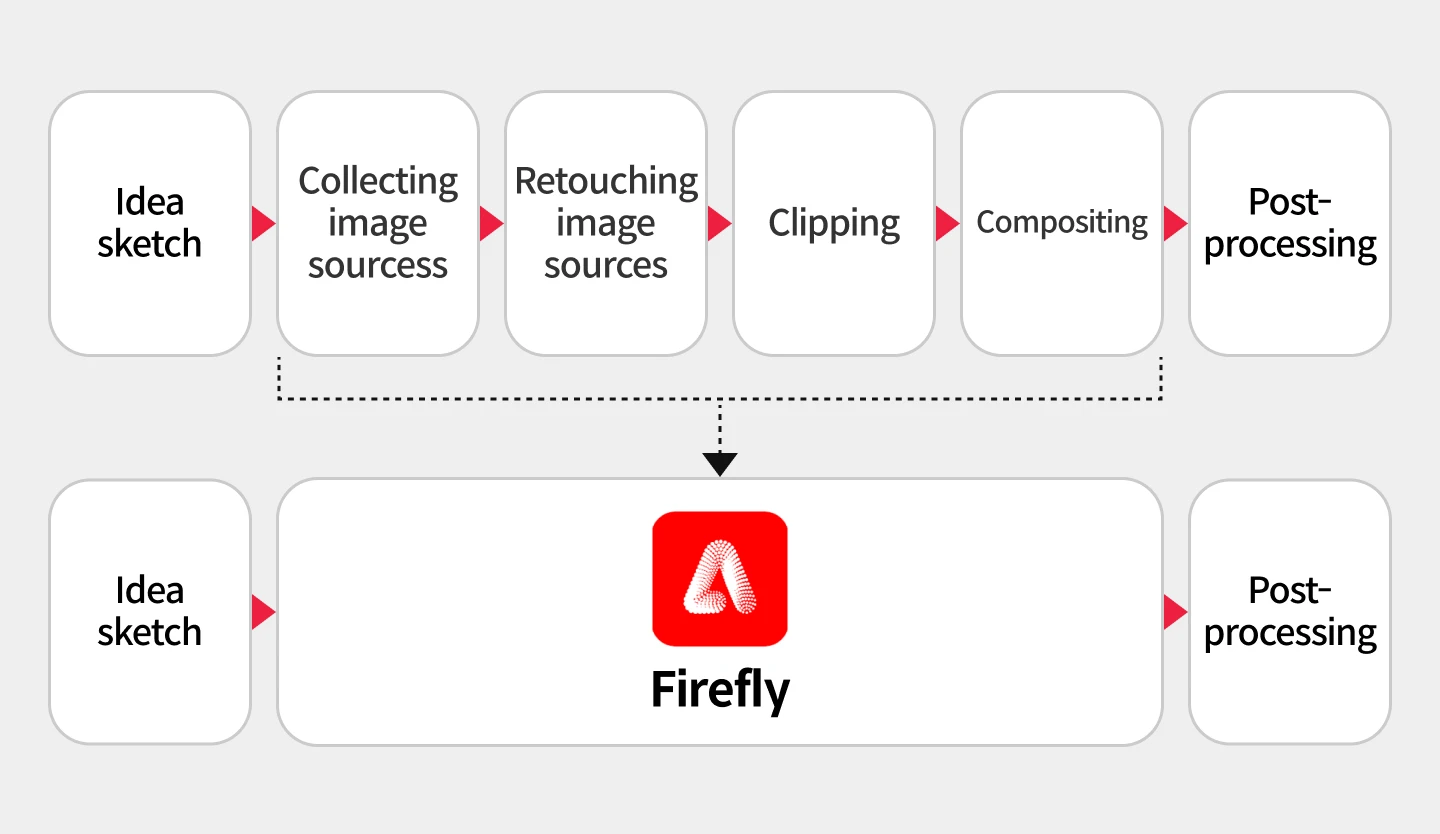
Say goodbye to all the time-consuming tasks that require you to create composites pixel by pixel and backtrack through your entire history to correct one small mistake.
Discover 18 exercises that explore the key features of Firefly to save you from meaningless, repetitive tasks. For first-time users, Firefly may feel complicated and hard to understand. That’s why this class, the first of its kind in Korea, explores everything about the tool and provides a systematic approach to application in real-world design projects. Check it out right now on Coloso.
Discover 18 exercises that explore the key features of Firefly to save you from meaningless, repetitive tasks. For first-time users, Firefly may feel complicated and hard to understand. That’s why this class, the first of its kind in Korea, explores everything about the tool and provides a systematic approach to application in real-world design projects. Check it out right now on Coloso.
Class Perks
Get These Coloso Exclusives
-
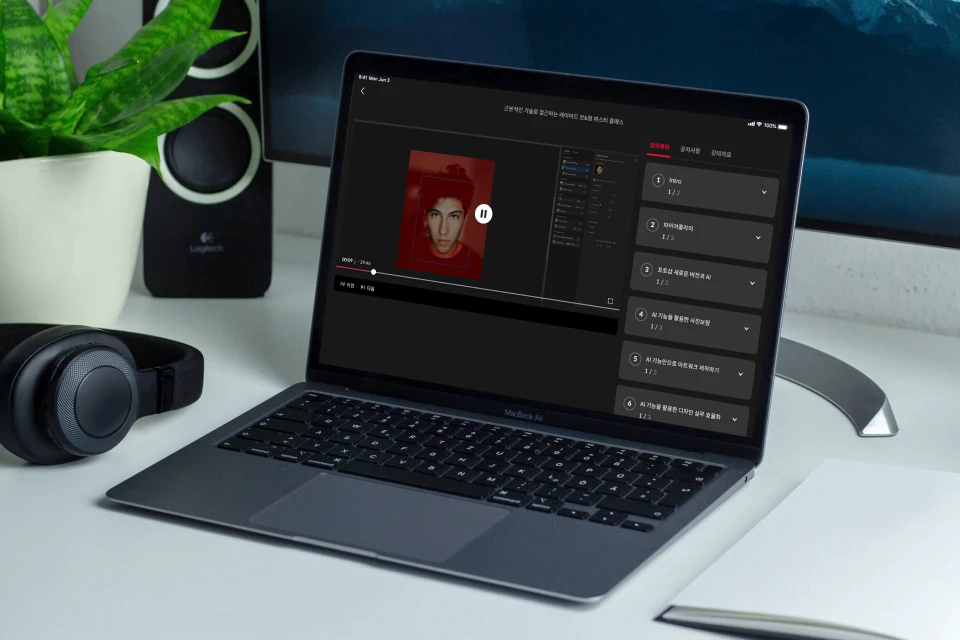
Unlimited access to 31 chapters -

30 images sources provided -

21 original PSD files provided
Recommendation
Who Should Take This Class?
Designers who want to improve their work efficiency by reducing time-consuming, repetitive tasks
Graphic artists who want to maximize their productivity and create artwork of various styles
Marketers and Project Managers who want to create simple image sources easily and quickly
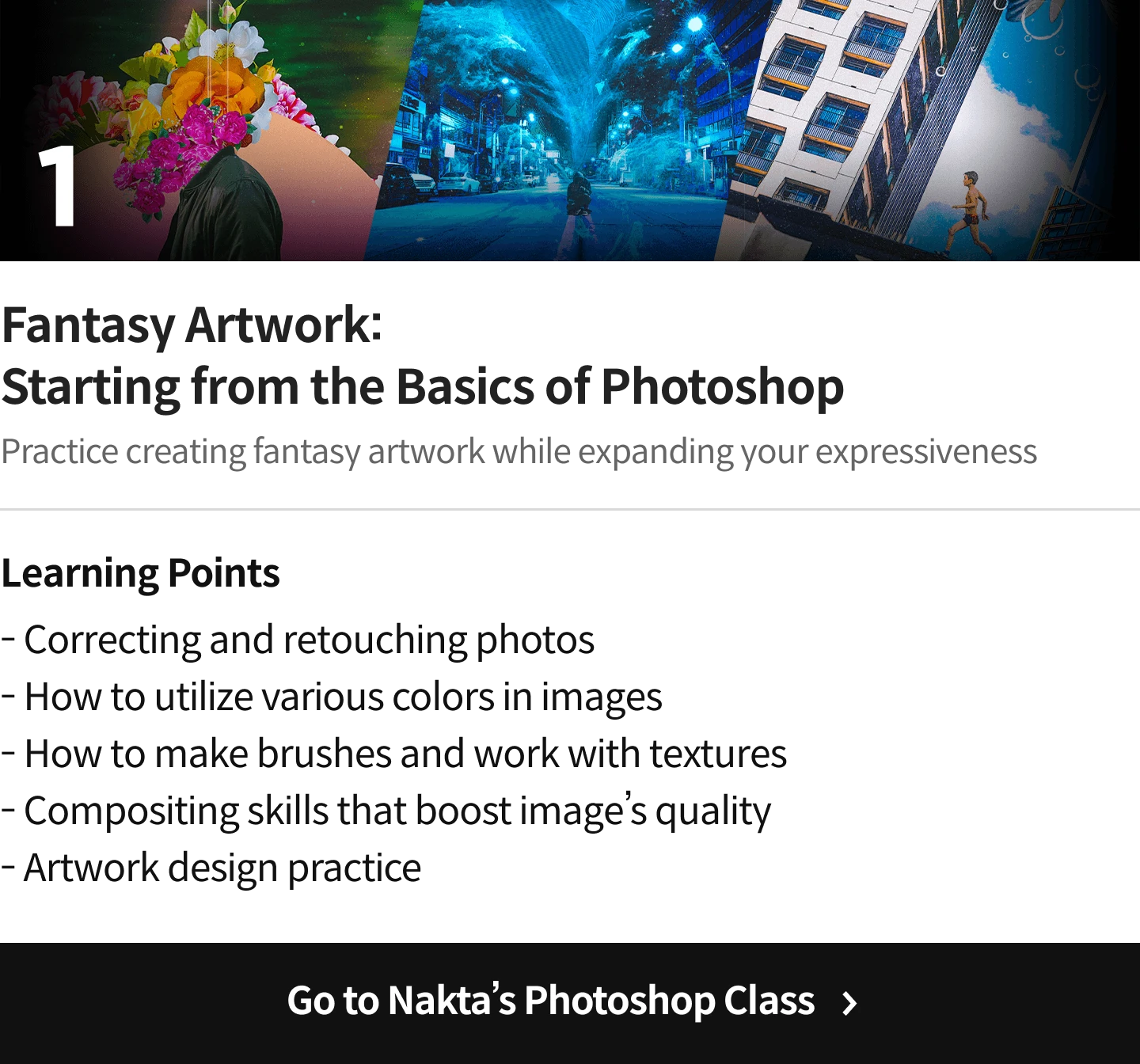
Comparison of Nakta’s Classes
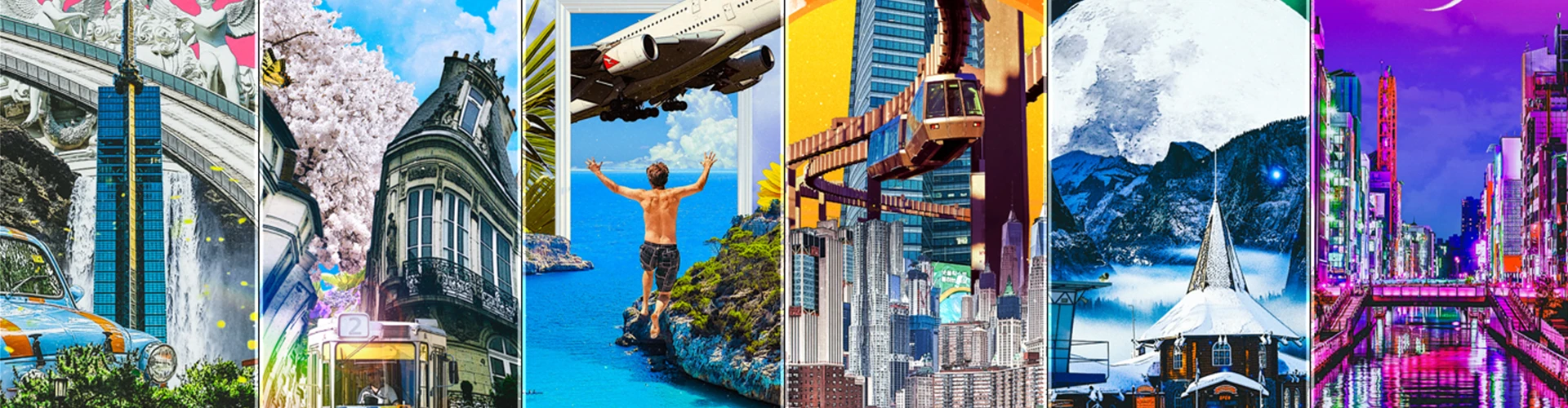
Expert Graphic Artist Nakta's Portfolio

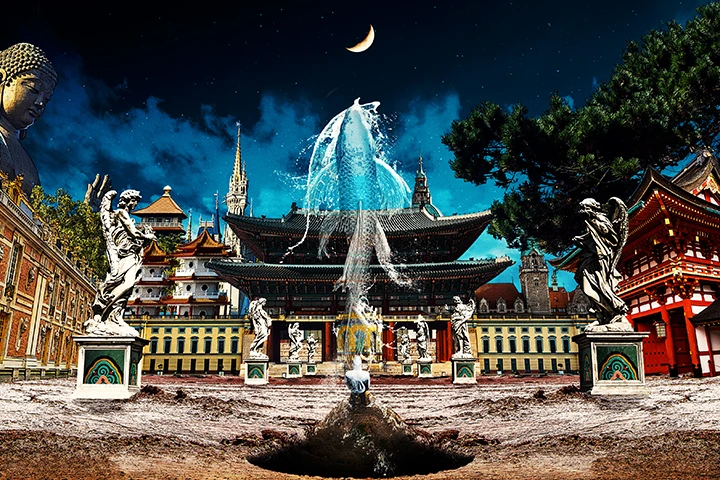
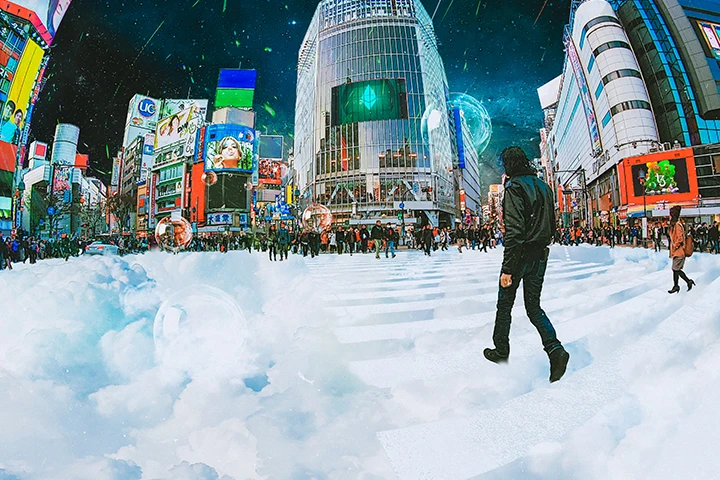

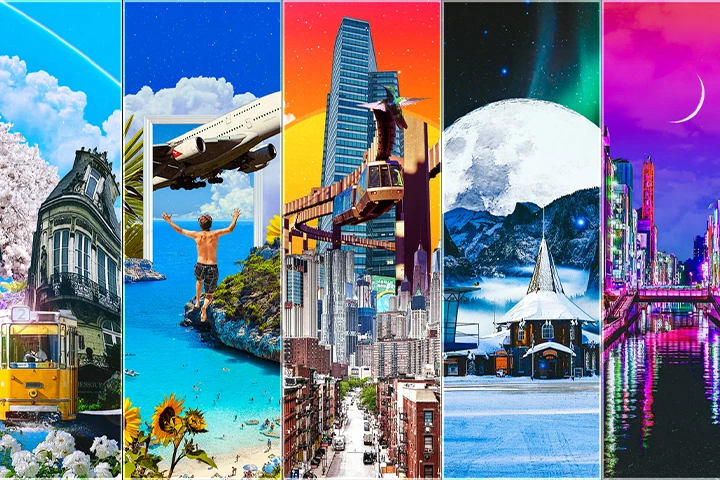
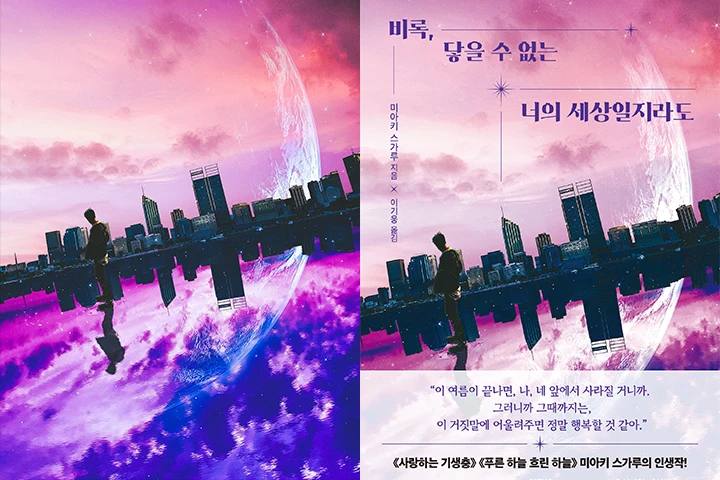

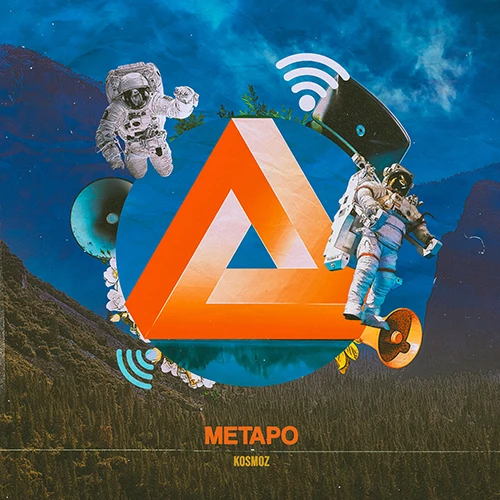
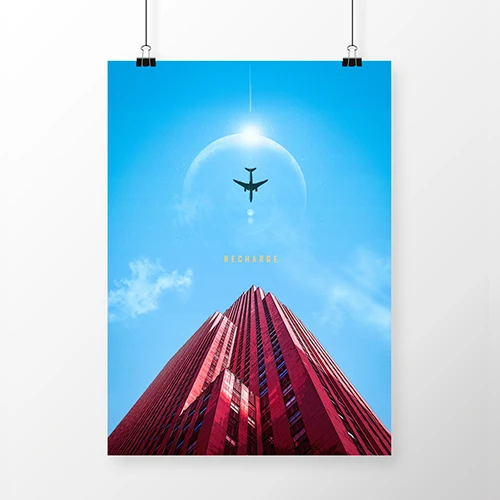
Photoshop Firefly, Taught By World-Renowned Expert
A masterclass on Photoshop’s Firefly by Nakta, a global graphic artist sought-after in Korea as well as France, Japan, and Canada for his elaborate artwork, and also known as a legendary Photoshop instructor at Coloso.
Its structured curriculum not only introduces Firefly's features but also includes 18 practical exercises, allowing you to explore every aspect of the tool hands-on. Uncover and master the knowledge to utilize Photoshop’s AI tools for real-world design processes efficiently, exclusively at Coloso.
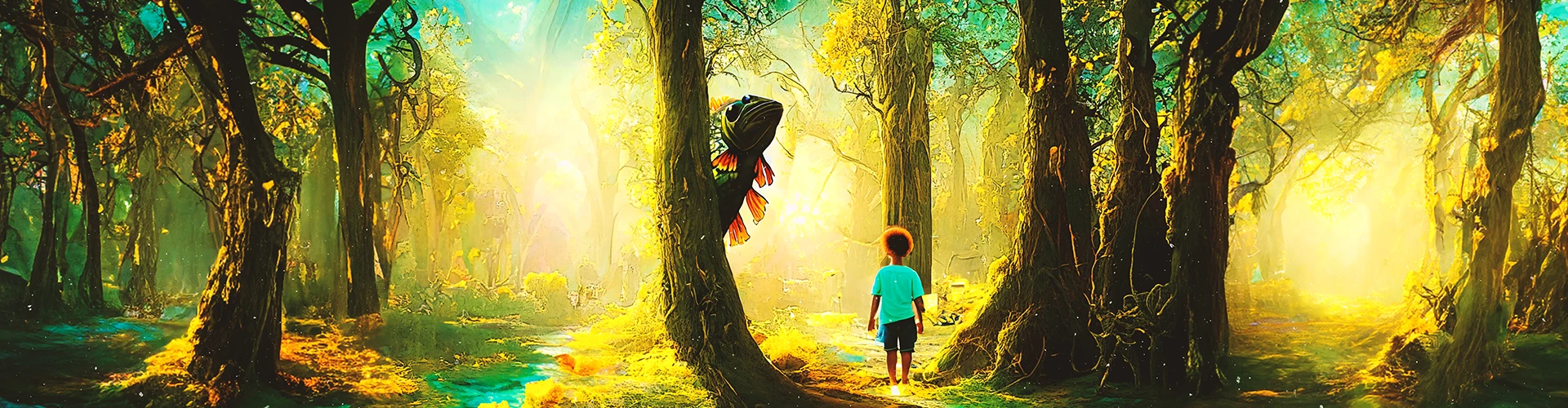
Get Ready for the Real-World
18 Exercises for Improving Practical Firefly Skills
Part 1. Firefly Fundamentals Practice
-
 T2I Basics
 -
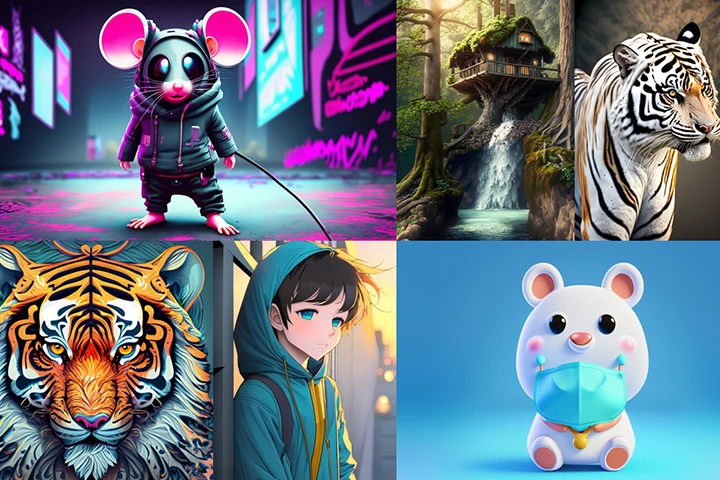 Generating Images of Various Styles
-
 Text Effects
 -
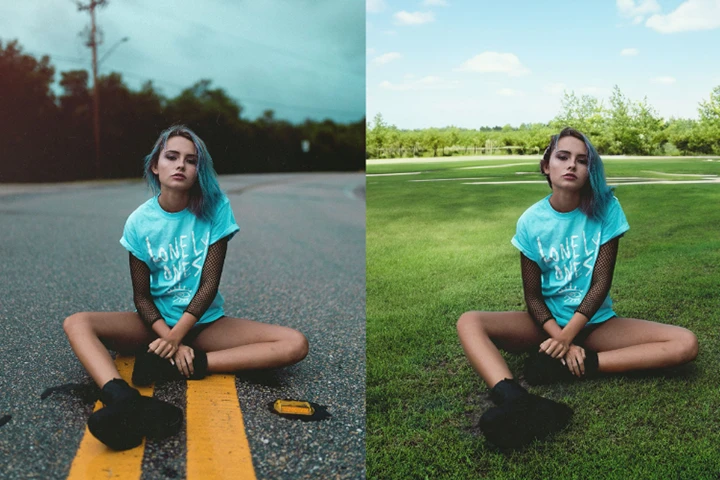 Changing Backgrounds
-
 Generative Fill: Accessories
 -
 Generative Fill: Clothing, Hair
-
 Removing Objects from Backgrounds
 -
 Adding Objects to Backgrounds
Part 2. Advanced Firefly Practice
Photo Correction
-
 Correcting Portrait Photos
 -
 Correcting Landscape Photos
Creating Webpages
-
 Creating Main Pages for the Web
 -
 Designing Main Banners for Online Stores
Creating Product Images
-
 Setting up Product Images
 -
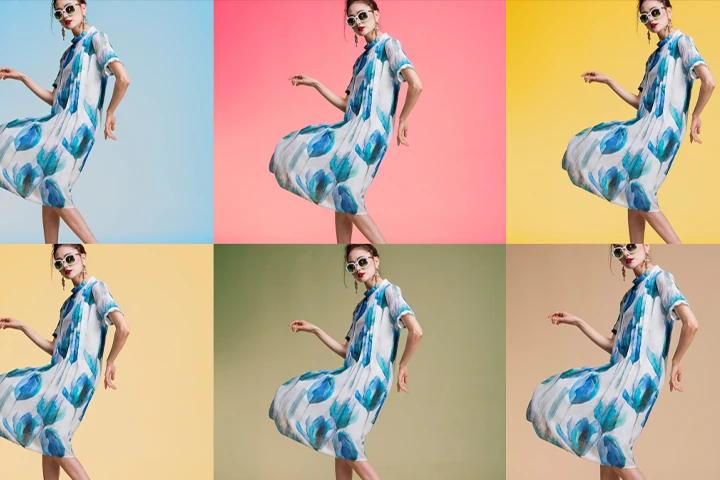 Changing Backgrounds
Creating Promotional Content
-
 Creating Artwork, Profiles, and Thumbnails for YouTube Channels
 -
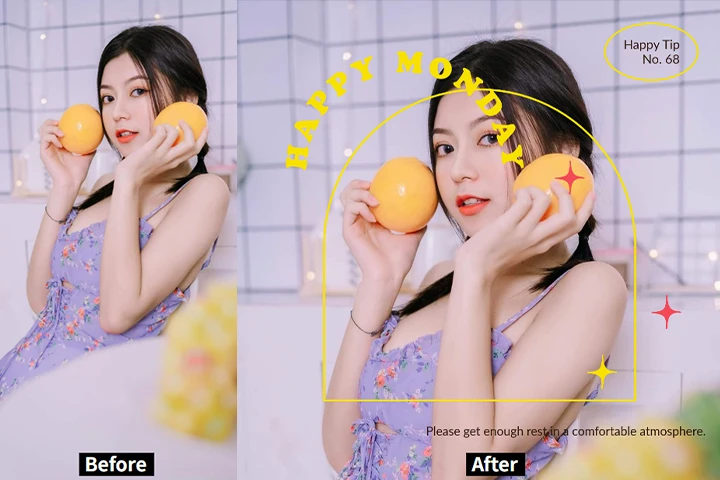 Creating Social Media Content Using Express
Part 3. Practical Artwork Projects Using Firefly

Creating Images and Composites Using Firefly Features
-
 Creating Album Cover Art
 -
 Creating Posters
-
 Creating Fantasy Artwork
 -
 Creating Moving Artwork
Instructor
Graphic Artist
Nakta
Hello, I'm Nakta, a graphic artist renowned for my vibrant colors and intricate digital collages. My work has been the cornerstone of numerous commissioned projects, including book covers, album artwork, and brand collaborations. Additionally, I have had the privilege of showcasing my art internationally, with exhibits in the U.S., Japan, France, and Canada.
I am thrilled to announce the relaunch of my class on Coloso! In this course, you will learn the latest version of Photoshop and discover how to strategically use Firefly to enhance your workflow. Join me to elevate your skills and creativity!
Student Reviews
Reviews of Nakta’s In-Person Classes
-
 I’m currently taking Nakta’s photoshop design class. I found Photoshop difficult and challenging to work with because I couldn’t apply what I’d learned when trying to use the features. After trying out various exercises, my confidence in applying what I’ve learned is growing.
 -
 I learned many useful tips and tricks, including shortcuts and features that I didn’t know even existed. His explanations are detailed and thorough, which I found very helpful! I’d like to recommend his class to those who don’t feel confident with using Photoshop.
 -
 I was a complete beginner who didn’t even know how to download Photoshop. But Nakta’s class taught me everything I needed and more. Now I understand the principles of Photoshop and can apply them to create things on my own. I learned more from taking his class than I did from an academy course.
I especially recommend it to those who have a Photoshop certification but want to learn some useful, applicable tips. This class is incredibly valuable as it simplifies all the fundamentals and offers practical tips that can be immediately applied to real-world design projects! -
 I especially recommend it to those who have a Photoshop certification but want to learn some useful, applicable tips. This class is incredibly valuable as it simplifies all the fundamentals and offers practical tips that can be immediately applied to real-world design projects!
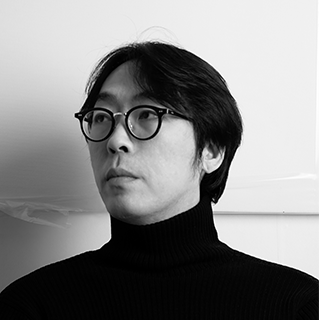
Graphic Artist Nakta
[Current]
Freelance Graphic Artist
Projects & Awards
[Projects]
June 2023: Poster and key visual for the Water Gun Festival
March 2023: Cover art for the novel Even If I Can’t Reach Your World
January 2023: Cover art for the novel Seoul, Catacombs
April 2021: Cover art for His Memories, published by Sam & Parkers
March 2021: Advertising content for Lotte Beverage
[Exhibitions]
July 2023: Artist media exhibition for K-Diaspora at LUME Studios, New York
July 2023: Media exhibition in the Seoul Business Agency building
June 2023: Artist exhibition at Crypto Art Fes 2023, Japan
May 2023: VIDO media exhibition at Club MUSE
May 2023: Media exhibition for COEX XPACE at Coex
March 2023: Media exhibition for KOREA NFT FESTIVAL at DDP
February 2023: Signage exhibition outside of Hyundai Department Store Duty Free Trade Center Branch
December 2022: The N Tastes Exhibition at Lounge de Coloris Walkerhill
August 2022: NFT exhibition and Klipdrops NFT Drop at KIAF X Incheon Airport Special Exhibition
July 2022: Media exhibition on an outdoor screen in Shibuya, Tokyo, for NEO Shibuya TV
July 2022: Metaverse and in-person exhibitions at Crypto Art Fes 2022, Japan
June 2022: Group media exhibition for Vizmesh Exhibition at Times Square NYC
May 2022: NFT exhibition at Vancouver International Art Fair
May 2022: Yeon Deung Hoe Exhibition 2 at Korean Cultural Center, France
Roadmap
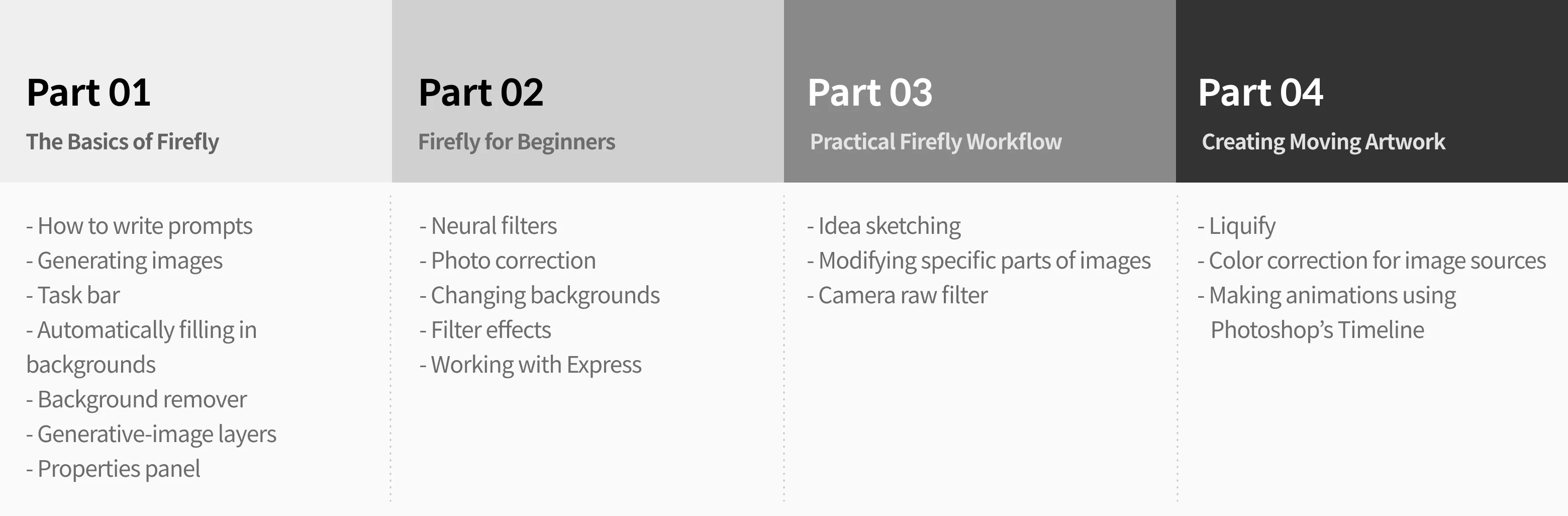
A Step-by-Step Curriculum to Reinforce Practical Firefly Skills
Highlights
Class Highlight
Korea’s First-Ever Masterclass on Photoshop’s Firefly
If you’ve ever tried using Firefly after watching ads that make it look effortless, only to be frustrated by its complexity and unsatisfactory results, but couldn’t get satisfying results due to the complexity of its features, you need this class with a solid, systematic curriculum. Learn about the most innovative update to Photoshop without language barriers.

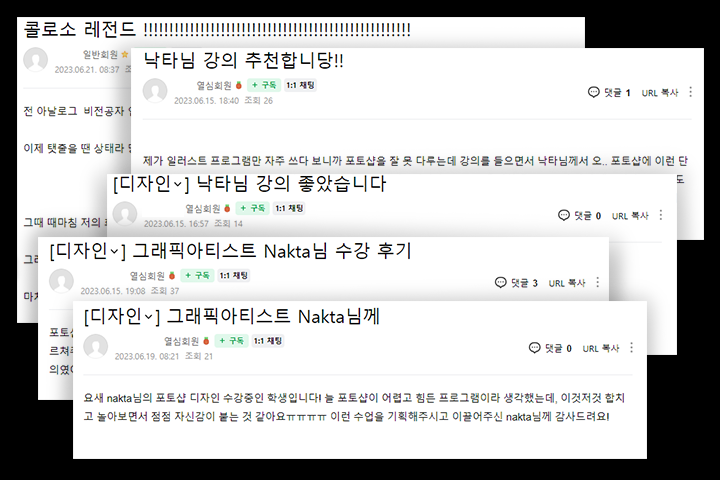
“A Legendary Photoshop Class” Guaranteed by Countless Reviews
Introducing the third installment by Nakta, the legendary Photoshop instructor. This course covers everything from Firefly’s basics to its advanced techniques with easy-to-understand explanations and is backed by numerous reviews.
Complete Practical Artwork Projects through 18 Hands-on Exercises
Learn to do more than just use the tool. Study how to strategically utilize Firefly through 18 hands-on exercises. Discover all the tips and tricks that will maximize your work speed and efficiency.
Class Details
You'll Learn
-
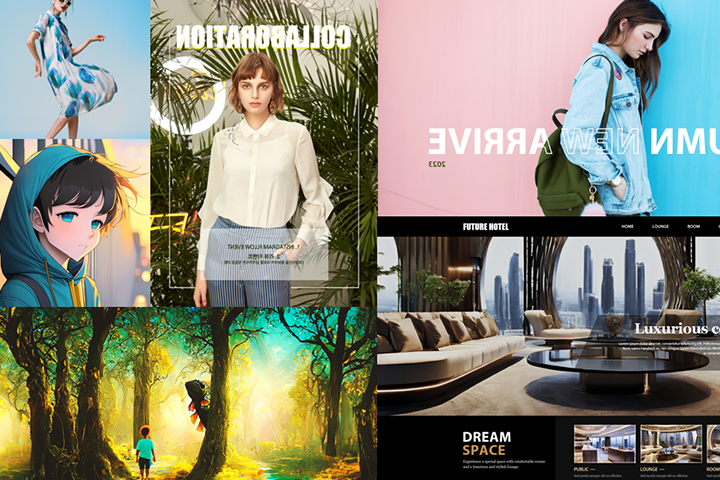
 Principles and Basic Features of Adobe FireflyLearn to generate images in Adobe Firefly and how to leverage the principles of its basic features like image correction, image conversion, and text effects. Develop prompting skills for generating quality images, enabling you to use the tool in any scenario.
 -
 Working with Express WebLearn how to create content in Adobe Firefly and to use Express Web through a streamlined process of searching for and purchasing needed images.
 -
 The Fundamentals of Photoshop Task BarsLearn about the most important feature of Photoshop updates, the Task bar, while learning to work with various AI features that come with Photoshop through exercises.
-
 A Real-World AI WorkflowStudy how you can apply Photoshop’s AI to real-word projects, as well as more advanced skills to streamline your work process.
 -
 Creating Web Content in Various StylesStudy ways to create high-quality web and social media content, ad photos, YouTube channel art, and other practical images using AI.
 -
 Hands-on Projects for Creating Elaborate Digital ArtworkAn advantage of digital artwork is that it allows you to produce a variety of results. Streamline your work process with the help of different AI features provided in Photoshop, with the instructor’s techniques and tips to create high-quality artwork using AI.
- Unlimited Access
- Best Price
Buy now, get unlimited access.
12/31 (Sat) (UTC-7) Special offer ends soon.
This special offer ends soon.
Buy now and save!
Curriculum
Curriculum
In-Depth Look
SECTION 01. Intro
01. Orientation
- Instructor’s introduction
- Introducing Firefly, Adobe’s AI tool
02. Adobe Firefly Website
- Exploring Text to Image
- Exploring Generative Fill
- Text effects
SECTION 02. Firefly
03. Text-Based Image Generation
- How to write and work with prompts
- Generating images in various styles (Animation, photo-realistic, 3D)
- Generating your own characters and profile images
- How to improve quality using prompts
04. Generative Fill
- Generating new objects and filling in backgrounds
- Removing backgrounds and people from photos
- Changing clothes in portrait photos
- Adding hair and accessories to portrait photos
05. Text Effects
- Generating various texture styles using prompts
- Creating simple artwork with text effects
SECTION 03. The Updated Photoshop and Its AI
06. Exploring the New Photoshop and the Task Bars
- Exploring the new version of Photoshop and features on the task bars
- Generative Fill and Remove Background
- Free expansion of images
- Changing backgrounds by typing in prompts
07. Generating New Images Using the Task Bars
- Generating new images on blank layers
- Generative image layers and the Properties panel
- Adding new objects to existing images by typing in prompts
SECTION 04. Correcting Photos with AI Features
08. Powerful Neural Filters
- Exploring Neural Filters

09. Correcting Portrait Photos with Neural Filters
- Correcting portrait photos using the Portraits feature
- Changing facial expressions using the Portraits feature
- Correcting and improving portrait photos with various techniques
10. Correcting Landscape Photos with the Task Bars
- Natural background expansion using Generative Fill
- Changing skies using Generative Fill and Sky Replacement
- Modifying specific parts of landscape photos
SECTION 05. Creating Artwork Only Using AI Features
11. Creating Image Sources Using Image Generation
- Creating backgrounds with prompts
- Retouching images using filter effects
12. Compositing Images
- Creating new objects in background images
- Creating seamless composites through layer masking
- Artwork post-correction with adjustment layers
SECTION 06. Achieving Design Efficiency with AI Features
13. Practical Design for Online Stores
- Designing main banners using image generation
- Creating pop-up images and thumbnails with Generative Fill
14. Practical Web Design
- Designing main pages using image generation and Generative Fill
- Designing banners using image generation
15. Setting up Ad Photos Using Firefly
- Retouching images using the task bars
- Setting up images through prompts
SECTION 07. Creating Content in Firefly and Express
16. Application to YouTube Content
- Designing channel art with Generative Fill
- Designing main banners through image generation
- Designing thumbnails using Express
17. Creating Social Media Content Using Express
- Creating Instagram stories with image generation and Express
- Creating social media content with Express
SECTION 08. Creating Poster Artwork
18. Choosing a Subject
- Idea sketching
- Image research
19. Generating Backgrounds and Creating Image Sources
- Creating backgrounds with Generative Fill and blending modes
- Generating image sources with Adobe Firefly
- Removing backgrounds using Select Subject
20. Finishing up
- Correcting color with adjustment layers
- Adding texture to artwork using blending modes
SECTION 09. Creating Album Cover Art
21. Idea Sketching and Creating Image Sources
- Drawing idea sketches
- Selecting image sources and generating sources using Firefly
22. Creating Titles Using Text Effects
- Working with text effects in Adobe Firefly
- Placing a title image on top of an artwork image
- Applying effects using Layer Style
23. Post-correction That Boosts Quality
- Applying textures to artwork using pattern commands
- Correcting tone with adjustment layers
SECTION 10. Creating Fantasy Artwork
24. Idea sketching
- Drawing idea sketches and elaborating concepts
- Identifying required image sources
25. Creating Images and Generating Backgrounds
- Generating a ground in the background using Generative Fill
- Generating a sky in the background using Sky Replacement
- Generating images of dinosaur bones using Adobe Firefly
26. Finishing Up Artwork
- Retouching images using filter effects
- Creating natural composites using Generative Fill
- Post-correcting the entire artwork using the Camera Raw filter
SECTION 11. Creating Simple Moving Portrait Artwork
27. Generating People Using Firefly
- Generating portrait images using Adobe Firefly
- Retouching images using Liquify
28. Creating Moving Image Sources Using Neural Filters
- Retouching the color of portrait images using Neural Filters
- Creating eye movements in portrait images using Neural Filters
- Correcting color of image sources
29. Exporting Moving Images Using the Timeline Feature
- Generating image objects using Firefly
- Compositing and post-correcting with the Layers panel
- Making animations using Photoshop’s Timeline
SECTION 12. Outro
30. Finishing Touches
- The future of Adobe AI and graphic artwork
*The release date of this class, curriculum images, and associated content can be changed without prior notice.
** Class videos may be seperated for a more streamlined viewing experience
Interview
Graphic Artist Nakta

Question.01
Why did you choose this specific topic?
Why did you choose this specific topic?
This class uses Firefly, Adobe’s new AI tool, to create highly practical designs and even artwork projects. The objective of this class is to speed up the work process and produce quality artwork using an AI tool, instead of simply generating aesthetically pleasing images with it.
Question.02
What makes your class different from other classes?
What makes your class different from other classes?
I focused on designing a practical and applicable curriculum that enables students to actively incorporate AI in their design projects and digital artwork. I will share all my tips and expertise to increase work speed and efficiency by strategically using both existing Photoshop features and Adobe Firefly.
Question.03
What would be the most important takeaway from your class?
What would be the most important takeaway from your class?
Among the numerous AI tools, Adobe Firefly is the most intuitive and can be a good second tool for designers and digital artists who already use a graphic design program. This class is designed to help you understand how to utilize and study Firefly and establish your process for creating AI designs and artwork.
Required Programs
This class uses Adobe Photoshop. Please purchase and install the same version of the program as the one used in the class for an optimal learning experience.
* Please use the latest version of Photoshop so that you have access to its AI features. This class requires installing a beta version of Photoshop and can’t be taken with older versions of the program.
* These programs will not be provided with the course.