gameuicreator,takayustudio_JP Details
Intro

Don’t miss out, enroll now!
Enrollment closes in
0
d
0
h
0
m
0
s
2026-11-24T23:59

Now in Your Language, Only on Coloso!
Learn from Top Creative Experts Worldwide
-
 UI for Game Worlds and Usability
-
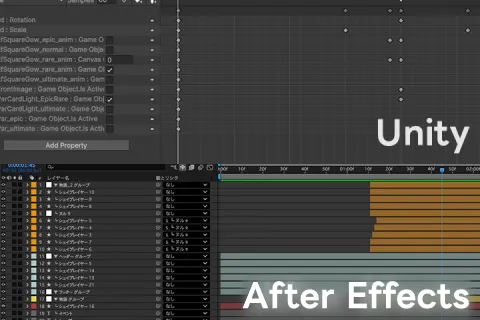
 After Effects Presentation in Unity
-
 Hands-On Game UI with 3 Experts
UI Design That Brings Game Worlds to Life
Takayu Studio is a team of three game UI creators specializing in mobile games: Takayu (UI direction), Yuni Kobayashi (UI design), and Kasane (engineer).
In this class, the three experts share techniques for creating visually compelling game UI, from harmonious color schemes that complement the background to stylish graphics that build anticipation.
In this class, the three experts share techniques for creating visually compelling game UI, from harmonious color schemes that complement the background to stylish graphics that build anticipation.
First, you will learn to establish a visual style for your UI, then use Adobe Photoshop and Illustrator to create key UI assets, such as login bonus screens.
Next, you’ll breathe life into your designs in Adobe After Effects by creating seamless screen transitions while learning to guide the user's eye naturally through animation.
Finally, you’ll follow a systematic workflow to recreate your designs in Unity while preserving their original intent, then use Unity’s features to create dynamic visual effects and produce professional-quality results.
Discover how to create game UI that brings game worlds to life without compromising on quality, right now on Coloso!
Next, you’ll breathe life into your designs in Adobe After Effects by creating seamless screen transitions while learning to guide the user's eye naturally through animation.
Finally, you’ll follow a systematic workflow to recreate your designs in Unity while preserving their original intent, then use Unity’s features to create dynamic visual effects and produce professional-quality results.
Discover how to create game UI that brings game worlds to life without compromising on quality, right now on Coloso!
Class Perks
Special Gift from Takayu Studio
-
 Explore Takayu Studio’s Game UI Design Techniqueswith Unlimited Access to 37 Chapters
-
 Create Two ProjectsThrough This Class
-
 Includes Unity Packagesand Other Various Resources
Class Material Details
-
 Learning Resources- PSD
- AEP
- Illustrator data -
 Practice Resources- Various data for the final projects, including home and login bonus screens
(PSD, AEP, Illustrator, Unity)
- The “Grupico” script
Expert Game UI Creator Takayu Studio's Portfolio
Why Take This Class?
Take your game UI design skills beyond static screens and create immersive, interactive experiences. Guided by three specialists in UI direction, design, and engineering, learn to establish cohesive visual styles, create polished assets in Photoshop and Illustrator, and design engaging interfaces that bring games to life.
Design and master the complete workflow from animation to implementation. Create storyboards and animations in After Effects, then bring them to life in Unity with dynamic effects and satisfying interactions. Through practical projects, you'll develop versatile skills across essential tools, streamline your workflow, and gain the expertise to take on a wider range of roles in game development.

Get Ready for the Real-World
Hands-On Game UI Design and Animation
-
 Defining Visual Styles
-
 Creating Motifs in Adobe Illustrator and Photoshop
-
 Game UI That Builds Excitement
-
Satisfying Animations with Pacing Control
-
Effects for Rich Visual Experiences
-
Approaches to Enhancing User Experience
-
 Implementing UI in Unity
-
 Creating Interactions Using AI
-
 Keys to Animating from a Storyboard
-
Final Project 1
-
Final Project 2
Highlights
Class Highlights
Design, Animate, and Implement Cohesive UI
After learning the fundamentals of design, you will visualize motion by creating a video storyboard in After Effects, then bring it to life through animation in Unity while following a practical, hands-on workflow.

Key Concepts of Screen Design
Explore the key concepts of design and animation for game worlds, as well as the fundamentals of UI design. You'll also get hands-on experience applying these principles and turning your designs into actual UI.
Streamlining Workflows for Real-World Projects
Optimize your workflow with Figma features and shortcuts for Illustrator and Photoshop, while also learning time-saving techniques for After Effects and how to create scripts. Plus, you’ll discover how to implement UI efficiently in Unity and integrate AI into your workflow.