3DArtist,Jun-EunKim_김준은 Details
Intro
Class Intro
3D Artist, Jun-Eun Kim
"It's important to understand when, where, why, and how to use Maya and Nuke."
It's hard to find a "field experienced" lecturer and even harder to find one with international industry experience offering Maya classes.
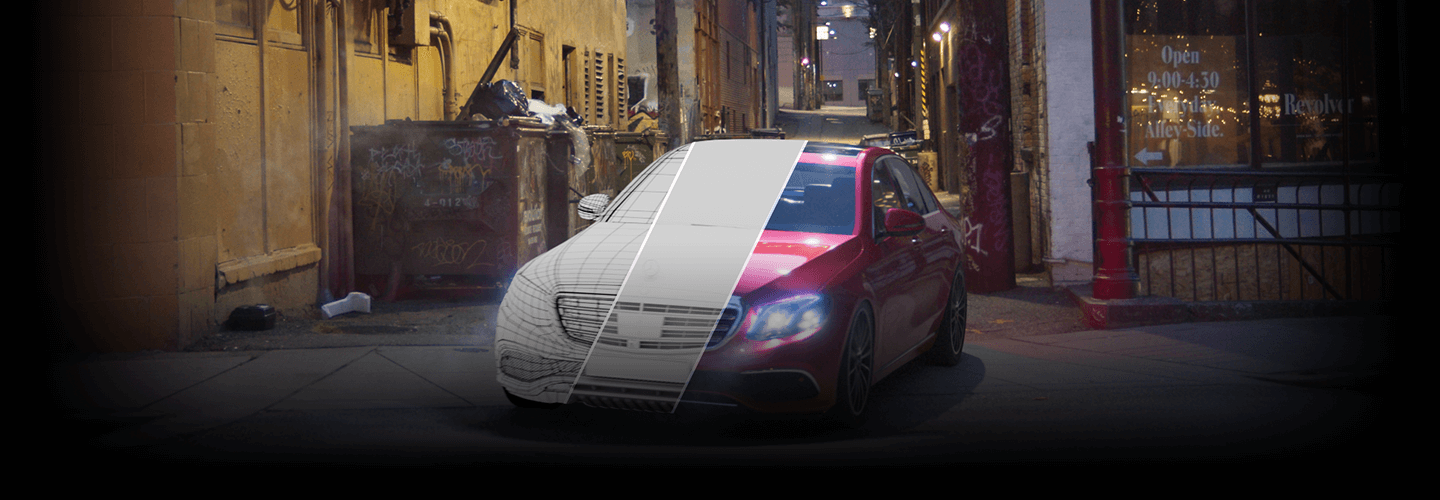
This class will teach you what you need to know to create artwork using the 3D Tool Maya: From HDRI to LookDev, lighting, final rendering, image manipulation, and even the theories behind it.
Get access to the industry knowledge and work process of 3D Artist Jun-Eun Kim and tap into his 14 years of Major Hollywood film-making experience.
Get access to the industry knowledge and work process of 3D Artist Jun-Eun Kim and tap into his 14 years of Major Hollywood film-making experience.
Hollywood Film 3D Artist, Jun-Eun Kim's Portfolio
Recommendations
Instructor
3D Artist
Jun-Eun Kim
Hi, I'm 3D Artist Jun-Eun Kim.
I'm currently a Senior Lighting Technical Director at ILM in Vancouver, Canada.
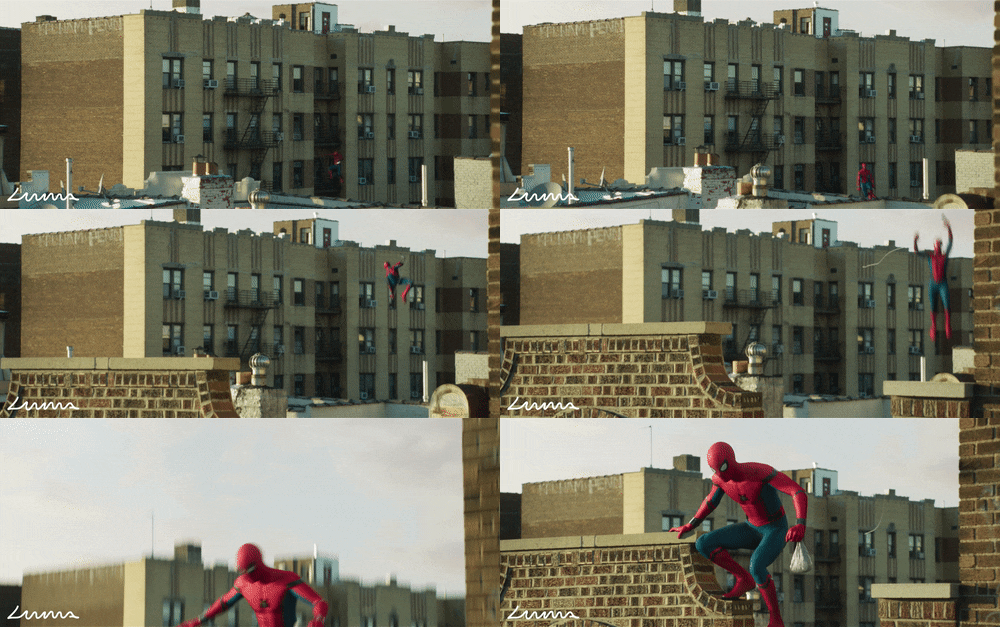
Working at the internationally famous VFX studio since 2006 (over 14 years), I've been able to take part in films such as The Avengers, the Spiderman series, Black Panther, Aladdin, and more.
I've met many who have learned Maya but struggle to use it to its fullest potential when working in the field.
I'll be sharing personal insights obtained over the years to show you how to use Maya efficiently and produce high-quality results.

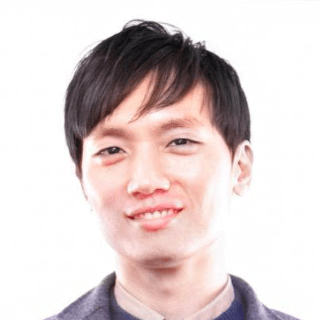
3D Aritst,
Jun-Eun Kim
[Current]
Senior Lighting Technical Director at Industrial Light & Magic
[Former]
Senior Lighting TD/Compositor at Luma Pictures
Roto Artist / Lighting TD at Iloura (Method)
Modeler at Rising Sun Pictures
Recognizable
Projects & Awards
[Projects]
Jungle Cruise(2020)
The Irishman(Netflix)
Aladdin (2019)
Alien : Covenant (2017)
Ant-Man and The Wasp (2018)
Black Panther (2018)
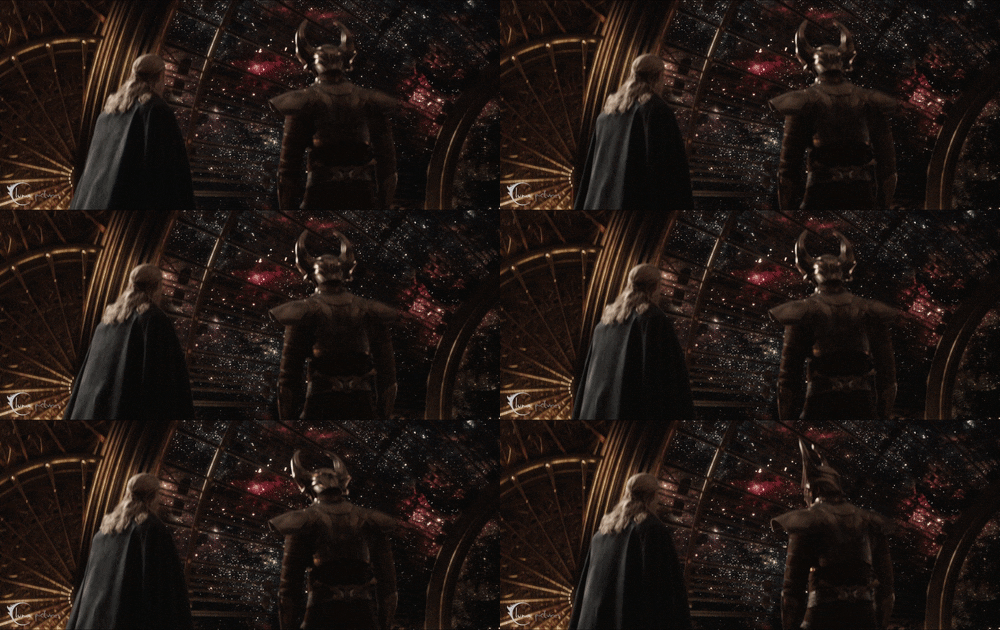
Thor : Ragnarok (2017)
Spider-Man : Homecoming (2017)
Doctor Strange (2016)
Captain America: Civil War (2016)
Deadpool (2016)
Ant-Man (2015)
Avengers: Age of Ultron (2015)
Mary Poppins Returns (2018)
A Wrinkle In TIme (2018)
Underworld 5: Blood Wars (2016)
The Last Witch Hunter (2015)
Insurgent (2015)
I, Frankenstein (2014)
Thor: The Dark World (2013)
After Earth 2000(2012)
Killer Elite(2011)
The Warrior’s Way(2008)
Harry Potter and The Half Blood Prince(2008)
6 Class Exercises
-
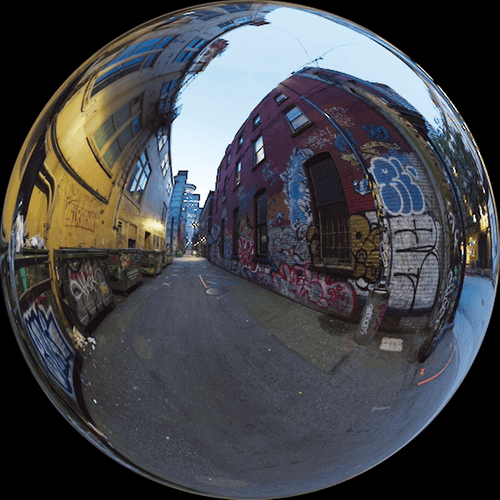 01. Capturing Scene LightingCapture the light of a scene through HDRI to duplicate in Maya.
 -
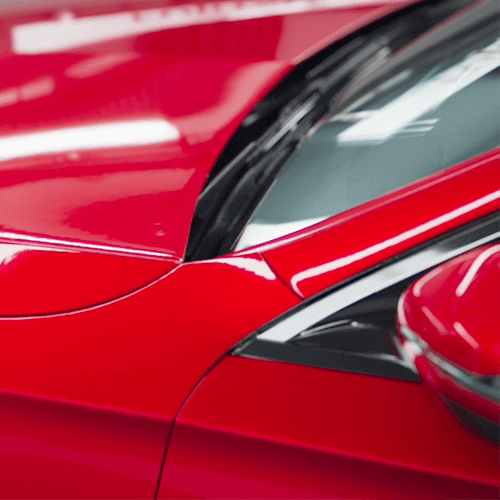 02. PaintDecide the base color and use the aiNoise Node to create a more photo-realistic quality.
 -
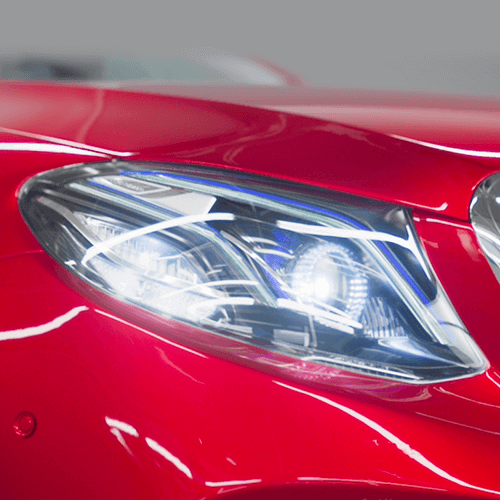 03. HeadlightForm a complex structured headlight and create a light-bulb with meshlight.
-
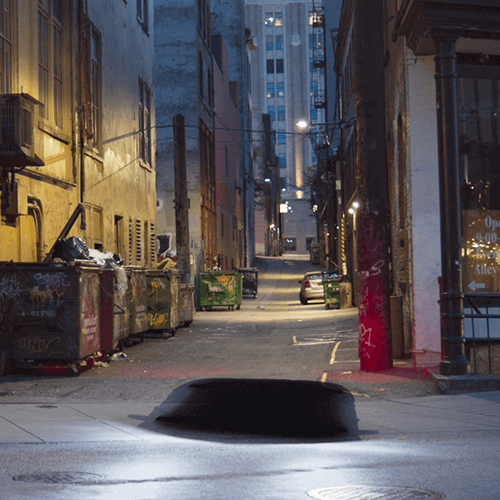 04. Light & ShadowApply Arnold Renderer Shading to create shadow effects and manipulate the lighting during this practice exercise.
 -
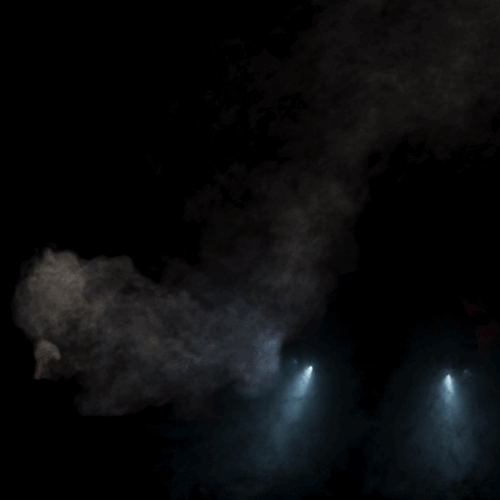 05. Fog & SteamAdd more details by applying fog and steam using blur and other effects.
 -
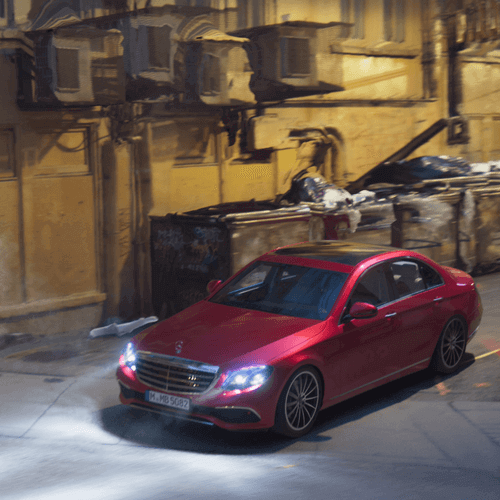 06. Photo-Realistic CarsCreate life-like automobiles with various Arnold Shaders and different Nuke Nodes.
Highlights
Class Highlights
LookDev, Rendering, and Merging: Real-world insights from Hollywood!
Learn not only about color charts, HDRI production methods, lighting, and merging but also take a look into samples using LookDev with Arnold Shader - which is an essential part of 3D work in live action films.
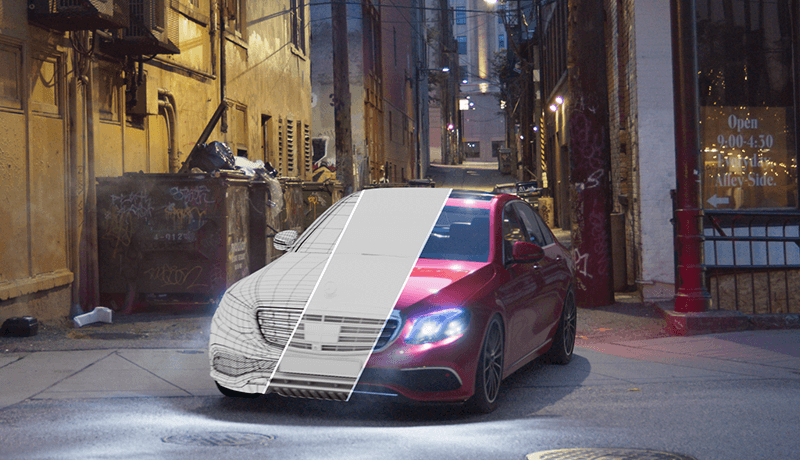
Rendering & Composition Tips for Natural Results
After creating a render setup, you'll learn to merge in Nuke and connect the results of CG rendering to live film.
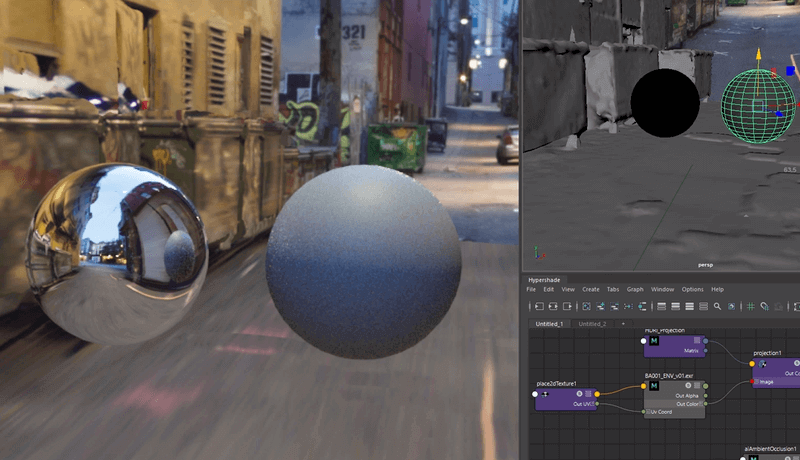
The Best VFX Files From an ILM 3D Artist
Develop insights you can apply to your own assets and characters with information about plate shoot videos, HDRI, camera tracks, and how to setup Maya.
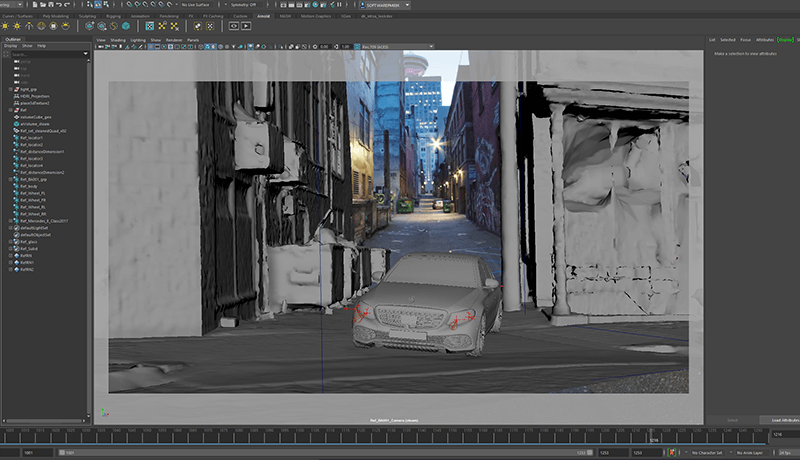
Class Details
You'll Learn
-
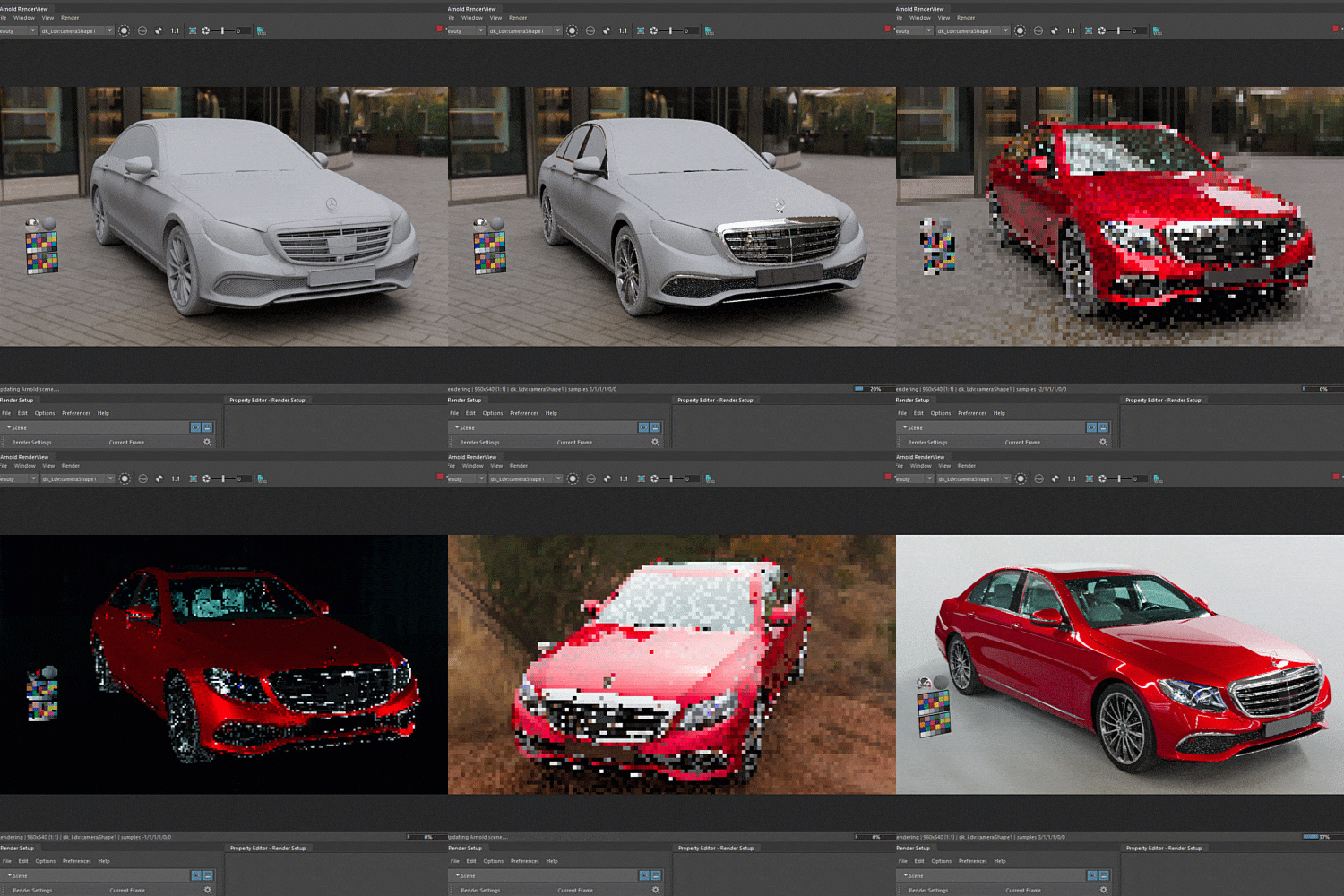 Arnold Shader: From A to ZCreate shaders as a practice exercise after setting up Maya and your model
 -
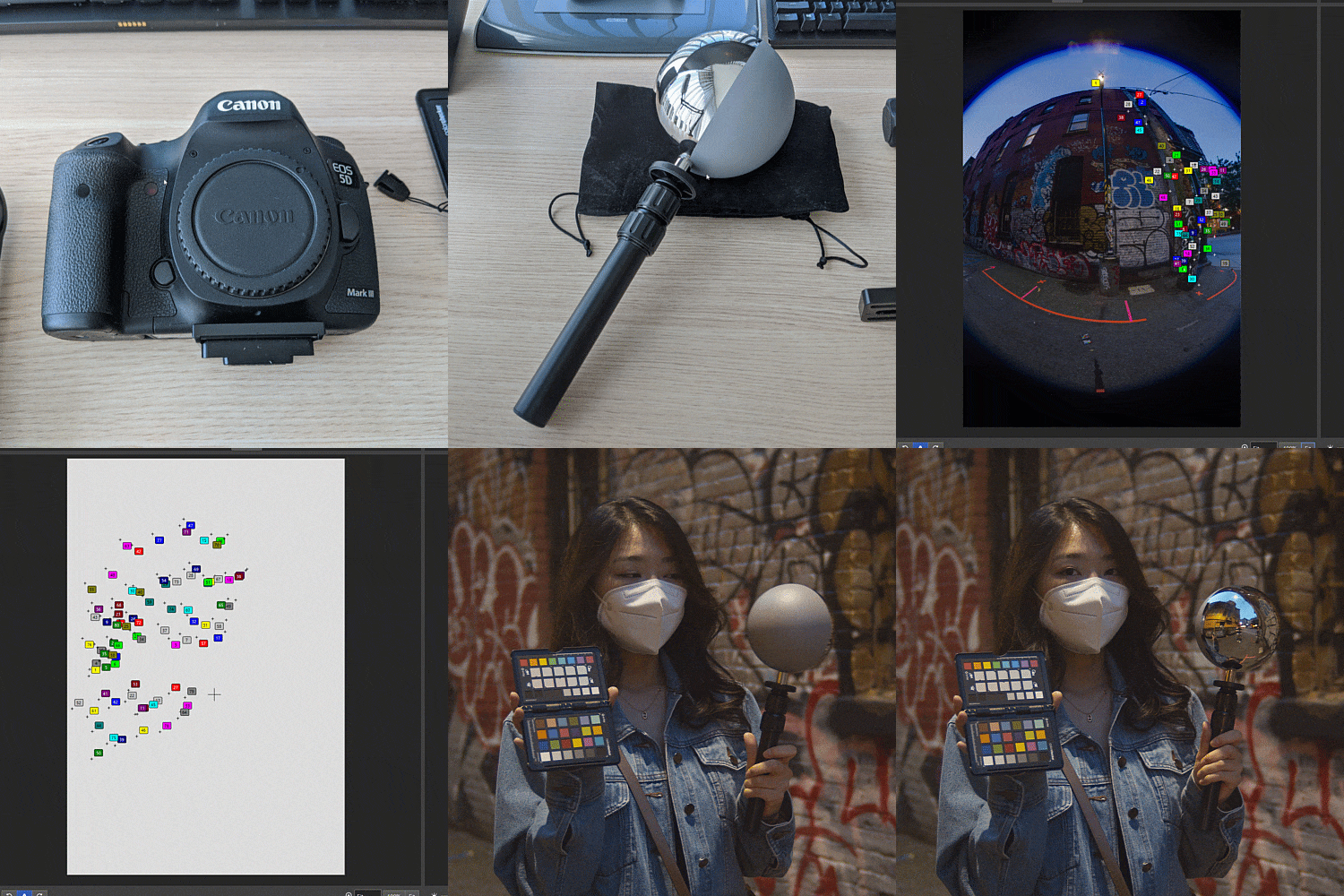 HDRI Photography and How to Use EquipmentInsights on ILM photography, how to use chrome/grey balls & the color chart, and ways of editing/correcting images.
 -
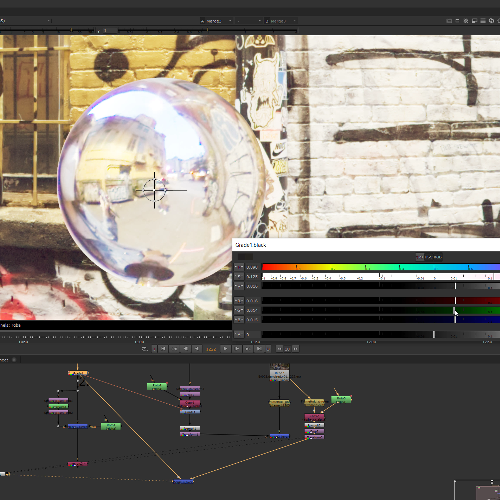 Optimized HDRI LightingAdjust colors of the HDRI camera and video camera to match them, and extract texture for light settings.
-
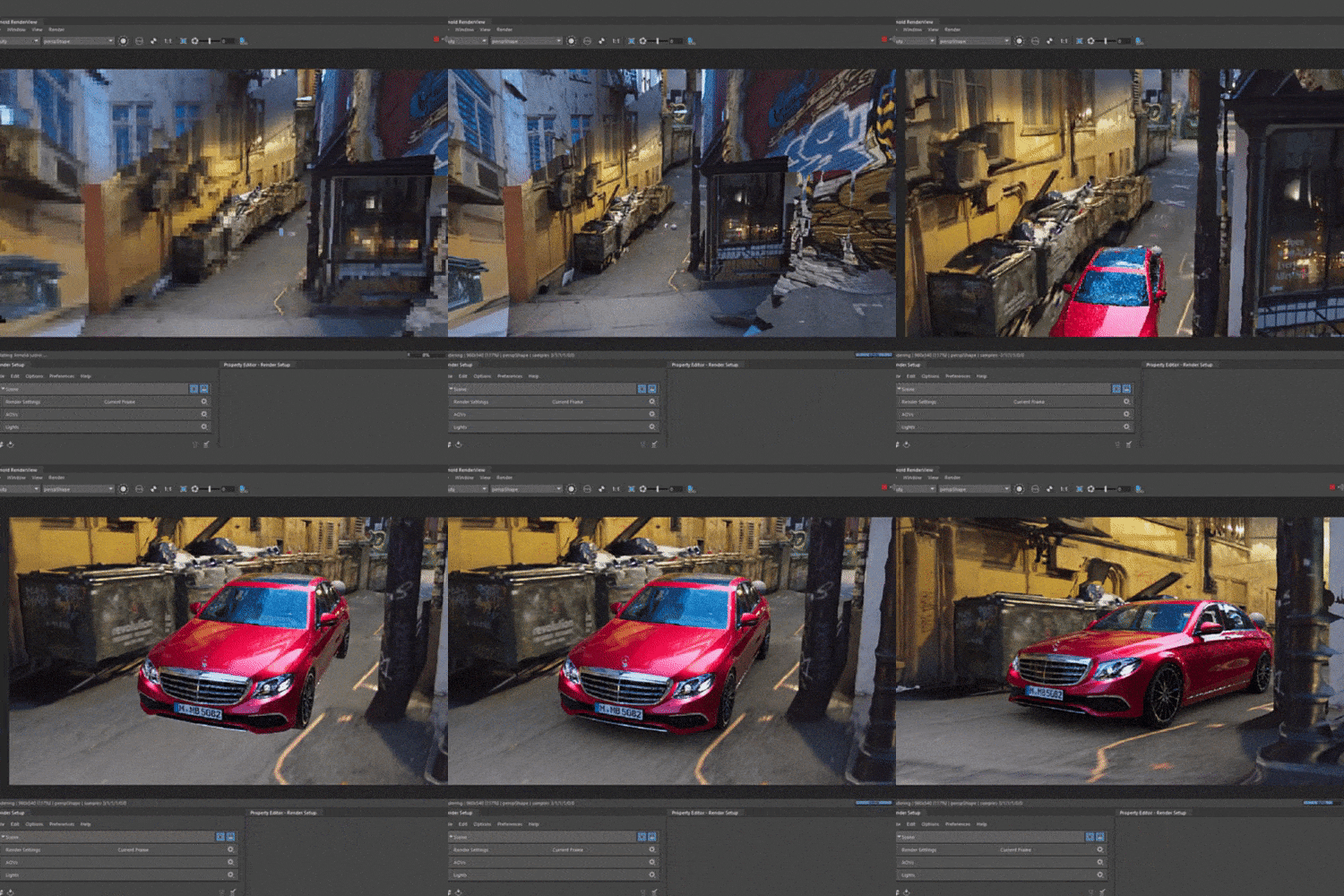 CG Set Lighting in MayaOverall tips on Maya lighting: Light rig set-up, calibration, LPE expression, light groups, etc.
 -
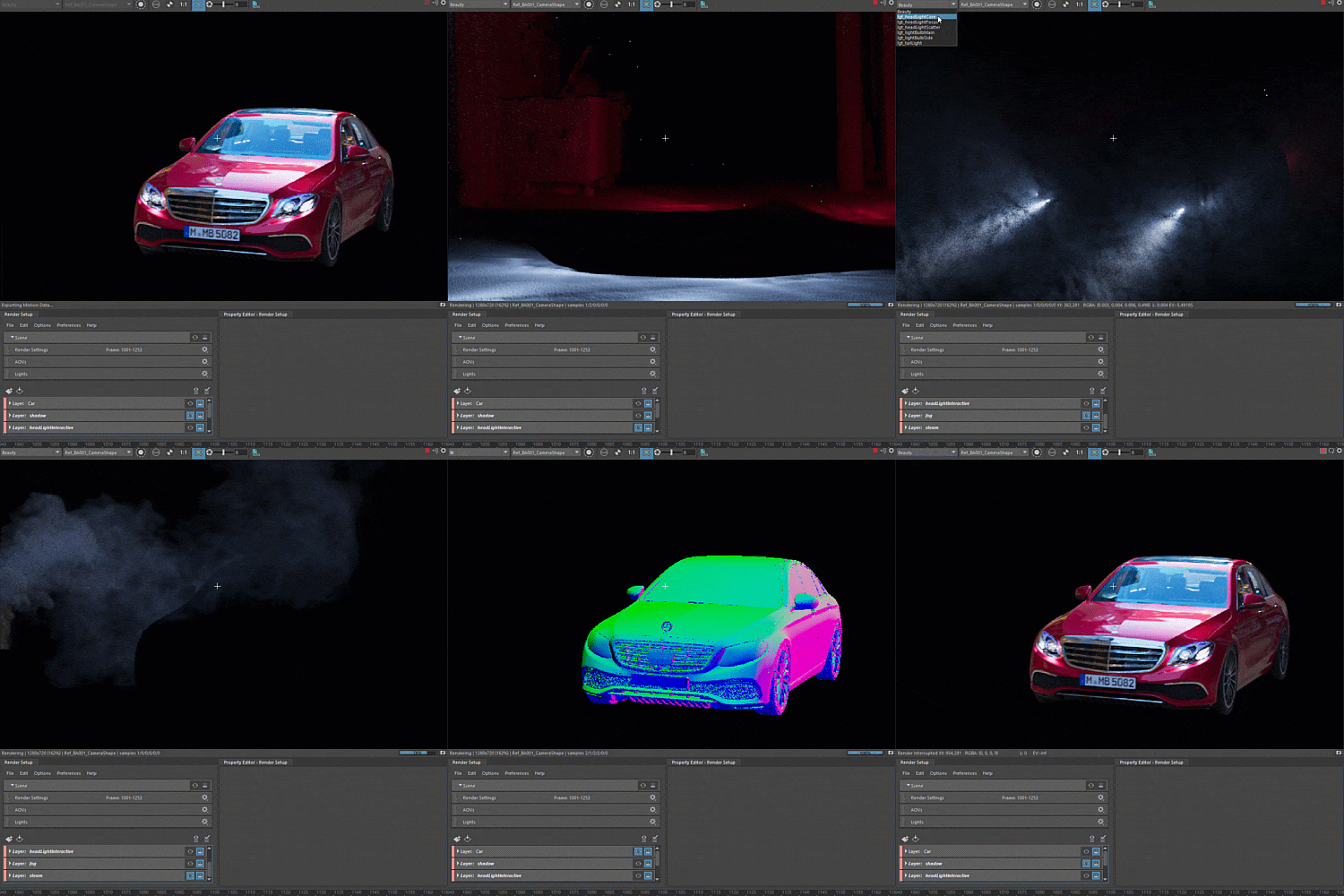 Optimized Arnold RenderingCreate layers for automobiles, shadows, highlights, and learn elements of the Arnold Renderer.
 -
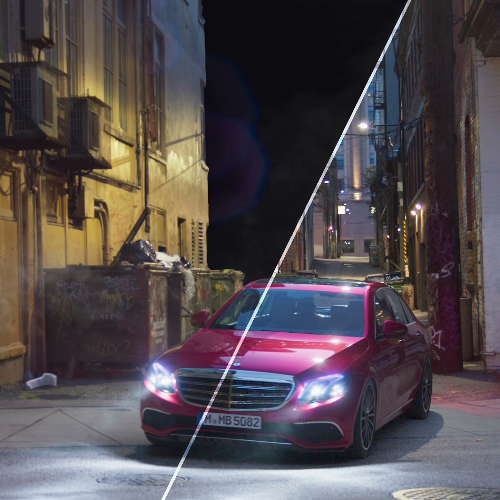 Understanding & Manipulating: Light, Color, and LensAfter optimizing Nuke and creating plates, get insights on merging layers, lens flare, and adding camera grain.
- Unlimited Access
- Best Price
Buy now, get unlimited access.
12/31 (Sat) (UTC-7) Special offer ends soon.
This special offer ends soon.
Buy now and save!
Curriculum
Curriculum
In-Depth Look
SECTION 01. OT
01. Orientation
- Instructor Introduction: Profile
- Class curriculum and design philosophy/attitude
- Practice sample file directory: content & vocabulary
SECTION 02. Arnold Shader: A to Z
02. Preparing Lookdev
- Basic Maya settings & model settings for Lookdev
- Creating shaders for cars with a free Lookdev kit
03. Car Paint Shader
- Creating an asset Lookdev with Arnold Car Paint
- Deciding base color and capturing depth & photo-realistic details
04. Glass Shader
- Creating simple car glass textures with aiStandard shader
- Applying the blueness and uneven surface effect on glass
05. Headlight Shader
- Creating complex structured headlights with previously practiced textures
- Creating headlight bulbs through Meshlight & setting up AOV
06. Tire Shader
- Simple but realistic car tires using a basic rubber texture and curvature shader in aiStandard
07. Completing Lookdev
- Multiple textures on tires
- Finishing off an interior and small components
SECTION 03. HDRI Filming and Equipment Usage at ILM
08. Equipment and Filming
- Filming equipment & Nodal: Settings and how to use them
- Film settings used at ILM
- Using chrome/grey balls and color charts
09. Processing Raw Files
- Editing & correcting images with Raw Therapee
- Reducing camera noise & adjusting white balance
10. Creating HDRI with PTGui
- Overall theory and instructions on control points, editing and viewing spherical panoramas, stitching HDR panoramas, and masks
SECTION 04. Optimized HDRI for Lighting
11. Adjusting HDRI
- How to use spherical transform nodes and sample case
- Understanding paint nodes
- Erasing tripods and color charts
12. Color Calibration
- Matching the colors of an HDRI camera & video camera
- Adjusting brightness levels through color charts
- Match-grade through grade nodes
13. Extracting Light Textures
- How to extract lighting textures for light settings in Maya
- Cutting out light textures with spherical transform
SECTION 05. CG Set Lighting in Maya
14. Light Rig Set-up
- Locating HDRI in a 3D space
- Understanding plate projection principles
- Creating shadows with an AO shader
- Creating an HDRI shader
15. Lighting Settings
- Applying lighting textures
- Lighting calibration through chrome grey sphere
16. Car Set-up
- Creating headlights & tail-lights with IES light
- LPE expression
- The concept of light groups used for AOV
SECTION 06. Optimized Arnold Rendering
17. Car Layers
- Creating layers with Maya's render setup
- Collection concept & usage
- Matte explanation & set-up
- Basic AOV set-up for image manipulation
18. Shadow Layers
- Creating shadows with projection shader & shadow matte shader
19. Headlight Layer
- Creating road render layers with headlight flash
- Creating background scenery with projection shader & aiStandard Shader
- Applying LPE expression to AOV creation
20. Fog Layers
- Creating fog with aiStandard volume shader
- Difference between aiStandard volume & aiAtmosphere volume
- Adding detail to fog with aiNoise
21. Steam Layers
- Creating steam with aiStandard volume shader
- Adding detail to steam with aiNoise
22. Optimized Car Rendering
- Common tab settings for batch render
- Arnold's adaptive sampling concept
- Optimizing with AA_inv_density AOV & low light threshold
23. Optimized Final Rendering
- Applying Arnold Optimization to remaining layers
- Concept of clamping and a sample case
- Optimized AOV: How & Why
24. Nuke Optimization Tips
- B Pipe (B over A) theory
- Optimizing with Bbox & Shuffle
25. Preparing Plates
- Decreasing plate noise with denoise node
- Extracting grain from denoised plates
- Creating channels by shuffling the extracted grain
26. Light & Shadow Manipulation
- Adding shadows with AmbientOcclusion, Projection Shader, ShadowMatte
- Adding lighting with LPE divided lights to roads
27. Car Manipulation
- Understanding Convole & Kernel
- Adding natural coloring to cars with Grade
- Creating headlight light scattering with Convole
- Adjusting a car image to match camera lens quality with Shuffle
- Headlight LED Blinking with simple Nuke expressions
28. Fog & Steam Manipulation
- Creating accurate tracking information with Reconsile3D node
- Adding detail to fog & steam with noise
29. Lens Flare Manipulation
- Creating lens flare without plug-ins
- Fixing tracker node made lens flare on cars
30. Camera Grain Manipulation
- Understanding camera noise
- Applying camera grain to cars
Interview with
3D Designer Jun-Eun Kim

Question.01
What are your strengths as a 3D Designer?
What are your strengths as a 3D Designer?
I'm great at grasping the background of principles as well as memorizing and applying techniques. Only with this deep understanding can someone efficiently use and create techniques. With this personal philosophy, I plan to answer questions, such as how to use HDRI, that many aspiring and even current artists in the field are curious about.
Question.02
What is the goal of this Class?
What is the goal of this Class?
I wanted to create a comprehensive class with helpful tips based on my 14 years of movie-making experience: Create cutting-edge portfolio pieces by adding your own assets and animated characters to the Plate video footage, HDRI, Camera Tracks, Maya Set-ups, image merging & manipulations formats provided in my class.
Question.03
Why should I choose this class on Coloso?
Why should I choose this class on Coloso?
Unlike other Maya tool tutorials, this class will thoroughly teach you the exact purpose and usage of each tool. I've planned this curriculum with sources that help you understand, operate, and lead to high-quality results.
Question.04
Who can benefit from this class?
Who can benefit from this class?
This class is for everyone! From those who know the basics of the program but don't know how to use it further, those working on their portfolio, and those already working in the field but are curious about the systematized Hollywood VFX work process.
Required Programs
This course will use the following programs.
Please install the programs in the version listed below.
- Maya version 18
- Nuke 11
* Maya ver.18, Nuke ver.11 is recommended but previous versions will not be of problem.
* Nuke trial version is also suitable for this curriculum.
* All programs and requirements will not be provided
- Maya version 18
- Nuke 11
* Maya ver.18, Nuke ver.11 is recommended but previous versions will not be of problem.
* Nuke trial version is also suitable for this curriculum.
* All programs and requirements will not be provided