Details
บทนำ
แนะนำคลาส
นักสร้างโมเดล 3DCG, pfy
"เรียนรู้ตั้งแต่การสร้างโมเดลขั้นพื้นฐานไปจนถึง
การสร้าง VTuber: ค้นพบเคล็ดลับสู่ตัวละคร
ภาพประกอบสุดสร้างสรรค์"
การสร้าง VTuber: ค้นพบเคล็ดลับสู่ตัวละคร
ภาพประกอบสุดสร้างสรรค์"
เรียนรู้ทักษะการสร้าง
โมเดล 3D สำหรับ VTuber
โมเดล 3D สำหรับ VTuber
pfy เป็นนักสร้างโมเดลและปั้นโมเดล 3D
มากประสบการณ์ ซึ่งเคยสร้างตัวละคร 3D ของ VTuber
ให้กับบริษัทผลิต VTuber ชั้นนำของญี่ปุ่นหลายแห่ง
ในคลาสนี้ คุณจะได้เรียนรู้ขั้นตอนการสร้างโมเดลอย่าง
ครบถ้วนตั้งแต่ต้นจนจบ เรียนรู้พื้นฐานของการสร้างโมเดล
และการใส่เท็กซ์เจอร์ ตามด้วยแบบฝึกหัดภาคปฏิบัติในการสร้าง
3D VTuber รวมถึงการออกแบบตัวละครหลักและตัวละครที่
มีสไตล์เฉพาะตัว
มากประสบการณ์ ซึ่งเคยสร้างตัวละคร 3D ของ VTuber
ให้กับบริษัทผลิต VTuber ชั้นนำของญี่ปุ่นหลายแห่ง
ในคลาสนี้ คุณจะได้เรียนรู้ขั้นตอนการสร้างโมเดลอย่าง
ครบถ้วนตั้งแต่ต้นจนจบ เรียนรู้พื้นฐานของการสร้างโมเดล
และการใส่เท็กซ์เจอร์ ตามด้วยแบบฝึกหัดภาคปฏิบัติในการสร้าง
3D VTuber รวมถึงการออกแบบตัวละครหลักและตัวละครที่
มีสไตล์เฉพาะตัว
เริ่มต้นด้วยการติดตั้ง Maya และ Clip Studio Paint
แล้วมาทำความคุ้นเคยกับการเขียนสคริปต์ MEL
เรียนรู้คีย์ลัดเพื่อการออกแบบที่มีประสิทธิภาพ
จากนั้นปรับการตั้งค่ากล้องและเค้าโครงภาพวาด
สำหรับการสร้างโมเดลแบบคร่าว ๆ พัฒนาทักษะ
ในการใส่เท็กซ์เจอร์และการทำงานกับ Blend Shapes
สำหรับการเคลื่อนไหวของปากและการกระพริบตา
เพื่อเพิ่มคุณภาพให้โมเดล 3D ของคุณ
ในขั้นตอนสุดท้าย pfy จะแนะนำขั้นตอนการสร้าง
แอนิเมชันตัวละคร การตั้งค่าโมเดล VRM และ
การใช้LuppetX เพื่อทำให้ VTuber ของคุณ
มีชีวิตชีวา
เรียนรู้เทคนิคของ pfy ในการสร้าง VTuber 3D
ที่น่าดึงดูดใจบน Coloso เลย!
แล้วมาทำความคุ้นเคยกับการเขียนสคริปต์ MEL
เรียนรู้คีย์ลัดเพื่อการออกแบบที่มีประสิทธิภาพ
จากนั้นปรับการตั้งค่ากล้องและเค้าโครงภาพวาด
สำหรับการสร้างโมเดลแบบคร่าว ๆ พัฒนาทักษะ
ในการใส่เท็กซ์เจอร์และการทำงานกับ Blend Shapes
สำหรับการเคลื่อนไหวของปากและการกระพริบตา
เพื่อเพิ่มคุณภาพให้โมเดล 3D ของคุณ
ในขั้นตอนสุดท้าย pfy จะแนะนำขั้นตอนการสร้าง
แอนิเมชันตัวละคร การตั้งค่าโมเดล VRM และ
การใช้LuppetX เพื่อทำให้ VTuber ของคุณ
มีชีวิตชีวา
เรียนรู้เทคนิคของ pfy ในการสร้าง VTuber 3D
ที่น่าดึงดูดใจบน Coloso เลย!
รับชมคลาสพร้อมคำบรรยายภาษาไทยที่ตรวจสอบแล้ว
และดาวน์โหลดเอกสารประกอบการเรียนภาษาไทยได้
ตั้งแต่ วันที่ 31 ส.ค. 2026
พรีวิวคลาส
ยังไม่มั่นใจใช่ไหม?
ลองชมพรีวิวคลาสของ pfy ได้เลย!
บทที่ 6
การสร้างโมเดลร่างกาย
การสร้างโมเดลร่างกาย
1. ร่างกาย
2. การทำมือ
3. การสร้าง ชิ้นส่วนต่าง ๆ อื่นๆ
2. การทำมือ
3. การสร้าง ชิ้นส่วนต่าง ๆ อื่นๆ
ของแถมในคลาส
ของขวัญสุดพิเศษจาก pfy
-
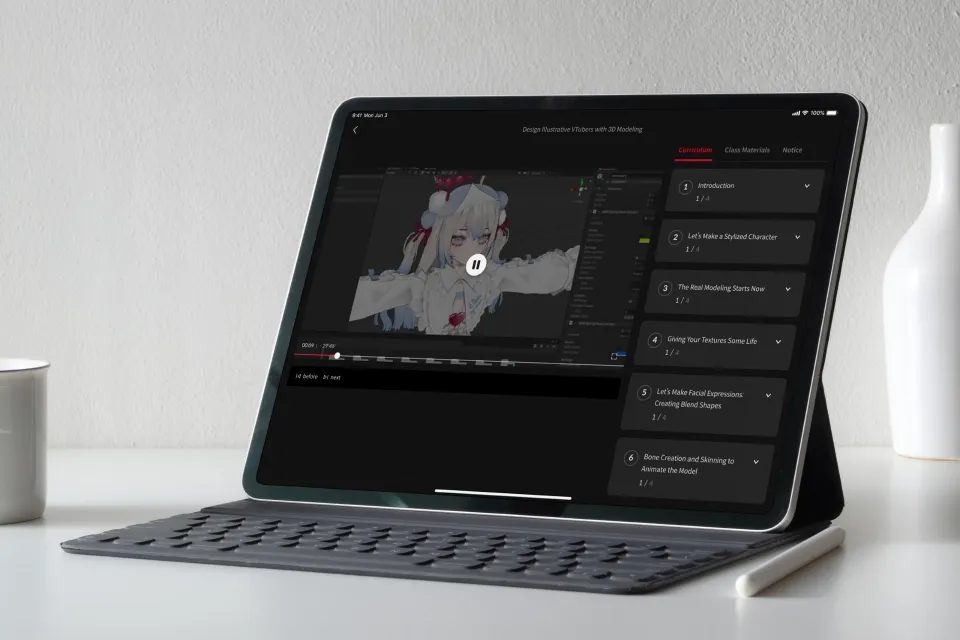
เข้าถึงเนื้อหาได้ไม่จำกัด
กว่า 67 ชั่วโมงและ 20 บท -
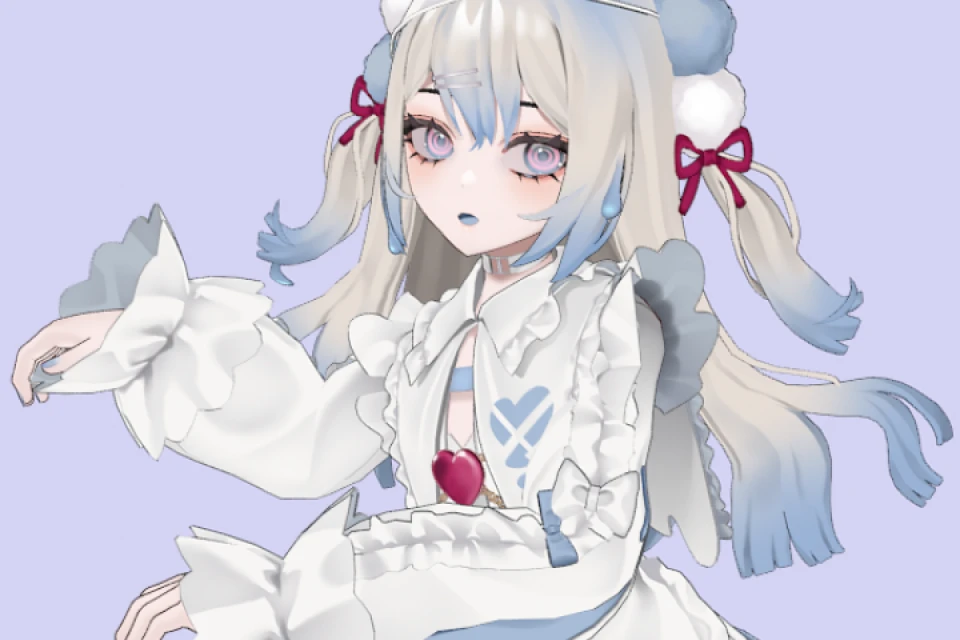
สร้างผลงานสองชิ้นจนสำเร็จในคลาสเรียน -
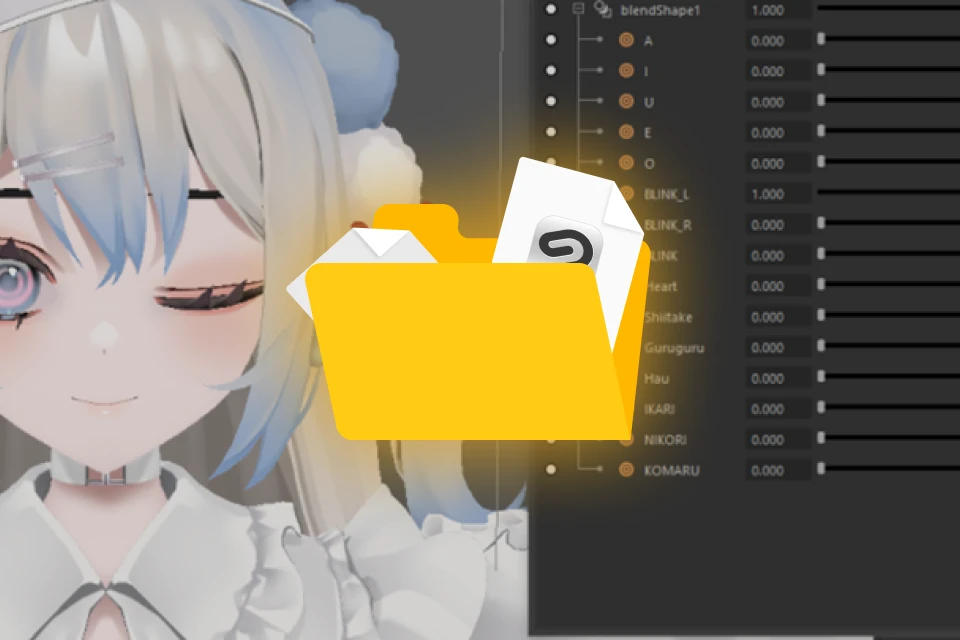
พบกับหลักสูตรสร้างโมเดลด้วยไฟล์ CLIP
แบบเลเยอร์ โมเดล VRM ที่เสร็จสมบูรณ์
และอื่นๆ อีกมากมาย
รายละเอียดไฟล์ประกอบคลาส
-
 ภาพประกอบสำหรับออกแบบตัวละคร- ภาพประกอบเต็มตัว 1 ภาพ(ไฟล์ png)
- ไฟล์เพิ่มเติม 1 ไฟล์ (jpg) -
 ตัวอย่างข้อมูลสำหรับงาน◆ set ข้อมูลสำหรับการสร้างตัวอักษรแบบมีสไตล์
- ไฟล์ CLIP 1 ไฟล์ ของเท็กซ์เจอร์ที่มีเลเยอร์แยกกัน (คลิป)
- 1 เท็กซ์เจอร์ (tga)
- ไฟล์โมเดล 1 ไฟล์ (ma)
◆ set ข้อมูลที่สมบูรณ์สำหรับการสร้างยูเรอิจัง
- ไฟล์ CLIP จำนวน 12 ไฟล์ซึ่งประกอบด้วยเท็กซ์เจอร์
ที่มีเลเยอร์แยกกัน (คลิป)
- 12 เท็กซ์เจอร์ (tga)
- ไฟล์ CLIP 1 ไฟล์ เป็นภาพประกอบเต็มตัว
สำหรับใช้ในการปั้นโมเดล (คลิป)
- ภาพประกอบเต็มตัว 3 ภาพ สำหรับใช้เป็น
โมเดล (ไฟล์ png)
- ไฟล์โมเดล 1 ไฟล์ (ma) -
 ข้อมูลที่จำเป็นสำหรับการสร้าง VTuber◆ ไฟล์สำหรับค้นหา MEL และชุดคำสั่งต่าง ๆ สำหรับ
คัดลอก/วาง
- ไฟล์ข้อความ 2 ไฟล์ที่บรรจุโค้ด MEL ที่ใช้ใน คลาส (txt)
- ไฟล์ข้อความ 1 ไฟล์ที่มีคำสั่งสำหรับการตั้งค่าท่าผูก
(bind poses)
◆ ไฟล์ที่ใช้สำหรับตั้งค่ากระดูก
- ไฟล์ชั่วคราว 1 ไฟล์ ประกอบด้วยโครงสร้างร่างกาย
มนุษย์และกระดูก ชิ้นส่วนต่าง ๆ ที่เคลื่อนไหวได้สมบูรณ์
◆ ไฟล์สำหรับโมเดล VRM ของยูเรอิจัง
- ไฟล์ VRM 1 ไฟล์สำหรับยูเรอิจังที่เสร็จสมบูรณ์ (vrm)
- รูปภาพขนาดย่อ 1 ภาพ สำหรับใช้ในการแปลงไฟล์ VRM
ใน Unity (ไฟล์ png)
ผลงานของ pfy ผู้เชี่ยวชาญด้านการสร้างโมเดล 3DCG




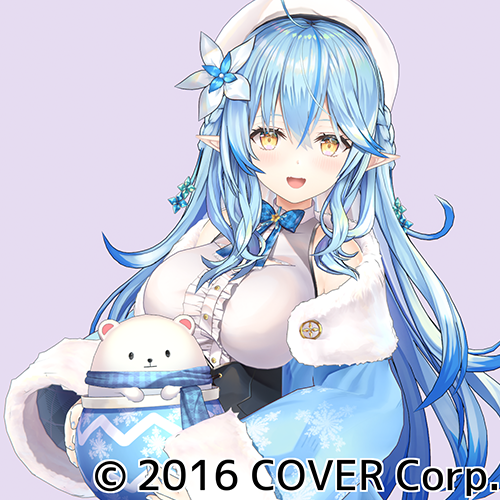
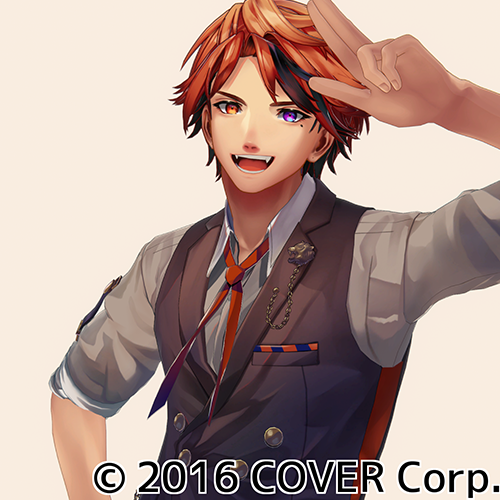

แบบฝึกหัดคลาส 6 ชิ้น
-
 การสร้างโมเดลคร่าวๆ
ของตัวละครที่มีสไตล์ -
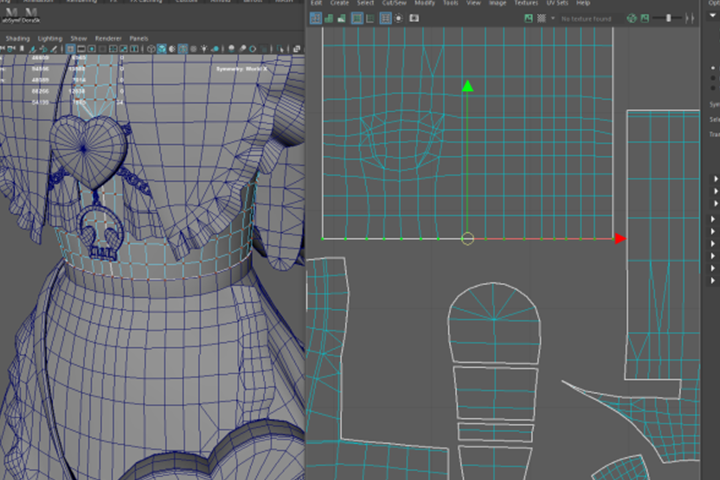 การคลี่ UV และการสร้างเท็กซ์เจอร์
 -
 การสร้างโมเดลโดยอิงจาก
ตัวละครที่มีสไตล์
-
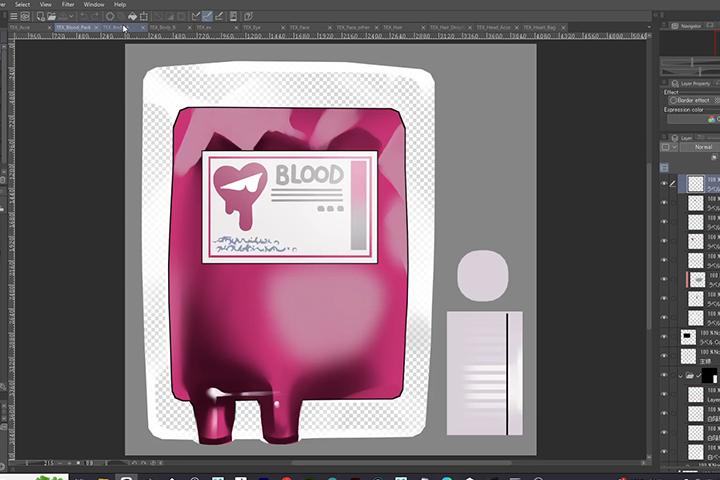 เท็กซ์เจอร์ต่างๆ เพื่อสร้างรูปลักษณ์
แบบภาพประกอบ -
 การสร้างเท็กซ์เจอร์และการเบลนด์เชป
 -
 การตั้งค่า Unity
ผลงานที่เสร็จสมบูรณ์แล้ว
ผู้สอน
นักสร้างโมเดล 3DCG
pfy
สวัสดีครับ! ผมชื่อ pfy เป็นนักสร้างโมเดล 3DCG ครับ
ปัจจุบันผมทำงานอยู่ในบริษัทที่เชี่ยวชาญด้านฟิกเกอร์
และโมเดลเกม ผมสร้างโมเดล 3D ให้กับลูกค้าที่เป็น VTuber
ตั้งแต่บริษัทไปจนถึงครีเอเตอร์รายบุคคลด้วย
ในคลาสนี้ ผมจะแนะนำวิธีการใช้ Maya ซึ่งเป็นโปรแกรม
สร้างโมเดลที่ใช้กันอย่างแพร่หลาย หลักสูตรนี้ยังมีประโยชน์
สำหรับผู้ที่สนใจอุตสาหกรรมเกม ผู้ที่ต้องการสร้างหรือเป็น
VTuber อีกด้วยครับ
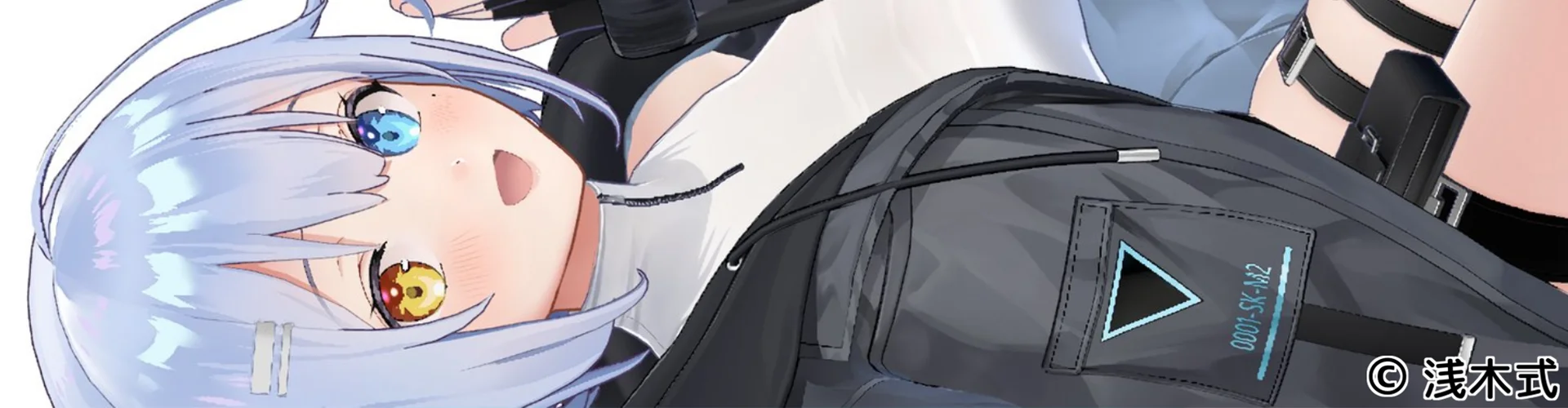
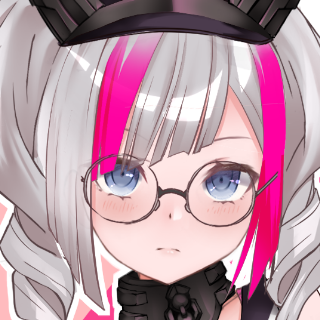
โปรแกรมสร้างโมเดล
3DCG, pfy
[ปัจจุบัน]
เชี่ยวชาญด้านการสร้างโมเดล
VTuber ในบริษัท ผลิตฟิกเกอร์
และโมเดลเกม
โปรเจ็กต์และรางวัล
[โปรเจ็กต์ที่เข้าร่วม]
โฮโลไลฟ์ โปรดักชัน
ยูกิฮานะ ลามี่
โยโกกุ โรเบรุ
คาเงยามะ ชิเอ็ง
อุสึกิ อูยู
พาโวเลีย เรน
นานาชิ มุเมอิ
[โปรดักชัน Pro-Pro]
โคอิโนยะ ไม
ไฮไลต์
ไฮไลต์ของคลาส
การสร้างโมเดล
และการใส่เท็กซ์เจอร์: จากพื้นฐานสู่
การประยุกต์ใช้จริง
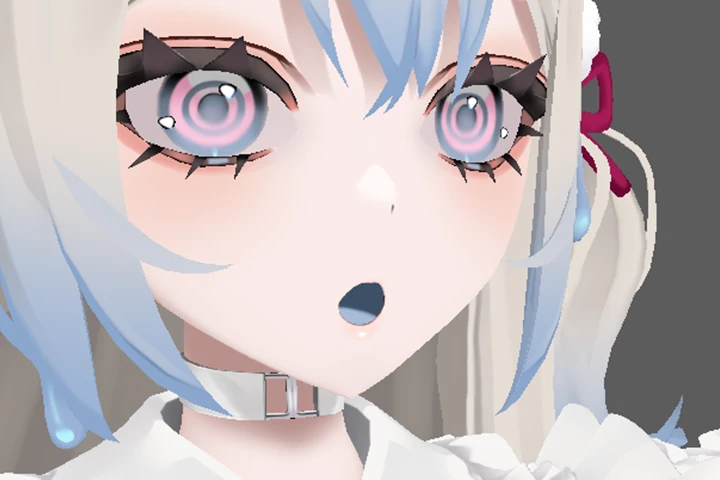
เรียนรู้พื้นฐานของการสร้างโมเดลและการใส่เท็กซ์เจอร์
รวมถึงวิธีการใช้เครื่องมือที่เกี่ยวข้องและคุณสมบัติของ
เครื่องมือเหล่านั้น Pfy จะอธิบายวิธีการมองแต่ละส่วน
ของโมเดลและใช้เครื่องมือเพื่อปรับปรุงคุณภาพ
โดยการสาธิตอย่างละเอียด
ยกระดับคุณภาพโมเดลของคุณ
ให้ก้าวไปอีกขั้น
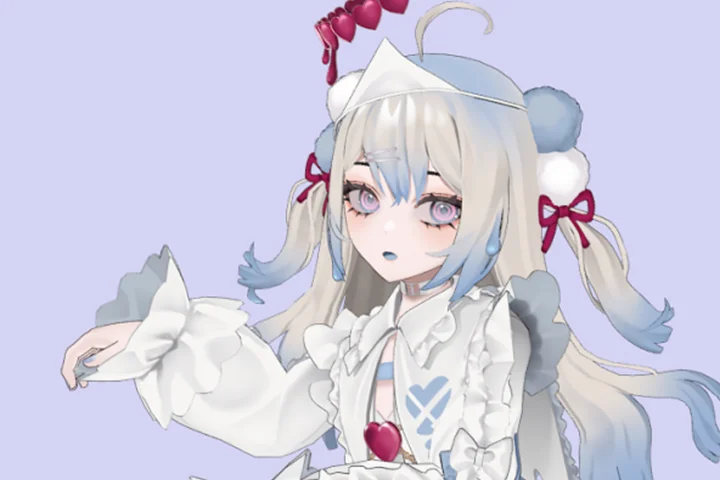
pfy จะอธิบายและสาธิตวิธีการสร้างโมเดล 3D
คุณภาพสูงและสื่อความหมายได้ดี โดยใช้ประสบการณ์
ด้านการสร้างโมเดล พร้อมทั้งแสดงเทคนิคเฉพาะ
ในการทำให้เท็กซ์เจอร์ดูโดดเด่น
วิธีใช้งานโมเดล 3D ที่คุณ
สร้างขึ้น
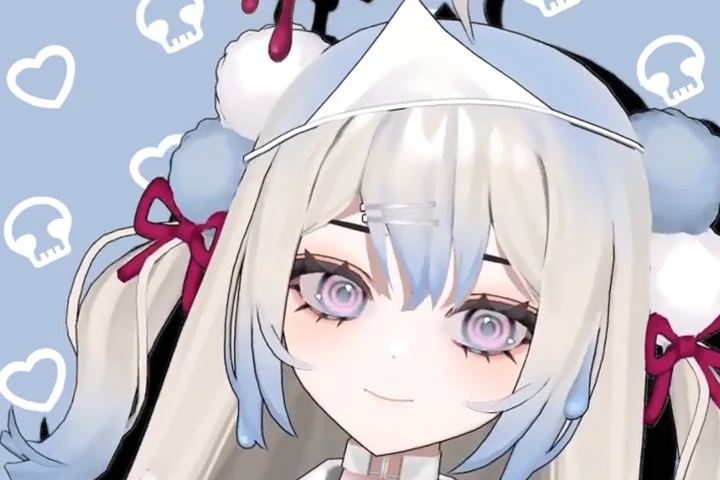
ไม่แน่ใจใช่ไหมว่าจะทำอย่างไรหลังจากสร้างตัวละครเสร็จแล้ว?
มาดูวิธีตั้งค่าโมเดลของคุณใน Unity และโปรแกรมสร้าง
แอนิเมชันกัน! Pfy จะสาธิตขั้นตอนการทำงานทั้งหมด
เพื่อให้คุณสร้างผลงานได้อย่างมั่นใจ
รายละเอียดคลาส
สิ่งที่คุณจะได้เรียน
-
 เทคนิคและขั้นตอนการสร้าง

โมเดล 3D ของ VTuberเรียนรู้เกี่ยวกับโปรแกรมที่จำเป็น ลูกเล่นและคีย์ลัด
ต่าง ๆ สร้างรูปทรงผ่านการสร้างโมเดลและลงสี
โดยใช้พู่กัน นอกจากนี้ คุณยังจะได้เรียนรู้วิธีการสร้าง
โมเดลขั้นพื้นฐานไปจนถึงขั้นสูงทีละขั้นตอน -
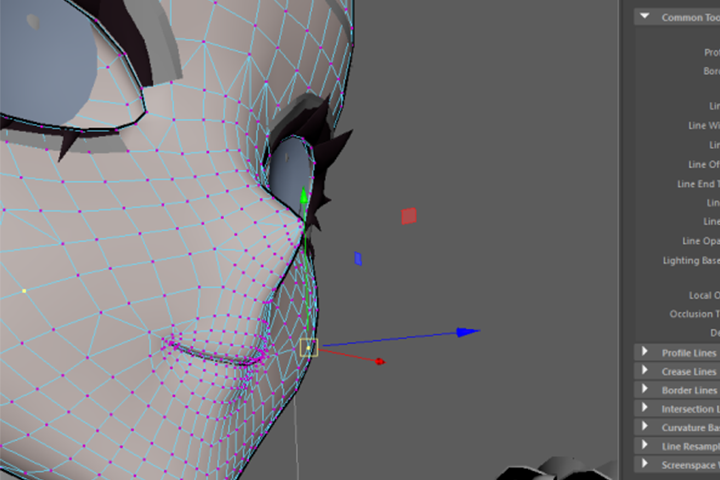 สัมผัสประสบการณ์แบบ Mayaทำความคุ้นเคยกับ Maya โดยเฉพาะเมนูทำ
มาร์กกิง คุณจะได้เรียนรู้เคล็ดลับสำคัญในการ
สร้างโมเดลตัวละครโดยใช้ MEL ด้วย -
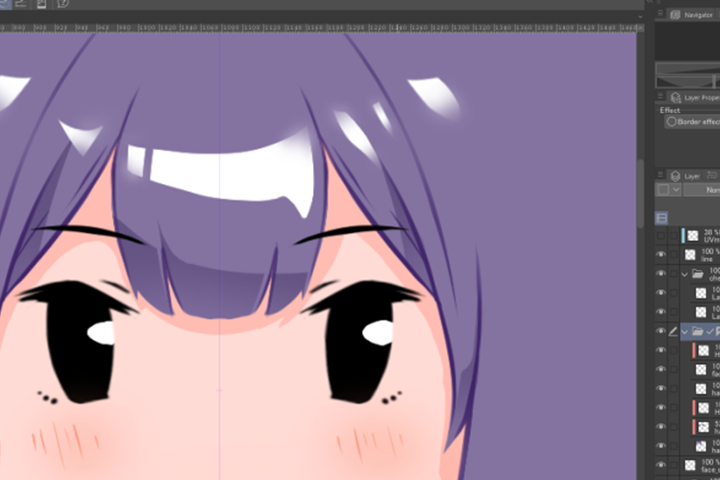 การปรับเปลี่ยนตัวละครที่มีสไตล์ไม่ใช่แค่การวาดภาพอย่างเดียว มาเรียนรู้วิธีจัดระเบียบ
เลเยอร์เพื่อให้แก้ไขและเปลี่ยนสีง่ายขึ้น รับเคล็ดลับ
จัดเรียงองค์ประกอบและเรียนรู้คีย์ลัดที่มีประโยชน์ รวมถึง
กระบวนการคิดเบื้องหลังการวาดภาพและจุดประสงค์
ของการใช้แปรงขณะสร้างภาพวาดจริงด้วย
-
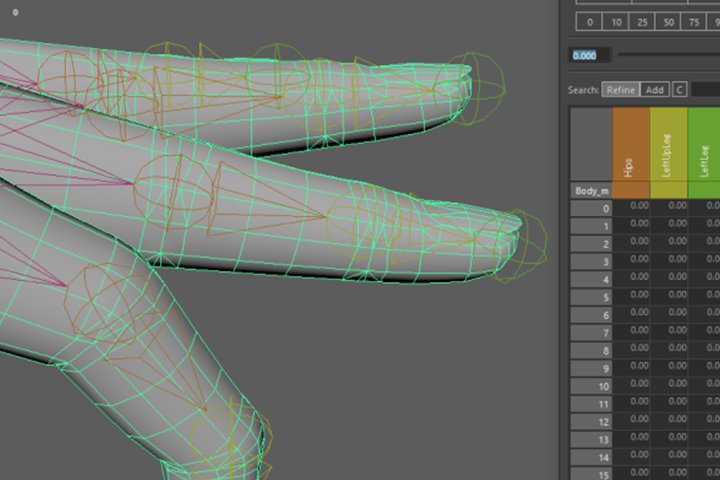 เคล็ดลับการใช้ตุ้มน้ำหนักระหว่าง
การสร้างกระดูกและการหุ้มผิวหนังเรียนรู้กระบวนการง่าย ๆ แต่มีประสิทธิภาพในการ
สร้างผิวให้กับโมเดลตัวละครโดยใช้โปรแกรมต่าง ๆ
กับอวัยวะที่ยากต่อการสร้างผิว ฝึกฝนการถ่ายโอน
น้ำหนักด้วยโมเดลแบบกรง เพื่อช่วยให้กระบวนการ
สร้างผิวเสร็จสมบูรณ์ -
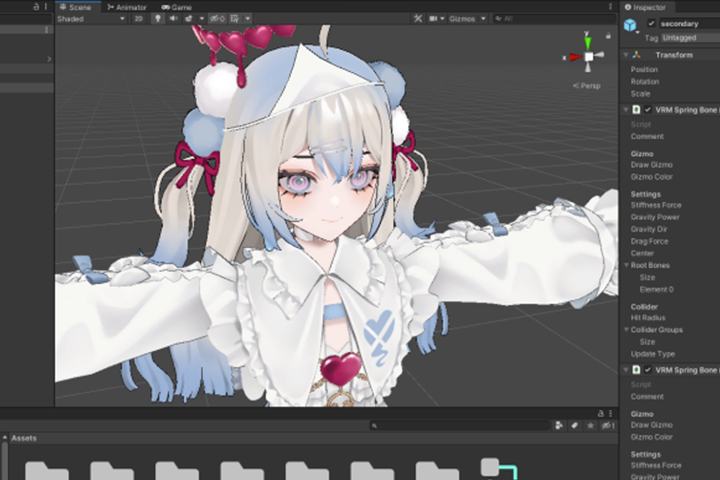 การตั้งค่าโมเดลของคุณเป็นข้อมูล
เพื่อสร้าง VTuber 3Dเรียนรู้วิธีตั้งค่าโมเดลของคุณในรูปแบบข้อมูล ลูกเล่น
ของ Unity ในการอิมพอร์ตและแปลงให้เป็นโมเดล VRM
ตลอดจนตั้งค่าการเคลื่อนไหวและ Blend shapes -
 การใช้งาน VTuber 3D ของคุณในขั้นตอนสุดท้าย สร้างแอนิเมชั่นให้กับโมเดล VRM
ของคุณด้วย LuppetX คุณจะได้เรียนรู้วิธีการสร้างโมเดล
ผ่านการทำ Trackingโดยไม่ต้องใช้เครื่องมือจับการ
เคลื่อนไหว คอร์สนี้จะสอนขั้นตอนให้คุณนำไปประยุกต์ใช้
กับ VTuber 3D ด้วย
- Unlimited Access
- Best Price
Buy now, get unlimited access.
12/31 (Sat) (UTC-7) Special offer ends soon.
This special offer ends soon.
Buy now and save!
หลักสูตร
แผนการเรียน
รายละเอียดหลักสูตร
รับชมคลาสพร้อมคำบรรยายภาษาไทยที่ตรวจสอบแล้ว
และดาวน์โหลดเอกสารประกอบการเรียนภาษาไทยได้
ตั้งแต่วันที่ 31 ส.ค. 2026
Section 01 บทนำ
01. บทนำ
- แนะนำตัว
- แนะนำผลงานตัวอย่าง
- แนะนำ Maya และ Clip Studio Paint
- ลำดับขั้นตอนโดยรวมของคอร์ส
- การติดตั้งซอฟต์แวร์
Section 02 มาสร้างตัวละครที่มีสไตล์กันเถอะ
02. มาเริ่มสร้างโมเดลกันเลย: การสร้างตัวละครที่มีสไตล์เฉพาะตัว
- ลูกเล่นที่จะนำมาใช้
- ทำความรู้จักลูกเล่นที่ใช้งานง่าย
- แนะนำ MEL
03. มาเริ่มทำ UV Unwrapping กัน: เตรียมพร้อมสำหรับขั้นตอนต่อไป
- UV คืออะไร?
- ขั้นตอนก่อนสร้างเท็กซ์เจอร์
- UV Unwrap
- UV แมปที่สะอาดตาคืออะไร?
04. มาใส่เท็กซ์เจอร์กัน: ควรเริ่มต้นจากตรงไหน? (ขั้นตอนการทำงาน)
- บทนำเกี่ยวกับการใช้ Clip Studio Paint
- การตั้งค่าคีย์ลัดที่แนะนำ
- เกี่ยวกับขนาดเท็กซ์เจอร์และระยะขอบ
Section 03 การสร้างแบบจำลองที่แท้จริงเริ่มต้นขึ้นแล้ว
05. การสร้างโมเดลคร่าว ๆ
- การปรับการตั้งค่ากล้องและเค้าโครง ภาพวาด
- การสร้างโมเดลอย่างง่ายคืออะไร?
- ลูกเล่นที่จะนำมาใช้
06. การสร้างโมเดลร่างกาย
- ร่างกาย
- การทำมือ
- ชิ้นส่วนอื่น ๆ
07. ใบหน้าคือทุกสิ่ง: มุมตรง มุมเฉียงและรูปทรงของริมฝีปาก
- ทำความเข้าใจเกี่ยวกับรูปทรงขากรรไกร
- คุณลักษณะของโครงร่าง
08. ปรับปรุงการสร้าง UV Unwrapping และการสร้างโมเดลของคุณ
- ก่อนที่จะเสร็จสิ้นขั้นตอนการทำ UV unwrap และการสร้างโมเดล
- สัดส่วนโพลีกอนสำหรับการสร้างผิว
- ลองดูโมเดลของคนอื่น
- หาเพื่อนคุยเรื่องการสร้างโมเดล
Section 04 เพิ่มชีวิตชีวาให้กับพื้นผิวของคุณ
09. มาแยกส่วนประกอบเท็กซ์เจอร์กันเถอะ
- สีพื้นฐาน, เส้นหลัก, สีเงา (การแรเงา), ไฮไลต์
- จัดเรียงองค์ประกอบต่าง ๆ เพื่อให้การแก้ไขง่ายขึ้น
10. การสร้างภาพประกอบที่ดูมีชีวิตชีวามากขึ้น
- คุณไม่จำเป็นต้องวาดรายละเอียดทุกอย่าง
- ชิ้นงานจัดว่าเป็นโมเดล 3 มิติหรือไม่
11. มีอะไรขาดหายไปบ้างไหม? มาปรับปรุงแก้ไขงานให้ดียิ่งขึ้น
- เพิ่มมิติสีให้กับแต่ละองค์ประกอบ
- เพิ่มรายละเอียดโดยใช้เอฟเฟ็กต์พื้นผิว
Section 05 มาสร้างการแสดงออกทางสีหน้ากัน: การสร้าง Blend Shapes
12. ขั้นตอนการทำงานสำหรับ Blend Shapes
- Blend shapes คืออะไร?
- MEL ที่มีประโยชน์
13. การสร้างเสียง “อะ อิ อุ เอะ โอะ”: อย่ามองข้ามรูปทรงของช่องปากด้านใน
- รูปทรงปาก
- ตำแหน่งของลิ้นและฟัน
14. กะพริบตา
- วิธีอัจฉริยะในการควบคุมการกะพริบของไฟ
15. การสร้าง Blend Shapes อื่นๆ
- การปรับเปลี่ยนรูปทรงของรูม่านตา
- การแสดงออกทางสีหน้าแบบพิเศษ
Section 06 การสร้างกระดูกและการทำสกินเพื่อสร้างแอนิเมชั่นให้กับโมเดล
16. มาทำให้กระดูกเคลื่อนไหวกันเถอะ
- กระดูกและผิวหนังคืออะไร?
- เกี่ยวกับกระดูกที่มีโครงสร้างคล้ายมนุษย์
- การสร้างโครงสร้างสำหรับชิ้นส่วนต่าง ๆ ที่แกว่งไปมา
17. มาลองใช้น้ำหนักกันดู
- กฎสำหรับการใช้งาน Bind Skin
- วิธีการวางน้ำหนักอย่างถูกวิธี
- การสะท้อนน้ำหนัก
18. ใส่ผิวหนังที่นิ้วมือ ข้อศอก และหัวเข่า
- ฟังก์ชัน “Weight Hammer” และ “Smooth” อาจใช้ไม่ได้ผลกับบางชิ้นส่วน
- การกำหนดน้ำหนักของข้อต่อนิ้วโดยพิจารณาจากโครงร่าง
- ขั้นตอนการส่งออกเป็นไฟล์ FBX
- วิธีการคัดลอกและบันทึกน้ำหนัก
Section 07 การตั้งค่าโมเดล VRM
19. VRM Model คืออะไร?
- ให้โมเดลเคลื่อนไหวได้จริง
- การติดตั้ง Unity
- นำเข้า “unitypackage”
- การตั้งค่าที่จำเป็นสำหรับการติดตั้ง VRM
- ควรใช้ซอฟต์แวร์ใดตรวจสอบความเคลื่อนไหว และอื่นๆ อีกมากมาย
20. การเป็น Vtuber และบทสรุป
- การสร้างแอนิเมชั่นให้กับโมเดลของคุณด้วย LuppetX
- แนะนำแอปพลิเคชันอื่น ๆ
- การสร้างโมเดลถัดไป
- วิธีการเลือกแนวคิดที่จัดการได้ง่าย
*วันเปิดตัวคลาส รูปภาพประกอบหลักสูตร และเนื้อหาที่เกี่ยวข้อง อาจมีการเปลี่ยนแปลงได้โดยไม่ต้องแจ้งให้ทราบล่วงหน้า
** วิดีโอคลาสอาจถูกแบ่งออกเป็นส่วนๆ เพื่อให้รับชมได้สะดวกยิ่งขึ้น
บทสัมภาษณ์กับ
นักสร้างโมเดล 3DCG, pfy

คำถามที่ 01
อะไรคือความท้าทายที่สำคัญที่สุดสำหรับผู้ที่ศึกษาในสาขานี้ และหลักสูตรนี้จะสามารถจัดการและแก้ไขความท้าทายเหล่านั้นได้อย่างไร?
ผมคิดว่าหลายคนคงไม่รู้ว่าโมเดล 3D ของ VTuber สร้างขึ้นอย่างไรและอะไรที่ทำให้มันเคลื่อนไหวได้ ในคลาสนี้ ผมจะอธิบายขั้นตอนการทำงานทั่วไปสำหรับการสร้างโมเดล 3D พร้อมทั้งพูดคุยเกี่ยวกับลูกเล่นพื้นฐานของ Maya และ Clip Studio Paint นอกจากนี้ ผมอยากจะแบ่งปันสิ่งที่ผู้เรียนควรคิดและระมัดระวังเมื่อแปลงภาพวาดเต็มตัวเป็นโมเดล 3D สำหรับโปรแกรมอย่าง Live2D ฉันหวังว่ามันจะเป็นประโยชน์ต่อผู้ที่กำลังประสบปัญหา ไม่เพียงแค่การสร้างโมเดลเท่านั้น แต่ยังรวมถึงการลงพื้นผิวด้วย
คำถามที่ 02
คุณประสบปัญหาอะไรบ้างในการเรียน และคุณได้พยายามแก้ไขปัญหาเหล่านั้นอย่างไรบ้าง?
ผมเจอปัญหามากมาย แต่สิ่งที่ยากที่สุดคือการสร้างรอยพับของผ้า ผมยังทำได้ไม่สมบูรณ์แบบและต้องการฝึกฝนเพิ่มเติม แต่ผมเคยลำบากมากถึงขนาดที่ใช้เวลาทั้งปีคิดว่าจะวาดรอยพับอย่างไรดี ในความคิดของผม การวาดรอยพับผ้าให้สวยงามนั้น สิ่งสำคัญที่สุดคือการเข้าใจว่าแรงใดที่ทำให้เกิดรอยพับและเกิดขึ้นได้อย่างไร ผมแนะนำให้ศึกษาคำอธิบายมากกว่าการดูรอยพับในชีวิตจริง ในตอนนี้ ผมก็ยังดูวัสดุเหล่านั้นประกอบบ่อย ๆ เมื่อวาดพื้นผิว
คำถามที่ 03
โปรดอธิบายถึงศักยภาพทางการตลาดและโอกาสในสาขาของคุณ
จุดแข็งของผมคือการสร้างโมเดล 3D และผมมองว่างานประเภทนี้จะเติบโตอย่างต่อเนื่องและถูกนำไปใช้ไม่เพียงแค่กับ VTuber เท่านั้น แต่ยังรวมถึงแพลตฟอร์มโซเชียลมีเดียแบบ VR หรือการผสมผสานภาพจริงกับโมเดล 3D ดังนั้นในความคิดของผม การเข้าร่วมในโปรเจ็กต์ต่าง ที่เกี่ยวข้องกับโมเดล 3D จะเป็นประโยชน์อย่างมาก
คำถามที่ 04
คุณมีข้อความอะไรที่จะฝากถึงนักเรียนที่สนใจสมัครเรียนบ้างไหม?
คุณอาจสร้างโมเดลแบบยูเรอิจังไม่ได้ในทันที แต่ถ้าคุณยังมีความอยากรู้อยากเห็นและความมุ่งมั่น ค่อย ๆ ก้าวไปทีละเล็กทีละน้อย ผมรับประกันว่าคุณจะประสบความสำเร็จในที่สุด ผมหวังว่าคลาสนี้จะจุดประกายความอยากรู้อยากเห็นและความมุ่งมั่นของคุณ เป็นบันไดสู่ระดับต่อไป ทำให้คุณคิดว่า “สนุกจังเลย! อยากเรียนต่อ” หรือ “ตอนนี้ฉันพร้อมที่จะสร้างงานออกแบบของตัวเองแล้ว!” ครับ
โปรแกรมที่ใช้
คอร์สนี้จะใช้โปรแกรม
- Maya (เวอร์ชัน 2022.5 หรือสูงกว่า)
- Unity (เวอร์ชัน 2019.4 หรือสูงกว่า)
- Clip Studio Paint
โปรดซื้อและติดตั้งโปรแกรมเหล่านี้เพื่อประสบการณ์การเรียนที่ดีที่สุด
*โปรแกรมและ/หรือสื่อการสอนเหล่านี้ไม่ได้รวมมาในคลาส*